ivySCI

ivySCI

Download on App Store
Logo of ivySCI

ivySCI: The AI-Powered Literature Hub for High-Impact Research

Automate metadata extraction, master complex papers with AI-assisted reading, and sync your citations across all devices. Built for PhDs and researchers who value their time.

Download on App Store

Publisher

Nanjing IvyScience Information Technology Co. Ltd

Category

Productivity

Downloads

139K+

User Rating

4.7/5

Total Ratings

600

Locales

4

Research, Visualized

Discover the interface used by 139K+ users.
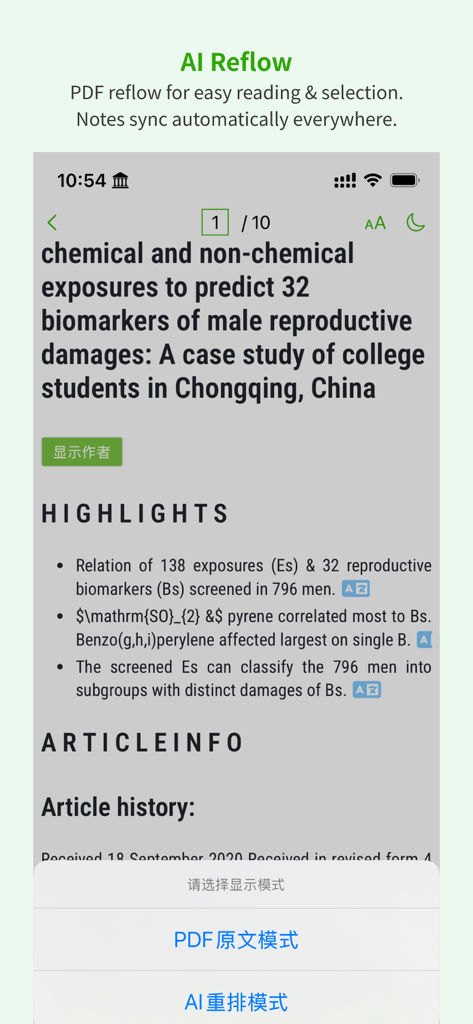
Mobile interface of ivySCI showing the AI Reflow feature for easier academic PDF reading

Mobile interface of ivySCI showing the AI Reflow feature for easier academic PDF reading

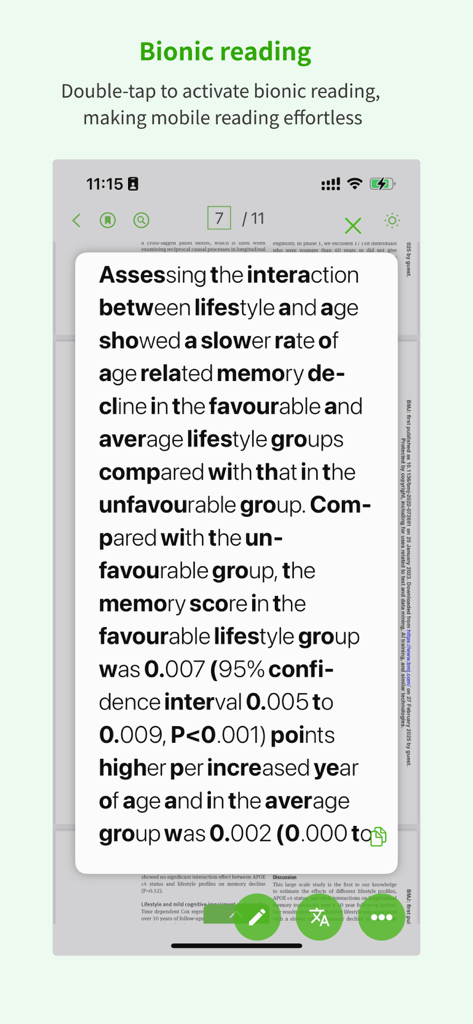
A mobile screen showing the bionic reading feature of the ivySCI app to improve reading speed for researchers.

A mobile screen showing the bionic reading feature of the ivySCI app to improve reading speed for researchers.

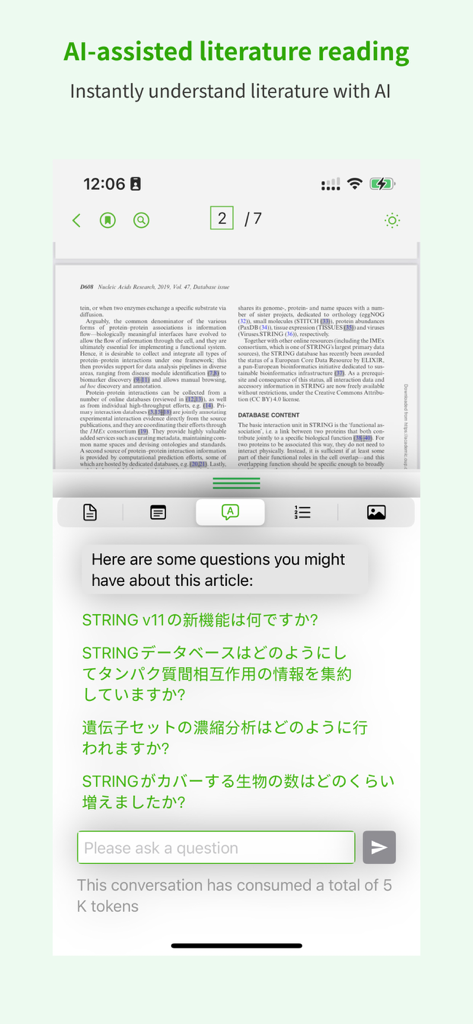
ivySCI app interface showing AI assisted literature reading and interactive research chat

ivySCI app interface showing AI assisted literature reading and interactive research chat

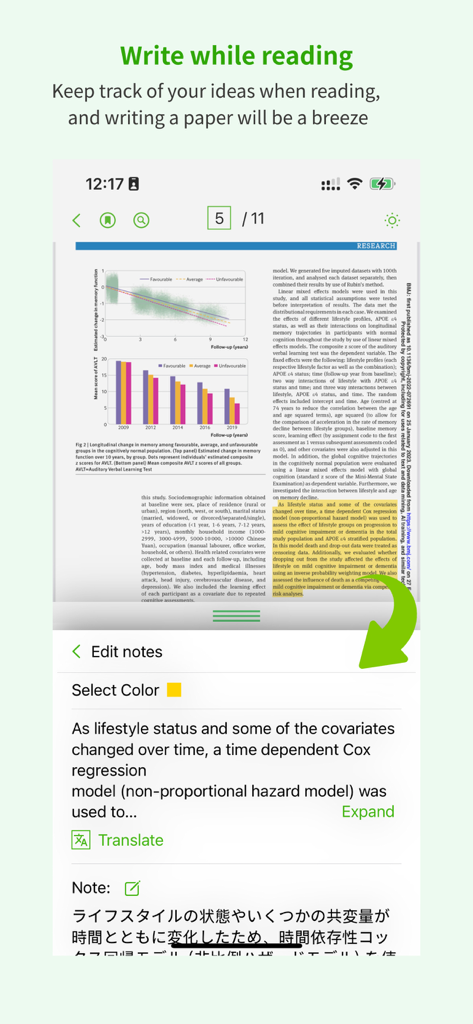
ivySCI app interface showing simultaneous academic paper reading note taking and text translation on a mobile device

ivySCI app interface showing simultaneous academic paper reading note taking and text translation on a mobile device

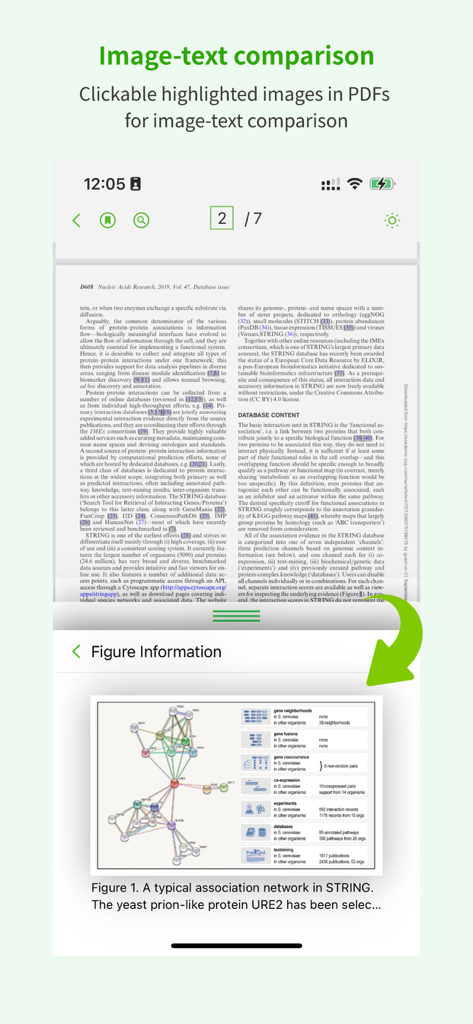
ivySCI mobile interface showing a research paper text and its extracted scientific diagram for comparison

ivySCI mobile interface showing a research paper text and its extracted scientific diagram for comparison

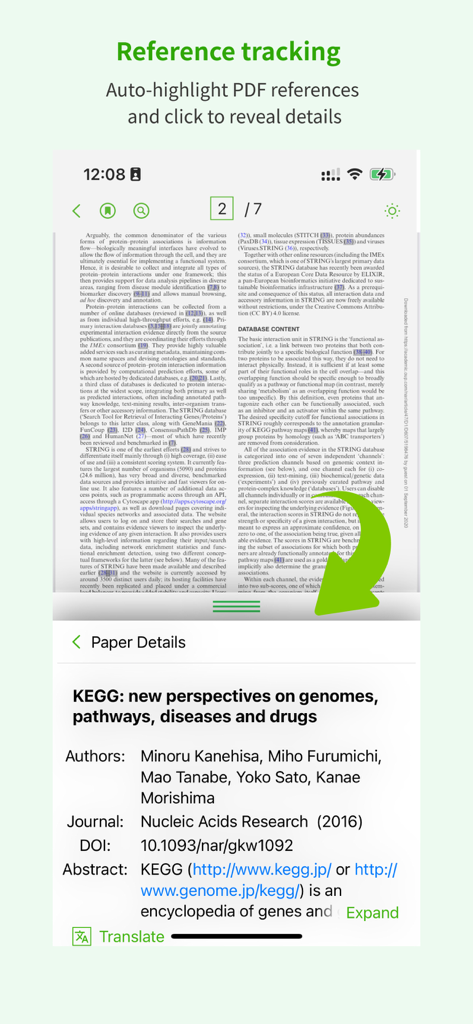
Interface of ivySCI app showing reference tracking which auto-highlights citations in a PDF and displays paper details like authors and DOI below

Interface of ivySCI app showing reference tracking which auto-highlights citations in a PDF and displays paper details like authors and DOI below

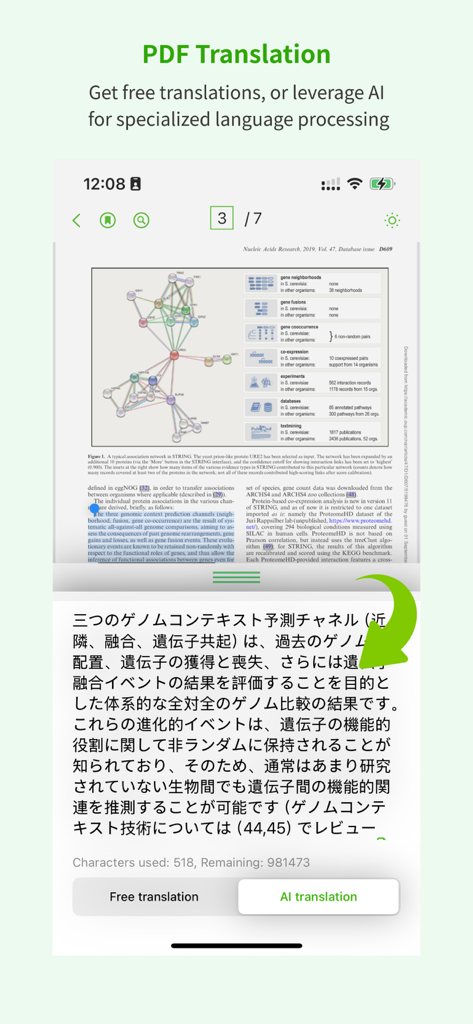
A screenshot of the ivySCI app showing an academic PDF translated into Japanese using AI translation tools

A screenshot of the ivySCI app showing an academic PDF translated into Japanese using AI translation tools

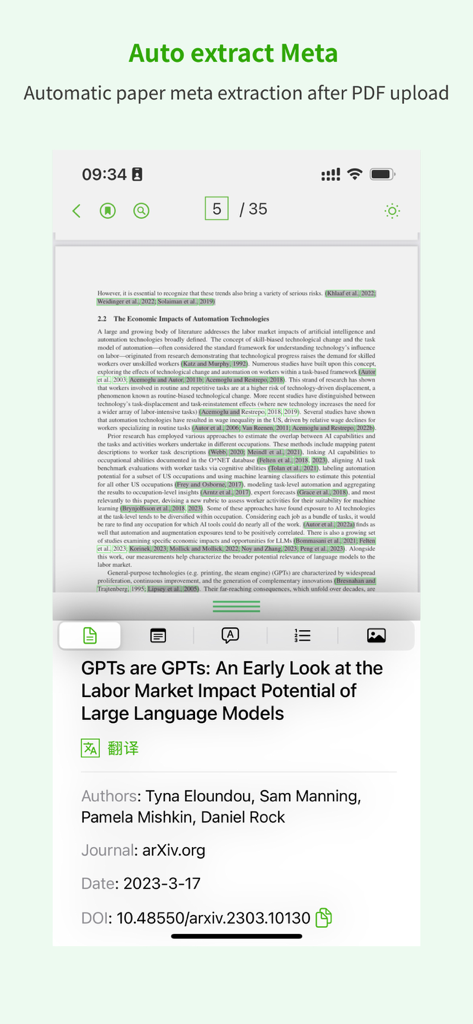
Screenshot of the ivySCI app interface showing automatic metadata extraction of an academic research paper including title authors journal date and DOI

Screenshot of the ivySCI app interface showing automatic metadata extraction of an academic research paper including title authors journal date and DOI

Elevate Your Academic Research Workflow

The tools that make this app stand out, trusted by 139K+ users.

🤖

AI-Powered Literature Insight

Chat with your papers to extract key findings instantly and bridge language gaps with built-in translation and intelligent dictionary tools.

📚

Automated Citation & Metadata

Instantly pull journal impact factors and CiteScores. Use the ivyCite plugin to insert formatted references into Word without breaking your flow.

☁️

Seamless Cross-Device Sync

Read and annotate on your iPad, reference on your iPhone, and manage your library on your Mac. Your research moves everywhere you do.

About the app

Everything you need to know about ivySCI.

Description

ivySCI is dedicated to providing thoughtful and intelligent literature reading and management tools for researchers, helping them save valuable time and focus more effectively on their research, rather than getting bogged down in time-consuming literature management, especially the tedious task of formatting references for graduate theses. As your helpful assistant, ivySCI offers a comprehensive range of services from the outset, including: 1. After you import PDF documents, we automatically identify the metadata of each paper, including titles, authors, abstracts, DOIs, journals, and important journal impact factors (CiteScore). 2. For each document, we provide built-in translation and dictionary lookup to overcome language barriers. 3. We offer AI-assisted reading for each document, providing quick answers to your questions. In the Mac version, we also provide AI proofreading and translation functions. 4. We analyze each document so that you can access references directly when needed, without flipping to the end of the paper. After viewing the references, you can decide whether to download them. You can customize the download engine to provide more channels to help you find the required literature faster. 5. We extract images from papers and provide side-by-side text and image viewing when necessary. You can zoom in or out on images to focus on specific details. 6. We analyze the PDF structure and present it in an outline format. Thumbnails are also available for viewing. 7. You can create notes on any device, and these notes are shared via the cloud for easy access anytime, anywhere. 8. Your literature and notes are associated with your account, so you can use them on any device (including iPhone, iPad, and Mac) after logging in. 9. When writing in Word or WPS, you can cite literature and notes at any time using the ivyCite plugin provided by ivySCI. This ensures that your thought process remains uninterrupted. ivySCI offers various client options tailored to research needs, including Mac and PC, iPad, and iPhone. Each device serves a different purpose, with desktop versions offering comprehensive management capabilities, iPad versions focused on reading and basic operations, and iPhone versions providing basic information access. Depending on the intelligence analysis capabilities and the limitations of different PDF formats, some features may not be available, but we continuously optimize the engine.

Latest Version

4.0.6

Size

69.7 MB

First Released

Jan 11, 2022

Elevate Your Research Workflow with ivySCI

Join 139K+ scholars and R&D scientists who have automated their literature management. Start reading, citing, and syncing intelligently across all your devices today.

Download on App Store

App information, icons, screenshots, and descriptions displayed on this page are sourced from the Apple App Store and are the property of their respective developers. Download estimates and rankings are based on MWM's proprietary models and may not reflect actual figures. This page is provided for informational and analytical purposes only.

Believe this page infringes your intellectual property? File a dispute