
This page is not an official page of the app or its developer, but an independent editorial publication created for informational and commentary purposes. Unless expressly stated otherwise, neither the app nor its developer is affiliated with, endorsed by, sponsored by, authorized by, or otherwise officially connected with MWM, Apple, Google Play, the app publisher, or the app's developer, and nothing on this page implies that the app was developed using MWM's services. Any trademarks, logos, screenshots, and other content remain the property of their respective owners.


JM浏览器 全球版
Experience a lightning-fast, clutter-free web with human-centric design, customizable navigation, and high-performance speed tailored for your lifestyle.
Downloads
462K+User Rating
Total Ratings
2K+Publisher
Category
ReferenceLocales
5Latest Version
5.3Size
41.6 MBFirst Released
Mar 15, 2021Designed for Pure Efficiency
Discover a cleaner, faster way to navigate the web with features tailored for the tech-savvy minimalist.
Ultra-Lightweight Speed
Experience instant page loads and smooth scrolling with a streamlined engine that respects your device resources.
Personalized Navigation
Adapt the interface to your habits with movable floating buttons for history and bookmarks, making browsing truly personal.
Frequently Asked Questions
Everything you need to know about JM浏览器 全球版
What are the core features of JM浏览器 全球版?
JM浏览器 全球版 offers a user-friendly, minimalist design with a fresh interface and simple functions. It ensures a smooth, fast, and stable browsing experience across the network.
Can I customize the 'Favorites/History' button in JM浏览器 全球版?
Yes, JM浏览器 全球版 allows customization. The 'Favorites/History' button on the homepage is a floating button, and users can adjust its position to suit their browsing habits.
Why does 'No-image mode' cause blank screens in JM浏览器 全球版?
Enabling 'No-image mode' in JM浏览器 全球版 can cause some websites to appear blank. Disabling this mode resolves the issue, allowing normal content preview.
Is JM浏览器 全球版 a stable and fast browser?
Yes, JM浏览器 全球版 prioritizes performance. It provides a fast, stable, and smooth online experience, as highlighted by its "Extreme speed internet" feature.
Does JM浏览器 全球版 include Incognito mode for private browsing?
Yes, JM浏览器 全球版 supports private browsing. It features an "无痕模式" (Incognito mode) that users can activate from the browser's bottom menu bar for enhanced privacy.
What kind of quick access options does JM浏览器 全球版 offer?
JM浏览器 全球版 provides one-click direct access to various popular sites from its homepage. These include Apple, Weather, Calendar, 剧集网, hao123, 360, 2345, and wn.
The following screenshots and description are sourced directly from the app's official store listing and are the property of the app developer.
App Store
Screenshots
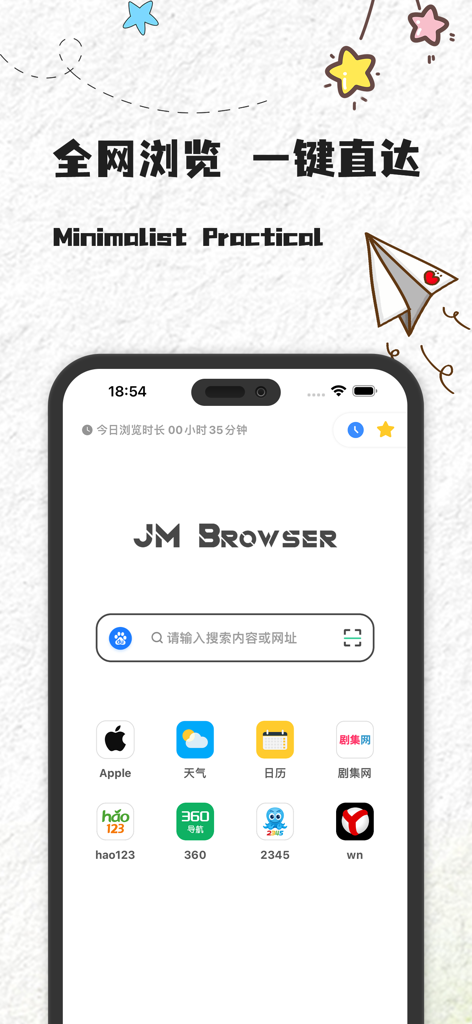
JM Browser global edition minimalist home interface with search bar
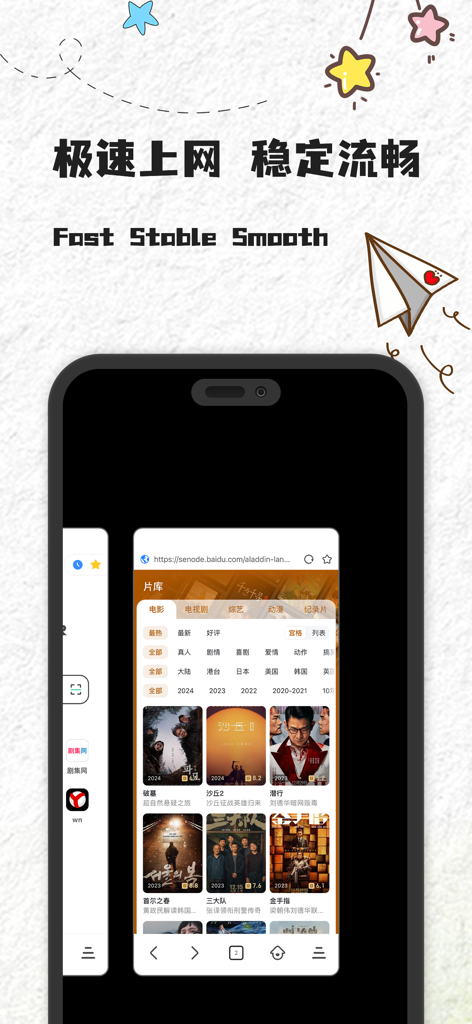
JM Browser Global Edition mobile interface highlighting fast stable and smooth web browsing with a movie gallery view

Home screen of JM Browser Global Edition featuring a search bar and shortcut icons for a green and safe browsing experience
Description
Download
More Like This
Apps with similar features and user experience

极速浏览器-安全快速上网
LANQI LIU

星so
涵钰 詹

Firefox Focus: Privacy browser
Mozilla Corporation

Private Browsing Web Browser
Savy Soda HK Limited

ReadSeek
旭瑞 杨

Private Browser,Incognito VPN
FAST Browser

Phoenix Browser + Proxy VPN
TIMON SOFTWARE SOLUTIONS COMPANY LIMITED

Tvgarden: Movie, Sport Browser
Vaibhavi Padariya

浏览器-安全快速上网
立智 张
This page is not an official page of the app or its developer, but an independent editorial publication created for informational and commentary purposes. Unless expressly stated otherwise, neither the app nor its developer is affiliated with, endorsed by, sponsored by, authorized by, or otherwise officially connected with MWM, Apple, Google Play, the app publisher, or the app's developer, and nothing on this page implies that the app was developed using MWM's services. Any trademarks, logos, screenshots, and other content remain the property of their respective owners.