Jointly
Jointly
Download on App Store

This page is not an official page of the app or its developer, but an independent editorial publication created for informational and commentary purposes. Unless expressly stated otherwise, neither the app nor its developer is affiliated with, endorsed by, sponsored by, authorized by, or otherwise officially connected with MWM, Apple, Google Play, the app publisher, or the app's developer, and nothing on this page implies that the app was developed using MWM's services. Any trademarks, logos, screenshots, and other content remain the property of their respective owners.


Logo of Jointly
Download on App Store

Jointly

Stop the stress of fragmented group chats and sticky notes. Bring your family into one secure 'circle of care' to manage medications, tasks, and schedules—giving you total peace of mind.

Key Figures

Downloads

0

User Rating

4.4/5

Total Ratings

0

Publisher

Carers UK

Category

Lifestyle

Locales

1

Latest Version

9.7

Size

38.3 MB

First Released

Sep 15, 2012
Features

Simplify Your Caregiving Journey

Stop juggling scattered messages and paper notes. Jointly brings your family together to share the load, stay organized, and provide the best care possible.

Unified Care Circles

Invite family, neighbors, or professionals to a secure hub. Share updates instantly and keep everyone in the loop without the noise of endless group texts.

Smart Task Delegation

Assign appointments and daily chores to specific members. Track progress in real-time and eliminate the stress of wondering who is doing what.

The following screenshots and description are sourced directly from the app's official store listing and are the property of the app developer.

App Store

Screenshots
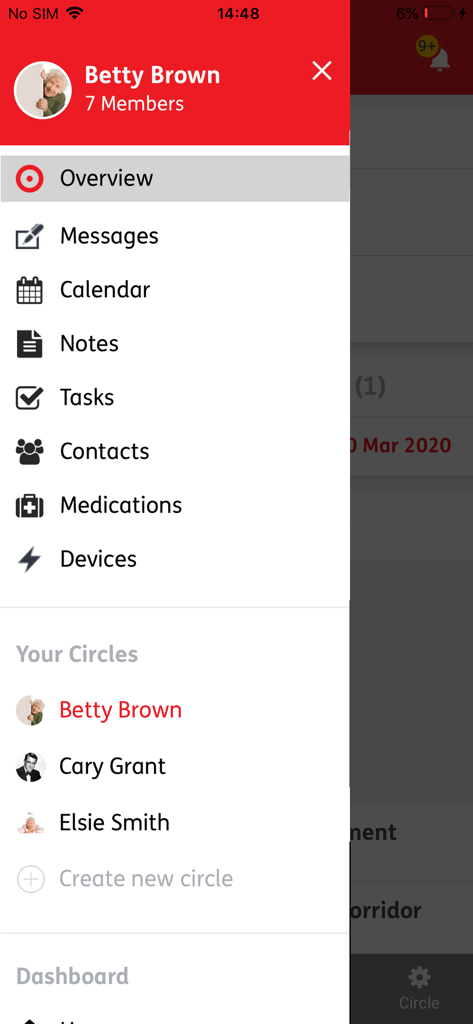
Jointly - Jointly app navigation menu displaying features like messages calendar and care circles
Jointly app navigation menu displaying features like messages calendar and care circles

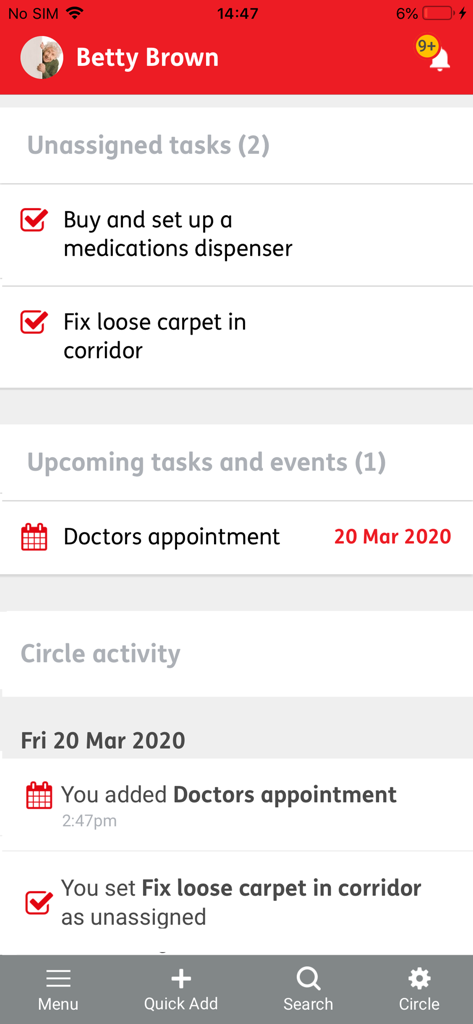
Jointly - Jointly app dashboard showing unassigned tasks and upcoming medical appointments for a family care circle
Jointly app dashboard showing unassigned tasks and upcoming medical appointments for a family care circle

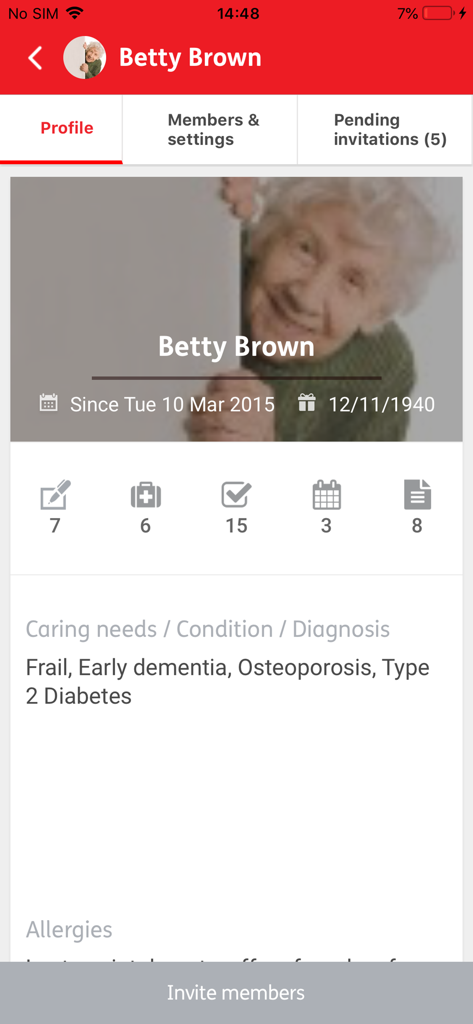
Jointly - A profile page in the Jointly app displaying a care recipients medical conditions and icons for tasks and medications
A profile page in the Jointly app displaying a care recipients medical conditions and icons for tasks and medications

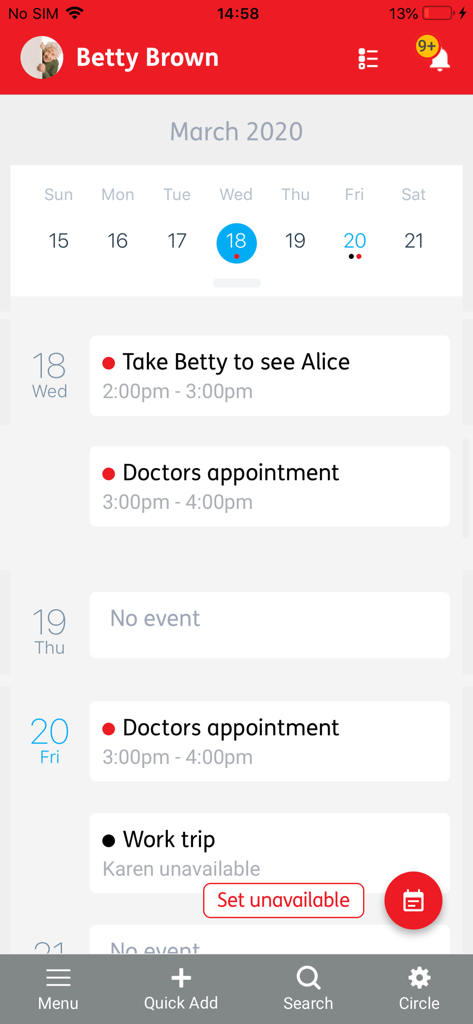
Jointly - A screenshot of the Jointly app displaying a weekly calendar with scheduled medical appointments and caregiver tasks for a family member.
A screenshot of the Jointly app displaying a weekly calendar with scheduled medical appointments and caregiver tasks for a family member.

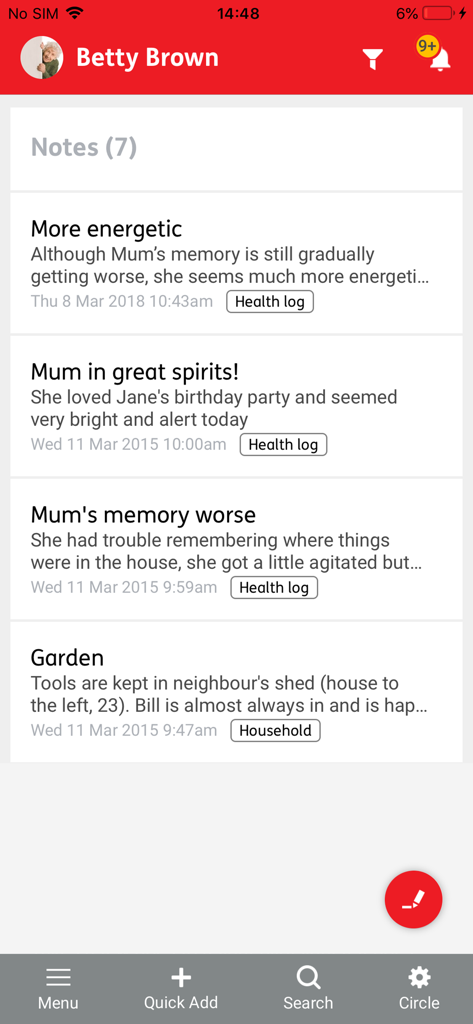
Jointly - Jointly app screen showing a list of health and household notes for a care recipient

Jointly app screen showing a list of health and household notes for a care recipient

Description

Care together from anywhere with Jointly! Jointly works with circles of care. To initially set up a circle for the person you are looking after you will need to make a one-off payment of £2.99. Once a Jointly circle has been purchased there is no additional cost for you or the people you invite to join you. You can invite as many people as you want to share the care with you. They can download the app or use the web version at jointlyapp.com Jointly requires version 9.0 of IOS or later, if you are running an older version of IOS we recommend that you use the web version of Jointly at https://jointlyapp.com. An application created by carers for carers. It is designed to make caring a little easier, less stressful and a lot more organised. It combines group messaging with other useful features including to-do and medication lists, calendar and more! Jointly is now available in Welsh language at https://jointlyapp.com Developed by Carers UK (www.carersuk.org) How does Jointly work? With Jointly you can create a circle of care for the person you are looking after. Once you have set up your Jointly circle you can start using Jointly to organise care. You can use it on your own or you can invite other people to join you and share the care. Jointly features include: • Homepage: See latest activity at a glance • Profile: Store useful information about the person you are looking after and have it available to access any time at a click of a button! Make a note of their date of birth, condition and caring needs, likes and dislikes or anything else you may think is relevant. • Group messaging: Communicate with everyone in your Jointly circle at a touch of a button! Simply post a message or upload an image. Members of your circle will receive a notification and can respond. • Tasks: Keep organised and on top of things by using tasks and task lists. Simply create a task and assign it to any member of your Jointly circle, including yourself, and monitor its status. • Calendar: Create date/time specific events and invite anyone in your circle. You can also use the field provided to invite people outside your Jointly circle. You can keep tabs of all planned events in Jointly's calendar while at the same time sending and accepting invitations in your personal calendar. • Notes: You can use Notes to store a wide range of information and add images or document attachments. This can include bills and information about the household or how someone is feeling. • Medication: Use Jointly's Medications feature to keep track of current and past medication of the person you are caring for. You can also upload an image to quickly recognise a medicine. • Devices: Receive, store and share messages from connected health and care devices. • Contacts: Jointly stores the contact details of the members of your circle and also allows you to store more useful contacts so that you can access their details anytime, anywhere! ******************************************************************************************************************* We are always excited to hear from you. If you have any feedback, questions, or concerns please email us at: jointlyapp@carersuk.org

Download

Download on App Store

This page is not an official page of the app or its developer, but an independent editorial publication created for informational and commentary purposes. Unless expressly stated otherwise, neither the app nor its developer is affiliated with, endorsed by, sponsored by, authorized by, or otherwise officially connected with MWM, Apple, Google Play, the app publisher, or the app's developer, and nothing on this page implies that the app was developed using MWM's services. Any trademarks, logos, screenshots, and other content remain the property of their respective owners.