
JPEG,PNG Image file converter

Stop struggling with incompatible HEIC files. Instantly convert images to JPEG or PNG with a lightweight tool designed for speed, privacy, and seamless cross-platform sharing—zero ads, just results.
Publisher
Category
Photo & VideoDownloads
126K+User Rating
Total Ratings
1K+Locales
2Discover the interface used by 126K+ users.
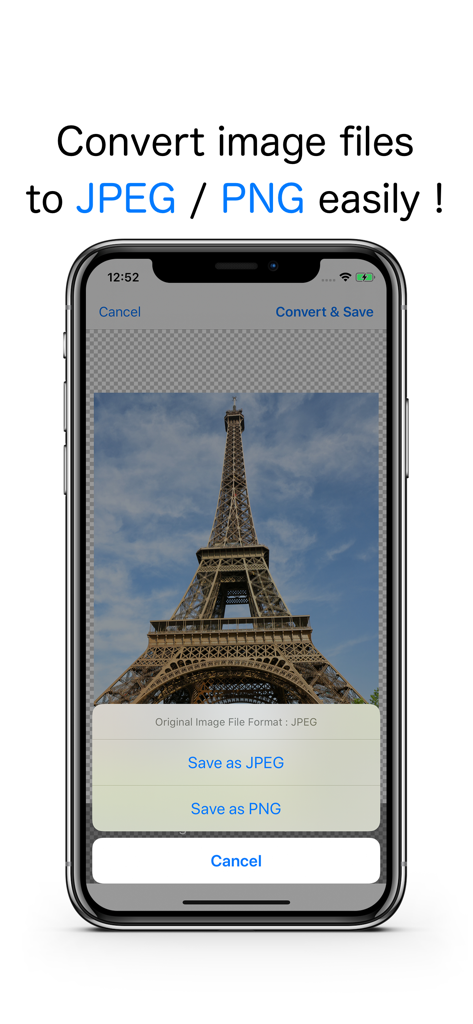
The tools that make this app stand out, trusted by 126K+ users.
Instantly convert Apple's HEIC files to standard JPEG or PNG, ensuring your photos are ready for Windows, web uploads, and professional portals.
Stay organized effortlessly as the app automatically creates and sorts your converted images into dedicated folders within your Photos app.
Experience a distraction-free, privacy-focused environment. No ads, no subscriptions—just a fast, reliable converter that respects your time.
Everything you need to know about JPEG,PNG Image file converter.
Description
Latest Version
26.0.0
Size
0.6 MB
First Released
Oct 6, 2016
Join over 126,000 professionals who value speed and privacy. Get the ad-free, lightweight converter that makes your photos compatible with any platform, instantly.
Top-ranked apps in the same category

BYTEDANCE PTE. LTD.

Instagram, Inc.

Google LLC

Canva Pty Ltd

Snap, Inc.

Beijing Kwai Technology Co., Ltd.

Instagram, Inc.

Xiamen Meitu Technology Co., Ltd.

Google LLC
App information, icons, screenshots, and descriptions displayed on this page are sourced from the Apple App Store and are the property of their respective developers. Download estimates and rankings are based on MWM's proprietary models and may not reflect actual figures. This page is provided for informational and analytical purposes only.
Believe this page infringes your intellectual property? File a dispute