
This page is not an official page of the app or its developer, but an independent editorial publication created for informational and commentary purposes. Unless expressly stated otherwise, neither the app nor its developer is affiliated with, endorsed by, sponsored by, authorized by, or otherwise officially connected with MWM, Apple, Google Play, the app publisher, or the app's developer, and nothing on this page implies that the app was developed using MWM's services. Any trademarks, logos, screenshots, and other content remain the property of their respective owners.


Just Press Record
Instantly capture ideas, meetings, and memories with a single tap or a Siri command. Effortlessly turn speech into searchable text and sync your recordings across iPhone, iPad, Mac, and Apple Watch.
Downloads
664K+User Rating
Total Ratings
5K+Publisher
Category
UtilitiesLocales
13Latest Version
50.3Size
8.1 MBFirst Released
Sep 21, 2015Capture Everything, Remember Everywhere
The ultimate pro-audio tool for professionals and creators. Record instantly, transcribe effortlessly, and sync across your entire Apple ecosystem.
One-Tap Instant Capture
Launch recordings from your Apple Watch complication or via Siri commands. It is the fastest way to capture professional-grade audio hands-free.
Searchable Intelligence
Auto-transcribe recordings in 30+ languages. Search through your history by keywords to turn hours of audio into actionable data instantly.
Frequently Asked Questions
Everything you need to know about Just Press Record
What is Just Press Record and what devices does it support?
Just Press Record is an ultimate audio recorder offering one-tap recording, transcription, and iCloud syncing across all your devices. It supports iPhone, iPad, Mac, and Apple Watch for capturing important moments.
Does Just Press Record transcribe audio and how many languages does it support?
Yes, Just Press Record turns speech into searchable text. It supports over 30 languages for transcription, independent of your device's language setting, and includes synchronized text highlighting with audio playback.
Does Just Press Record sync recordings across multiple Apple devices?
Yes, Just Press Record offers iCloud syncing. Recordings stored in iCloud Drive automatically sync across all your devices, ensuring access from your iPhone, iPad, Mac, or Apple Watch.
Can users record independently on Apple Watch with Just Press Record?
Yes, Just Press Record allows independent recording on Apple Watch, even without your iPhone present. Recordings automatically transfer to your iPhone for transcription and iCloud syncing later.
Does Just Press Record offer audio editing features?
Yes, Just Press Record offers audio editing. Users can visualize their audio in a waveform view and precisely cut out unwanted parts directly within the app to fine-tune recordings.
Can I edit the transcribed text within the Just Press Record app?
Yes, users can edit transcribed text within the Just Press Record app. You can make corrections and add new text directly to your transcriptions, ensuring accuracy and completeness.
Does Just Press Record record phone calls or audio from other applications?
No, Just Press Record does not record phone calls or audio from other applications. This is an explicit limitation mentioned in the app's important notes section.
Does Just Press Record support external microphones and high-quality audio recording?
Yes, Just Press Record supports high-quality external microphones via the Lightning Port and offers customizable audio settings. It records high-quality audio up to 96kHz / 24-bit in WAV, AIF, or M4A formats.
Can users start a recording hands-free with Just Press Record?
Yes, users can start a new recording completely hands-free using Siri. Other convenient options include starting from the Lock Screen, Control Centre, or Shortcuts.
The following screenshots and description are sourced directly from the app's official store listing and are the property of the app developer.
App Store
Screenshots
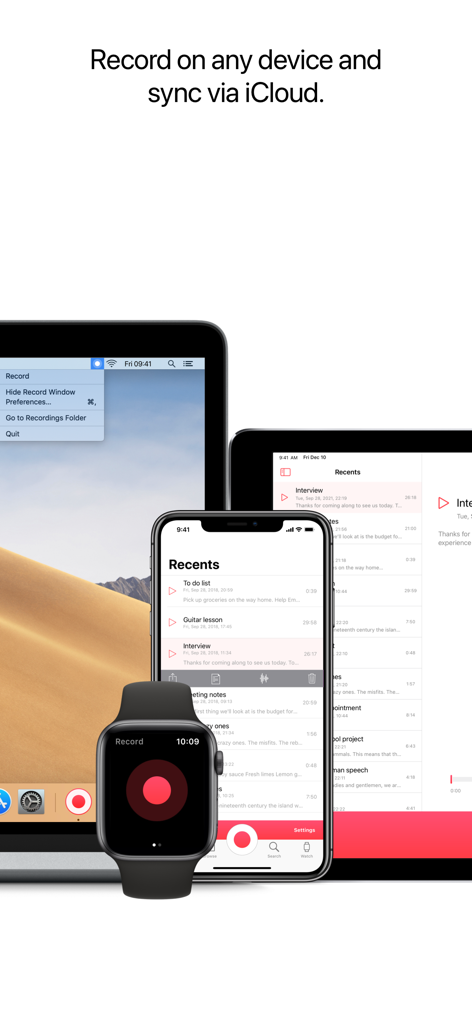
Just Press Record app interface on Apple Watch, iPhone, iPad and Mac showing iCloud syncing functionality.
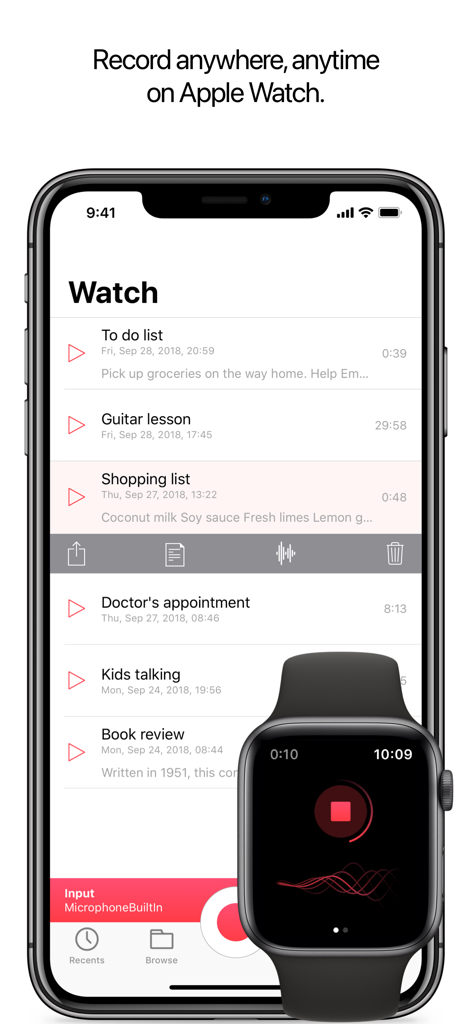
Just Press Record app interface on iPhone displaying a list of recordings synced with an Apple Watch showing an active recording.
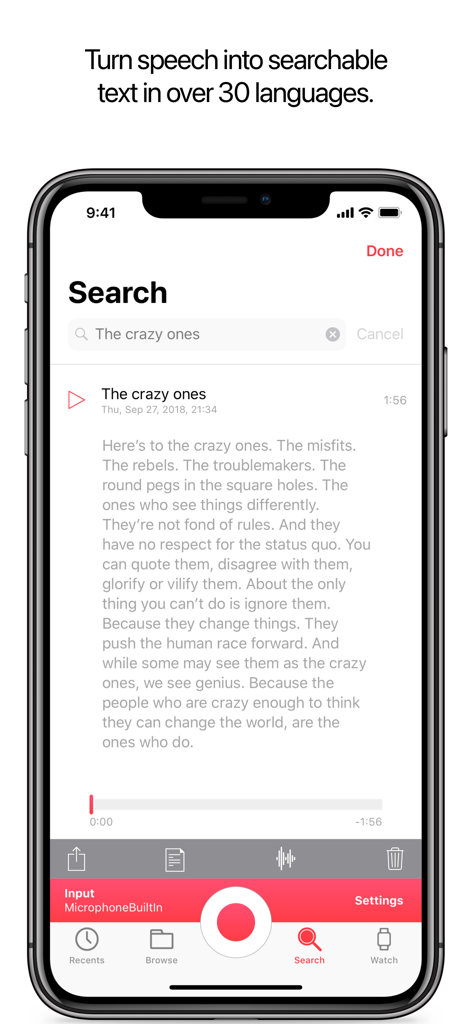
Just Press Record app displaying searchable audio transcription on iPhone.
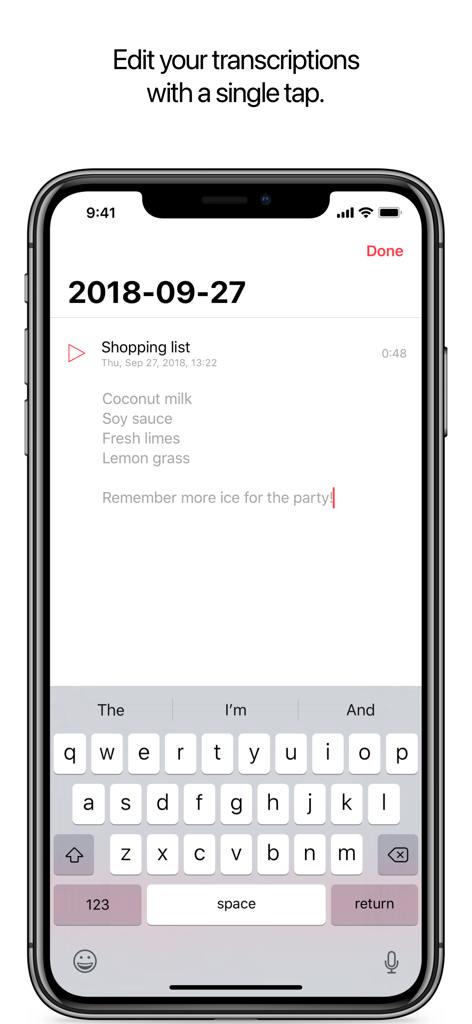
Just Press Record iPhone interface showing a transcribed shopping list being edited with the keyboard
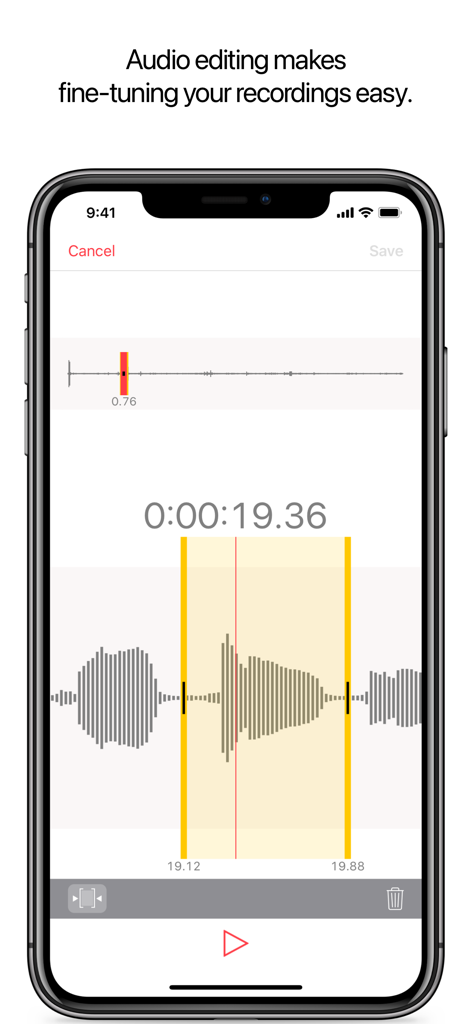
iPhone screen showing the audio editing interface with a waveform view for trimming recordings in the Just Press Record app.
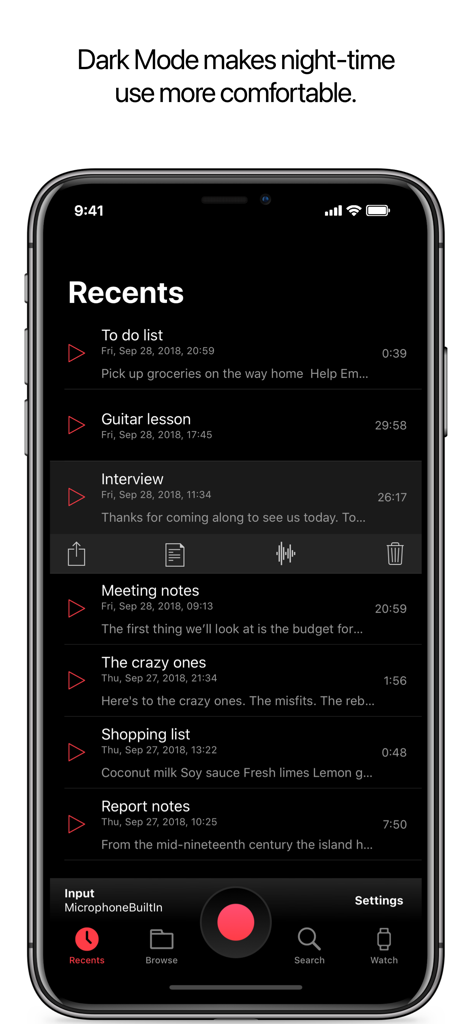
Just Press Record mobile app interface on iPhone featuring dark mode with a list of recent voice recordings.
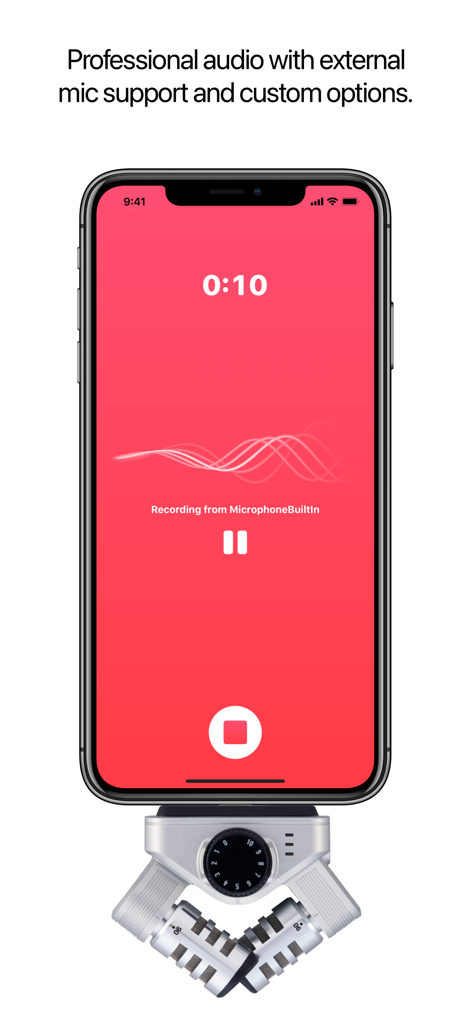
Just Press Record app interface on an iPhone connected to a professional external microphone
Description
Download
More Like This
Apps with similar features and user experience

Plaud: AI Note Taker
PLAUD LLC

Notee: AI Note Taker
GM UniverseApps Limited

클로바노트 - 음성 그 이상의 기록
NAVER Corp.

录音专家-专业录音转文字助手
Chongqing Yeyuegua Technology Co., Ltd

听脑AI - 实时录音转文字总结助手
Shanghai Xiuyu Network Technology Co., Ltd

Granola - AI Meeting Notes
Granola inc

Transkriptor - Speech to Text
Textintel FZE

Minutes: AI Meeting Note Taker
Minutes AI, LLC

Fireflies: AI notetaker
FIREFLIES.AI CORP.
This page is not an official page of the app or its developer, but an independent editorial publication created for informational and commentary purposes. Unless expressly stated otherwise, neither the app nor its developer is affiliated with, endorsed by, sponsored by, authorized by, or otherwise officially connected with MWM, Apple, Google Play, the app publisher, or the app's developer, and nothing on this page implies that the app was developed using MWM's services. Any trademarks, logos, screenshots, and other content remain the property of their respective owners.