
This page is not an official page of the app or its developer, but an independent editorial publication created for informational and commentary purposes. Unless expressly stated otherwise, neither the app nor its developer is affiliated with, endorsed by, sponsored by, authorized by, or otherwise officially connected with MWM, Apple, Google Play, the app publisher, or the app's developer, and nothing on this page implies that the app was developed using MWM's services. Any trademarks, logos, screenshots, and other content remain the property of their respective owners.


Kaadas Smart
Experience total peace of mind. Manage guest access, monitor your front door in real-time, and enjoy the freedom of a keyless lifestyle with professional-grade security at your fingertips.
Downloads
2M+User Rating
Total Ratings
1K+Publisher
Category
LifestyleLocales
2Latest Version
6.9.6Size
298.6 MBFirst Released
Oct 14, 2016Smart Security for Your Modern Lifestyle
Transform how you protect and access your home. The Kaadas Smart app puts professional-grade security and keyless convenience right in the palm of your hand.
Seamless Remote Access
Unlock your door from anywhere and receive instant notifications. Never worry about whether you locked the door again with total remote control.
Real-Time Visual Monitoring
Watch your doorstep in high definition with Smart Cat-eye integration. Identify visitors and deter package theft directly from your smartphone.
Frequently Asked Questions
Everything you need to know about Kaadas Smart
What smart devices does the Kaadas Smart app support?
Yes, the Kaadas Smart app supports Kaadas Smart Locks and Kaadas Smart Cat-eyes. It provides comprehensive management for these home security devices.
What is the primary function of the Kaadas Smart app?
The Kaadas Smart app provides home security by supporting Kaadas Smart Locks and Smart Cat-eyes, offering features like remote control and monitoring.
How do I manage users with the Kaadas Smart app?
Yes, the Kaadas Smart app allows user management. You can add users and assign unlock methods like fingerprint, card, face, or password for convenient access.
Can the Kaadas Smart app generate temporary passwords?
Yes, the Kaadas Smart app generates one-time passwords. These are single-use, offline dynamic encryption passwords, valid for a specific duration for guest access.
Does Kaadas Smart offer live video monitoring?
Yes, the Kaadas Smart app allows real-time viewing of the area outside your door. It provides live video control to enhance your home's security and monitoring.
Can I check my Kaadas smart lock's battery status in the app?
Yes, the Kaadas Smart app displays the power level of your connected smart lock. For example, it shows '100% lock power' for devices like the K20 Pro Max.
The following screenshots and description are sourced directly from the app's official store listing and are the property of the app developer.
App Store
Screenshots
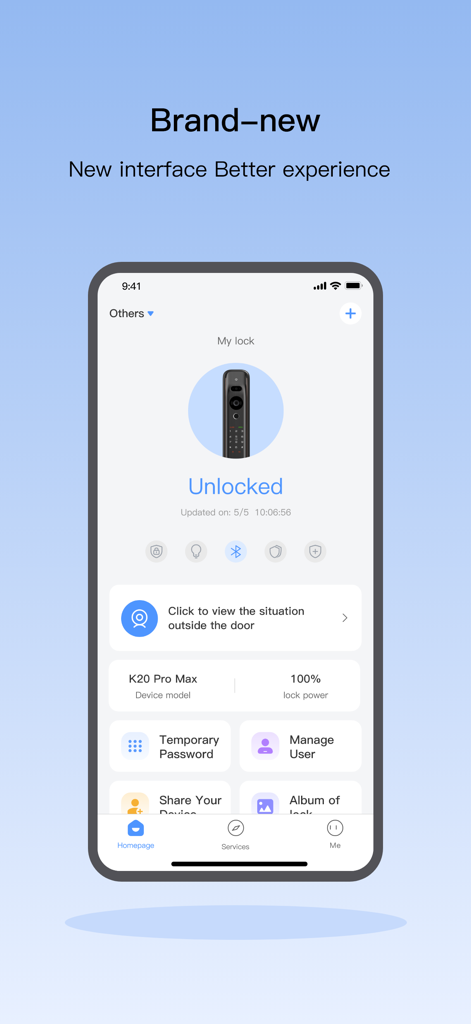
Interface of the Kaadas Smart app showing a smart lock status as unlocked and various home security management features.
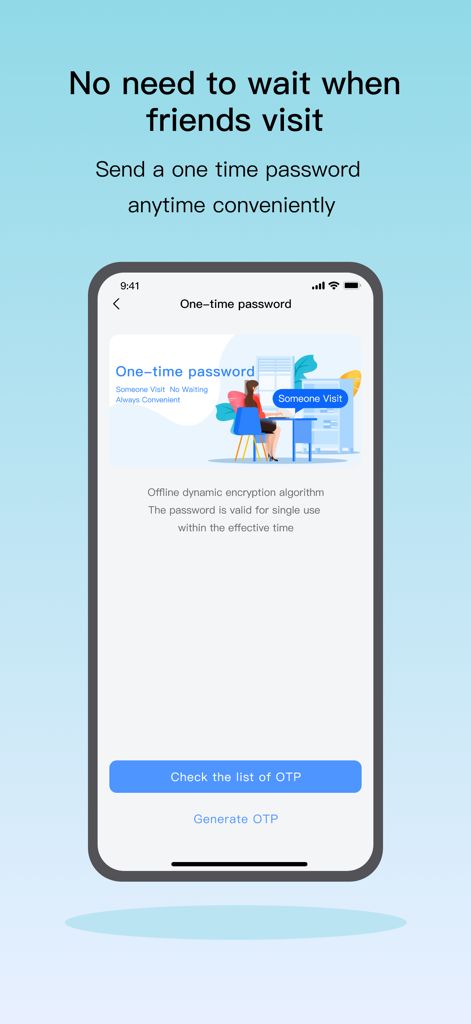
Kaadas Smart app interface showing the one-time password generation feature for visitor home access.
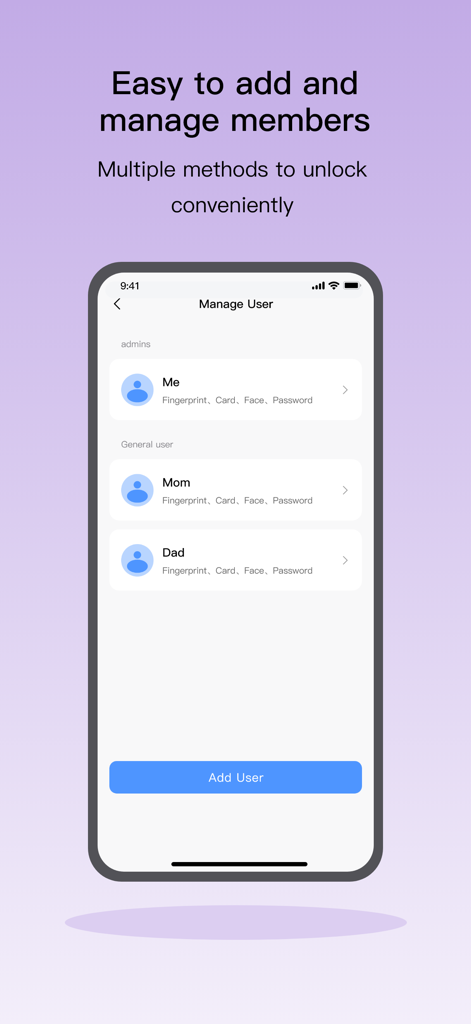
Manage members and unlock methods in the Kaadas Smart app.
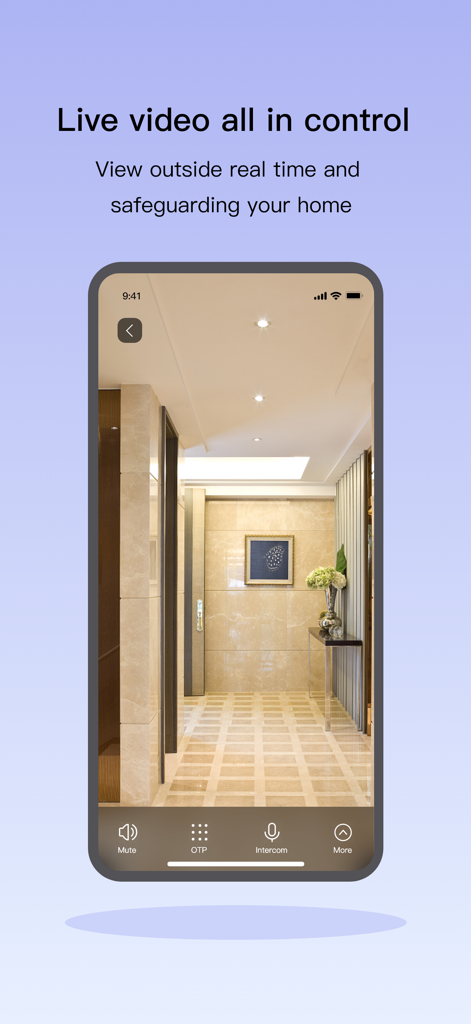
Smartphone displaying the Kaadas Smart app live video monitoring feature of a home entrance.
Description
Download
More Like This
Apps with similar features and user experience
myQ Garage & Access Control
The Chamberlain Group, Inc.

Schlage Home
Schlage Lock Company, LLC

Yale Access
August Home, Inc.

Kwikset
ASSA ABLOY AMERICAS RESIDENTIAL INC.

Aladdin Connect
Overhead Door Corporation

August Home
August Home, Inc.

Public Storage
Public Storage
Luxer One
Luxer Corporation
Nuki Smart Lock
Nuki Home Solutions GmbH
This page is not an official page of the app or its developer, but an independent editorial publication created for informational and commentary purposes. Unless expressly stated otherwise, neither the app nor its developer is affiliated with, endorsed by, sponsored by, authorized by, or otherwise officially connected with MWM, Apple, Google Play, the app publisher, or the app's developer, and nothing on this page implies that the app was developed using MWM's services. Any trademarks, logos, screenshots, and other content remain the property of their respective owners.