
This page is not an official page of the app or its developer, but an independent editorial publication created for informational and commentary purposes. Unless expressly stated otherwise, neither the app nor its developer is affiliated with, endorsed by, sponsored by, authorized by, or otherwise officially connected with MWM, Apple, Google Play, the app publisher, or the app's developer, and nothing on this page implies that the app was developed using MWM's services. Any trademarks, logos, screenshots, and other content remain the property of their respective owners.


Katasymbol
Label creation feels like a chore, but Katasymbol hands users total creative control.
Downloads
500k+User Rating
Total Ratings
548Publisher
Category
UtilitiesLocales
19Latest Version
1.3.17Size
177.0 MBFirst Released
Jan 17, 2023An analysis of Katasymbol's core functionalities and their impact on efficiency, privacy, and versatility for individuals and small businesses.
Katasymbol App Evaluation: Key Features
Secure Local Data Storage
The app ensures user privacy by storing all information exclusively in local files, eliminating the need for account registration.
Seamless Portable Printing
It allows users to print labels anywhere and anytime via Bluetooth connection, offering instant startup and effortless printing.
Advanced Multi-functional Editing
This tool provides comprehensive editing capabilities, including text, date/time, frames, images, sketches, icons, shapes, and Excel data imports, allowing for versatile label creation and inventory management.
Integrated Memo & Reminder System
It allows users to utilize labels for reminders, tracking item locations, and managing expiration times, thereby enhancing organization and inventory management.
Extensive Template Library
The app offers a rich selection of templates covering various application scenarios, enabling users to quickly design and print labels with one-click editing.
Rich Design Element Choices
This tool features diverse fonts, frames, icons, and shapes, constantly updated, to support creative designs and customization for unique labels.
Frequently Asked Questions
Everything you need to know about Katasymbol
What is the Katasymbol app?
Katasymbol is a multi-functional app designed for easy label editing and printing. It connects to a device via Bluetooth, allowing for instant label creation and printing.
Does Katasymbol require account registration?
No, the Katasymbol app does not require account registration. Users can use the app directly without creating an account.
Is information stored in the Katasymbol app safe and private?
Yes, information within the Katasymbol app is stored in local files, ensuring it remains safe and private for the user.
How does Katasymbol connect to a printing device?
Katasymbol connects to a printing device via Bluetooth. This allows for an instant start and easy printing of labels.
What editing functions does Katasymbol offer for labels?
Katasymbol offers multi-functional editing including text, time/date, frames, images, sketches, icons, shapes, and Excel data imports. It supports object manipulation like rotation and copying.
Can users customize labels with templates in Katasymbol?
Yes, Katasymbol provides a rich selection of label templates for various scenarios. Users can choose from a large library and utilize one-click editing and printing.
Does Katasymbol support adding images or QR codes to labels?
Yes, Katasymbol supports adding images, sketches, and QR codes to labels. The multi-functional editing features allow for diverse design choices.
Can Katasymbol help with reminders for items?
Yes, Katasymbol includes a Memo function to set reminders. Users can trace and mark item locations or manage expiration times for things like food.
The following screenshots and description are sourced directly from the app's official store listing and are the property of the app developer.
App Store
Screenshots
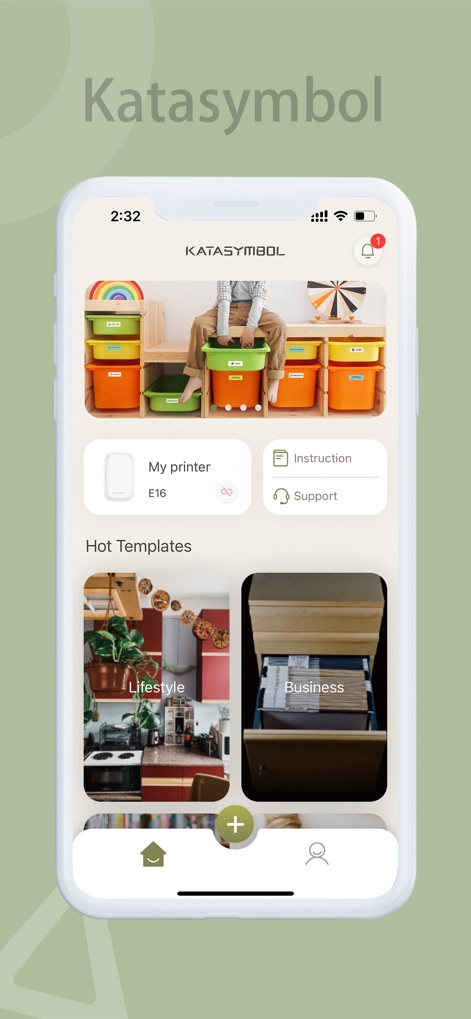
Explore the app's intuitive homepage, featuring quick access to a variety of 'Hot Templates' and a dedicated 'My printer' connection status section.
Welcome Dashboard
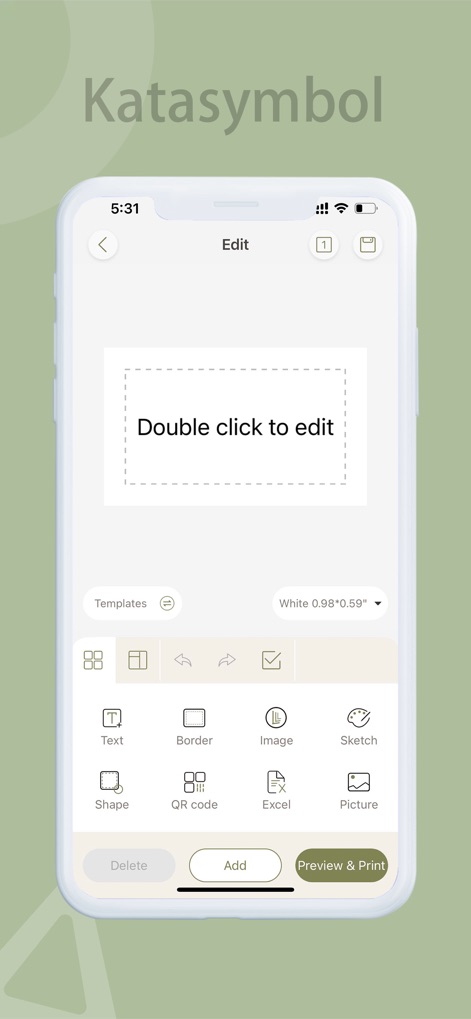
Discover the flexible 'Double click to edit' area for custom content and a comprehensive set of 'Text' and 'Image' editing tools for personalized label creation.
Powerful Editing Tools
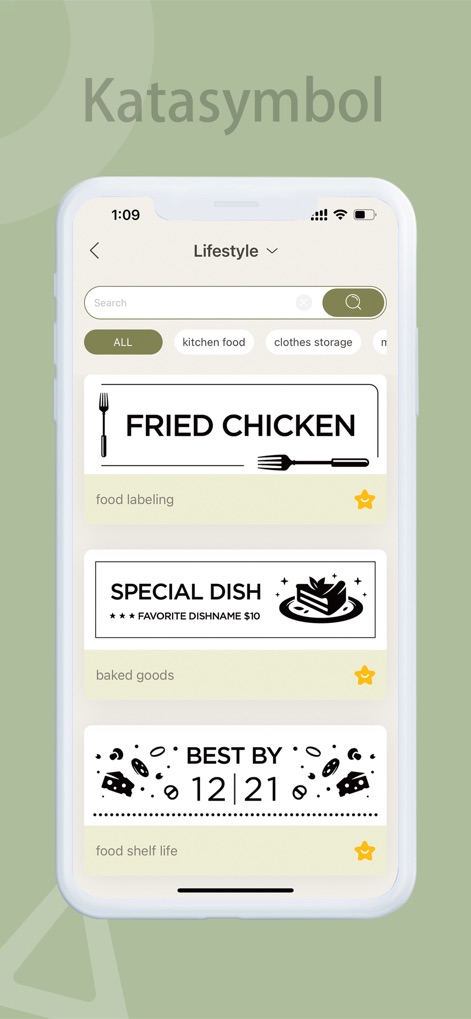
Browse the extensive template library, showcasing practical label examples for 'food labeling' and convenient 'food shelf life' tracking.
Diverse Template Library

Seamlessly manage your label printer in the 'Device Management' section and leverage smart 'Memo' features to set reminders for items and expiration times.
Smart Device & Memo
Description
Download
More Like This
Apps with similar features and user experience
NIIMBOT
WUHAN JINGCHEN INTELLIGENT IDENTIFICATION TECHNOLOGY CO., LTD
Nelko
E-z Ink Technology Co., Ltd

Print Master
PHOMEMO PTE. LTD.
Labelnize
E-z Ink Technology Co., Ltd
NIIM
WUHAN JINGCHEN INTELLIGENT IDENTIFICATION TECHNOLOGY CO., LTD
Polaroid Hi·Print
Polaroid International B.V.
Jadens Printer
JADENS COMPANY LIMITED
FlashLabel Pro
Xiamen Print Future Technology Co.Ltd.

WePrint App
Shanghai ThanMore Network Technology Co., Ltd.
This page is not an official page of the app or its developer, but an independent editorial publication created for informational and commentary purposes. Unless expressly stated otherwise, neither the app nor its developer is affiliated with, endorsed by, sponsored by, authorized by, or otherwise officially connected with MWM, Apple, Google Play, the app publisher, or the app's developer, and nothing on this page implies that the app was developed using MWM's services. Any trademarks, logos, screenshots, and other content remain the property of their respective owners.