
This page is not an official page of the app or its developer, but an independent editorial publication created for informational and commentary purposes. Unless expressly stated otherwise, neither the app nor its developer is affiliated with, endorsed by, sponsored by, authorized by, or otherwise officially connected with MWM, Apple, Google Play, the app publisher, or the app's developer, and nothing on this page implies that the app was developed using MWM's services. Any trademarks, logos, screenshots, and other content remain the property of their respective owners.


Keyaki Studio
Bring your stories to life without Blender or Unity. Use AI motion capture and VRoid integration to create viral 3D shorts, skits, and anime-style videos instantly—no drawing skills required.
Downloads
0User Rating
Total Ratings
0Publisher
Category
Photo & VideoLocales
2Latest Version
1.12.64Size
438.6 MBFirst Released
Apr 15, 2023Your Virtual Animation Studio in Your Pocket
Stop dreaming and start creating. Keyaki Studio removes the technical barriers of 3D animation, allowing you to produce viral-ready content without expensive gear or complex software.
AI-Powered Motion Capture
Transform your real-life movements into 3D animations instantly using only your phone camera. No expensive motion capture suits or sensors required.
No-Code Character Control
Skip the steep learning curve of Unity and Blender. Easily import your VRoid avatars and use intuitive tools to edit facial expressions, lip-sync, and hand poses.
The following screenshots and description are sourced directly from the app's official store listing and are the property of the app developer.
App Store
Screenshots
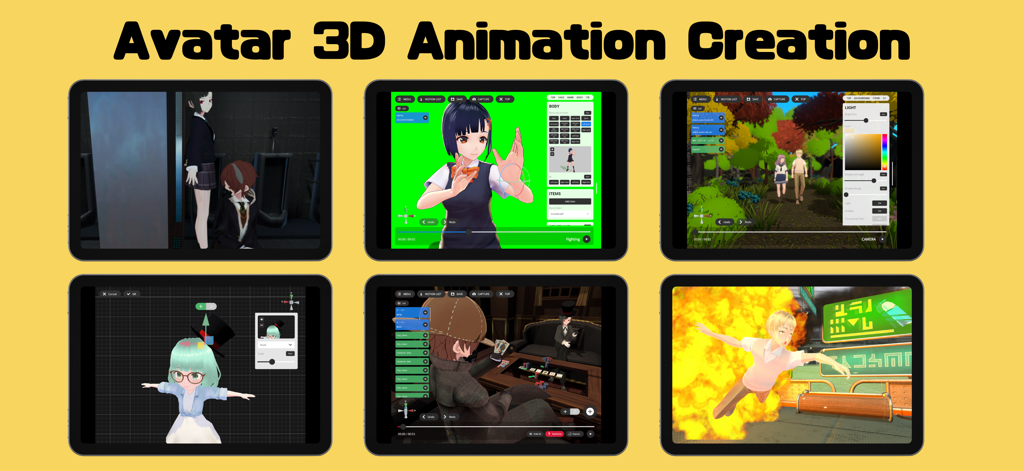
Six screenshots of the Keyaki Studio app showcasing 3D avatar animation editing scene creation and motion capture features
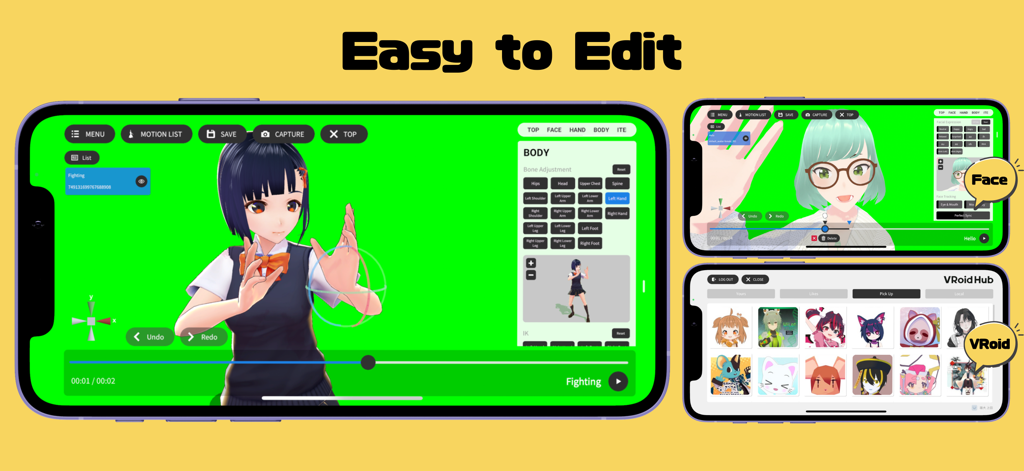
Keyaki Studio mobile interface showing 3D avatar editing tools and VRoid Hub integration.
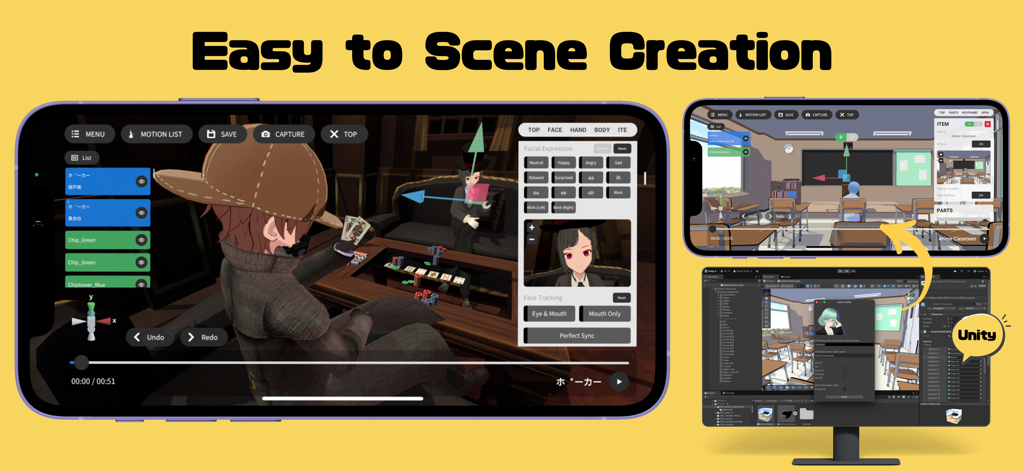
Keyaki Studio app interface showing 3D animation scene creation with anime avatars and Unity integration
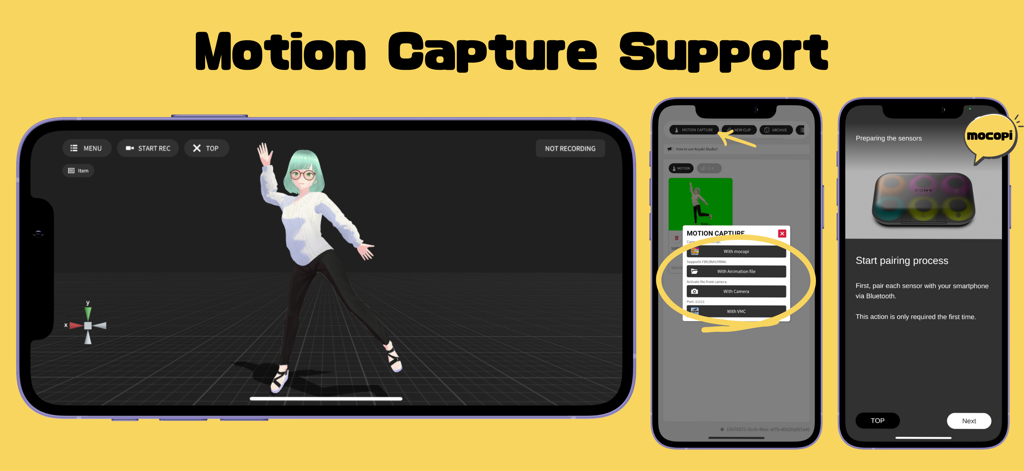
Interface of Keyaki Studio showing motion capture options including mocopi integration and AI camera for 3D avatar animation
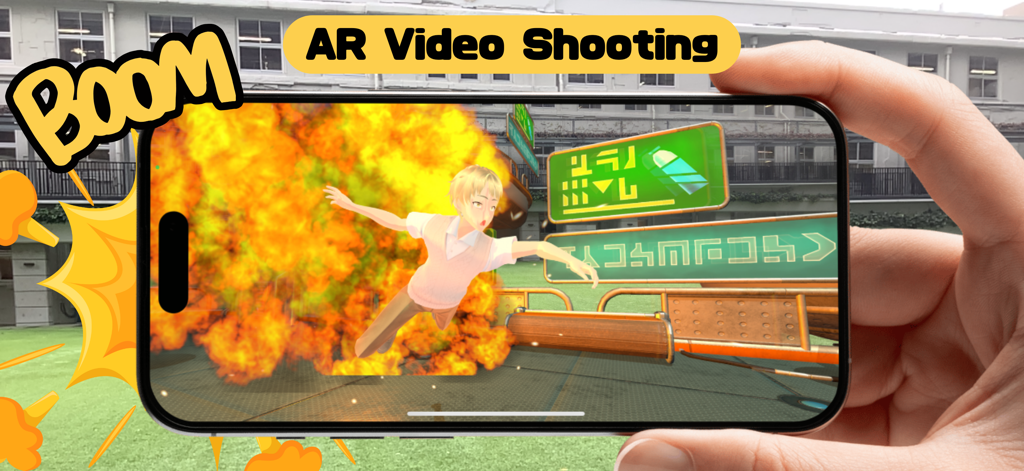
A 3D anime character in an augmented reality explosion scene on a smartphone screen
Description
Download
More Like This
Top-ranked apps in the same category

CapCut: Photo & Video Editor
BYTEDANCE PTE. LTD.

Instagram, Inc.

YouTube
Google LLC

Canva: AI Video & Photo Editor
Canva Pty Ltd

Meta AI - Vibes & AI Glasses
Meta Platforms, Inc.

Snapchat
Snap, Inc.

快手
Beijing Kwai Technology Co., Ltd.

Edits: Video Editor
Instagram, Inc.

Meitu- AI Photo & Video Editor
Xiamen Meitu Technology Co., Ltd.
This page is not an official page of the app or its developer, but an independent editorial publication created for informational and commentary purposes. Unless expressly stated otherwise, neither the app nor its developer is affiliated with, endorsed by, sponsored by, authorized by, or otherwise officially connected with MWM, Apple, Google Play, the app publisher, or the app's developer, and nothing on this page implies that the app was developed using MWM's services. Any trademarks, logos, screenshots, and other content remain the property of their respective owners.