
This page is not an official page of the app or its developer, but an independent editorial publication created for informational and commentary purposes. Unless expressly stated otherwise, neither the app nor its developer is affiliated with, endorsed by, sponsored by, authorized by, or otherwise officially connected with MWM, Apple, Google Play, the app publisher, or the app's developer, and nothing on this page implies that the app was developed using MWM's services. Any trademarks, logos, screenshots, and other content remain the property of their respective owners.


コンビニフォト!スマホの写真をかんたん手軽にコンビニプリント
Turn your camera roll into Korean-style 4-cuts, custom photocards, and sticker sheets in seconds. Personalize your memories with 3,000+ cute frames and stamps, then print instantly at your nearest local shop.
Downloads
741K+User Rating
Total Ratings
9K+Publisher
Category
Photo & VideoLocales
1Latest Version
6.2.2Size
96.8 MBFirst Released
Jun 11, 2020Bring Your Aesthetic to Life
Transform your digital memories into physical photocards, stickers, and decor using your phone and 3,000+ creative assets.
DIY Fandom & Photocards
Design custom trading cards and phone case inserts for your favorite icons or besties using pro-level templates.
Viral Photo Booth Layouts
Get the trendy 4-cut Korean photo booth look or classic polaroid vibes instantly from your camera roll.
Frequently Asked Questions
Everything you need to know about コンビニフォト!スマホの写真をかんたん手軽にコンビニプリント
What is the コンビニフォト! app?
コンビニフォト! is an app for easily printing smartphone photos at convenience stores. It allows users to create memories, "Oshikatsu" goods, and personalized photo items directly from their mobile device.
Which convenience stores are supported by the コンビニフォト! app for printing?
The コンビニフォト! app supports printing at Lawson, FamilyMart, Ministop, Poplar Group, and Seven-Eleven. Sticker paper printing is available at most, but excludes some specific convenience stores.
Is member registration necessary to use the コンビニフォト! app?
No, member registration is not required to use the コンビニフォト! app. Users can access photo editing and printing services immediately without an account.
What types of photo layouts does コンビニフォト! offer for printing?
コンビニフォト! offers three layouts: "1-sheet layout" for single prints, "Split layout" for combining multiple photos into one, and "Free layout" for custom arrangements with cropping functionality.
How many free frames and stamps are available in the コンビニフォト! app?
The コンビニフォト! app provides over 800 types of frames and over 2,700 types of stamps, offering a total of more than 3,000 free customization materials for users.
Can I print photos directly from Google Photos using コンビニフォト!?
Yes, the コンビニフォト! app integrates with Google Photos. Users can select and print their photos directly from their Google Photos library, in addition to their device's camera roll.
What is the process for printing photos using the コンビニフォト! app at a convenience store?
To print, users select a layout and photos, then edit them. Next, they choose a convenience store to get a print reservation number. Finally, this number is entered at the multi-copy machine in the selected store.
Does コンビニフォト! support creating personalized stickers?
Yes, コンビニフォト! supports creating personalized stickers. Users can design various sticker types, including "Oshi" character stickers, name stickers, and self-made stickers, especially using the free layout and cropping features.
The following screenshots and description are sourced directly from the app's official store listing and are the property of the app developer.
App Store
Screenshots
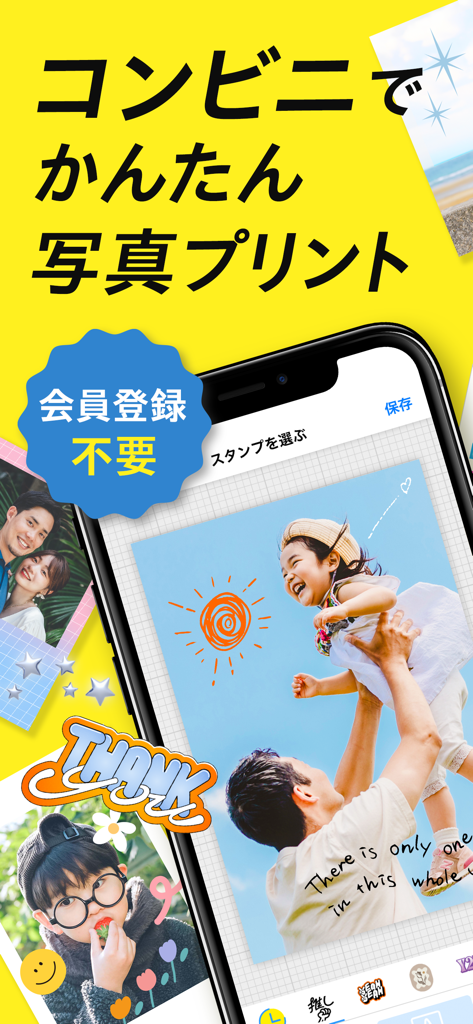
Mobile app interface on a yellow background showing photo editing and printing features for convenience stores
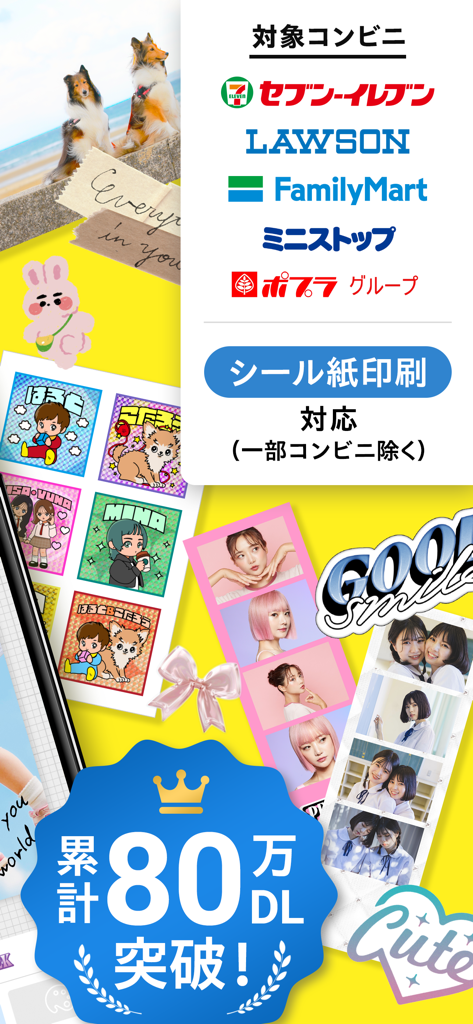
Mobile app showcasing photo sticker layouts and multi-cut strips for printing at convenience stores.
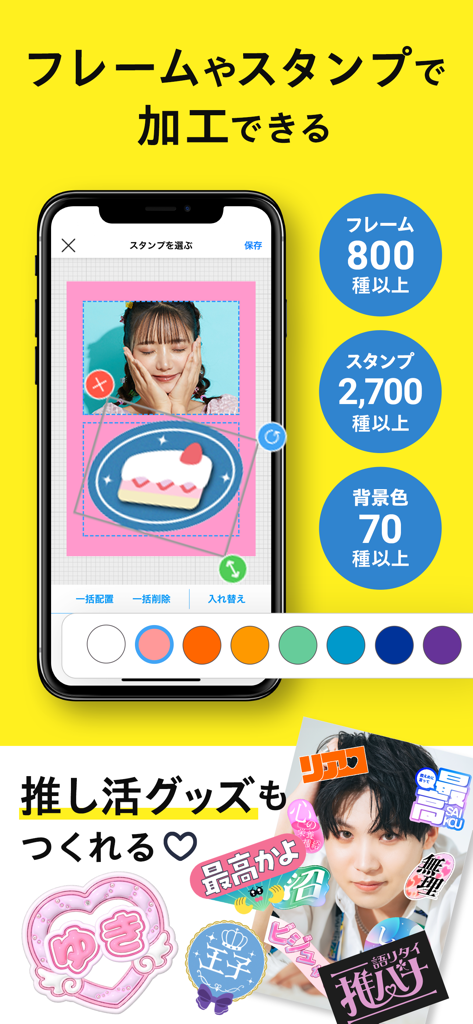
Mobile app interface showing photo decoration features with stamps frames and background options for creating fan merchandise
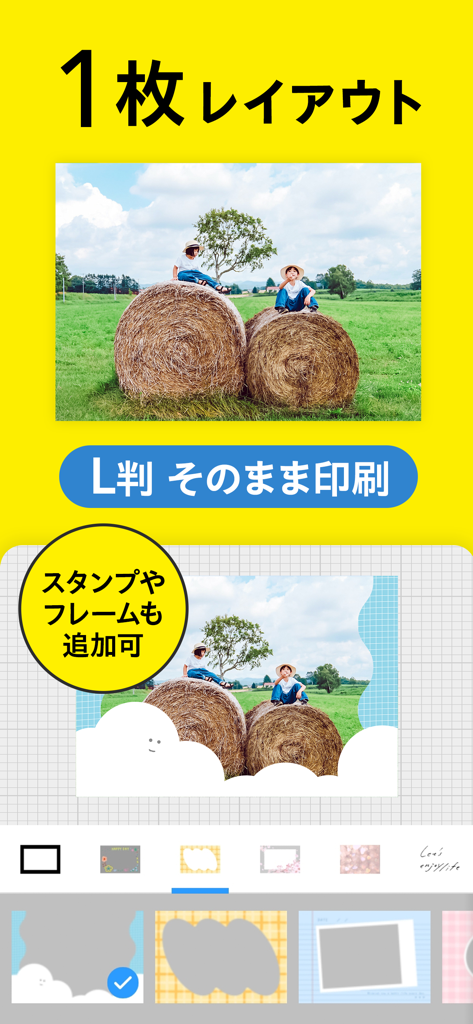
Mobile app interface showing a single photo layout editor with decorative frames and stamps
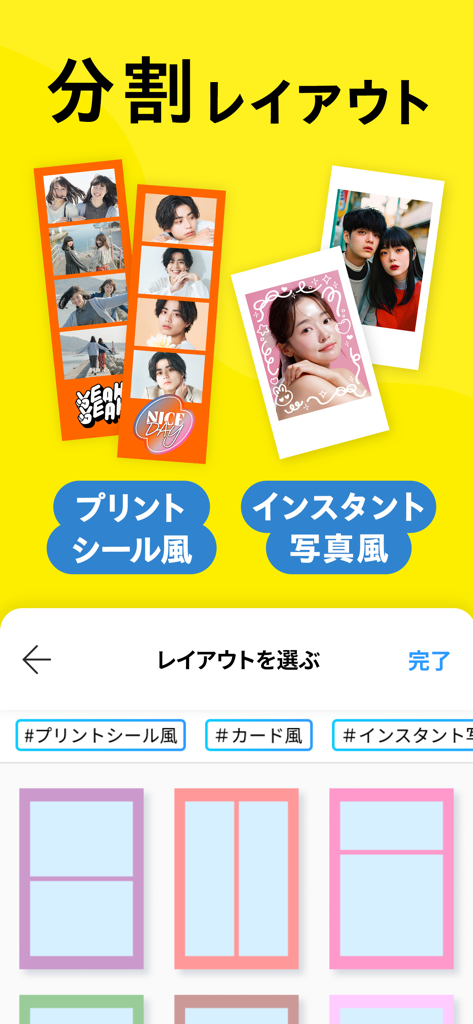
Interface of a mobile app for creating aesthetic photo strips and instant photo prints
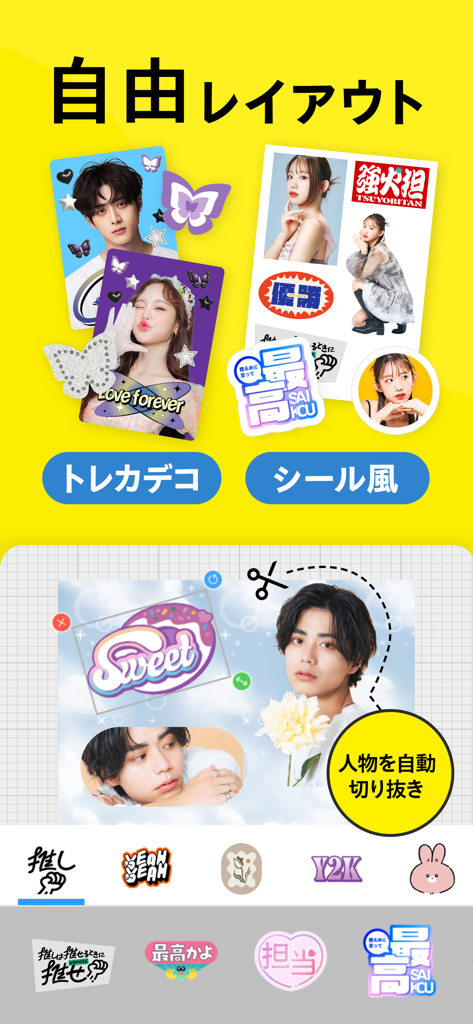
Interface of a mobile app for creating custom stickers and decorated trading cards with automatic photo cutout features
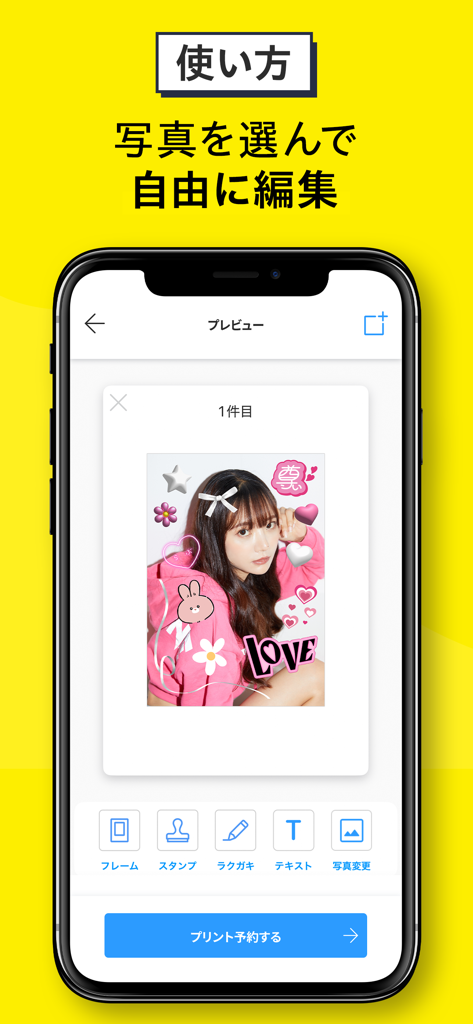
Mobile phone screen displaying a photo decorated with pink heart and star stickers in an editing app interface
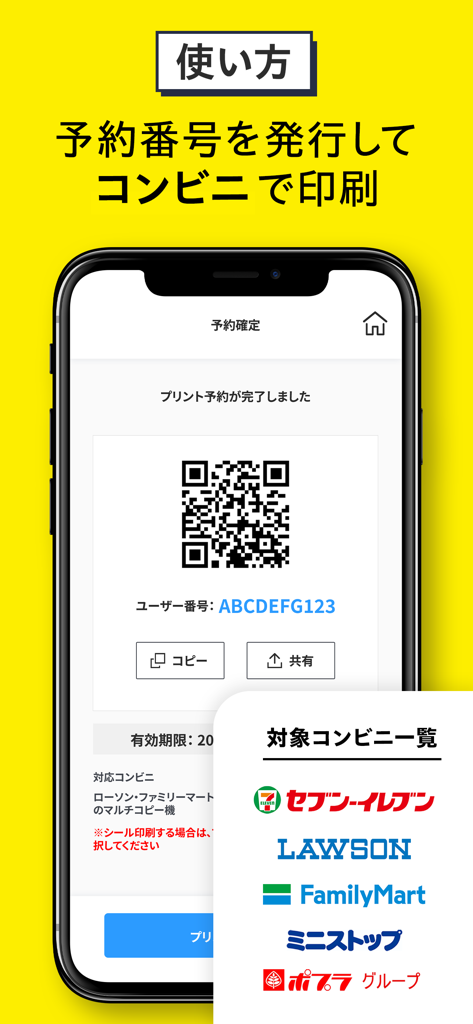
Mobile app interface showing a QR code and reservation number for printing photos at convenience stores
Description
Download
More Like This
Apps with similar features and user experience

FreePrints – Print Photos
PlanetArt, LLC

Once Upon | Photo book Creator
Once Upon Publishing AB

FreePrints Photobooks
PlanetArt, LLC

Moonpig: Birthday Cards
Moonpig.com Limited

Chatbooks Family Photo Albums
Chatbooks, Inc.

FreePrints Gifts – Fast & Easy
PlanetArt, LLC

Photo Prints Now: CVS Photo
MEA Mobile Limited
Print Photo - Easy Prints App
PlusMinusOne, Inc.

Callie: Make Gifting Unique
Manzoni Trading Limited
This page is not an official page of the app or its developer, but an independent editorial publication created for informational and commentary purposes. Unless expressly stated otherwise, neither the app nor its developer is affiliated with, endorsed by, sponsored by, authorized by, or otherwise officially connected with MWM, Apple, Google Play, the app publisher, or the app's developer, and nothing on this page implies that the app was developed using MWM's services. Any trademarks, logos, screenshots, and other content remain the property of their respective owners.