
This page is not an official page of the app or its developer, but an independent editorial publication created for informational and commentary purposes. Unless expressly stated otherwise, neither the app nor its developer is affiliated with, endorsed by, sponsored by, authorized by, or otherwise officially connected with MWM, Apple, Google Play, the app publisher, or the app's developer, and nothing on this page implies that the app was developed using MWM's services. Any trademarks, logos, screenshots, and other content remain the property of their respective owners.


快读鸭 - 英语拍照点读
专为海外华裔家庭与学生打造。一键拍照识别课本、试卷及读物,支持标准发音、长难句拆解及艾宾浩斯科学记忆,助您高效攻克英语学习难题。
Downloads
1K+User Rating
Total Ratings
700Publisher
Category
ReferenceLocales
1Latest Version
1.6.2Size
69.1 MBFirst Released
Dec 16, 2024Master English with a Simple Snap
Bridge the language gap instantly. Transform paper materials into interactive, audible lessons designed for bilingual students and busy parents.
Snap & Listen Instantly
Turn textbooks and worksheets into audiobooks. Hear standard native pronunciation with adjustable speeds for perfect listening practice.
AI-Powered Deep Learning
Automatically deconstruct complex sentences and identify key vocabulary. Master English structure without the friction of manual dictionary searches.
Frequently Asked Questions
Everything you need to know about 快读鸭 - 英语拍照点读
How does 快读鸭 - 英语拍照点读 facilitate English learning?
快读鸭 - 英语拍照点读 transforms paper English materials into audiobooks via scanning. It provides AI-powered reading, translation, sentence breakdown, and vocabulary practice with standard pronunciation. The app supports efficient learning.
Can 快读鸭 - 英语拍照点读 read aloud from physical English textbooks?
Yes, 快读鸭 - 英语拍照点读 can read aloud from physical English textbooks. Users take a photo of the material, and the app uses AI to recognize and read the text with standard pronunciation and adjustable speed.
Does 快读鸭 - 英语拍照点读 support various English textbook editions?
Yes, 快读鸭 - 英语拍照点读 supports mainstream English textbooks, including Renjiao, Waiyan社, Oxford, and Yilin editions. It covers junior high and high school levels, plus original works and extra-curricular materials.
How does the AI Note feature in 快读鸭 - 英语拍照点读 aid vocabulary acquisition?
The AI Note feature in 快读鸭 - 英语拍照点读 automatically identifies key words for translation and annotation. It also breaks down long sentences, streamlining vocabulary learning and enhancing reading comprehension directly from scanned text.
What recitation modes are available in 快读鸭 - 英语拍照点读?
快读鸭 - 英语拍照点读 offers three recitation modes: paragraph, sentence, and word. Users can select their preferred mode for efficient practice, with AI guiding the pronunciation and providing follow-up reading options.
Does 快读鸭 - 英语拍照点读 apply scientific methods for vocabulary memorization?
Yes, 快读鸭 - 英语拍照点读 utilizes the Ebbinghaus forgetting curve for scientific review of collected new words. This method schedules reviews to optimize memory retention, making vocabulary stick more effectively.
Can 快读鸭 - 英语拍照点读 create and print vocabulary practice sheets?
Yes, 快读鸭 - 英语拍照点读 allows users to generate practice sheets from their collected vocabulary. These sheets can be exported and printed for offline practice, with options to customize order and format.
The following screenshots and description are sourced directly from the app's official store listing and are the property of the app developer.
App Store
Screenshots
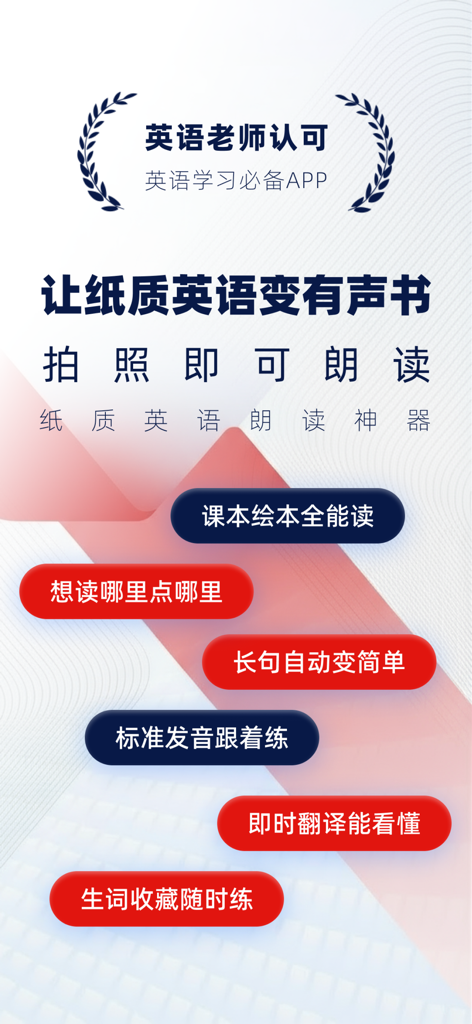
Promotional banner for the Quick Read Duck app highlighting its photo-to-speech and instant English translation features for students.
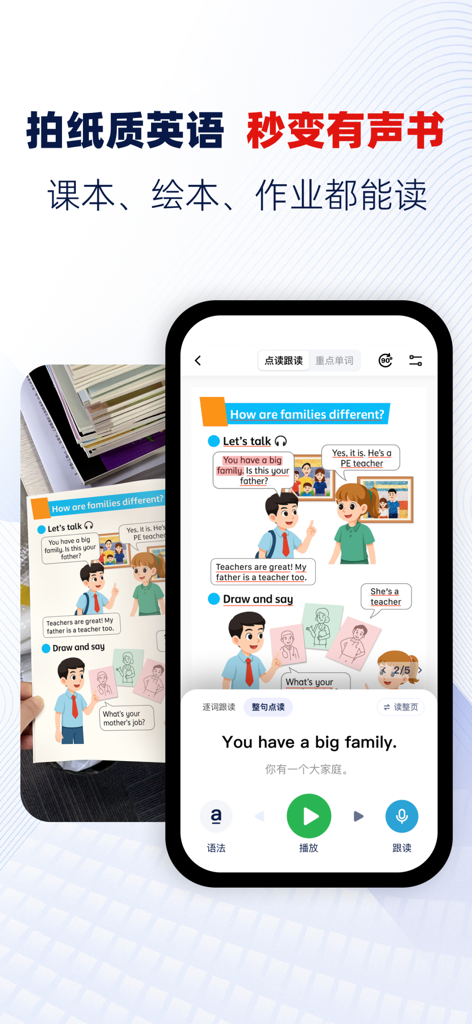
The app interface scanning an English textbook page to provide audio pronunciation and Chinese translation.
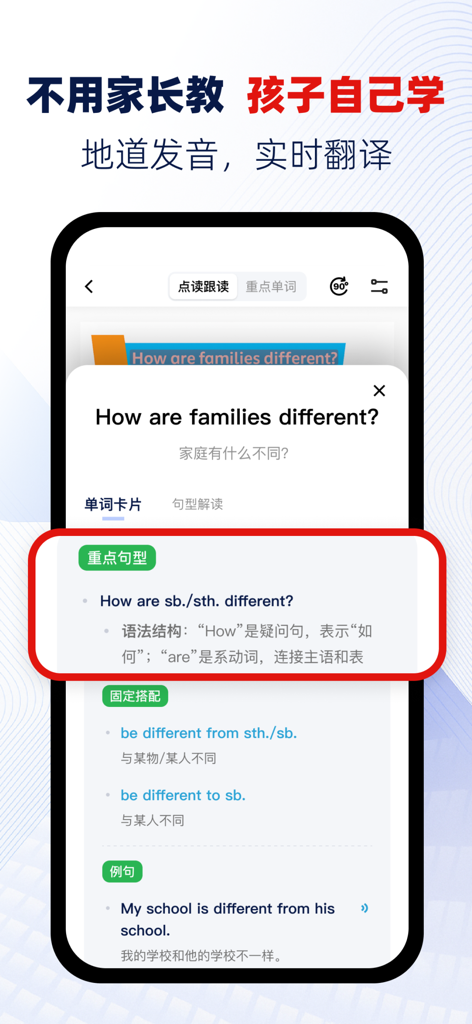
English learning app interface showing a sentence analysis and grammar explanation in Chinese
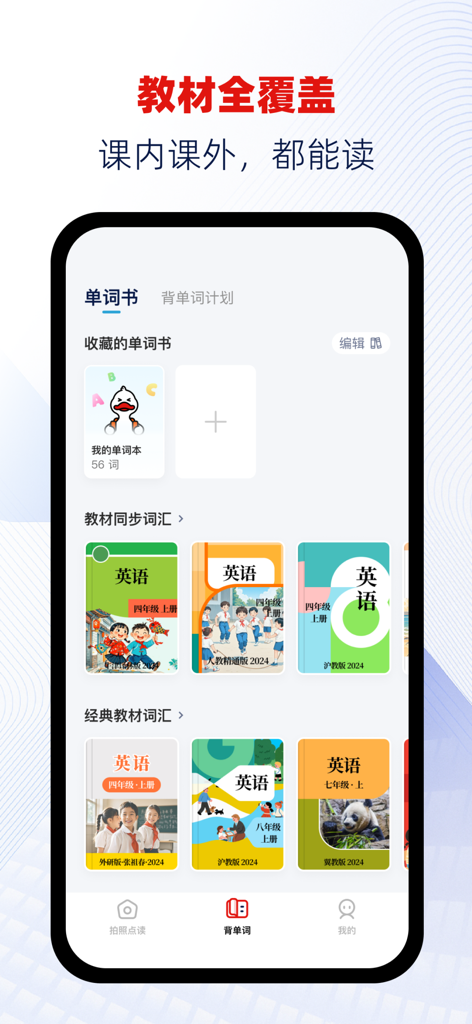
A mobile interface of the Quick Read Duck app showing a library of English textbooks from various Chinese publishers for interactive learning
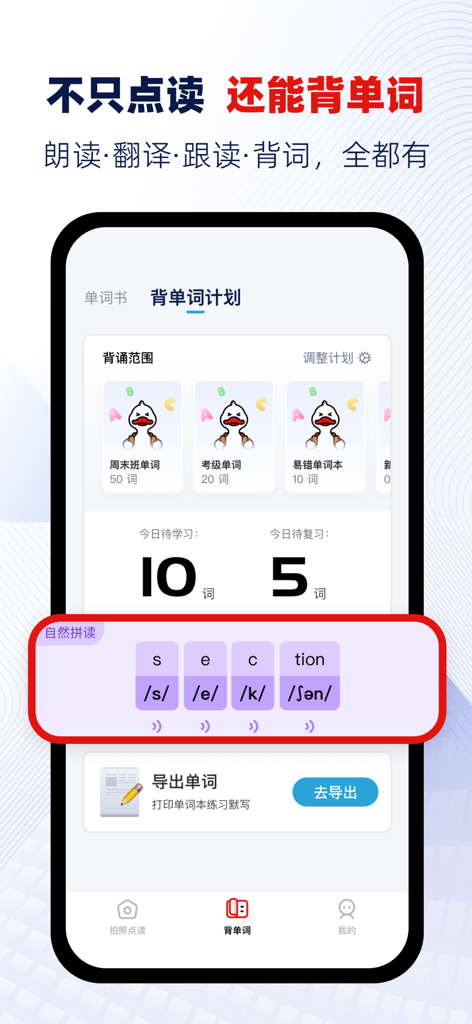
Quick Read Duck app interface displaying an English vocabulary memorization plan and phonics guide
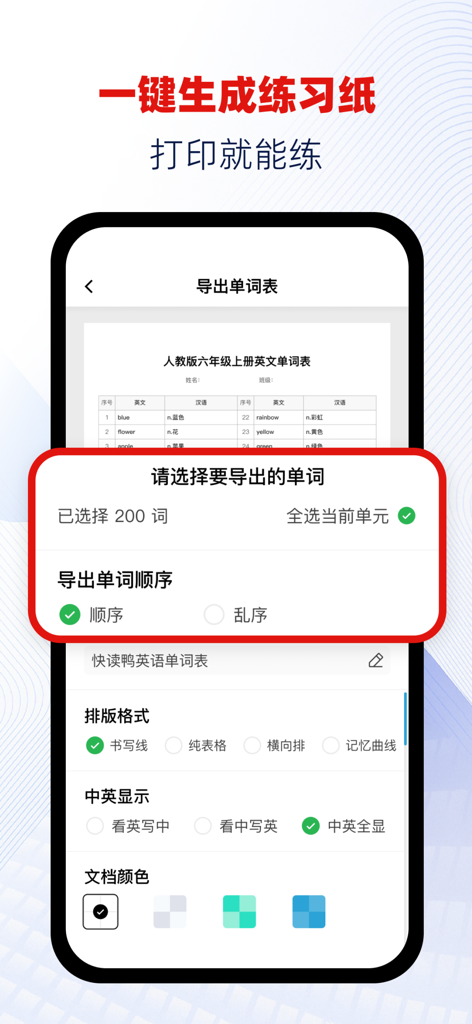
Quick Read Duck app screen showing options to generate and print bilingual English-Chinese vocabulary worksheets.
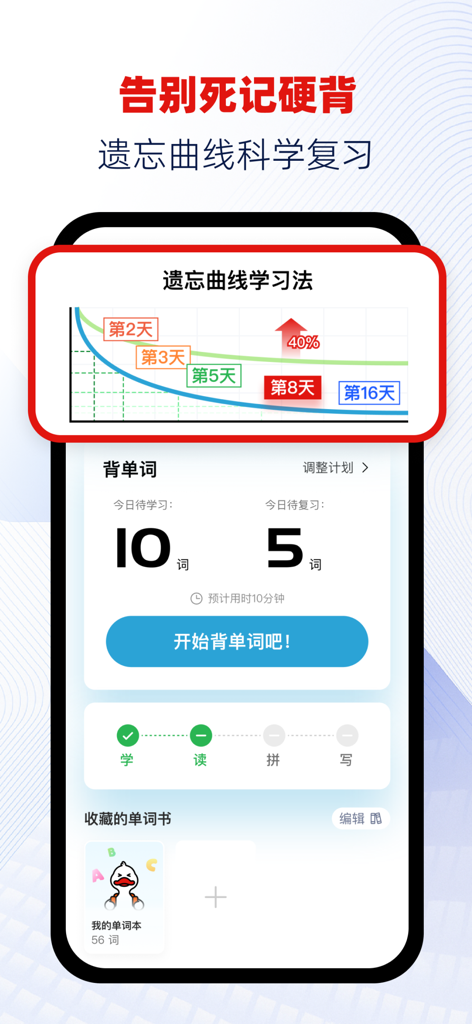
Quick Read Duck app interface showing scientific English vocabulary review based on the Ebbinghaus forgetting curve
Description
Download
More Like This
Top-ranked apps in the same category
Google Translate
Google LLC

火箭沙盒
P2E CO., LTD.

Bible
Life.Church

Youdao Dictionary
Beijing NetEase Youdao Computer System Co.,Ltd

Bible Chat: Daily Devotional
Book Vitals Inc.

Naver Papago - AI Translator
NAVER Corp.

Translate Now - AI Translator
AIR APPS SYSTEMS, UNIPESSOAL, LDA

Lok l0k: Watch Drama TV,Movies
Olivia Harris

ΗiΤV - Endless Movies & Shows
学 张
This page is not an official page of the app or its developer, but an independent editorial publication created for informational and commentary purposes. Unless expressly stated otherwise, neither the app nor its developer is affiliated with, endorsed by, sponsored by, authorized by, or otherwise officially connected with MWM, Apple, Google Play, the app publisher, or the app's developer, and nothing on this page implies that the app was developed using MWM's services. Any trademarks, logos, screenshots, and other content remain the property of their respective owners.