
KwaiCut - Video Editor



Join the next generation of creators. Effortlessly craft high-quality videos for TikTok and Reels with smart AI tools, cinematic effects, and trending materials—all at zero cost.
Publisher
Category
Photo & VideoDownloads
136K+User Rating
Total Ratings
1K+Locales
10Discover the interface used by 136K+ users.
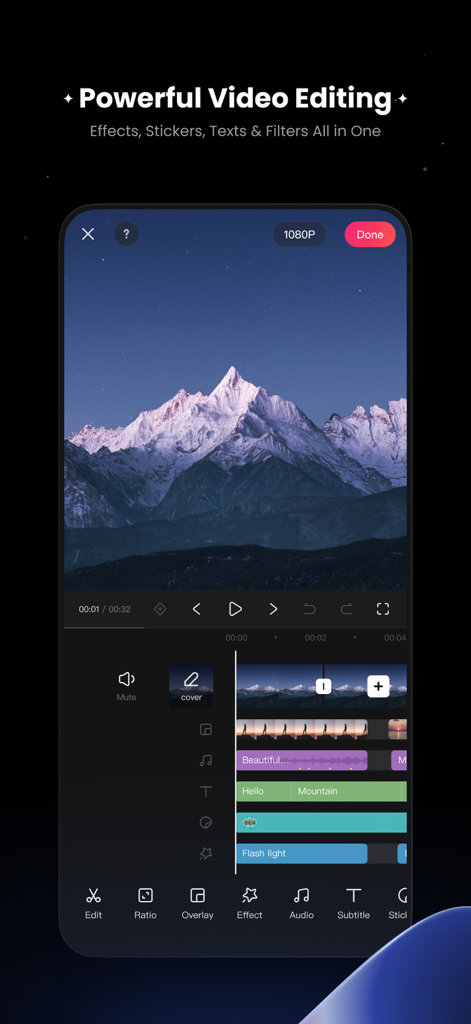
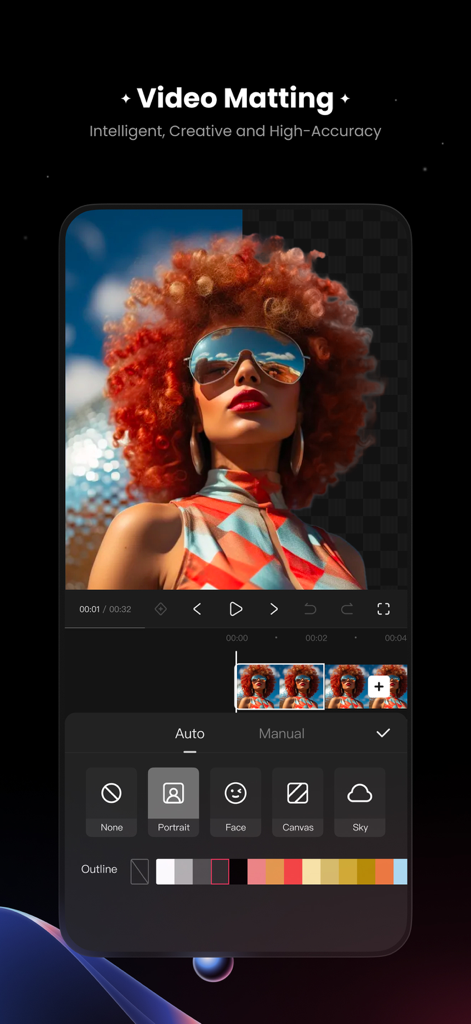
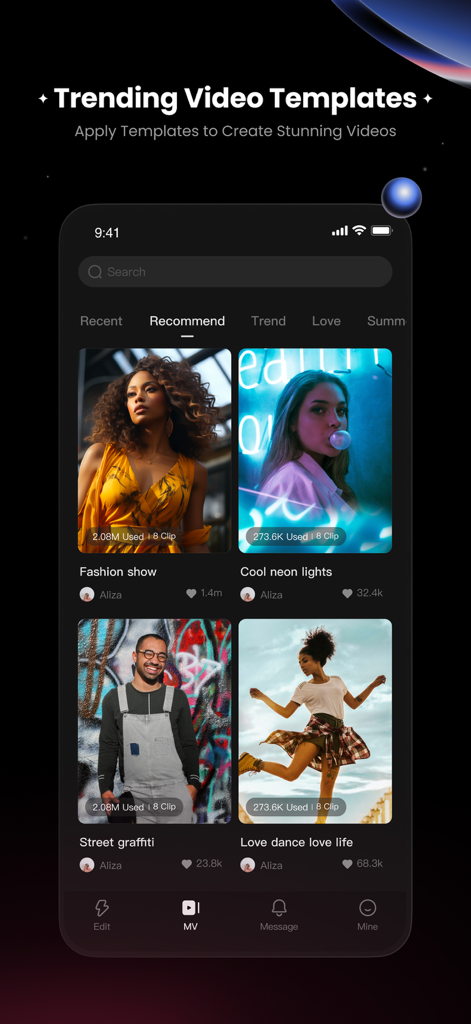
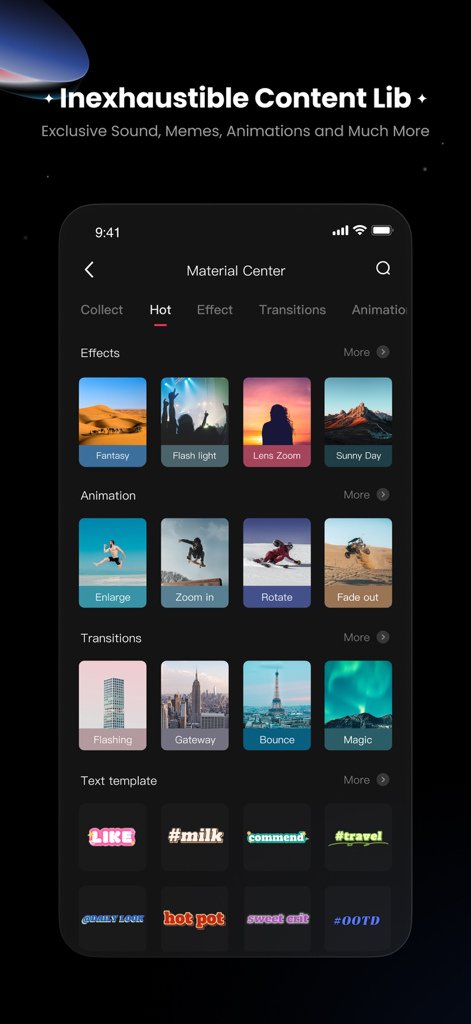
The tools that make this app stand out, trusted by 136K+ users.
Auto-generate and style professional captions in seconds to keep your social media audience engaged.
Apply trending materials and movie-grade filters instantly to stay ahead of every viral trend.
Get crystal-clear vocals with professional noise reduction and access a massive library of trending sounds.
Everything you need to know about KwaiCut - Video Editor.
Description
Latest Version
7.5.0
Size
455.3 MB
First Released
Feb 27, 2025
Ditch the expensive monthly subscriptions. Get professional AI tools, trending templates, and 4K exports at zero cost. Join thousands of creators leveling up their feed today.
Everything you need to know about KwaiCut - Video Editor
Yes, KwaiCut is a completely free application providing powerful and professional video editing capabilities at zero cost.
KwaiCut provides precise video segmentation, cropping, splicing, rewind, speed adjustment, audio noise reduction, subtitle tools, visual effects, filters, and stickers.
Yes, KwaiCut supports exporting videos in multiple ultra-high definition resolutions, ensuring compatibility across various platforms.
Yes, KwaiCut offers professional audio noise reduction for clear vocal performance and a multi-style sound effect library to add music.
Yes, KwaiCut provides convenient manual subtitle adding and editing tools. It also features hundreds of professional subtitle styles and dynamic effects.
Yes, KwaiCut includes intelligent and high-accuracy video matting. Users can choose auto or manual matting with options like Portrait, Face, Canvas, and Sky.
Yes, KwaiCut provides trending video templates in its Material Center. Users can apply these templates with one click to create stunning videos.
The KwaiCut Privacy Policy is available at https://h5.kwaiying.com/protocol?luban8Cid=KyPrivacyPolicy&bgColor=#fff.
Apps with similar features and user experience

Instagram, Inc.

vimosoft

SHANTANU PTE. LTD.

Shanghai Bilibili Animation Co.,Ltd

Shanghai Jian Ji Software Technology Co., Ltd

Jajijujejo Inc.

ImgBase, Inc.

Onelight Apps CY Ltd

Changsha Fugui Bamboo Network Technology Co., Ltd.
App information, icons, screenshots, and descriptions displayed on this page are sourced from the Apple App Store and are the property of their respective developers. Download estimates and rankings are based on MWM's proprietary models and may not reflect actual figures. This page is provided for informational and analytical purposes only.
Believe this page infringes your intellectual property? File a dispute
