La Terminal - SSH Client

La Terminal - SSH Client


Download on App Store
Logo of La Terminal - SSH Client

La Terminal - SSH Client: The Ultimate Mobile Command Center for Power Users

Master your infrastructure from anywhere with an AI-powered assistant, real-time visual monitoring, and secure, hardware-encrypted access—meticulously crafted for the Apple ecosystem.

Download on App Store

Publisher

Xibbon, Inc

Category

Developer Tools

Downloads

56K+

User Rating

4.7/5

Total Ratings

200

Locales

17

Your Command Center, Visualized

Discover the interface used by 56K+ users.
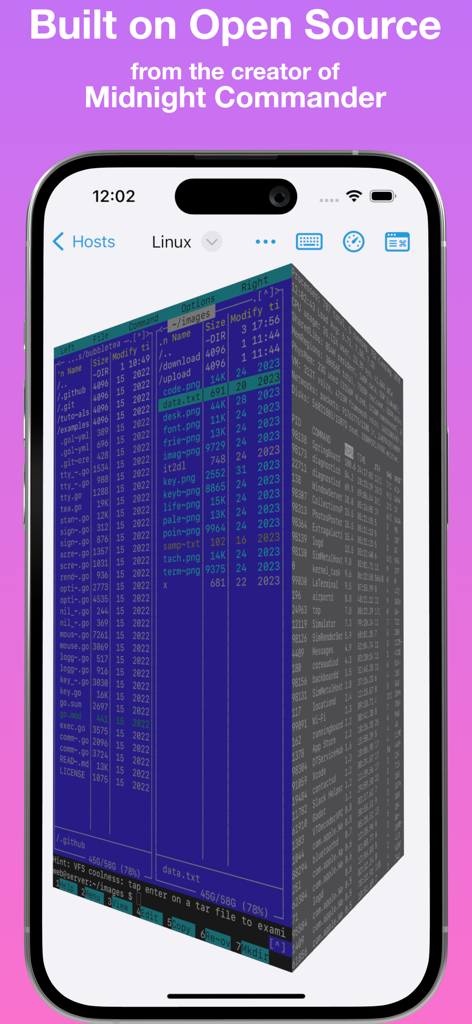
La Terminal SSH client showing a 3D visual file manager and process explorer on an iPhone screen with a purple background

La Terminal SSH client showing a 3D visual file manager and process explorer on an iPhone screen with a purple background

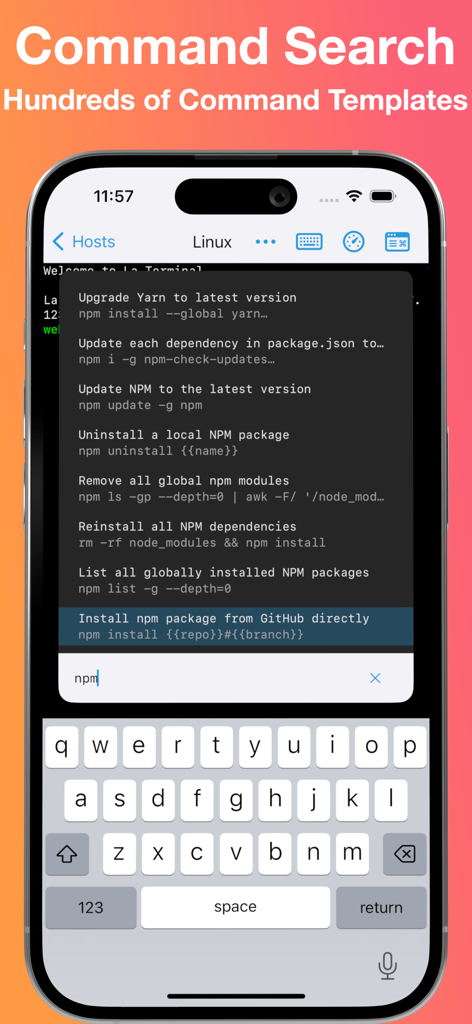
La Terminal SSH client command search interface featuring npm command templates on iPhone

La Terminal SSH client command search interface featuring npm command templates on iPhone

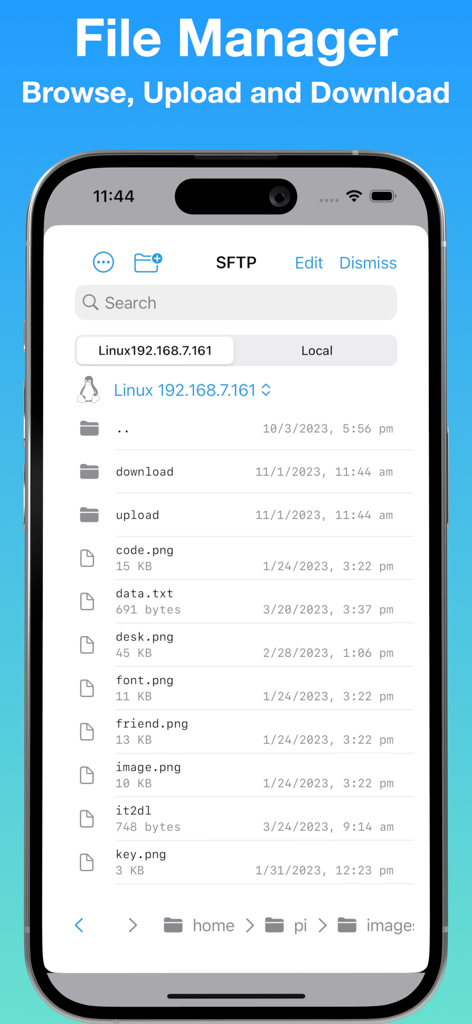
A mobile screenshot showing the La Terminal SFTP file manager with a list of remote server files and folders on an iPhone

A mobile screenshot showing the La Terminal SFTP file manager with a list of remote server files and folders on an iPhone

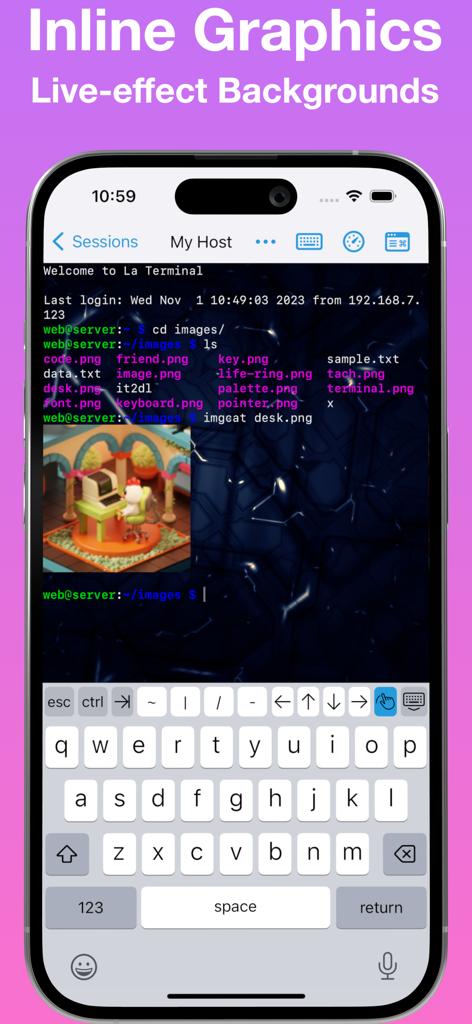
La Terminal SSH app on iPhone showing inline image preview and live-effect background.

La Terminal SSH app on iPhone showing inline image preview and live-effect background.

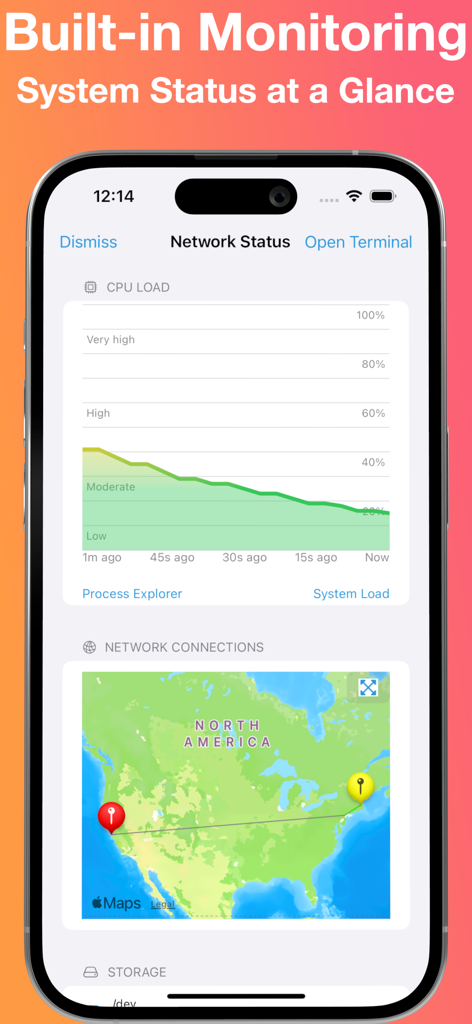
La Terminal SSH client interface showing real-time CPU load graph and geographic network connections on an iPhone.

La Terminal SSH client interface showing real-time CPU load graph and geographic network connections on an iPhone.

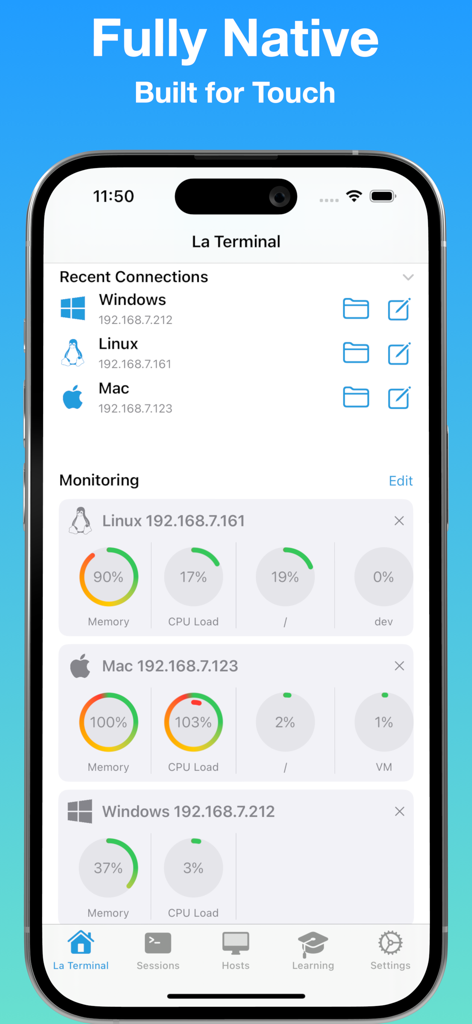
La Terminal SSH client dashboard showing server resource monitoring and recent connections for Linux Mac and Windows hosts.

La Terminal SSH client dashboard showing server resource monitoring and recent connections for Linux Mac and Windows hosts.

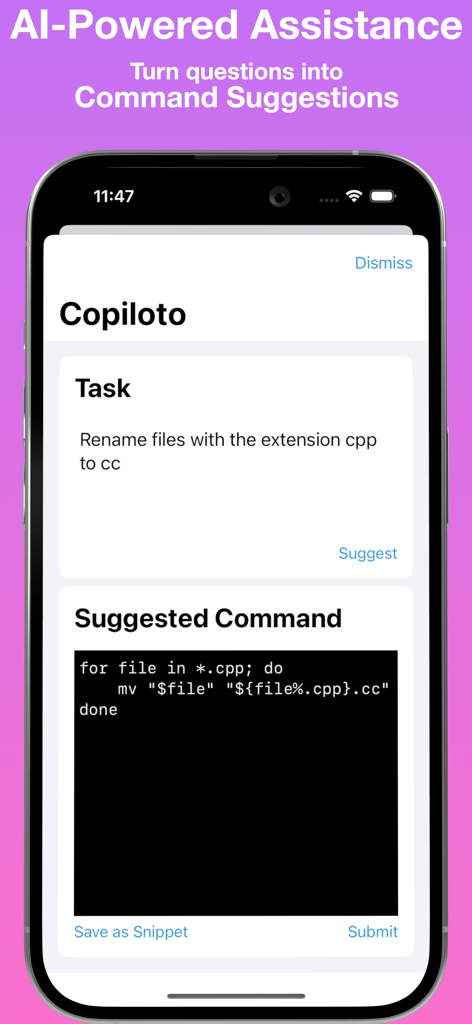
La Terminal AI powered assistant suggesting shell commands from plain English tasks

La Terminal AI powered assistant suggesting shell commands from plain English tasks

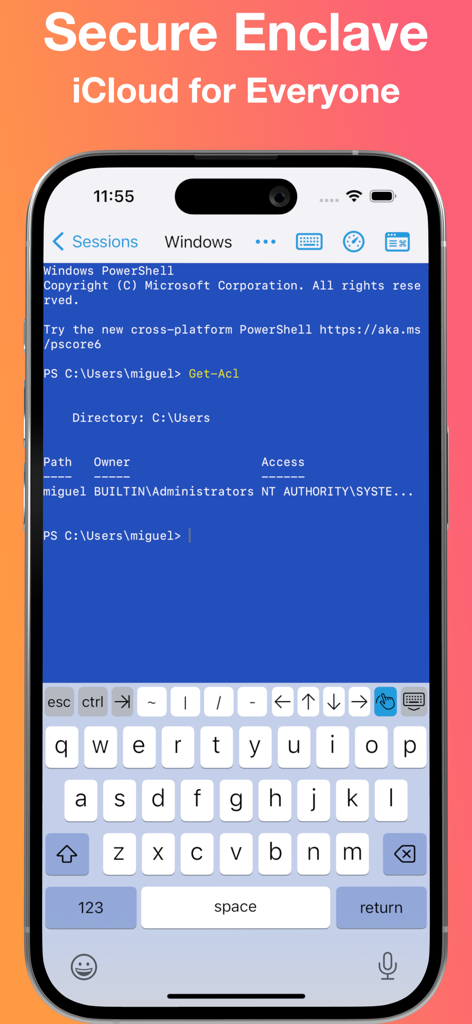
Windows PowerShell session on iPhone using La Terminal SSH client with Secure Enclave support

Windows PowerShell session on iPhone using La Terminal SSH client with Secure Enclave support

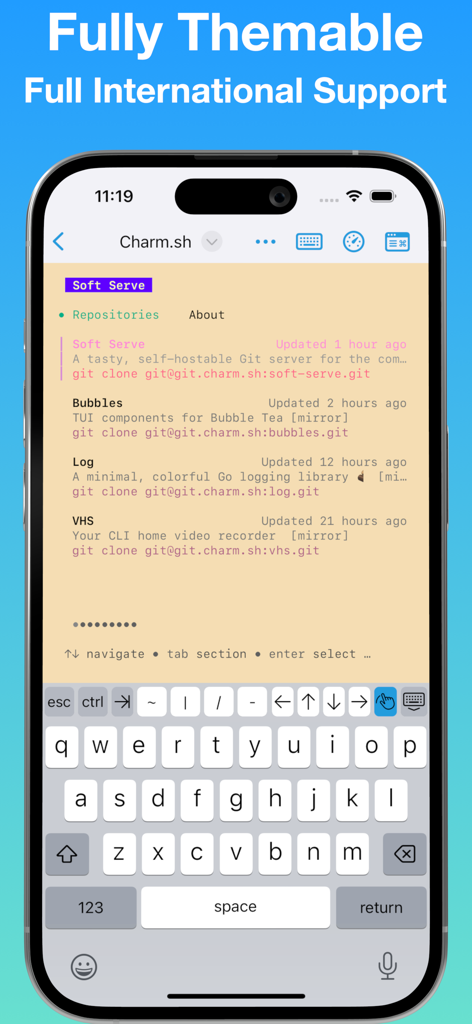
La Terminal SSH client interface with a custom color theme and mobile developer keyboard.

La Terminal SSH client interface with a custom color theme and mobile developer keyboard.

The Pro-Grade Command Center

The tools that make this app stand out, trusted by 56K+ users.

AI-Powered Command Assistant

Stop memorizing complex flags. Convert plain English into production-ready terminal commands instantly, from JSON parsing to Kubernetes pod management.

📈

Observability at a Glance

Monitor system load with native CPU and memory visualizations. Track global network traffic on a world map and explore processes without leaving your session.

🔒

Hardware-Locked Security

Keep your private keys in the Secure Enclave—they never touch plain text. Sync your entire environment across iPhone, iPad, and Mac via encrypted iCloud storage.

About the app

Everything you need to know about La Terminal - SSH Client.

Description

Welcome to La Terminal, your spicy new ssh command center. More than just a simple command-line shell, La Terminal provides a fully-native, first-class touch experience for command-line hackers on iPhone and iPad. Built on Open Source: From the original developer of Midnight Commander, the open source visual file manager for Linux, La Terminal provides a comprehensive Xterm/DEC VT terminal emulator experience based on the popular open source SwiftTerm library with powerful client amenities for serious command-line aficionados. Command Search: Use Command Search to quickly find the command you are looking for. Search your own command history and our comprehensive workflow gallery to find and execute commands. Create and edit your own workflows for a variety of tasks, including running frequently used commands, automating a series of commands, or just tracking down a complex command that might be difficult to recall. AI-powered assistant: Get help writing Linux, Mac, or Windows terminal commands using plain English, such as “extract the name property inside the article element from a json file” or “list the most CPU consuming Kubernetes pods”. Eye candy: La Terminal sports a fully themeable experience accented with beautifully captivating live-effect backgrounds powered by Metal Performance Shaders. Secure Enclave: Your private keys are stored in the secure enclave so your private key can never be found in plain text. Powerful status visualizations: La Terminal’s resource monitoring tools put powerful CPU and memory use visualizations, as well as a native process explorer, right at your fingertips. Resource monitoring visualizations are accessible from the top of any connected terminal, and process explorer tools provide multiple views into CPU, memory, and disk utilization. Thumbnail snapshots show previews of connected hosts along with system load over time in the active Terminals view. Network monitoring plots data traffic on a world map to help you understand the sources and targets of connections to and from your connected hosts. iCloud for everyone: La Terminal makes it easy to switch between your iPhone, iPad, and Mac by syncing your settings and keys over iCloud - like magic! Host platform aware: Whether you’re managing a dozen Linux VMs on AWS or Azure, logging into zsh on your Mac desktop, or configuring your latest IoT Raspberry Pi project via bash, provides the most productive experience possible on a mobile device. La Terminal is even Windows-aware to ensure PowerShell power users can enjoy a delightful ssh experience, too. International support: La Terminal delivers extensive support for international terminals, including rendering internationalized output as well as support for internationalized input methods from native iOS dictation and international keyboards. La Terminal Pro features - Complete SFTP File Manager - Upload, download and navigate remote filesystems with our native SFTP client. - Files can be uploaded or downloaded to the Local device to be accessed through the native iOS Files App, or can be copied between remote hosts. - Files app support - Access files on any configured La Terminal host using Apple’s Files app and other native iPhone and iPad apps that have File Provider support - SSH Agent Forwarding - Use keys configured locally in La Terminal to seamlessly authorize connections when you SSH from one remote host to another. - All Live Backgrounds - Choose from our complete library of GPU-accelerated Live Backgrounds to fully customize your command-line experience. Terms of Service: https://la-terminal.net/la-terminal/terms-of-service Privacy Policy: https://la-terminal.net/privacy-policy

Latest Version

1.10

Size

52.6 MB

First Released

Sep 2, 2022

Ready to Upgrade Your Mobile Workflow?

Join 56,000+ power users managing global infrastructure with AI-assisted commands and Secure Enclave protection. Your premium command center is just a tap away.

Download on App Store
FAQ

Frequently Asked Questions

Everything you need to know about La Terminal - SSH Client

What is La Terminal - SSH Client?

La Terminal is a fully-native SSH command center for iPhone and iPad, providing a first-class touch experience for command-line users. It offers a comprehensive Xterm/DEC VT terminal emulator.

Is La Terminal - SSH Client built on open-source technology?

Yes, La Terminal is built on open-source technology. It uses the popular open-source SwiftTerm library and comes from the original developer of Midnight Commander.

Does La Terminal - SSH Client include a command search feature?

Yes, La Terminal offers Command Search. Users can find commands, search history, explore a workflow gallery, and create custom workflows for automation and recalling complex commands.

Does La Terminal - SSH Client provide an AI-powered assistant for commands?

Yes, La Terminal includes an AI-powered assistant. This feature helps users write Linux, Mac, or Windows terminal commands using plain English prompts.

How does La Terminal - SSH Client secure private keys?

La Terminal secures private keys by storing them in the device's Secure Enclave. This ensures that private keys are never found in plain text.

Does La Terminal - SSH Client sync settings and keys across Apple devices?

Yes, La Terminal syncs settings and keys across iPhone, iPad, and Mac via iCloud. This feature enables seamless switching between devices.

What host platforms does La Terminal - SSH Client support for management?

La Terminal supports Linux VMs (AWS/Azure), zsh on Mac, Raspberry Pi (bash), and is Windows-aware for PowerShell users. It provides productive mobile device experiences for all.

Does La Terminal - SSH Client include a file manager?

Yes, La Terminal Pro includes a complete SFTP File Manager. Users can upload, download, and navigate remote filesystems and access files using Apple's Files app.

Can users monitor system resources with La Terminal - SSH Client?

Yes, La Terminal offers powerful status visualizations. These include CPU and memory use visualizations, a native process explorer, and network monitoring with data traffic plots.

Does La Terminal - SSH Client support SSH Agent Forwarding?

Yes, La Terminal Pro features SSH Agent Forwarding. This allows users to employ locally configured keys to authorize connections when SSHing between remote hosts.

App information, icons, screenshots, and descriptions displayed on this page are sourced from the Apple App Store and are the property of their respective developers. Download estimates and rankings are based on MWM's proprietary models and may not reflect actual figures. This page is provided for informational and analytical purposes only.

Believe this page infringes your intellectual property? File a dispute