
LANDrop


Experience the speed of AirDrop on any operating system. Transfer high-res photos and 4K videos between your iPhone and PC instantly, securely, and with zero compression.
Publisher
Category
ProductivityDownloads
454K+User Rating
Total Ratings
700Locales
1Discover the interface used by 454K+ users.
The tools that make this app stand out, trusted by 454K+ users.
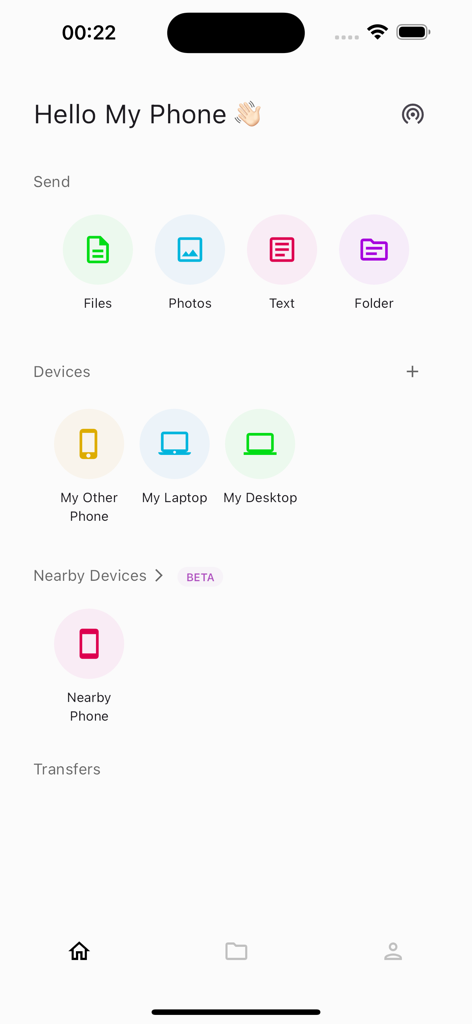
Transfer 4K videos and raw photos at local network speeds. Unlike messaging apps, LANDrop never compresses your files, preserving every pixel for your creative workflow.
Finally bridge the gap between your iPhone and your PC. Discover devices instantly on your local Wi-Fi or personal hotspot with a UI designed for simplicity and speed.
Keep your data off the cloud and under your control. Using state-of-the-art encryption and local-only transfers, your sensitive files stay private and never consume cellular data.
Everything you need to know about LANDrop.
Description
Latest Version
2.8.2
Size
36.9 MB
First Released
May 21, 2021
Join over 450,000 creators and power users who transfer 4K videos and high-res files to any device instantly. No cables, no compression, and no cloud subscriptions—just pure speed on your own network.
Everything you need to know about LANDrop
LANDrop is a cross-platform tool that facilitates convenient transfer of photos, videos, files, and text to other devices within the same local network. It is ultra-fast and secure.
LANDrop transfers files quickly by utilizing your local network directly. This means its speed is not limited by internet connection speeds, making transfers ultra-fast.
Yes, LANDrop ensures secure file transfers. It uses state-of-the-art cryptography algorithms to protect your data, preventing unauthorized access to your files.
Yes, LANDrop functions without consuming cellular data. It can operate on your personal hotspot, allowing transfers even when you are outside and lack internet access.
No, LANDrop does not compress photos and videos during transfer. It sends files at their original quality, ensuring no loss of detail for your media.
LANDrop can transfer various types of content, including photos, videos, general files, folders, and text. The app interface displays distinct options for each type.
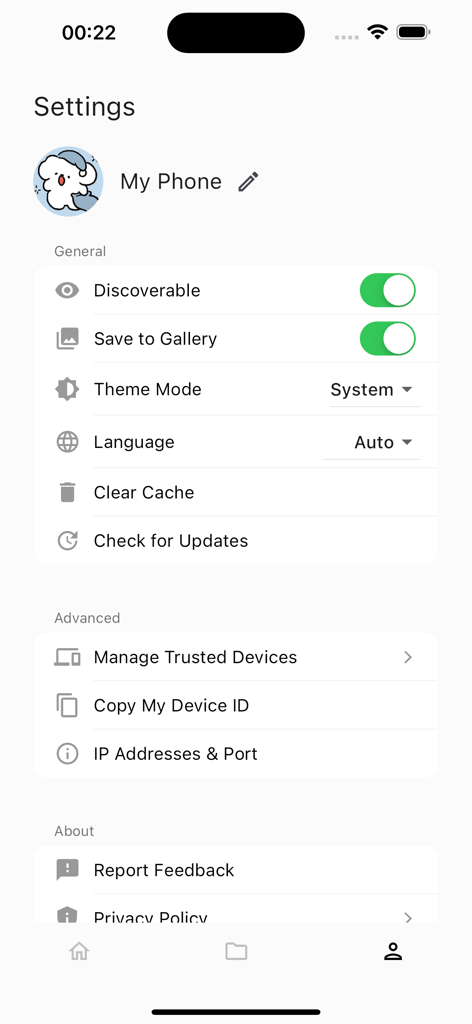
To make your device discoverable in LANDrop, navigate to the Settings menu. There, you will find a toggle switch labeled "Discoverable" which controls visibility to other devices.
Yes, LANDrop automatically saves received photos and videos to your device's gallery. This automatic saving can be toggled on or off within the app's settings.
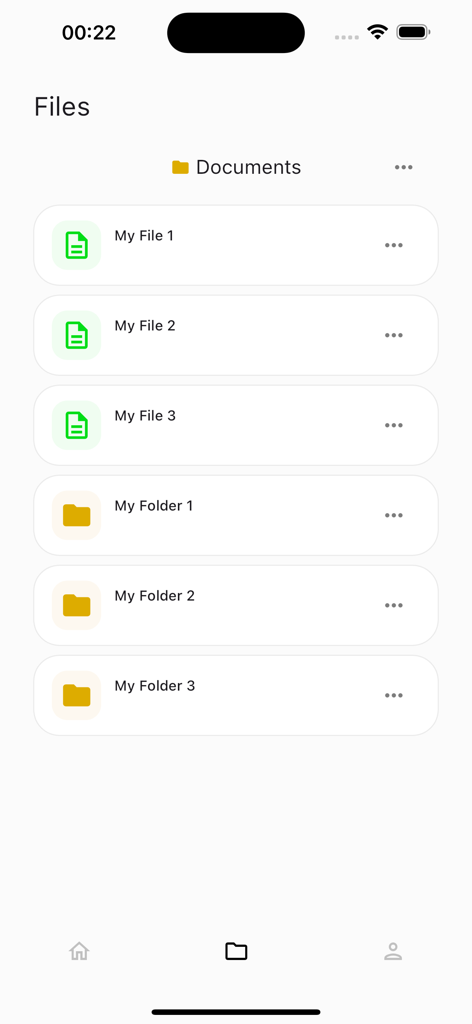
Received photos and videos are automatically saved to your device's gallery. Other received files can be accessed and managed directly within your device's Files app.
Yes, you can change your display name in the LANDrop app. This name will appear to other devices on the network and is editable within the settings.
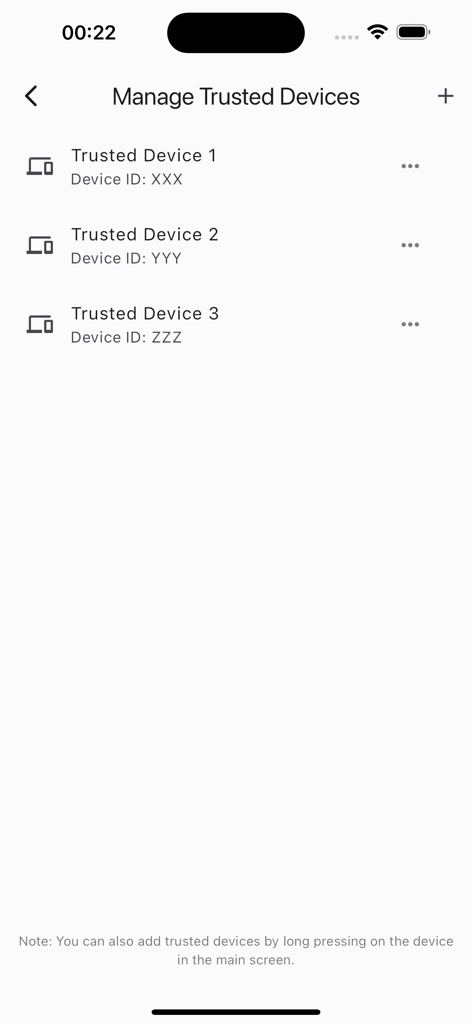
You can manage trusted devices in LANDrop via the "Manage Trusted Devices" section in settings. You can also add devices by long-pressing them on the main screen.
Apps with similar features and user experience

Wetransfer B.V.

Rakuten Symphony Korea, Inc.

Blip Studio Inc.

Lindong Network Technology(Beijing) Co.,Ltd.

梦洋 崔

Best Free and Fun Games, LLC

军甫 贺

Mobileware Studio SL

SHAREit Technologies Co. Ltd
App information, icons, screenshots, and descriptions displayed on this page are sourced from the Apple App Store and are the property of their respective developers. Download estimates and rankings are based on MWM's proprietary models and may not reflect actual figures. This page is provided for informational and analytical purposes only.
Believe this page infringes your intellectual property? File a dispute