
This page is not an official page of the app or its developer, but an independent editorial publication created for informational and commentary purposes. Unless expressly stated otherwise, neither the app nor its developer is affiliated with, endorsed by, sponsored by, authorized by, or otherwise officially connected with MWM, Apple, Google Play, the app publisher, or the app's developer, and nothing on this page implies that the app was developed using MWM's services. Any trademarks, logos, screenshots, and other content remain the property of their respective owners.


Zapya - File Sharing
Cables are dead. Zapya delivers peer-to-peer data transfer, granting users immediate command over their files, entirely offline.
Downloads
12.5M+User Rating
Total Ratings
129.4KPublisher
Category
UtilitiesLocales
2Latest Version
6.4.7Size
95.9 MBFirst Released
Dec 13, 2012Key Features Analysis: Zapya - File Sharing
An evaluation of core functionalities and their impact on user experience for offline and high-volume file transfers.
Cable & Internet-Free Sharing
It allows users to transfer files freely without requiring internet data or physical cables, significantly reducing costs and increasing accessibility in data-scarce environments.
High-Speed Offline File Transfer
The app provides rapid offline file transfers, enabling users to move massive files and numerous photos at speeds up to 10MB/second across various platforms, crucial for large media sharing and device management.
Phone Replication for Device Migration
It offers a quick solution to migrate essential phone data, such as logs and photos, from an old device to a new one, streamlining the device upgrade process.
Private Hidden Folders
This tool features the ability to lock and hide sensitive files in a private folder, ensuring data privacy and security during sharing.
QR Code File Sharing
The app allows users to generate and scan QR codes for quick, seamless sharing of multiple files, enhancing convenience and reducing manual interaction.
Multiple Intuitive Connection Methods
It provides various user-friendly methods for connecting devices, including GPS location discovery and a "shake to connect" feature, simplifying the pairing process.
Offline Group Chat
This tool enables offline chat functionality for up to five devices, facilitating communication in environments without internet access, beyond just file transfers.
Remote Camera Control (PeerCam)
The app features a PeerCam option, allowing users to remotely control the camera of a connected device with proper permission, offering creative photography possibilities.
Frequently Asked Questions
Everything you need to know about Zapya - File Sharing
What is Zapya and what does it do?
Zapya is a file-sharing app that facilitates device-to-device transfers without cables or cellular data. It supports massive file transfers across multiple platforms.
How do I connect devices for file sharing with Zapya?
Zapya connects devices for sharing using GPS location, by shaking devices simultaneously, or through scanning personalized QR codes for instant downloads.
What are the file transfer speeds of Zapya?
Zapya achieves file transfer speeds of up to 10MB per second. This allows for the transfer of approximately 260 pictures within one minute.
Does Zapya provide features to protect my privacy or encrypt files?
Yes, Zapya offers a hidden folder feature. Users can select and lock important files into this folder to prevent unauthorized access during sharing.
Can I chat offline using Zapya?
Yes, Zapya supports offline chat functionality. Users can chat with up to five other devices without requiring an internet connection.
Can Zapya help transfer data between an old and a new phone?
Yes, Zapya can transfer phone logs and photos from an old device to a new phone efficiently, completing the process in minutes.
Does Zapya offer remote camera control?
Yes, Zapya includes a PeerCam feature. This allows users to remotely control the camera of a connected device, provided they have peer permission.
Is USB backup and restore supported by Zapya?
Yes, Zapya supports USB Backup and Restore capabilities. This feature is specifically available for iPad devices.
Does Zapya offer online file sharing and conversion services?
Yes, Zapya provides online file sharing through its zapyatransfer.com platform. It also offers an online file converter, with unlimited access for Zapya Transfer Pro users.
Can Zapya remotely control a computer?
Yes, Zapya features a "Remote Control" function. This allows users to remotely control a computer, for tasks like page navigation.
Does Zapya use location services and affect battery life?
Yes, Zapya may use your location even when the app is not actively open. This continuous location usage can lead to decreased device battery life.
The following screenshots and description are sourced directly from the app's official store listing and are the property of the app developer.
App Store
Screenshots
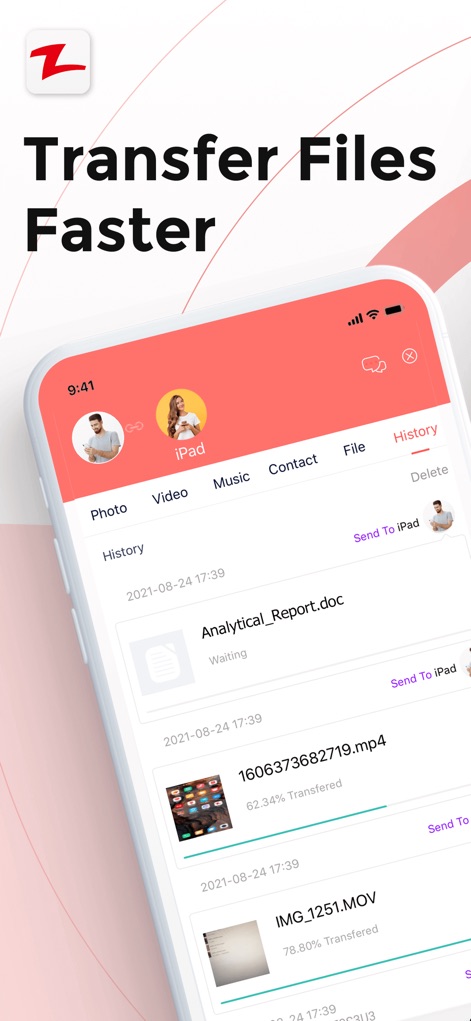
Fast File Transfers
See how the app displays ongoing transfer progress with file types and shows a clear history for effortless tracking.

Quick Device Connect
Discover the intuitive radial interface for connecting with nearby devices and the convenient "Scan" feature for immediate pairing.
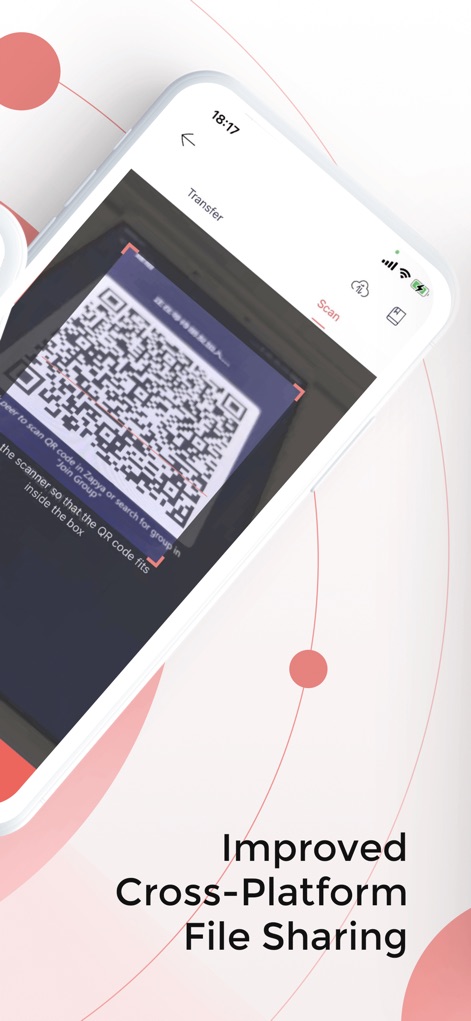
QR Code Sharing
Explore how users can generate and scan QR codes for quick, keyboard-free file sharing, streamlining the transfer process.

Online File Converter
Observe the web-based transfer portal with dedicated upload/receive functions and the integrated online file converter utility.
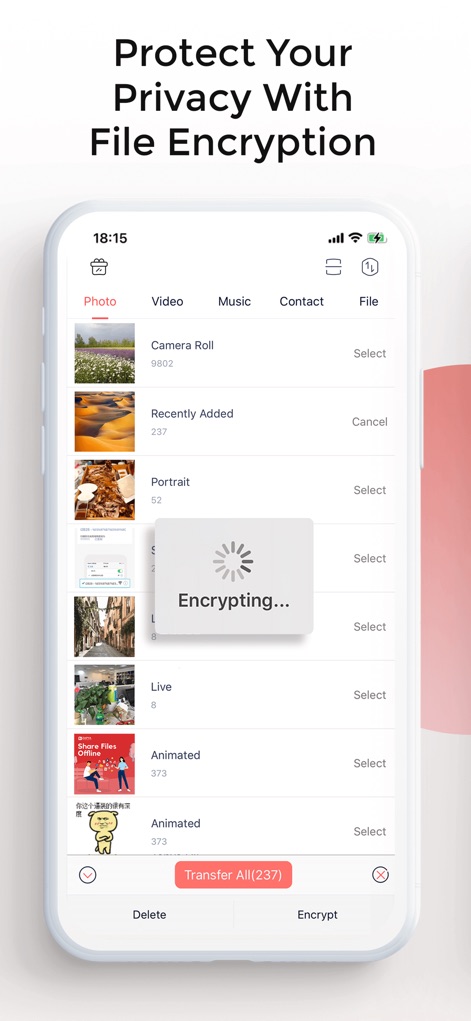
Secure File Protection
Witness the encryption process for sensitive files and the categorization of media types like "Camera Roll" and "Recently Added" for privacy.

Seamless Phone Migration
Learn how the app facilitates phone replication by allowing users to designate "Old" or "New" devices for easy data import.
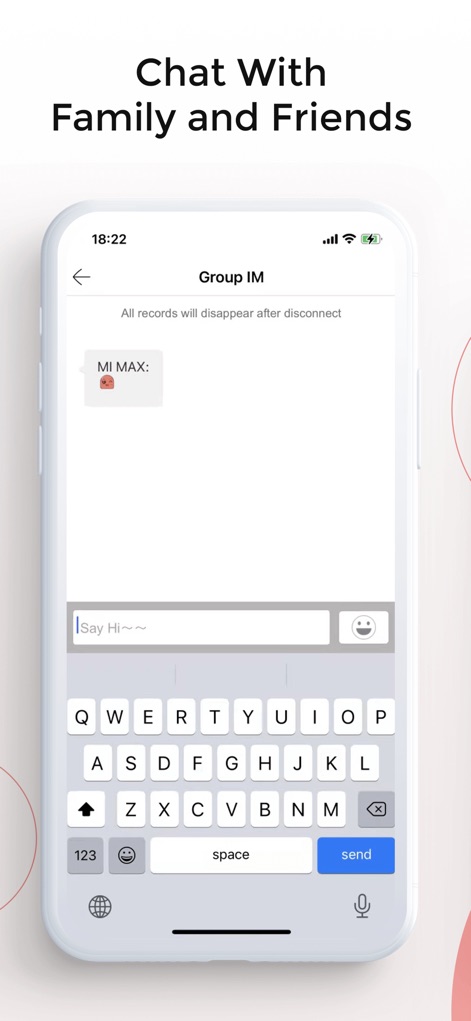
Offline Group Chat
View the offline group chat interface, complete with a full keyboard and emoji selection for seamless communication.
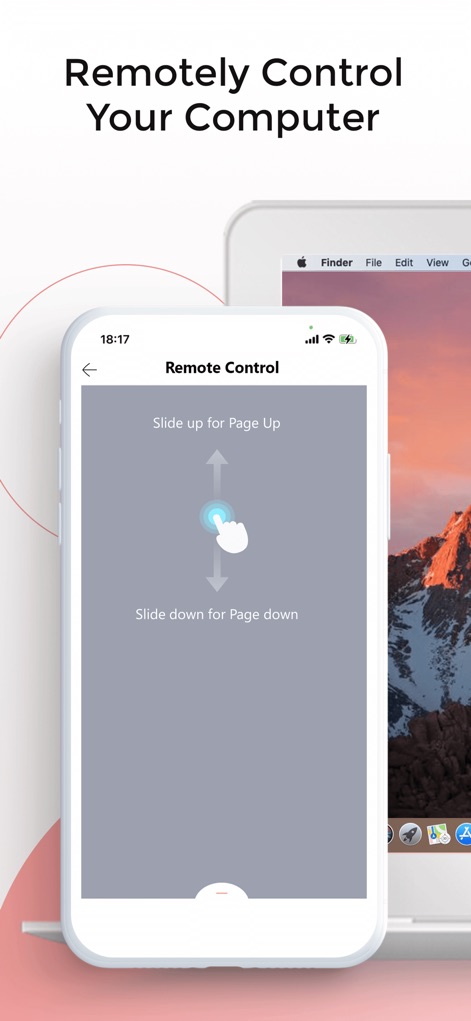
Remote PC Control
Examine the intuitive gestures for remote computer control, such as sliding up for "Page Up" and sliding down for "Page Down."
Description
Download
More Like This
Apps with similar features and user experience

WeTransfer: Transfer Files
Wetransfer B.V.

Send Anywhere - File Transfer
Rakuten Symphony Korea, Inc.

Blip: Send Files in a Click
Blip Studio Inc.

Files Transfer - Quick share
梦洋 崔

Air File Share & Drop
Best Free and Fun Games, LLC

手机克隆-极速换机助手免流量数据迁移
军甫 贺

Photo Transfer: Send via WiFi
Mobileware Studio SL

SHAREit: Transfer, Share Files
SHAREit Technologies Co. Ltd

LocalSend
Tien Do Nam
This page is not an official page of the app or its developer, but an independent editorial publication created for informational and commentary purposes. Unless expressly stated otherwise, neither the app nor its developer is affiliated with, endorsed by, sponsored by, authorized by, or otherwise officially connected with MWM, Apple, Google Play, the app publisher, or the app's developer, and nothing on this page implies that the app was developed using MWM's services. Any trademarks, logos, screenshots, and other content remain the property of their respective owners.