
This page is not an official page of the app or its developer, but an independent editorial publication created for informational and commentary purposes. Unless expressly stated otherwise, neither the app nor its developer is affiliated with, endorsed by, sponsored by, authorized by, or otherwise officially connected with MWM, Apple, Google Play, the app publisher, or the app's developer, and nothing on this page implies that the app was developed using MWM's services. Any trademarks, logos, screenshots, and other content remain the property of their respective owners.


LED Scroller and Text Banner
Command attention. The app delivers instant visual impact, transforming any message into a captivating display.
Downloads
750k+User Rating
Total Ratings
11.9KPublisher
Category
UtilitiesLocales
14Latest Version
2.5.2Size
182.5 MBFirst Released
Nov 22, 2022An Evaluation of Core Functionalities for Creative Digital Communication
Key Features Analysis: LED Scroller and Text Banner
Dynamic Text Display Customization
The app provides extensive options to customize text, including changing font style, color, size, stroke, and applying blinking effects, allowing for highly personalized and engaging messages.
Multi-Lingual and Emoji Support
It allows users to display text in any language, along with emojis and symbols, ensuring broad expressiveness and communication versatility.
Device-to-Digital-Signage Transformation
This tool features the ability to convert an iPad or iPhone into a full-screen digital signboard or text banner, offering a portable and immediate solution for visual communication.
Graphic Element and Shape Integration
The app enables users to enhance their sign designs with attractive shapes and graphic elements, elevating the visual appeal beyond just text.
Frequently Asked Questions
Everything you need to know about LED Scroller and Text Banner
What is LED Scroller and Text Banner?
LED Scroller and Text Banner is an app that transforms an iPad or iPhone into a customizable welcome sign, textboard, or text banner. It displays large, personalized messages with various design and effect options.
Can I customize the text in the LED Scroller and Text Banner app?
Yes, the LED Scroller and Text Banner app allows users to customize text color, size, font style, and stroke. It also supports creating blinking text effects to personalize messages.
Does LED Scroller and Text Banner support emojis and symbols?
Yes, LED Scroller and Text Banner supports displaying text in any language, including emojis and symbols, across the full screen. This ensures versatile message creation.
Can I create scrolling messages with LED Scroller and Text Banner?
Yes, the LED Scroller and Text Banner app enables users to create dynamic scrolling messages. This feature converts devices into engaging, moving text banners for various applications.
What background customization options are available in LED Scroller and Text Banner?
LED Scroller and Text Banner offers background effects (LED, HD), color adjustment, brightness control, and options to use background images or GIFs. Users can explore various visual styles.
Does LED Scroller and Text Banner offer pre-designed templates for signs?
Yes, LED Scroller and Text Banner provides a selection of pre-designed templates. Users can choose from these options to quickly create customized LED signs for various occasions.
How do subscriptions work for premium features in LED Scroller and Text Banner?
Subscriptions for premium LED Scroller and Text Banner features are offered weekly, monthly, or yearly. Payment processes through the iTunes Account upon purchase confirmation.
How do I manage or cancel my LED Scroller and Text Banner subscription?
Users can manage their LED Scroller and Text Banner subscriptions and turn off auto-renewal via their iTunes Account Settings. Auto-renewal must be disabled at least 24 hours before the current period ends.
Can I save my custom designs within the LED Scroller and Text Banner app?
Yes, the LED Scroller and Text Banner app allows users to save their customized LED creations. These designs are accessible and reusable from a dedicated gallery within the app.
Can frames be added to LED designs in LED Scroller and Text Banner?
Yes, the LED Scroller and Text Banner app provides options to add various frames to LED designs. Users can select from different frame styles and shapes under the 'Effect' tab.
What kinds of signs can be designed using the LED Scroller and Text Banner app?
The LED Scroller and Text Banner app enables design of various signs including window, digital, outdoor, informational, persuasive, and compliant signage. It also supports pylon signs, channel letters, and menu boards.
The following screenshots and description are sourced directly from the app's official store listing and are the property of the app developer.
App Store
Screenshots
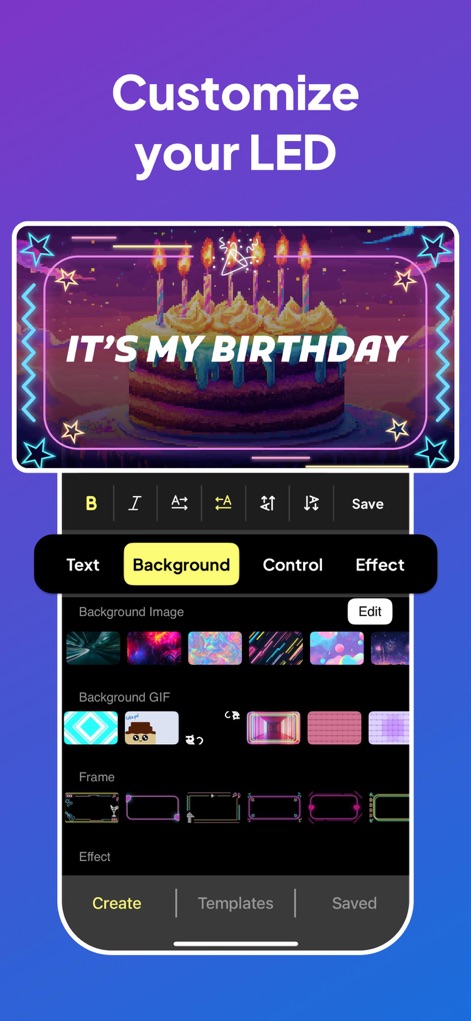
Explore the app's intuitive interface for customizing banners, featuring personalized text displays like "IT'S MY BIRTHDAY" and a wide selection of background images and frames.
LED Customization Unleashed

This tool transforms static messages into dynamic displays, showcasing features like vertical scrolling text such as "PARTY" and vibrant pixelated LED effects.
Dynamic Text Scrolling
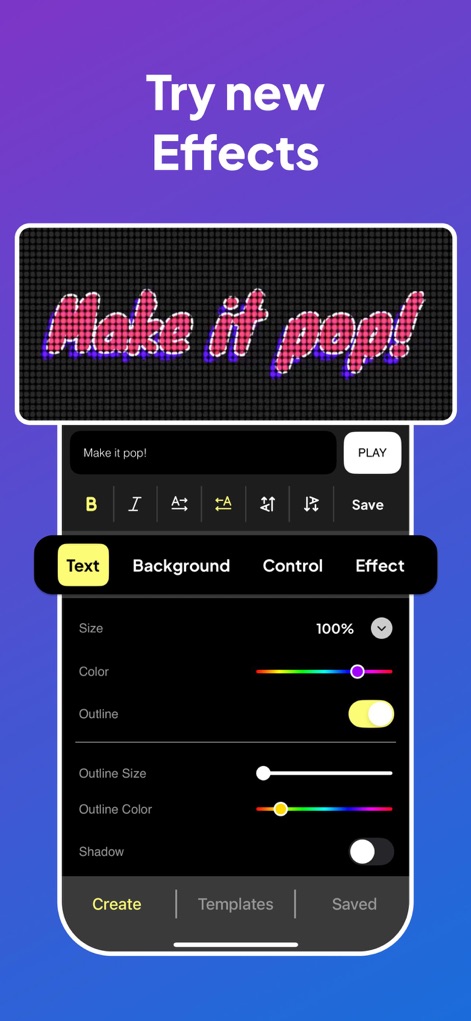
Users can elevate their text with various effects, as demonstrated by the "Make it pop!" glitch effect, and fine-tune aesthetics using the comprehensive color and outline adjustment sliders.
Enhance Text Effects
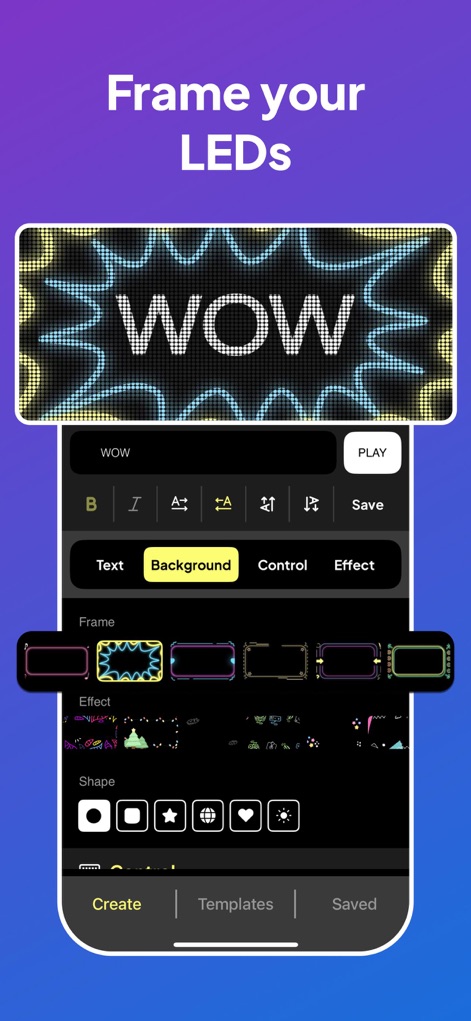
Personalize visual impact by adding stylish frames, exemplified by the "WOW" text surrounded by a wavy neon design, with various frame styles and geometric shapes available.
Decorative Frame Options
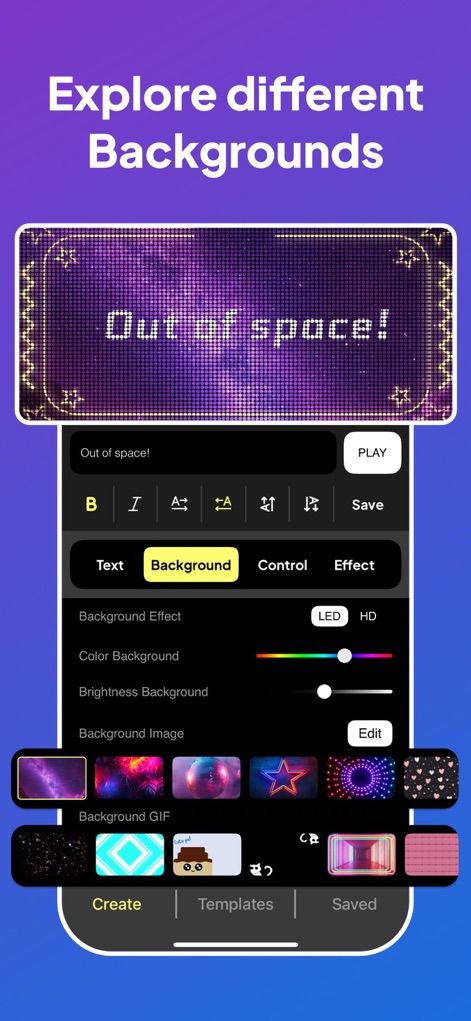
Discover a rich collection of background options, from captivating galaxy images displayed with "Out of space!" text to customizable LED/HD effects and brightness adjustments.
Diverse Backgrounds Galore
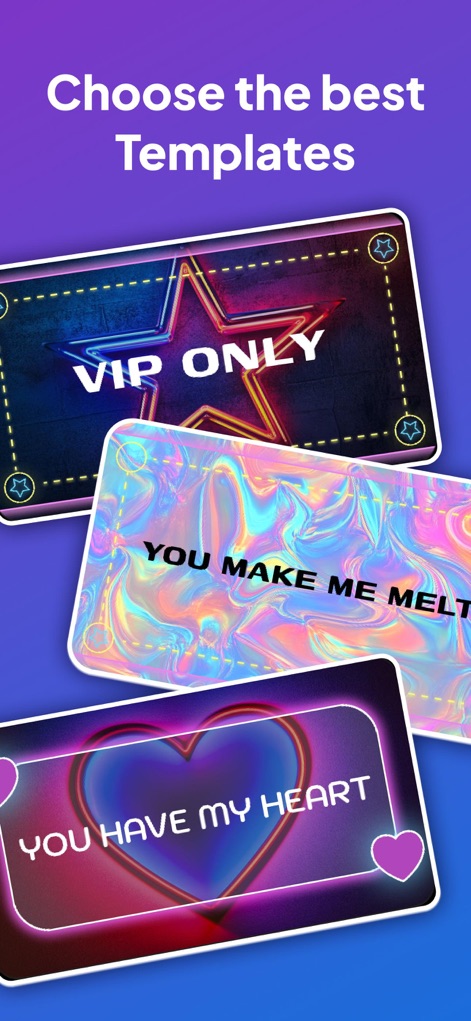
Jumpstart creativity with an array of pre-designed templates, showcasing diverse styles like the "VIP ONLY" neon sign and the "YOU MAKE ME MELT" holographic banner.
Ready-Made Templates
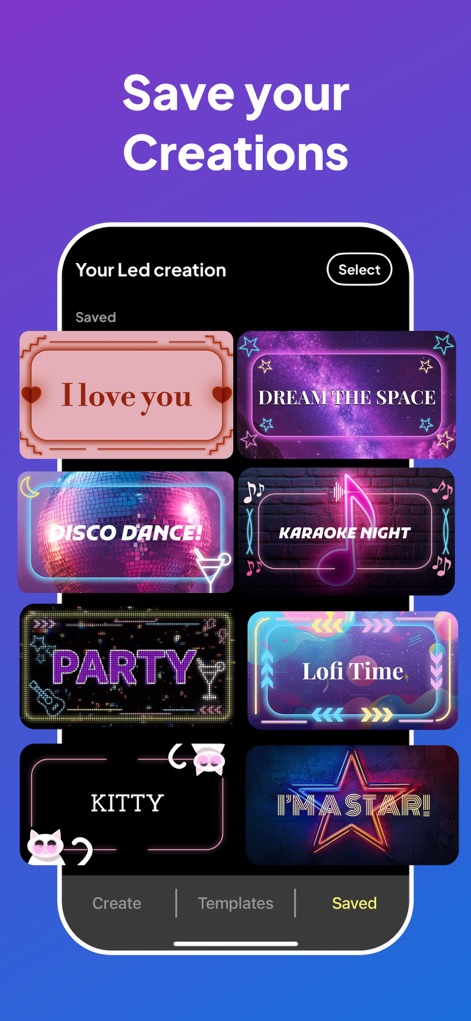
The app allows users to conveniently save and organize their custom designs, as seen in the gallery featuring varied creations like "DREAM THE SPACE" and "DISCO DANCE!".
Manage Your Designs
Description
Download
More Like This
Apps with similar features and user experience
Led Board - Led Banner
Chuong Le
LED Banner-LED
西连 郑
LED Banner - Banner Display +
周桂 吴
Ledsy - LED Banner
Hoang Minh Thanh
Banner Led
Francisco Navarro Aguilar
LED Banner - Big Text Maker
琳 胡
LED Banner Marquee Maker
Guangdong Wuji Network Technology Co., Ltd.
LED Banner - Make It Big Text
Changsha Shenguangyuan Technology Co., Ltd.
Banner Display App
Matheus Estoque
This page is not an official page of the app or its developer, but an independent editorial publication created for informational and commentary purposes. Unless expressly stated otherwise, neither the app nor its developer is affiliated with, endorsed by, sponsored by, authorized by, or otherwise officially connected with MWM, Apple, Google Play, the app publisher, or the app's developer, and nothing on this page implies that the app was developed using MWM's services. Any trademarks, logos, screenshots, and other content remain the property of their respective owners.