Lighting Designer

Lighting Designer

Download on App Store
Logo of Lighting Designer

Lighting Designer: Professional Plots for Film, Theater, and Stage

Stop drawing on scrap paper and start plotting like a pro. Design intuitive lighting setups, manage equipment lists, and sync your work across all your Apple devices—from tech scouts to the final show.

Publisher

Scenario Software LLC

Category

Photo & Video

Downloads

85K+

User Rating

4.0/5

Total Ratings

500

Locales

1

Plot with Precision

Discover the interface used by 85K+ users.
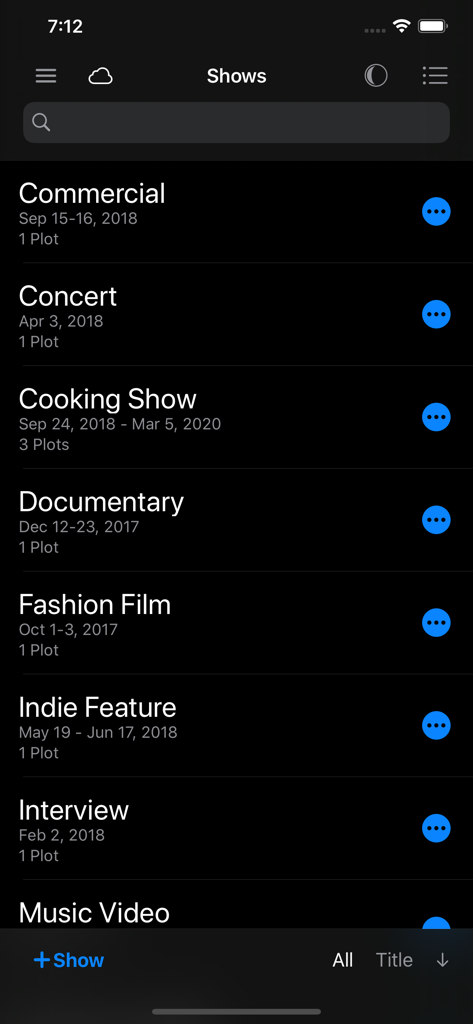
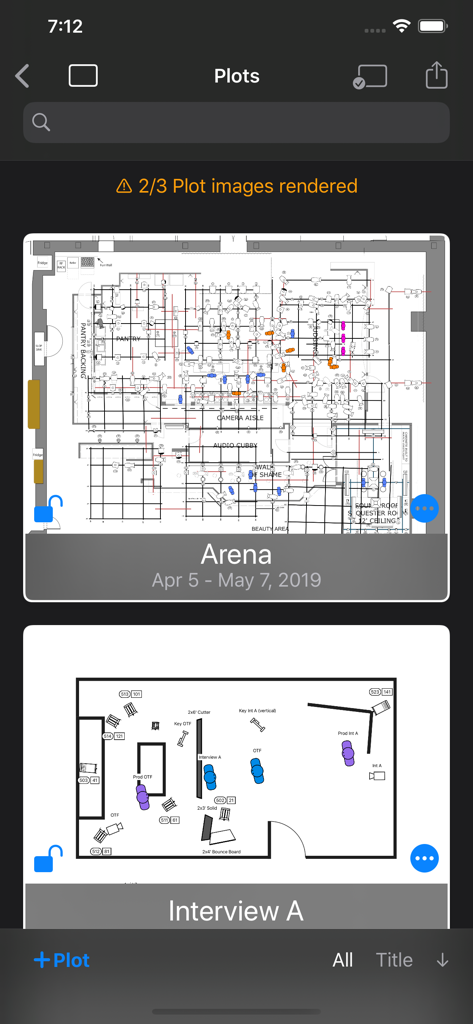
List of show projects in the Lighting Designer app including Commercial, Concert, and Documentary projects in Dark Mode

List of show projects in the Lighting Designer app including Commercial, Concert, and Documentary projects in Dark Mode

Interface of the Lighting Designer app showing a list of saved technical lighting plots in dark mode

Interface of the Lighting Designer app showing a list of saved technical lighting plots in dark mode

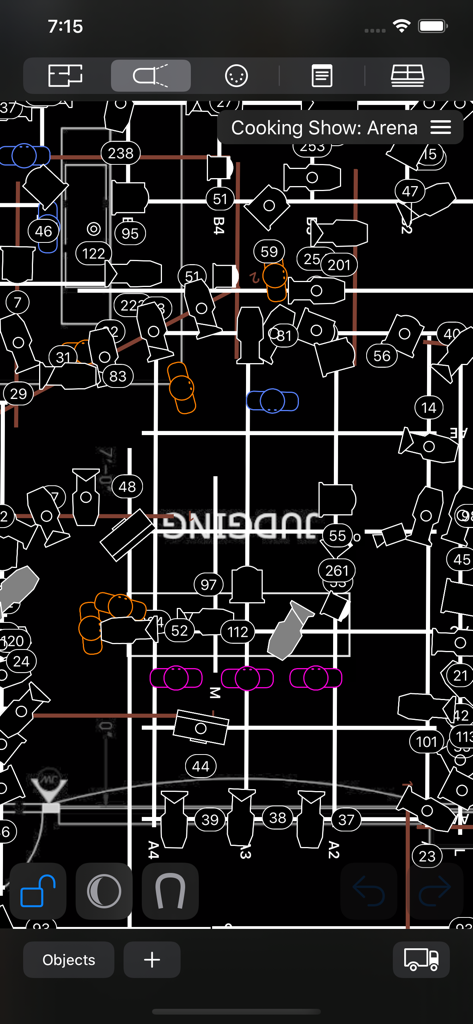
Professional overhead lighting design plot in dark mode for a television set

Professional overhead lighting design plot in dark mode for a television set

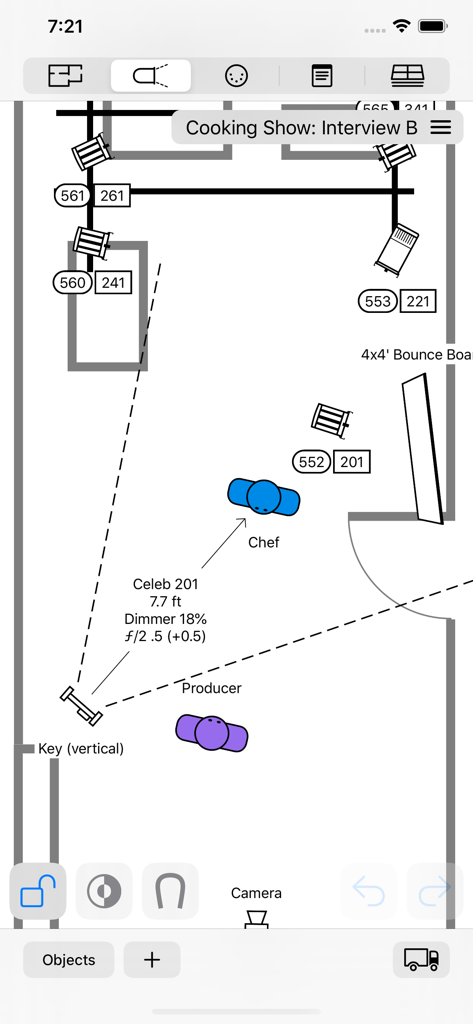
Top down lighting plot for a film set showing light fixtures and talent positions on a mobile interface

Top down lighting plot for a film set showing light fixtures and talent positions on a mobile interface

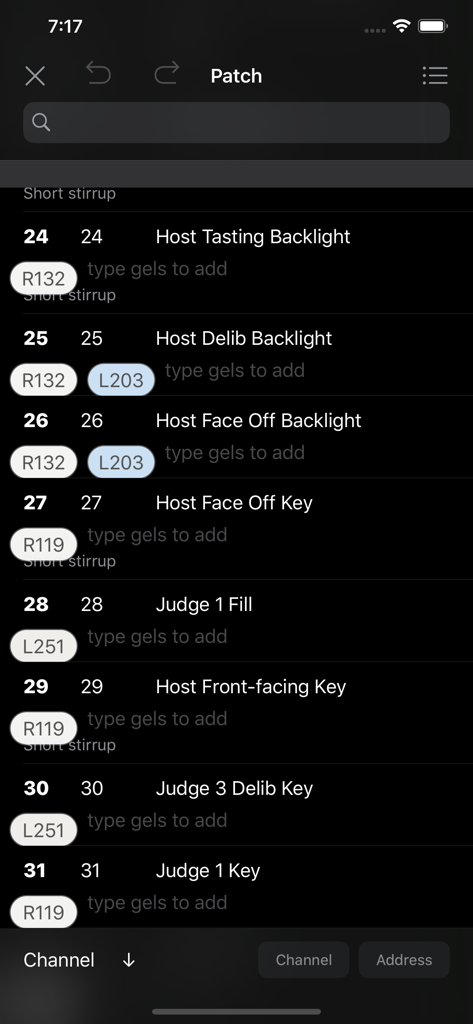
Interface of the Lighting Designer app showing a digital patch list with channel numbers and color gel assignments in dark mode

Interface of the Lighting Designer app showing a digital patch list with channel numbers and color gel assignments in dark mode

Professional Precision, Zero Friction

The tools that make this app stand out, trusted by 85K+ users.

📱

Design Anywhere, Sync Everywhere

Work seamlessly across your Apple ecosystem. Start a plot on your Mac, refine it on your iPad, and reference it on your iPhone while walking the set with full iCloud synchronization.

💡

Industry-Standard Equipment Library

Access over 2,000 built-in lights and objects or tap into 25,000+ professional fixtures via Crescit. From Skypanels to Source Fours, plan your plot with the exact gear you use.

📋

Automated Gear & Crew Lists

Turn your visual plot into an actionable technical document. Instantly generate equipment lists and truck packs to share with your gaffer, rental house, and production crew.

About the app

Everything you need to know about Lighting Designer.

Description

Never draw a lighting setup on a scrap of paper again. Lighting Designer is a quick and intuitive way to create overhead lighting plots for film, theater, television, concerts, and anything else you can light. The wide selection of equipment and simple yet powerful interface makes it easier than ever to illustrate and communicate your lighting setups, from most Apple devices. Your Silicon Mac is powerful and gives you the most screen to work with; your iPad is large and versatile; your iPhone will go with you anywhere. And if you like, your work can sync among all your Apple devices using iCloud, so you can start plotting on one and finish on another. LD is perfect for tech scouts, working while traveling, or just choosing the couch over your desk chair. While expensive drafting programs can take hours to use and years to master, Lighting Designer is an accessible way to plan your next show! Features: • Organize your setups into Shows, with details like shooting dates and crew members • Choose from over 2000 built-in types of lights, grip equipment, camera gear, actors, and objects like furniture and musical instruments • With a Crescit Premium account, you can have access to an additional 25,000+ pieces of lighting equipment, gels, and gobo templates • Use your own images to create custom fixtures on your Plots (read the User Guide for image specs) • For each light, specify wattage, beam spread, light output, DMX address, color, and many other details • Certain fixtures include info for exposure approximation; all can be user-configured and have their exposure reverse-calculated from real-world readings • Use Groups to create flexible collections of lights • Notes allow you to describe every detail of your setup • Pack your Truck to share gear among multiple Plots • Draw a Floor Plan using basic shapes, and images from your device • Lights can target other objects, and objects can rig onto each other for easy adjustments • Email editable Plots to the crew, with images, equipment, and crew lists • Undo/Redo functionality • Optional iCloud sync • Dark Mode presents a dark workspace to reduce eyestrain and minimize your device's light in a dark environment

Latest Version

4.0.4

Size

79.6 MB

First Released

Apr 24, 2012

Take Command of Your Light

Ditch the napkins and upgrade your professional workflow. Download Lighting Designer now to build, sync, and share production-ready plots directly from your iPhone or iPad.

Download on App Store

App information, icons, screenshots, and descriptions displayed on this page are sourced from the Apple App Store and are the property of their respective developers. Download estimates and rankings are based on MWM's proprietary models and may not reflect actual figures. This page is provided for informational and analytical purposes only.

Believe this page infringes your intellectual property? File a dispute