
This page is not an official page of the app or its developer, but an independent editorial publication created for informational and commentary purposes. Unless expressly stated otherwise, neither the app nor its developer is affiliated with, endorsed by, sponsored by, authorized by, or otherwise officially connected with MWM, Apple, Google Play, the app publisher, or the app's developer, and nothing on this page implies that the app was developed using MWM's services. Any trademarks, logos, screenshots, and other content remain the property of their respective owners.


LINQ Connect
Take the stress out of the school week. Securely manage meal balances, view menus, and make payments in seconds—so you can focus on what matters most.
Downloads
880K+User Rating
Total Ratings
12K+Publisher
Category
EducationLocales
1Latest Version
390.5.373Size
61.9 MBFirst Released
May 19, 2023Everything Your Child Needs, All in One Place
Say goodbye to lost lunch money and late-night paperwork with a simple, secure tool built for busy families.
Quick & Secure Payments
Instantly top up balances or pay school fees from anywhere, ensuring your child is always ready for the lunch line.
Weekly Menu Transparency
View school menus ahead of time to manage dietary needs and help your student plan their favorite healthy meals.
Frequently Asked Questions
Everything you need to know about LINQ Connect
What is LINQ Connect?
LINQ Connect is an app that simplifies making payments, checking student meal balances, adding funds, and managing school-related notifications.
Can I check my student's meal balance with LINQ Connect?
Yes, LINQ Connect allows users to confidently check their student's meal account balance directly from their phone.
How do I add money to a meal account using LINQ Connect?
Users easily add money to a meal account balance within the LINQ Connect app by logging in and selecting the "Add Funds" option.
Does LINQ Connect allow purchasing items from the school store?
Yes, the LINQ Connect app enables users to buy items from the school store after logging into their account.
Can I apply for free or reduced meals with LINQ Connect?
Yes, users apply for free or reduced meals directly through the LINQ Connect app without requiring a login.
Does LINQ Connect show daily school menus?
Yes, LINQ Connect allows users to check the school menu to plan their meals. Screenshot #1 displays "Today's Lunch" options.
Does LINQ Connect offer auto-pay functionality?
Yes, LINQ Connect provides an Auto Pay feature. Users set it up through the app's settings menu.
Are there convenience fees when adding funds in LINQ Connect?
Yes, convenience fees may apply during checkout when adding funds to a meal balance in LINQ Connect.
Can I view past transactions in the LINQ Connect app?
Yes, LINQ Connect shows recent transactions, including fund transfers, funds added, and meal purchases.
The following screenshots and description are sourced directly from the app's official store listing and are the property of the app developer.
App Store
Screenshots
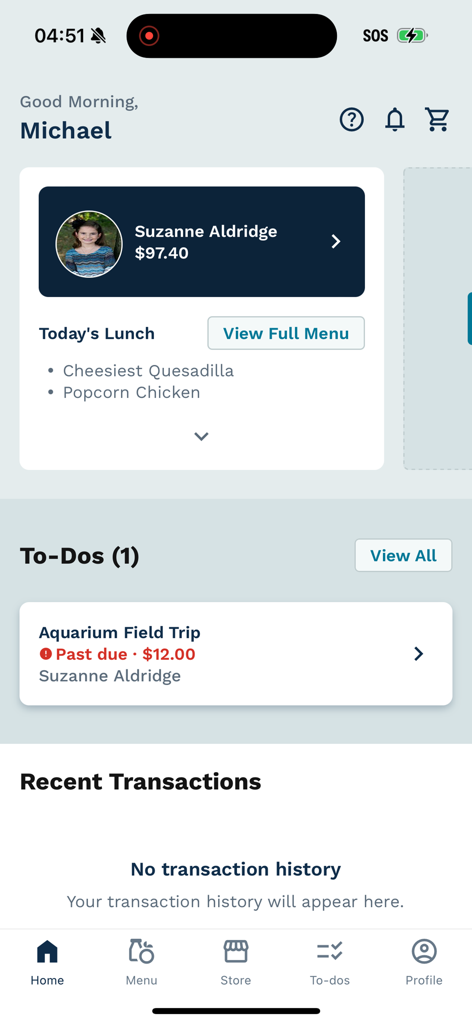
LINQ Connect mobile app dashboard showing student account balance and school lunch menu
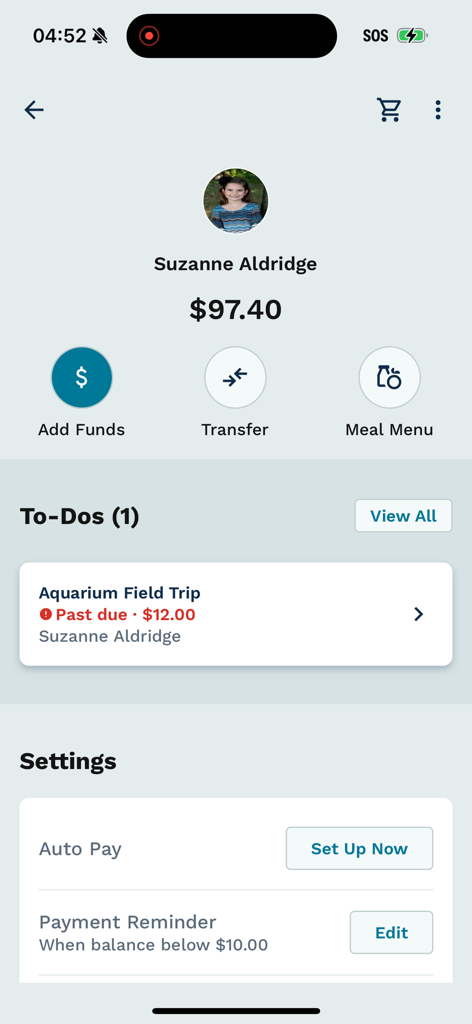
Student profile dashboard in the LINQ Connect app showing balance and to-dos.
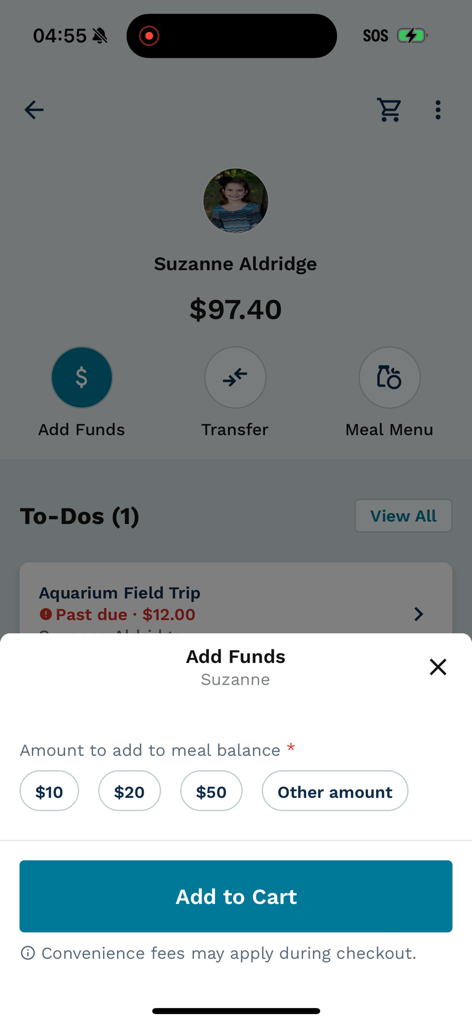
A student profile in the LINQ Connect app showing a popup to add funds to a school meal balance
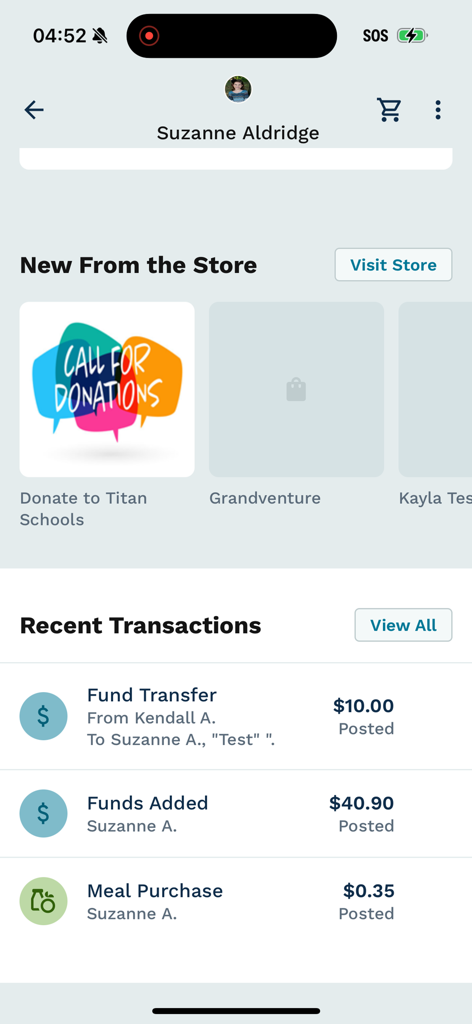
Interface of the LINQ Connect app showing a transaction history and available school store items
Description
Download
More Like This
Apps with similar features and user experience

Transact eAccounts
Transact Campus, LLC

Transact Mobile Ordering
Transact Campus, LLC

SchoolCafé
Primeroedge LLC

ID123 Digital ID Card App
ID123 Inc.
Facepass Pessoal
FACEPASS SOLUCOES DE ACESSO LTDA
MSB Parent, USA
Heartland Payment Systems, Inc.

GET Mobile
The CBORD Group, Inc

Carteirinha
Inova Tecnologia LTDA
Civica
Metro Medellin
This page is not an official page of the app or its developer, but an independent editorial publication created for informational and commentary purposes. Unless expressly stated otherwise, neither the app nor its developer is affiliated with, endorsed by, sponsored by, authorized by, or otherwise officially connected with MWM, Apple, Google Play, the app publisher, or the app's developer, and nothing on this page implies that the app was developed using MWM's services. Any trademarks, logos, screenshots, and other content remain the property of their respective owners.