
This page is not an official page of the app or its developer, but an independent editorial publication created for informational and commentary purposes. Unless expressly stated otherwise, neither the app nor its developer is affiliated with, endorsed by, sponsored by, authorized by, or otherwise officially connected with MWM, Apple, Google Play, the app publisher, or the app's developer, and nothing on this page implies that the app was developed using MWM's services. Any trademarks, logos, screenshots, and other content remain the property of their respective owners.


Transact Mobile Ordering
Order ahead from your favorite campus spots, pay with your meal plan or campus card, and earn rewards for every bite. No more waiting—just grab and go.
Downloads
1M+User Rating
Total Ratings
57K+Publisher
Category
Food & DrinkLocales
1Latest Version
2025.5.0Size
43.9 MBFirst Released
Mar 20, 2020Fuel Your Hustle Without the Wait
The ultimate campus companion to help you grab your favorite meals, skip the lines, and maximize your meal plan—all from your phone.
Skip the 20-Minute Wait
Order between classes and pick up your food the moment you arrive. Your time is too valuable for standing in line.
Your Meal Plan, Digitized
Leave your wallet behind. Pay seamlessly with your campus card, meal plan, or credit card in one simple tap.
Frequently Asked Questions
Everything you need to know about Transact Mobile Ordering
What is Transact Mobile Ordering?
Transact Mobile Ordering is an app that allows users to order, pay, and pick up food from campus restaurants using their mobile device. It saves time by eliminating lines.
How do I place an order with Transact Mobile Ordering?
Users browse available restaurants and menus within the Transact Mobile Ordering app. They select items, customize their order, and pay using supported methods before picking it up.
What payment methods does Transact Mobile Ordering accept?
Transact Mobile Ordering accepts payments via campus card, credit/debit card, or meal plans, depending on campus allowances. This offers flexible payment options.
Can I earn rewards using Transact Mobile Ordering?
Yes, Transact Mobile Ordering offers reward points at participating locations. Users earn points for actions like ordering, opening messages, rating purchases, and completing challenges.
Does Transact Mobile Ordering provide nutritional information for menu items?
Yes, Transact Mobile Ordering provides nutritional information. Users can view details like calories, fat, cholesterol, and dietary flags like "Nut-Free" or "Spicy" for specific menu items.
How does Transact Mobile Ordering notify users about their orders?
Transact Mobile Ordering notifies users about their order status every step of the way. It sends messages when the order is ready for pick-up, ensuring timely collection.
Can I customize my food order with Transact Mobile Ordering?
Yes, Transact Mobile Ordering allows users to customize their orders. This feature is available for various menu items, as indicated by the 'Customize' option.
Does Transact Mobile Ordering have a 'Just Walk Out' feature?
Yes, Transact Mobile Ordering includes a 'Just Walk Out' feature. Users scan a QR code to make purchases, displaying their dining dollars balance and selected location.
Can I reorder past items quickly using Transact Mobile Ordering?
Yes, Transact Mobile Ordering remembers your favorite orders. This allows users to reorder items superfast, saving time and simplifying the process.
The following screenshots and description are sourced directly from the app's official store listing and are the property of the app developer.
App Store
Screenshots
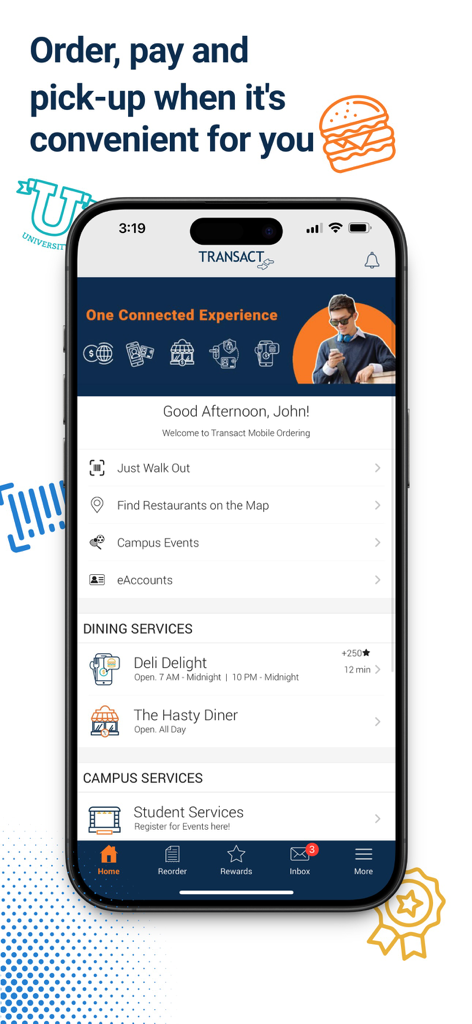
Transact Mobile Ordering app home screen displaying campus food and service options
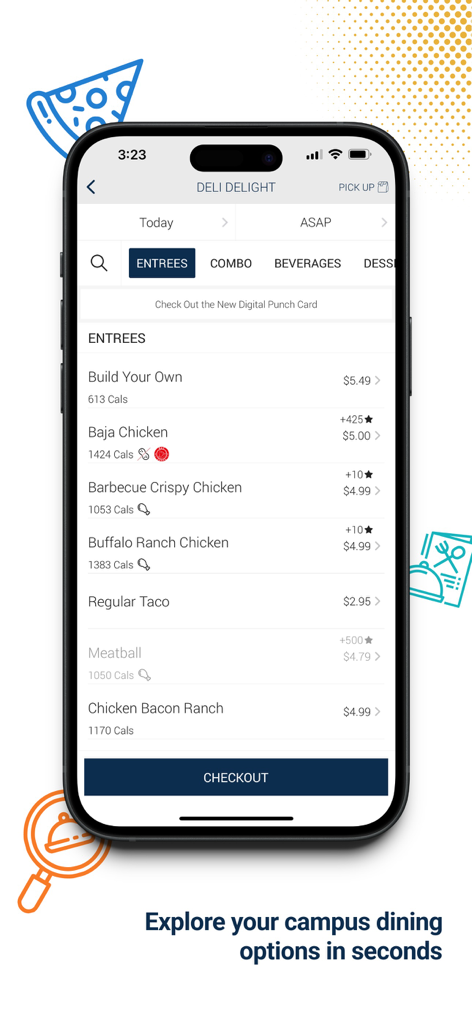
A smartphone displaying the entrees menu of a campus deli with food prices and calorie counts
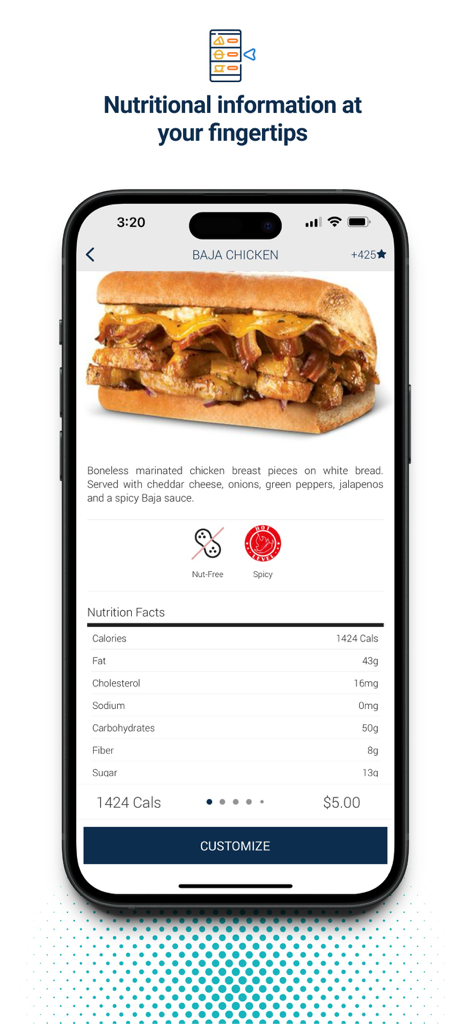
Transact Mobile Ordering app interface displaying detailed nutritional facts and pricing for a Baja Chicken sandwich.
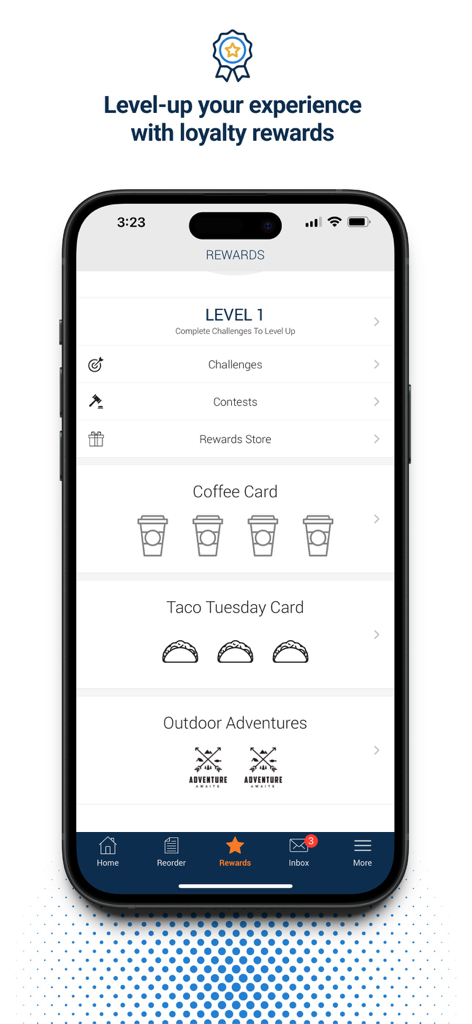
Transact Mobile Ordering rewards screen showing loyalty levels challenges and digital coffee and taco punch cards
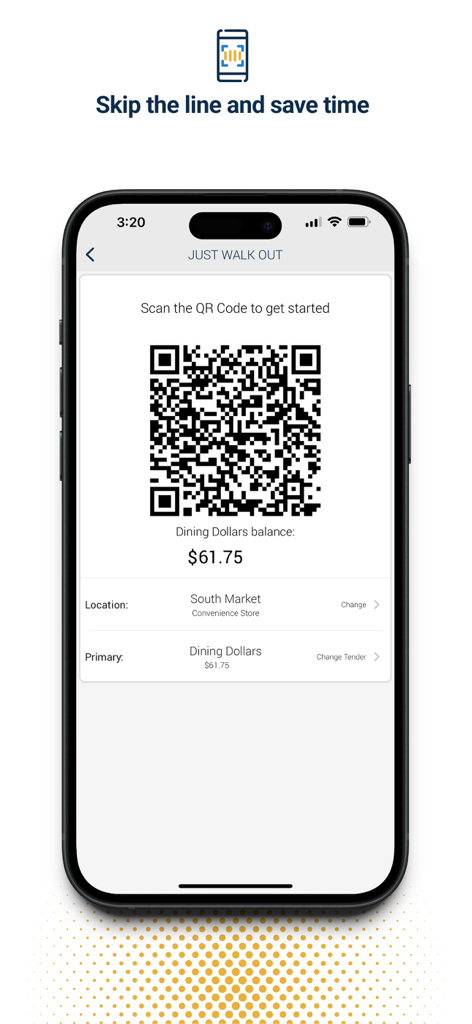
A smartphone screen displaying a QR code for contactless campus dining payments and a dining dollars account balance
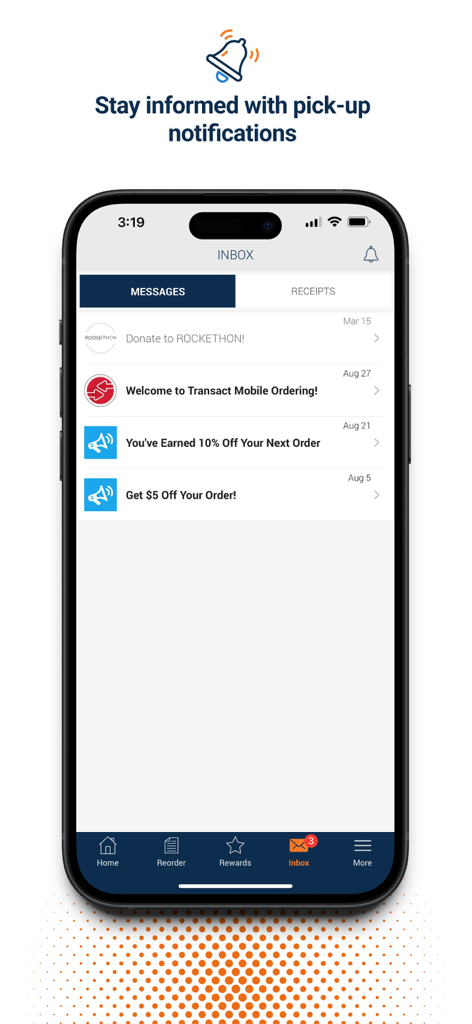
The inbox screen of the Transact Mobile Ordering app showing a list of pick-up notifications and reward messages
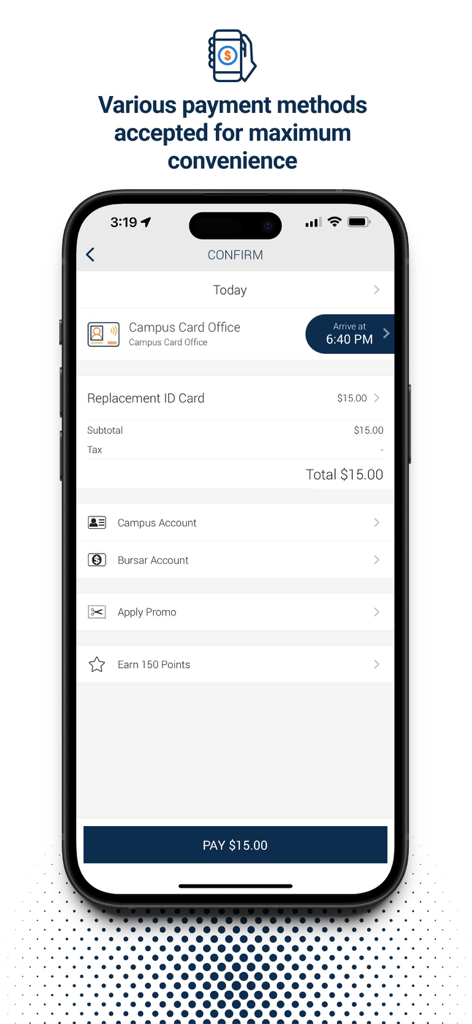
Transact Mobile Ordering confirmation screen showing campus payment options and total cost for a replacement ID card.
Description
Download
More Like This
Apps with similar features and user experience

Transact eAccounts
Transact Campus, LLC

SchoolCafé
Primeroedge LLC

ID123 Digital ID Card App
ID123 Inc.

Facepass Pessoal
FACEPASS SOLUCOES DE ACESSO LTDA

MSB Parent, USA
Heartland Payment Systems, Inc.

GET Mobile
The CBORD Group, Inc

LINQ Connect
EMS LINQ Inc

Carteirinha
Inova Tecnologia LTDA

Civica
Metro Medellin
This page is not an official page of the app or its developer, but an independent editorial publication created for informational and commentary purposes. Unless expressly stated otherwise, neither the app nor its developer is affiliated with, endorsed by, sponsored by, authorized by, or otherwise officially connected with MWM, Apple, Google Play, the app publisher, or the app's developer, and nothing on this page implies that the app was developed using MWM's services. Any trademarks, logos, screenshots, and other content remain the property of their respective owners.