
This page is not an official page of the app or its developer, but an independent editorial publication created for informational and commentary purposes. Unless expressly stated otherwise, neither the app nor its developer is affiliated with, endorsed by, sponsored by, authorized by, or otherwise officially connected with MWM, Apple, Google Play, the app publisher, or the app's developer, and nothing on this page implies that the app was developed using MWM's services. Any trademarks, logos, screenshots, and other content remain the property of their respective owners.


Locket Widget
Social feeds drown in curated fakery. This app weaponizes authenticity, granting users a live, unvarnished window into their most trusted connections.
Downloads
75M+User Rating
Total Ratings
1.7MPublisher
Category
Social NetworkingLocales
7Latest Version
2.39.1Size
418.8 MBFirst Released
Dec 30, 2021Locket Widget: Software Evaluation
An analysis of key features driving authentic, intimate connections for young adults.
Live Photo Home Screen Widget
The app provides a dynamic widget that displays live photos from close friends directly on the user's Home Screen, fostering a constant visual connection.
Curated Friends List (Max 20)
This tool features a strict limit of 20 friends, encouraging intimate connections and eliminating the pressure of follower counts common in public social media.
Instant In-Widget Photo Sharing
It allows users to capture and send photos effortlessly through the widget itself, promoting spontaneous and casual sharing of daily moments.
Personalized Individual Widgets
The app enables users to set up dedicated widgets for specific individuals (e.g., 'Bestie' or 'Crush'), allowing for hyper-personalized photo sharing and viewing with just one person.
Free-to-Use Platform
The app is completely free, making it accessible to all users without any financial barrier, ensuring wider adoption among the target demographic.
Non-Public Emoji Reactions
It provides a way to react to friends' photos with emojis, offering a casual form of interaction and acknowledgment without the tracking or pressure associated with traditional 'likes'.
Private Shared Photo History
This tool automatically compiles a chronological history of all shared photos within the intimate circle, serving as a private visual journal of memories.
Monthly Memory Video Recaps
The app generates monthly video recaps, stitching together all shared photos to create shareable compilations of cherished moments with friends.
Frequently Asked Questions
Everything you need to know about Locket Widget
What is the Locket Widget?
The Locket Widget displays live photos from your best friends directly on your phone's Home Screen. It allows you to send new pictures back to their Home Screens instantly.
How does the Locket Widget work?
You add the Locket Widget to your Home Screen. When friends send photos, they appear on your widget. Tap the widget, take a picture, and send it to your friends' Home Screens.
How many friends can I add on Locket?
The Locket app allows users to add a maximum of 20 friends. This limit focuses interactions on close connections for a friendly experience.
Does Locket count or track photo reactions?
No, Locket does not count or track reactions to photos. Users can react authentically without concerns about likes or filters, fostering genuine sharing.
Can Locket create recap videos of shared photos?
Yes, Locket automatically creates a recap video at the end of each month, compiling all the photos you and your friends have shared. Users can also share individual photos.
Is the Locket Widget app free to download and use?
Yes, the Locket Widget app is free to download and use. It remains free to allow users to share photos with their friends, family, and besties.
Can I send Locket photos to a specific person?
Yes, Locket allows adding specific 'Crush' or 'Best Friend' picture widgets. These widgets display photos only from that person, and you can send images exclusively to them.
What is the 'Rollcall' feature in Locket?
The 'Rollcall' feature in Locket facilitates weekly photo dumps with your best friends. It is designed for sharing collections of photos within your close circle.
Can I chat or reply to photos on Locket?
Yes, Locket allows you to chat and reply to your friends' pictures directly within the app. You can send messages and reactions to their shared photos.
How do I access the camera in Locket Widget?
To access the camera in Locket Widget, you simply tap on the widget itself on your Home Screen. This action opens the in-app camera to capture and share photos.
The following screenshots and description are sourced directly from the app's official store listing and are the property of the app developer.
App Store
Screenshots
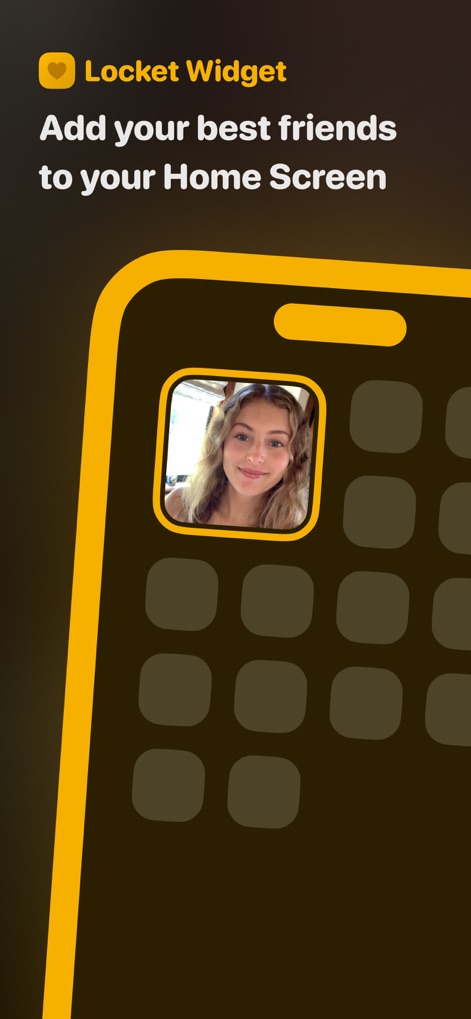
Home Screen Integration
See how the app seamlessly integrates as a vibrant widget directly on the Home Screen, allowing users to personalize their device with a dynamic friend photo and an organized grid layout.
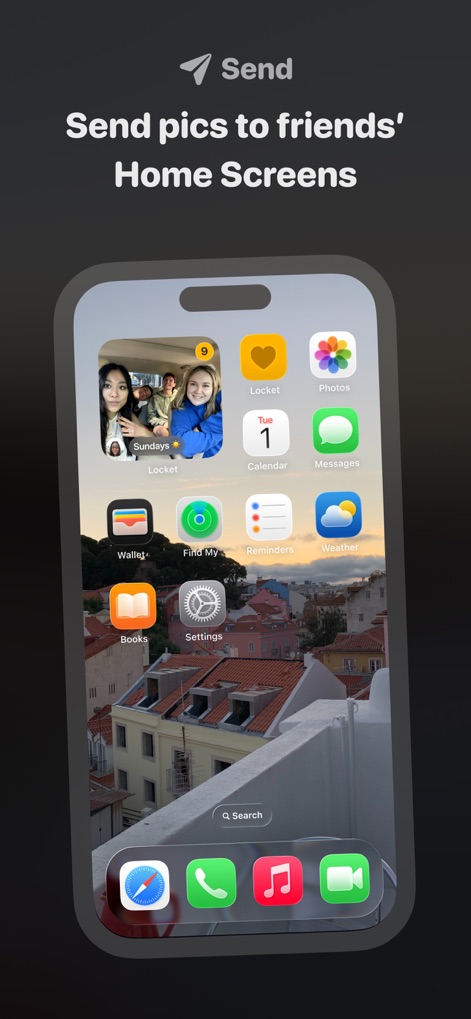
Instant Photo Sharing
This tool demonstrates how photos instantly appear on friends' Home Screens, showcasing both the distinctive Locket app icon and the live widget displaying shared moments.
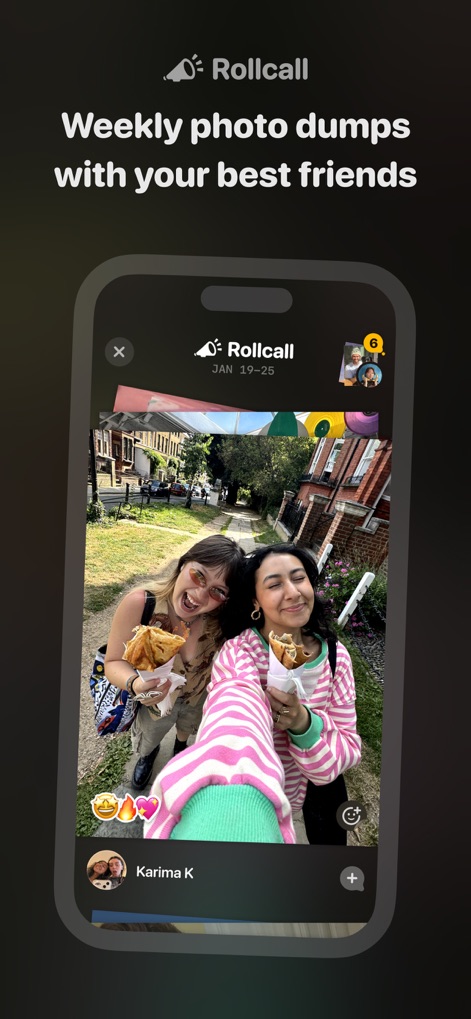
Weekly Friend Dumps
Users can engage with weekly photo dumps from friends, visible through a chronological feed that includes interactive reaction icons and clear sender identification.
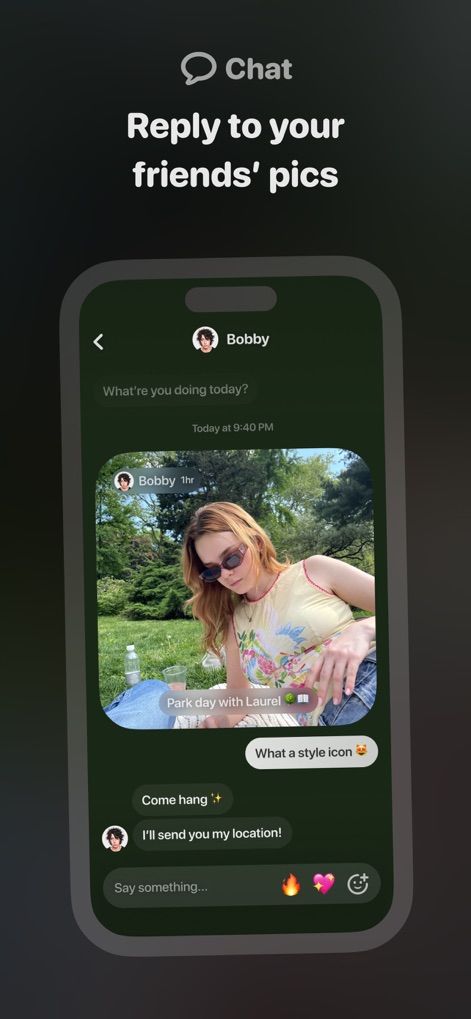
Photo Conversation Flow
This view illustrates the interactive chat feature where users can reply to specific photos with text messages and a selection of expressive emoji reactions.
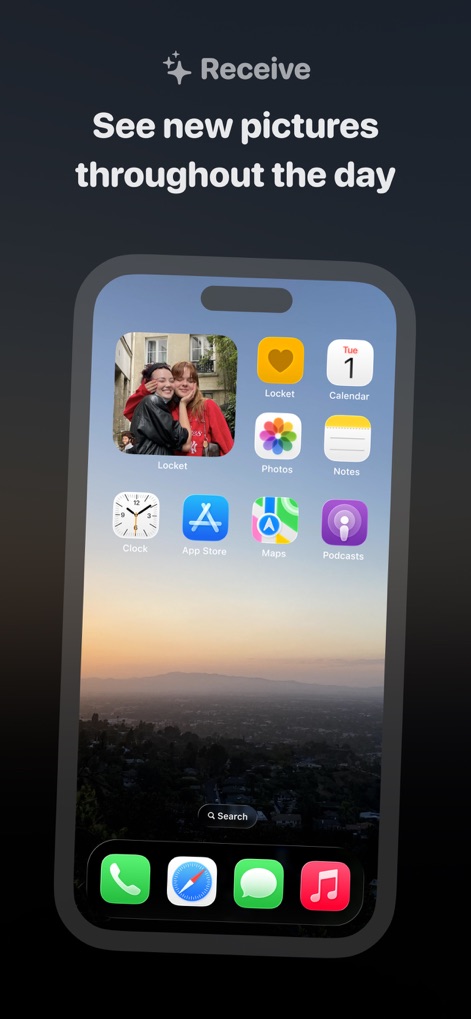
Real-time Photo Updates
Observe how new pictures from friends automatically populate the Locket widget on the Home Screen, offering a constant, fresh stream of images and seamless integration with other app icons.
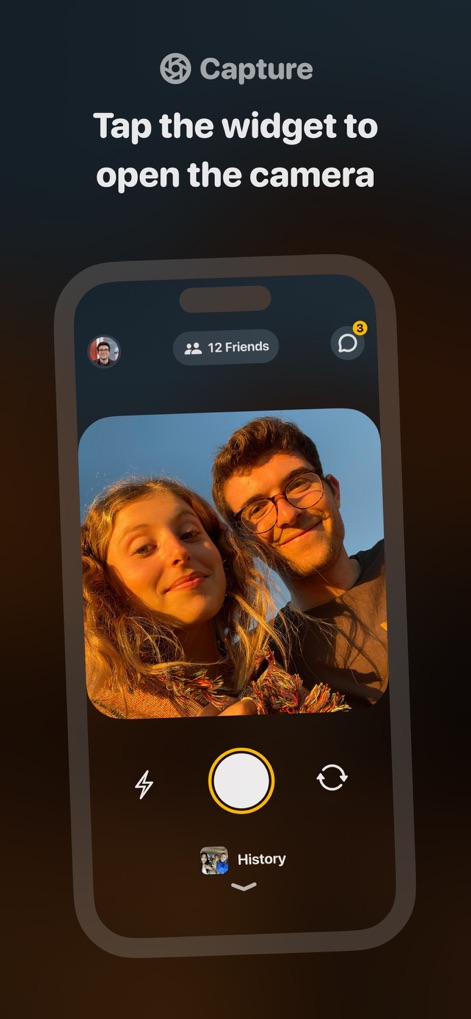
Integrated Camera Capture
The app allows users to easily capture and share photos directly, featuring intuitive camera controls like the flash toggle and a prominent circular capture button.
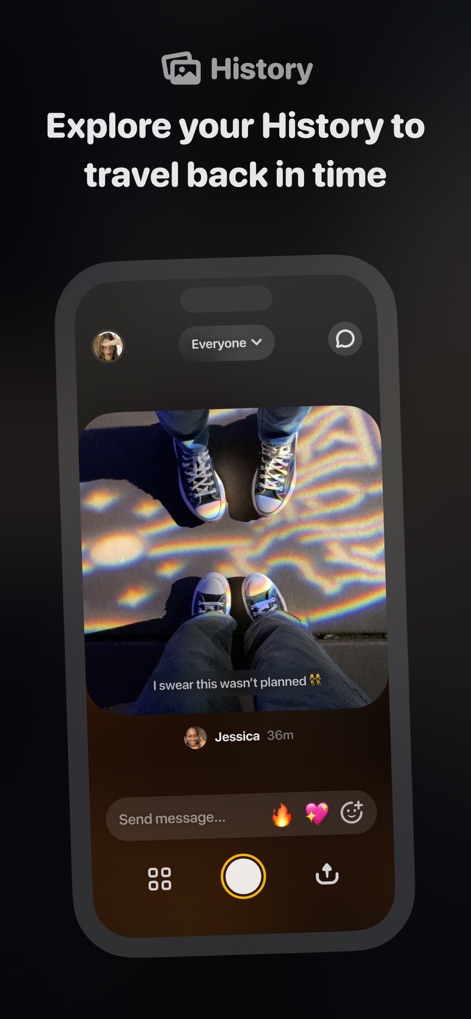
Locket Memory History
Explore the comprehensive history feed where all shared Lockets are stored, allowing users to revisit past moments with visual timestamps and sender information.
Description
Download
More Like This
Apps with similar features and user experience

Widgetable: Besties & Couples
HAPPENY TECHNOLOGY PTE. LTD.

Photo Widget - WidGeek
Batuhan Ciftci

TapNow. Friends on homescreen.
Sango technologies Inc.

yope: friends-only pics
Salo App, Inc.

noteit - bff widget
iconic hearts holdings, inc.

Bubbl Widget
Saif AL Essai

Lovebox - Long Distance Love
LOVEBOX.LOVE

Whisper Link
Hangzhou Liju Zhipin Intelligent Technology Co., Ltd

Comet: Live Friends Widget
APPWINGS Ltd
This page is not an official page of the app or its developer, but an independent editorial publication created for informational and commentary purposes. Unless expressly stated otherwise, neither the app nor its developer is affiliated with, endorsed by, sponsored by, authorized by, or otherwise officially connected with MWM, Apple, Google Play, the app publisher, or the app's developer, and nothing on this page implies that the app was developed using MWM's services. Any trademarks, logos, screenshots, and other content remain the property of their respective owners.