
This page is not an official page of the app or its developer, but an independent editorial publication created for informational and commentary purposes. Unless expressly stated otherwise, neither the app nor its developer is affiliated with, endorsed by, sponsored by, authorized by, or otherwise officially connected with MWM, Apple, Google Play, the app publisher, or the app's developer, and nothing on this page implies that the app was developed using MWM's services. Any trademarks, logos, screenshots, and other content remain the property of their respective owners.

录音专家-专业录音转文字助手
The trusted choice for millions of professionals and students. Effortlessly capture meetings, interviews, and lectures with high-quality recording and seamless text conversion across all your Apple devices.
Downloads
6M+User Rating
Total Ratings
209K+Publisher
Category
UtilitiesLocales
3Latest Version
4.2.0Size
175.5 MBFirst Released
Sep 17, 2020Capture Every Word, Reclaim Your Time
Transform voice recordings into actionable text with an AI-powered suite designed for high-performing professionals and students on the go.
Instant AI Transcription
Turn hours of meetings or lectures into accurate text with one tap. Focus on the conversation while we handle the documentation.
Seamless Apple Integration
Start recordings discreetly from your Apple Watch and sync instantly to your iPhone with secure, confidential cloud storage.
Frequently Asked Questions
Everything you need to know about 录音专家-专业录音转文字助手
What is 录音专家-专业录音转文字助手?
录音专家-专业录音转文字助手 is a professional recording and recording-to-text software designed for various scenarios like meetings, interviews, and classes. It caters to clerical, business, journalistic, and student needs.
Does 录音专家-专业录音转文字助手 support converting recordings to text?
Yes, 录音专家-专业录音转文字助手 supports instant audio and locally stored audio conversion to text. It features multilingual recognition, speaker differentiation, and automatic keyword extraction.
Can users edit recordings within 录音专家-专业录音转文字助手?
Yes, 录音专家-专业录音转文字助手 provides flexible recording editing features. Users can trim, merge, change speed, adjust volume, pitch, and reverb. It also supports adding background music.
Does 录音专家-专业录音转文字助手 offer cloud storage for recordings?
Yes, 录音专家-专业录音转文字助手 offers confidential cloud storage. This feature helps prevent loss and accidental deletion of recordings, ensuring data security.
What is the monthly subscription price for 录音专家-专业录音转文字助手 VIP?
The continuous monthly package for 录音专家-专业录音转文字助手 VIP costs 28 RMB per month. This subscription renews automatically unless canceled.
How much does a yearly VIP subscription to 录音专家-专业录音转文字助手 cost?
The continuous annual package for 录音专家-专业录音转文字助手 VIP costs 188 RMB per year. This provides extended access to all VIP features.
How do I cancel my 录音专家-专业录音转文字助手 VIP subscription?
To cancel, open Apple phone "Settings", go to "iTunes Store and App Store", click "Apple ID", select "View Apple ID", then "Subscriptions", and choose "Recording Expert VIP" to cancel.
Does 录音专家-专业录音转文字助手 VIP subscription renew automatically?
Yes, the 录音专家-专业录音转文字助手 VIP subscription renews automatically. Your Apple iTunes account will be charged within 24 hours before the expiration date for the next subscription cycle.
Can 录音专家-专业录音转文字助手 generate meeting minutes?
Yes, 录音专家-专业录音转文字助手 integrates with Deepseek-R1 to easily write meeting minutes. Users can generate structured meeting records and apply templates with one click.
Does 录音专家-专业录音转文字助手 have a privacy recording mode?
Yes, 录音专家-专业录音转文字助手 features a Privacy Recording Mode. Users can quickly activate it by tapping the back of their phone to start recording without searching for the app.
Can 录音专家-专业录音转文字助手 separate vocals from accompaniment?
Yes, 录音专家-专业录音转文字助手 accurately separates accompaniment and vocals. This feature allows for high-quality audio/video separation and independent export of each track.
Does 录音专家-专业录音转文字助手 offer audio denoising?
Yes, 录音专家-专业录音转文字助手 includes an audio denoising feature. Users can apply noise reduction to their recordings from the scene collection page.
The following screenshots and description are sourced directly from the app's official store listing and are the property of the app developer.
App Store
Screenshots
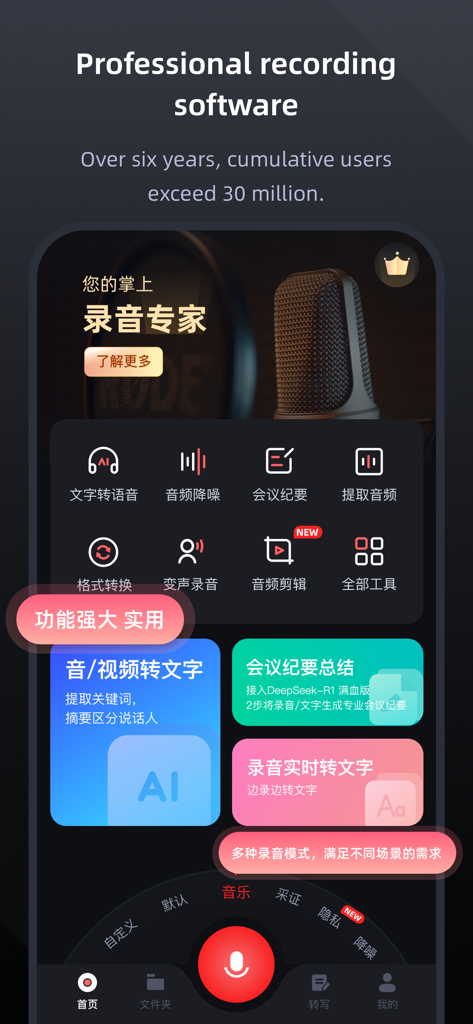
Recording Expert app dashboard with professional recording and AI transcription features.
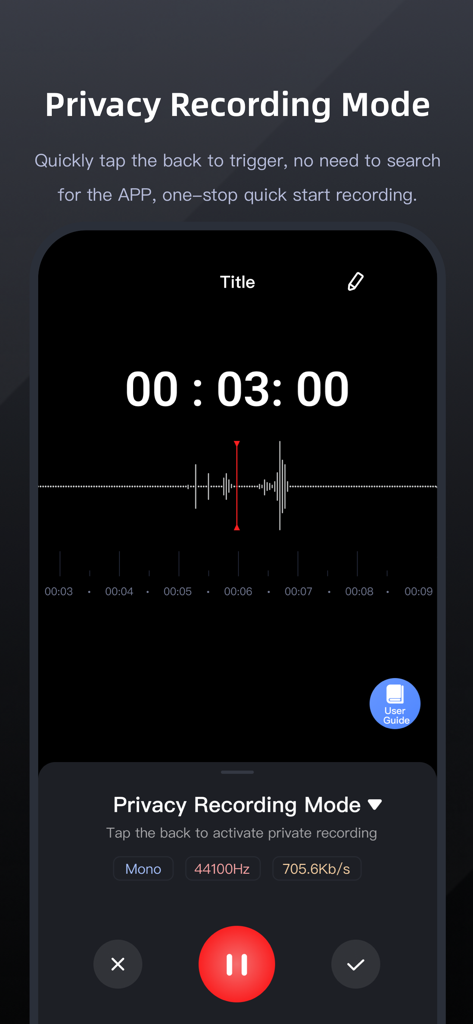
Screenshot of Recording Expert app showing the Privacy Recording Mode with a timer and audio waveform
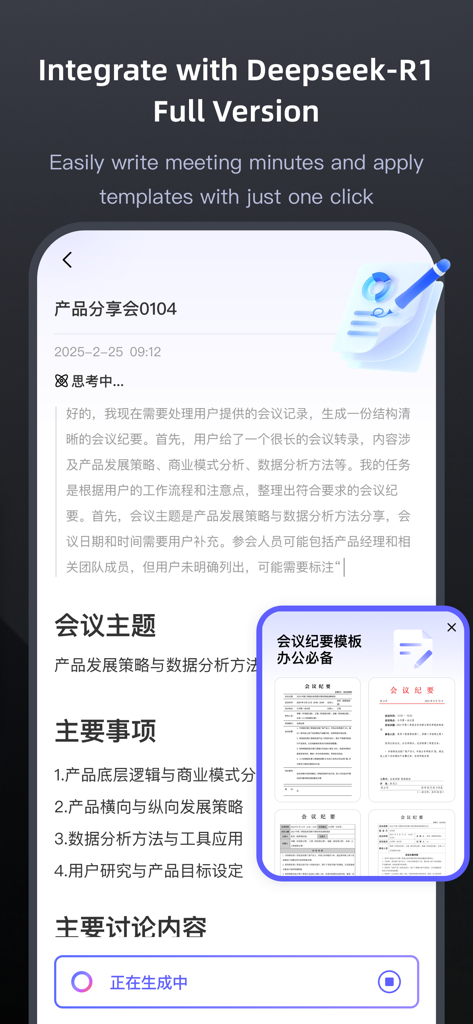
Recording Expert app interface showing AI powered meeting minutes generation and templates
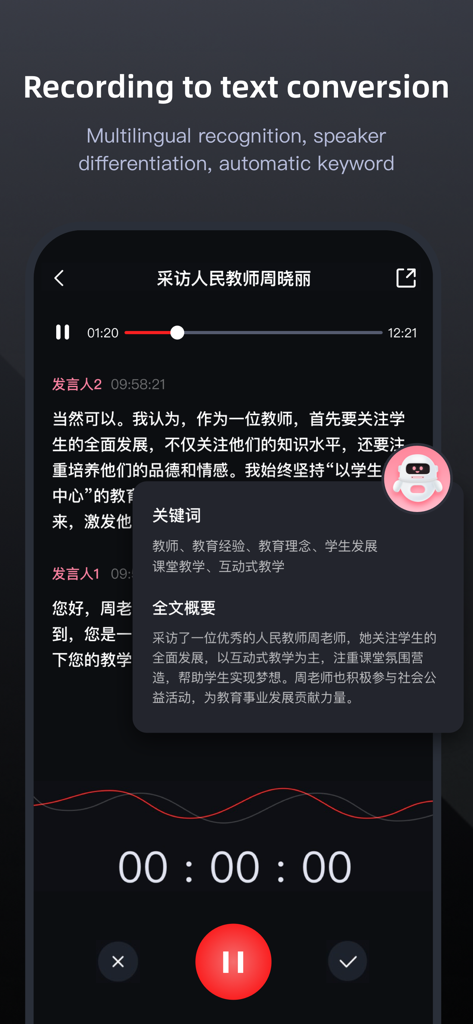
Recording Expert app interface featuring voice-to-text transcription with speaker differentiation and AI-generated summaries.
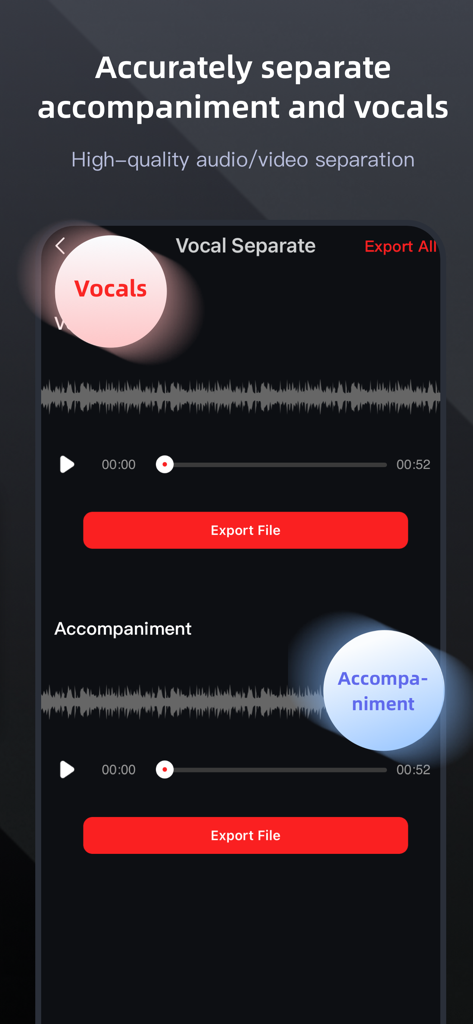
Interface showing high quality audio separation into vocals and accompaniment with waveforms and export buttons
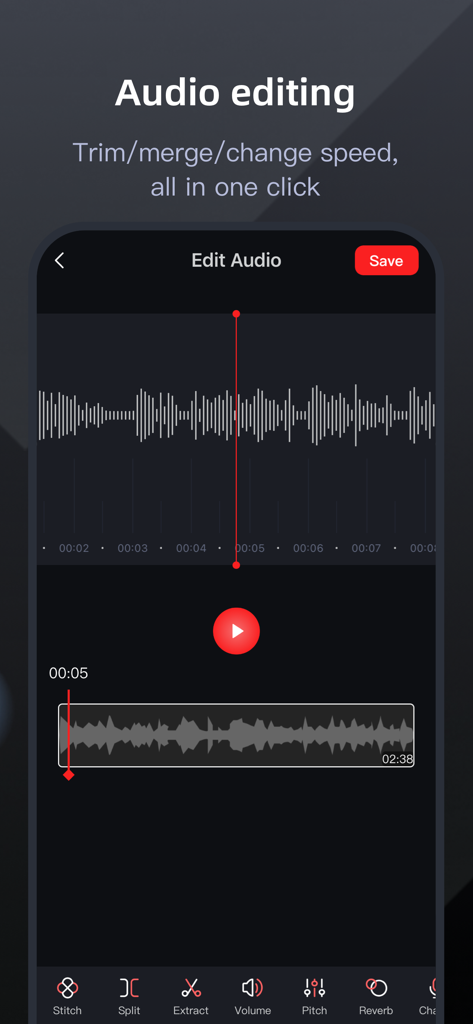
Recording Expert app interface for audio editing showing waveform and tools like stitch and split
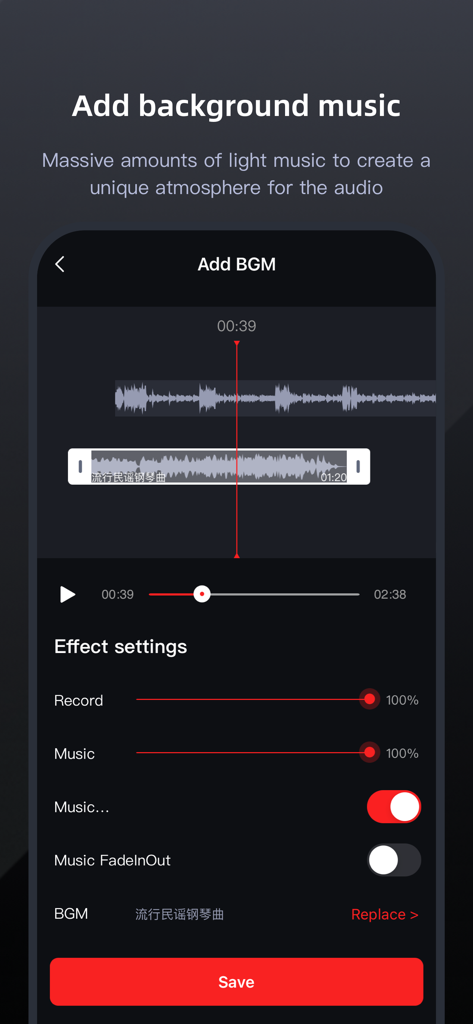
Interface for adding background music and adjusting audio effects in the Recording Expert app
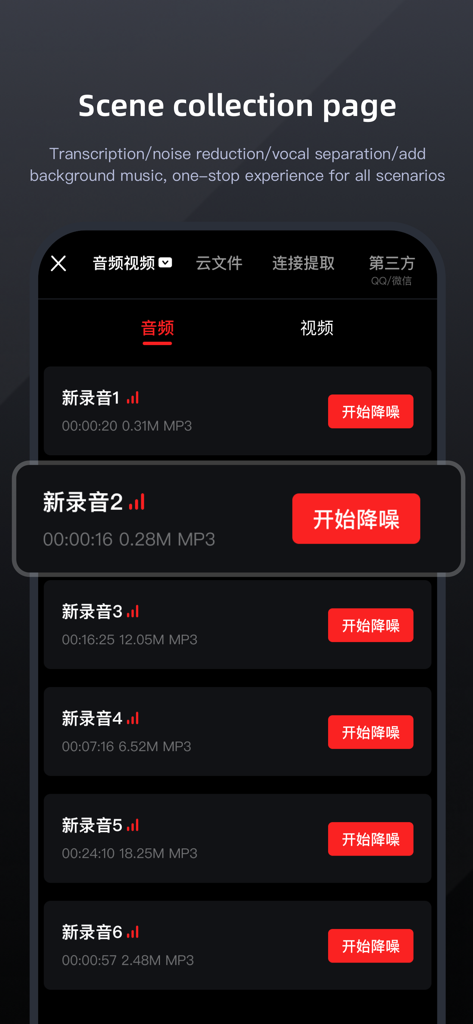
Recording Expert app scene collection page showing a list of audio recordings with noise reduction options
Description
Download
More Like This
Apps with similar features and user experience

Plaud: AI Note Taker
PLAUD LLC

Notee: AI Note Taker
GM UniverseApps Limited

클로바노트 - 음성 그 이상의 기록
NAVER Corp.

听脑AI - 实时录音转文字总结助手
Shanghai Xiuyu Network Technology Co., Ltd

Granola - AI Meeting Notes
Granola inc

Transkriptor - Speech to Text
Textintel FZE

Minutes: AI Meeting Note Taker
Minutes AI, LLC

Fireflies: AI notetaker
FIREFLIES.AI CORP.

Anotar: Work Meeting Recorder
Genio Tech, LLC
This page is not an official page of the app or its developer, but an independent editorial publication created for informational and commentary purposes. Unless expressly stated otherwise, neither the app nor its developer is affiliated with, endorsed by, sponsored by, authorized by, or otherwise officially connected with MWM, Apple, Google Play, the app publisher, or the app's developer, and nothing on this page implies that the app was developed using MWM's services. Any trademarks, logos, screenshots, and other content remain the property of their respective owners.