Welcome to Lua IDE: Unleash Your Lua Coding Potential!
Dive into the world of Lua coding with Lua IDE, your all-in-one Lua Integrated Development Environment (IDE) on iOS. With a standalone interpreter, feature-rich code editor, and an intuitive file manager, Lua IDE is the ultimate toolkit for Lua enthusiasts and learners alike.
Why Choose Lua IDE?
Learn and Experiment: Lua IDE is the perfect playground for Lua enthusiasts. Whether you're testing code snippets from books or unleashing your creativity, our interactive learning environment lets you experiment and refine your Lua skills effortlessly.
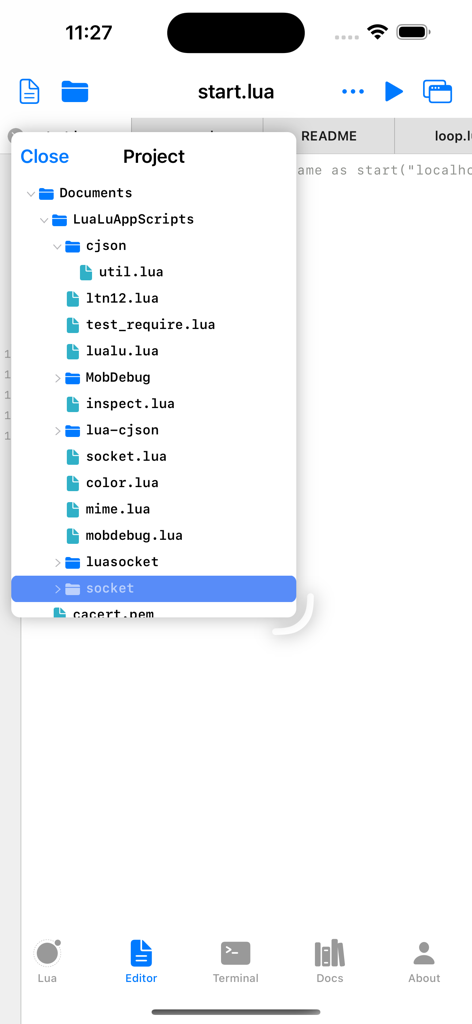
Project Mastery: Elevate your coding game by organizing complex projects effortlessly. Lua IDE's built-in File Manager allows you to create, manage, and run multi-file Lua projects with ease. The terminal integration lets you execute your creations seamlessly.
What's on the Horizon?
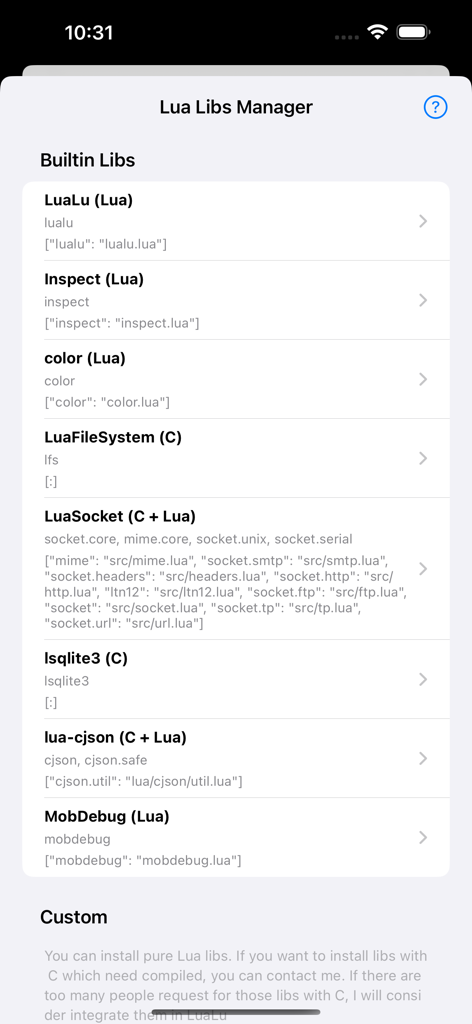
Package Management Magic: Stay tuned for Lua IDE's Package Manager, a game-changer for library integration. It's like having LuaRocks at your fingertips, making library management a breeze.
Debugging
Join the Lua IDE Community:
Your Voice Matters: Have a suggestion or a brilliant idea? Reach out to us at amadman380743909@gmail.com or visit https://www.iamadman.com, or twitter: andy38074, Reddit: iamadmancom. Your input is what propels Lua IDE forward.
Learn on Your Terms: Lua IDE is not just an app; it's a journey. Learn programming wherever, whenever, and whatever you desire. Unleash your coding potential with Lua IDE today!
This is Lua IDE with a standalone interpreter, a Code Editor and File Manager and many useful resources for learning Lua.
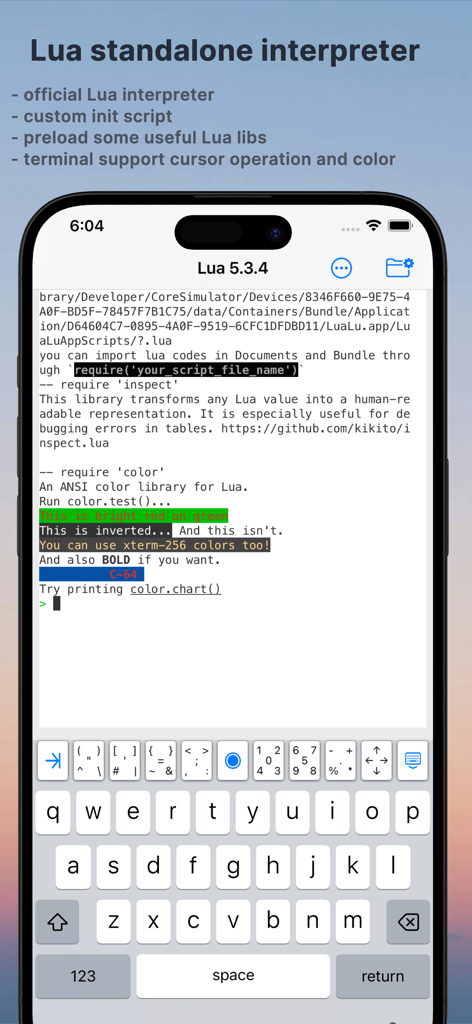
Lua REPL:
Lua official standalone interpreter integrated. You can input Lua code interactively with it. And you can also use it to run a Lua file in Terminal.
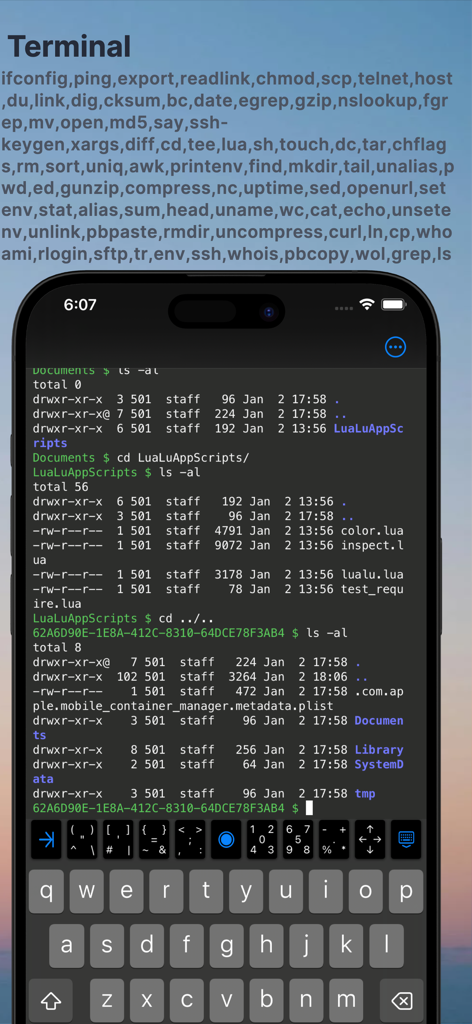
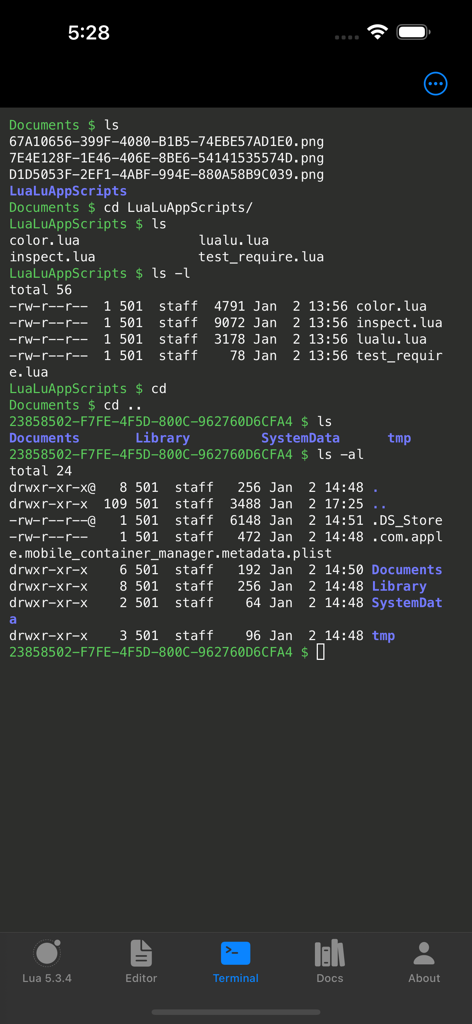
Terminal:
##Cursor Operations:
- supports various cursor operations, including cursor positioning, hiding, showing, and blinking.
##Colors:
- ANSI escape codes for text styling and colors are fully supported. You can set foreground and background colors, as well as apply other text styles.
##Escape Sequences:
##256-Color Mode:
##True Color (24-Bit Color):
##Text Selection and Copy-Paste:
- Users can select text within the terminal, and xterm.js provides built-in functionality for copying and pasting text to and from the clipboard.
##Input Handling:
- handles keyboard input, allowing users to type commands and interact with the terminal interface using the keyboard.
##UTF-8 and Multilingual Support:
#Shell Commands
##Support many useful shell commands
"ifconfig","ping","export","readlink","chmod","scp","telnet","host","du","link","dig","cksum","bc","date","egrep","gzip","nslookup","fgrep","mv","open","md5","say","ssh-keygen","xargs","diff","cd","tee","lua","sh","touch","dc","tar","chflags","rm","sort","uniq","awk","printenv","find","mkdir","tail","unalias","pwd","ed","gunzip","compress","nc","uptime","sed","openurl","setenv","stat","alias","sum","head","uname","wc","cat","echo","unsetenv","unlink","pbpaste","rmdir","uncompress","curl","ln","cp","whoami","rlogin","sftp","tr","env","ssh","whois","pbcopy","wol","grep","ls"
##Custom commands
"code", "help", "clear", "files"
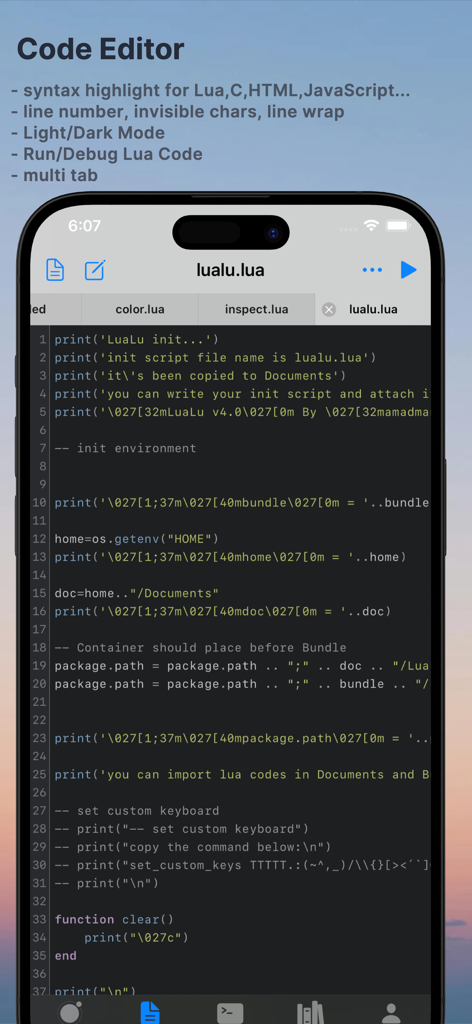
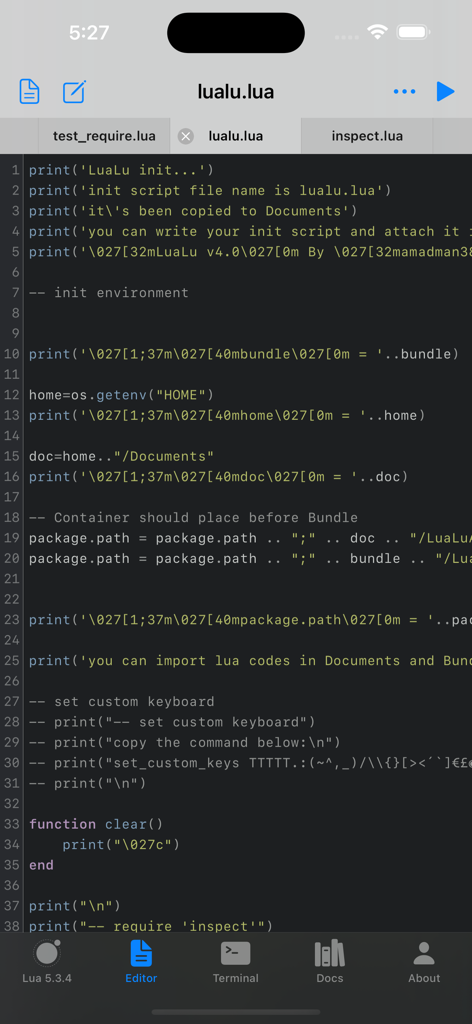
Code Editor:
## Syntax Highlight
Syntax highlighting for Lua and many other languages like: C, C++, Swift, JavaScript, TypeScript, CSS, HTML, Markdown, JSON, Python, YAML, Bash (you can view Makefile as bash file).
## Line Number
Show/Hide line number gutter.
## Wrap Line
## Invisible Characters
## Themes
Currently support four themes that cover both Light and Dark Mode
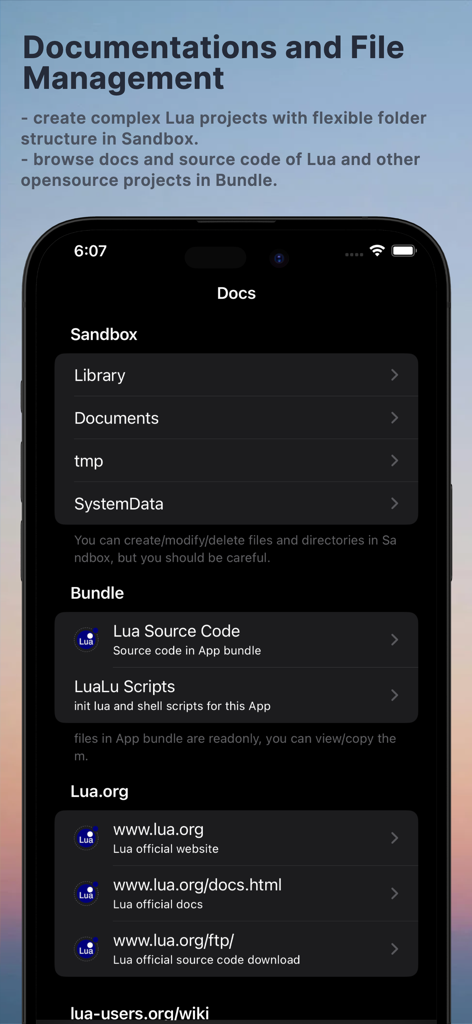
Docs
##Bundled Source Code and Documentations
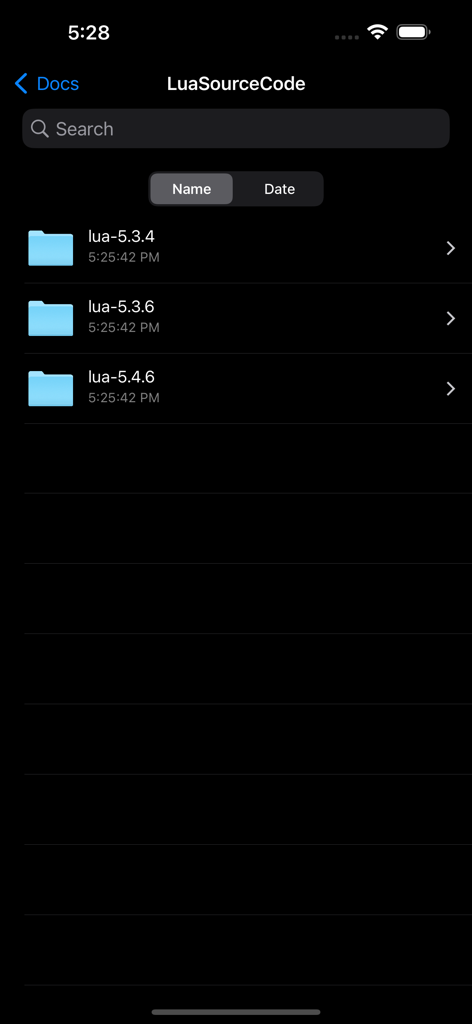
###Lua source code
Lua 5.3.4, 5.3.6, 5.4.6 source code, docs, and tests (written in Lua, they are very good resources for learning Lua)
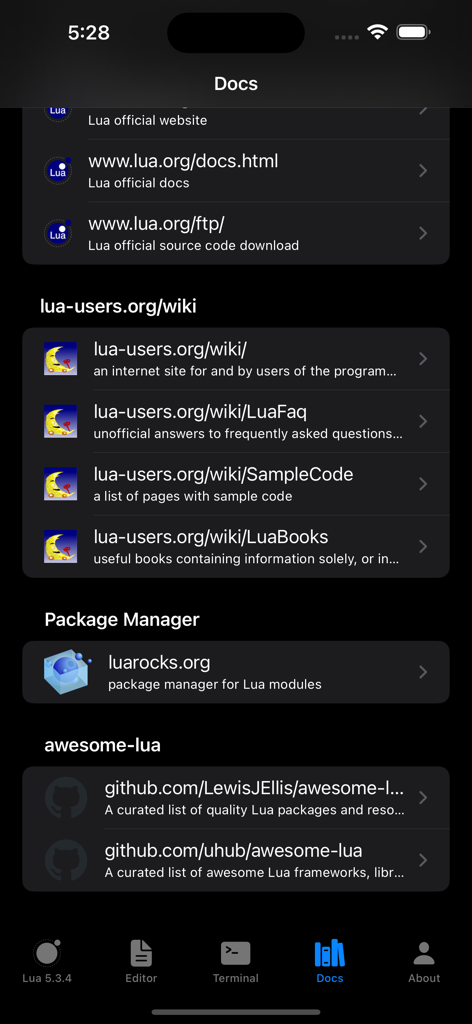
##Online Documentations
###Lua.org
###Lua-users.org
###LuaRocks.org
###Awesome-lua
File Manager
You can create/delete/view/copy/paste files and folders. Source code files are syntax highlighted.