
This page is not an official page of the app or its developer, but an independent editorial publication created for informational and commentary purposes. Unless expressly stated otherwise, neither the app nor its developer is affiliated with, endorsed by, sponsored by, authorized by, or otherwise officially connected with MWM, Apple, Google Play, the app publisher, or the app's developer, and nothing on this page implies that the app was developed using MWM's services. Any trademarks, logos, screenshots, and other content remain the property of their respective owners.


LumaBooth Event Photo Booth
Transform your iPad or Mac into a high-end event powerhouse. Deliver stunning 360 videos, 240fps slow-mo, and AI-powered photo layouts with the most reliable software built for entrepreneurs and event professionals.
Downloads
425K+User Rating
Total Ratings
1K+Publisher
Category
Photo & VideoLocales
6Latest Version
4.6.4Size
224.9 MBFirst Released
Oct 28, 2016Professional Tools for Your Next Event
Everything you need to turn your iPad or iPhone into a high-revenue photo booth business with professional-grade results.
360 & Slow-Mo Mastery
Stand out with high-frame-rate video stabilization and cinematic effects that command premium rental rates.
Seamless Instant Sharing
Boost engagement with lightning-fast SMS, QR, and email sharing that works even without venue Wi-Fi.
Frequently Asked Questions
Everything you need to know about LumaBooth Event Photo Booth
What is the monthly cost of LumaBooth Event Photo Booth?
The LumaBooth Event Photo Booth monthly renewable subscription costs $19.99 USD. This subscription offers unlimited events and watermark-free sharing via SMS, Email, Facebook, and Twitter.
What types of booths does LumaBooth software support?
LumaBooth supports professional-grade photo booths, video booths, and 360 booths. It functions on iPad, iPhone, and Mac devices for event use.
Can users customize photo layouts in LumaBooth?
Yes, LumaBooth features a user-friendly editor for crafting personalized photo layouts. Users incorporate images, logos, and text into their designs.
What printing options are available with LumaBooth Event Photo Booth?
LumaBooth supports printing with any AirPrint-compatible printer. It also connects to professional photo printers via the LumaBooth Assistant app and exclusively supports DNP printers through the DNP WPS Pro print server.
Does LumaBooth offer background removal for photos and videos?
Yes, LumaBooth provides live background removal using AI Removal or green screen technology. This feature allows for unique and customized photo and video creations.
Which professional cameras are compatible with LumaBooth Event Photo Booth?
LumaBooth offers advanced compatibility with Canon, Sony, and Nikon professional cameras. Users also set custom camera settings such as exposure, white balance, and video stabilization.
How can guests share photos and videos from a LumaBooth event?
Guests share photos and videos via email, SMS, Airdrop, QR code, WhatsApp, and Instagram. Sharing is available both online and offline.
Can LumaBooth create slow-motion videos?
Yes, LumaBooth captures high-quality videos and slow-motion footage. It supports shooting at 240fps on recent iPads and iPhones for effective slow-mo effects and includes video stabilization.
Can LumaBooth require guests to accept a disclaimer before participating?
Yes, LumaBooth allows users to turn on a disclaimer requirement. Guests must accept the disclaimer; otherwise, their session is cancelled, and photos are deleted.
Is the start screen customizable in LumaBooth Event Photo Booth?
Yes, users fully customize the LumaBooth start screen. It offers built-in themes and options to adjust colors, backgrounds, and fonts for a personalized guest experience.
The following screenshots and description are sourced directly from the app's official store listing and are the property of the app developer.
App Store
Screenshots
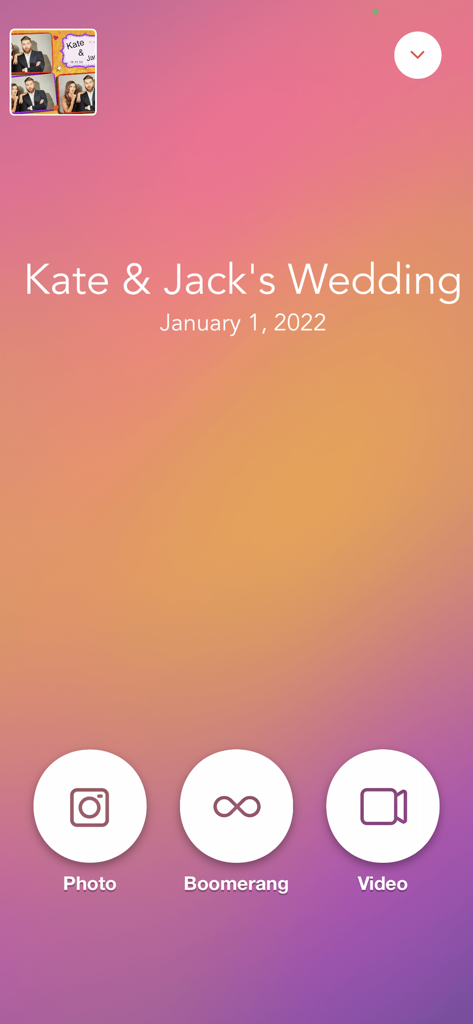
LumaBooth app interface for a wedding showing photo boomerang and video capture options
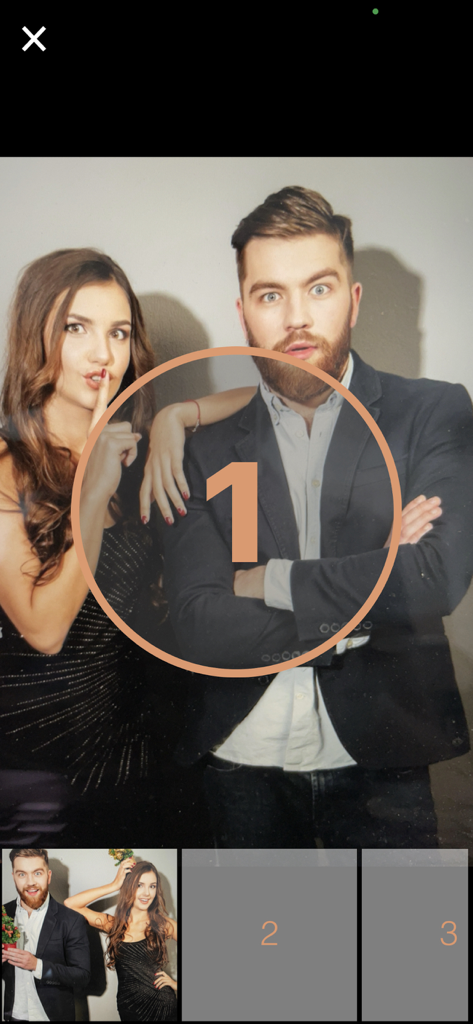
LumaBooth app interface showing guests posing for a photo with a countdown timer
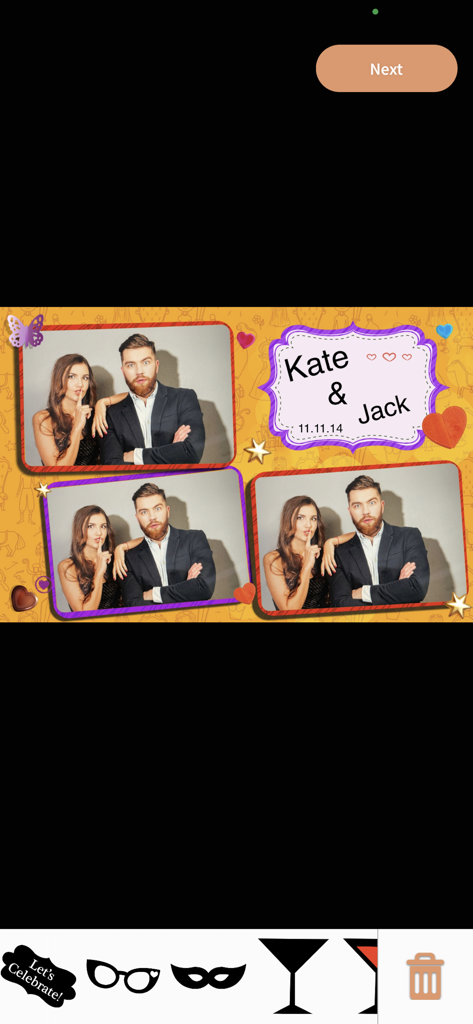
A custom wedding photo booth layout in LumaBooth with digital stickers and a personalized theme
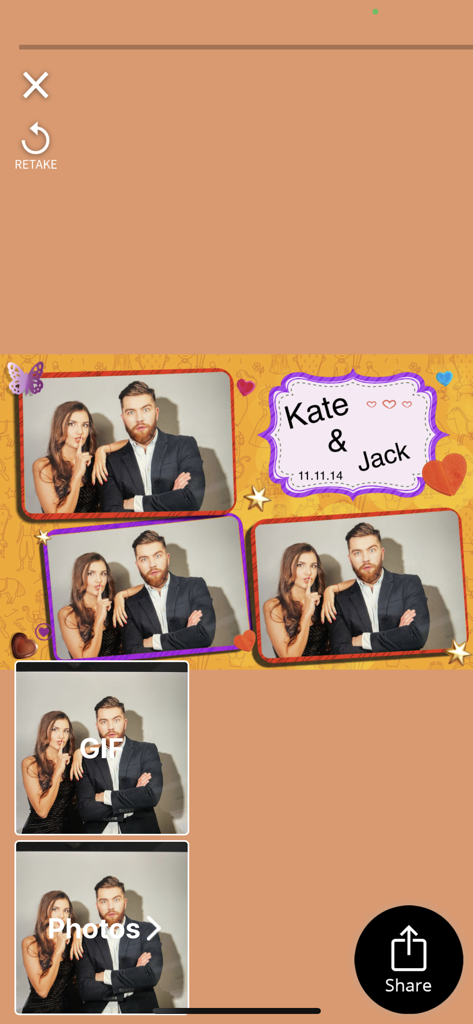
LumaBooth app interface displaying a personalized wedding photo booth layout for Jack and Kate with sharing and retake options.
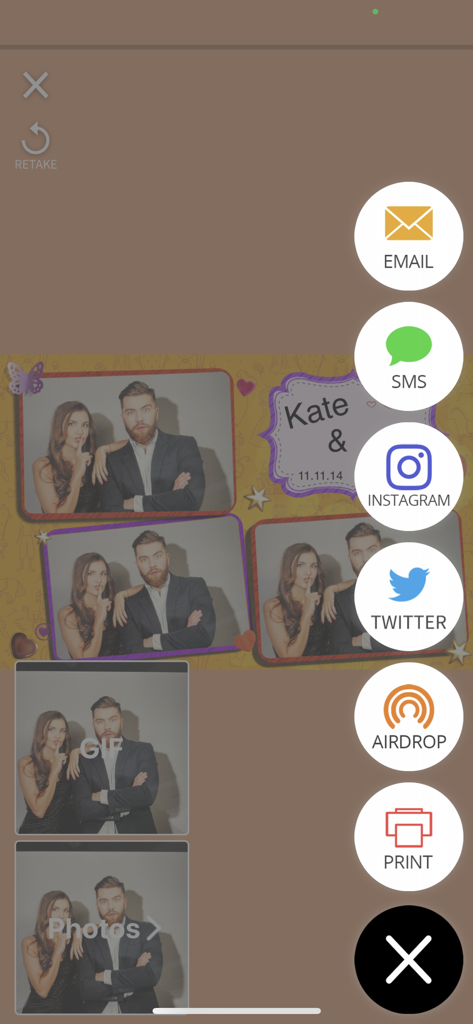
LumaBooth app screen with sharing and printing icons for photos
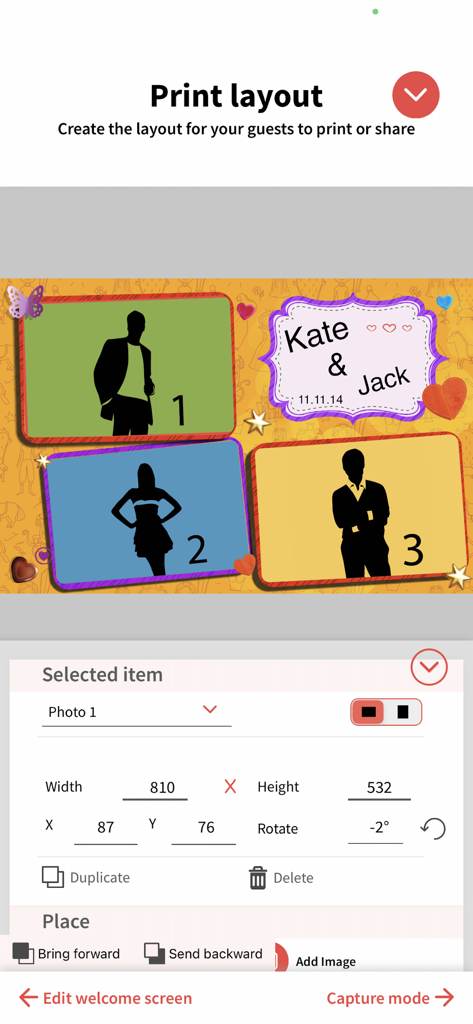
Interface for customizing photo booth print layouts with multiple photo placeholders and personalized text
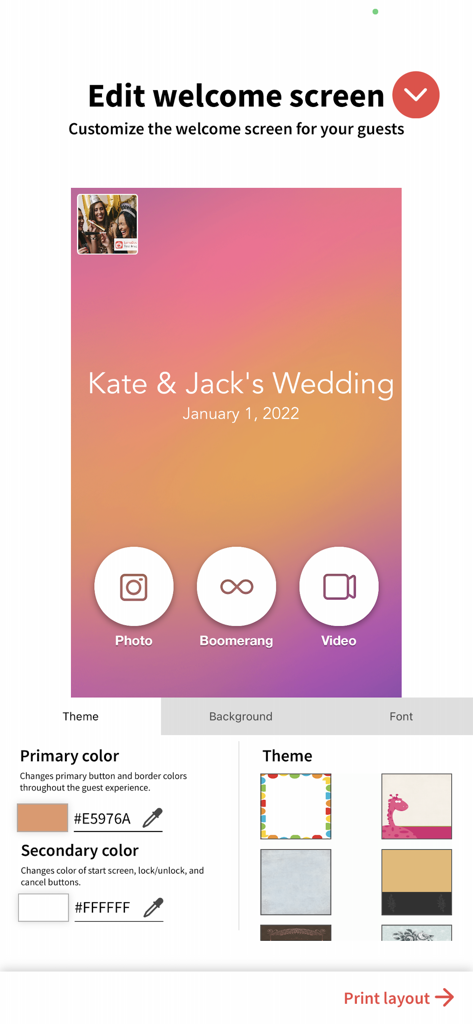
Interface for customizing a photo booth welcome screen with wedding theme options
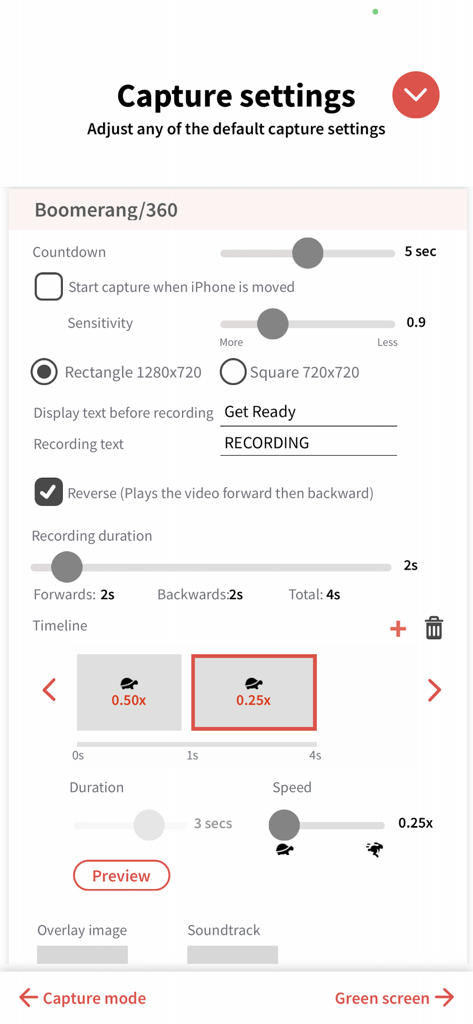
LumaBooth app interface for adjusting 360 video and boomerang capture settings including recording duration and slow motion speed.
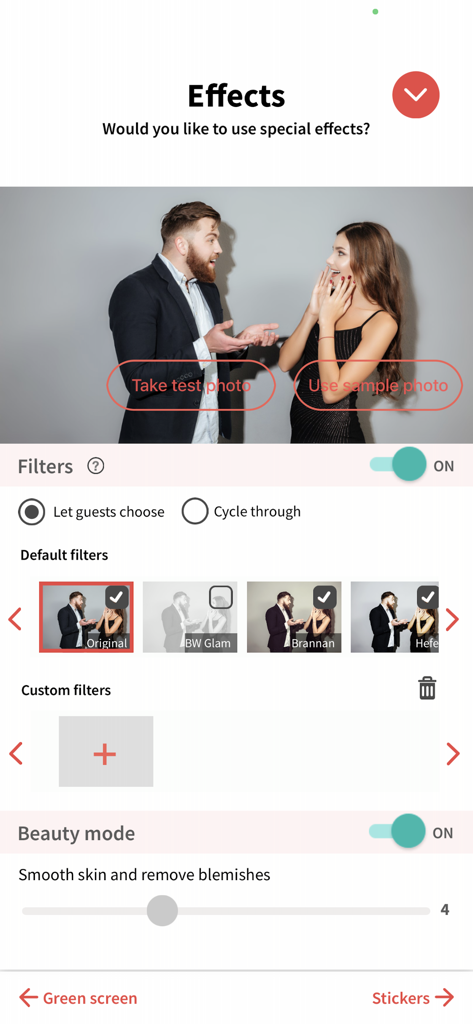
LumaBooth app interface showing configuration for photo filters and beauty mode settings
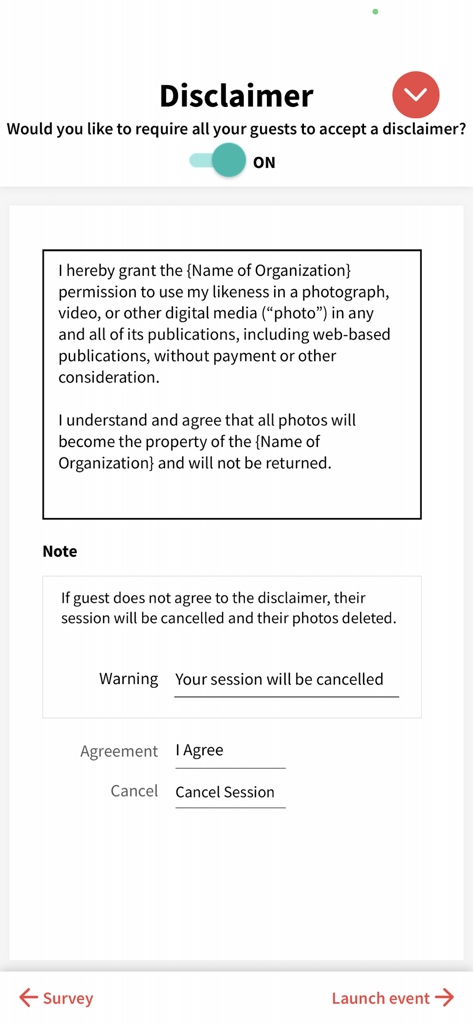
Setup screen for guest disclaimers and photo release waivers in LumaBooth
Description
Download
More Like This
Apps with similar features and user experience

ChackTok - 360video&photobooth
LINKSIGN UK CO., LTD

Touchpix · Photo & Video Booth
Propfun

RevoSpin 360
MRKJ INC

Mini Photobooth
Minivan Labs

Simple Booth HALO
SMPL Inc.

Simple Booth Classic
SMPL Inc.

BoothLab: Photo & Video Booth
Jorge Cozain

LumaShare Share/Print Station
Lumasoft LLC

Wifibooth the PRO photo booth
Solodigitalis Inc.
This page is not an official page of the app or its developer, but an independent editorial publication created for informational and commentary purposes. Unless expressly stated otherwise, neither the app nor its developer is affiliated with, endorsed by, sponsored by, authorized by, or otherwise officially connected with MWM, Apple, Google Play, the app publisher, or the app's developer, and nothing on this page implies that the app was developed using MWM's services. Any trademarks, logos, screenshots, and other content remain the property of their respective owners.