
This page is not an official page of the app or its developer, but an independent editorial publication created for informational and commentary purposes. Unless expressly stated otherwise, neither the app nor its developer is affiliated with, endorsed by, sponsored by, authorized by, or otherwise officially connected with MWM, Apple, Google Play, the app publisher, or the app's developer, and nothing on this page implies that the app was developed using MWM's services. Any trademarks, logos, screenshots, and other content remain the property of their respective owners.


LumaShare Share/Print Station
Speed up your lines and impress clients with seamless wireless printing, live slideshows, and instant social sharing—even without an internet connection.
Downloads
23K+User Rating
Total Ratings
400Publisher
Category
Photo & VideoLocales
1Latest Version
4.0.2Size
31.2 MBFirst Released
May 20, 2014Professional Sharing Made Effortless
Maximize your event ROI and eliminate booth bottlenecks with high-speed sharing, offline reliability, and professional digital displays designed for the modern event entrepreneur.
Instant Multi-Channel Sharing
Keep the lines moving by letting guests share photos, GIFs, and Boomerangs via SMS, WhatsApp, Email, or QR codes from a dedicated iPad station.
Rock-Solid Offline Mode
Don't let spotty venue Wi-Fi ruin your reputation. LumaShare queues SMS and emails locally and sends them automatically once you're back online.
Frequently Asked Questions
Everything you need to know about LumaShare Share/Print Station
What is LumaShare used for?
LumaShare allows viewing and sharing photo booth photos, videos, and GIFs from dslrBooth or LumaBooth. It offers sharing via email, SMS, WhatsApp, AirDrop, QR, and direct printing.
What are the sharing options available in LumaShare?
LumaShare provides sharing options for photos, videos, and GIFs via e-mail, SMS, WhatsApp, AirDrop, and QR Code. These features integrate seamlessly.
Can LumaShare share items without an internet connection?
Yes, LumaShare supports e-mail and SMS sharing even without an internet connection. Other sharing methods may require network access.
Does LumaShare support printing photos?
Yes, LumaShare allows direct printing via AirPrint-compatible printers or to printers connected to dslrBooth or LumaBooth.
How do I connect LumaShare to an external display for slideshows?
LumaShare connects to AirPlay 2 devices such as Roku, AppleTV, or compatible Smart TVs. Users can also use an HDMI cable for external display.
Is a subscription needed for unlimited sharing with LumaShare?
Yes, unlimited sharing via SMS, E-mail, QR Code, and WhatsApp requires a LumaShare Cloud Storage and Sharing Subscription.
What is the monthly cost of the LumaShare subscription?
The LumaShare Cloud Storage and Sharing Subscription costs $8.99 per month. Payment is processed through your iTunes Account.
Can I manage or cancel my LumaShare subscription?
Yes, you can manage your LumaShare subscription and turn off auto-renewal in your iTunes Account Settings. No cancellation is allowed during an active period.
Can LumaShare display a disclaimer before sharing or printing?
Yes, LumaShare allows adding a disclaimer that displays to guests. This appears before they are permitted to share or print content.
The following screenshots and description are sourced directly from the app's official store listing and are the property of the app developer.
App Store
Screenshots
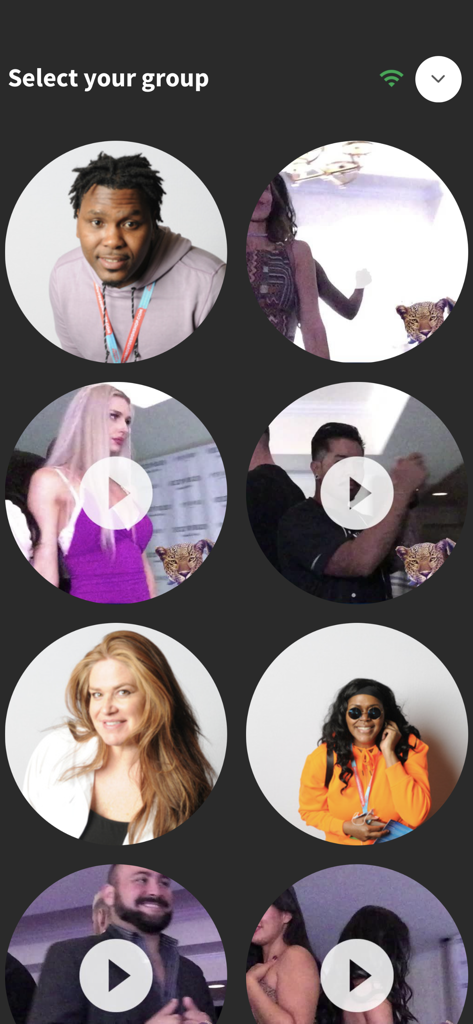
LumaShare app screen displaying circular thumbnails of event photos and videos for selection.
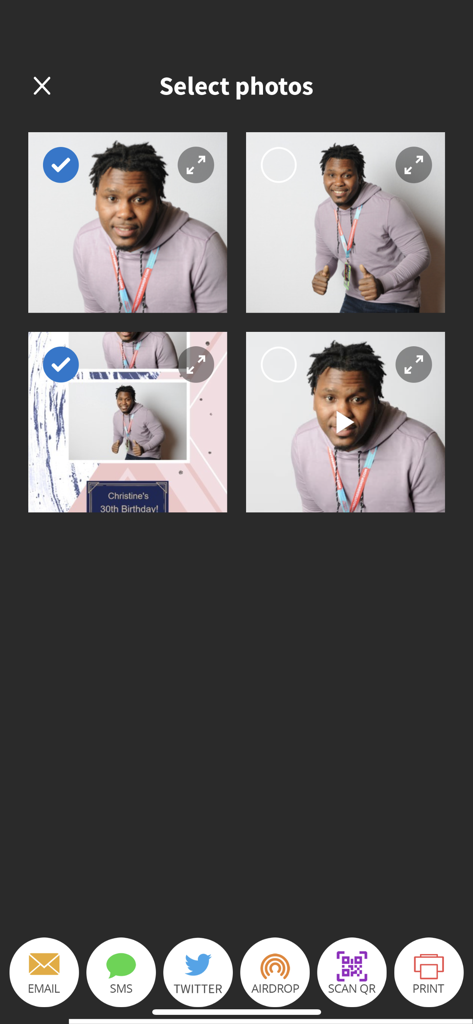
LumaShare app interface for selecting photo booth pictures and sharing via email, SMS, or QR code
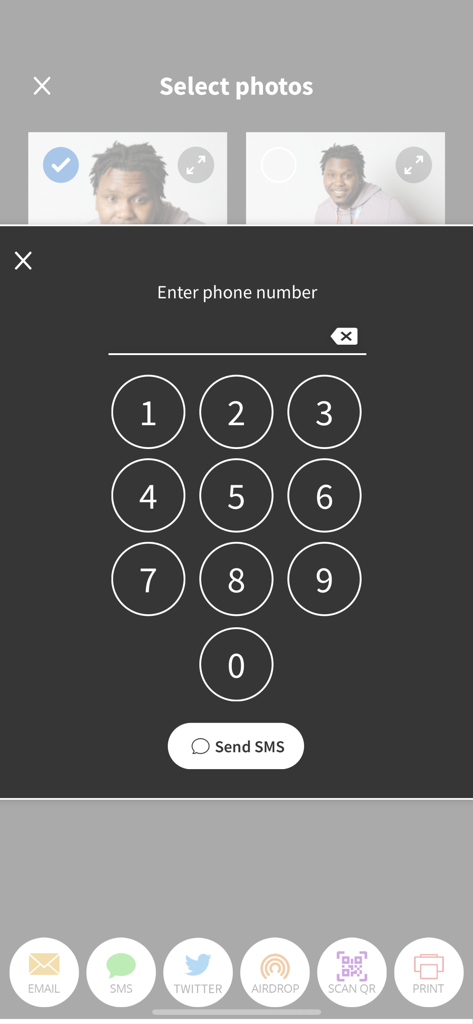
LumaShare app screen showing photo selection and a numeric keypad to enter a phone number for SMS sharing
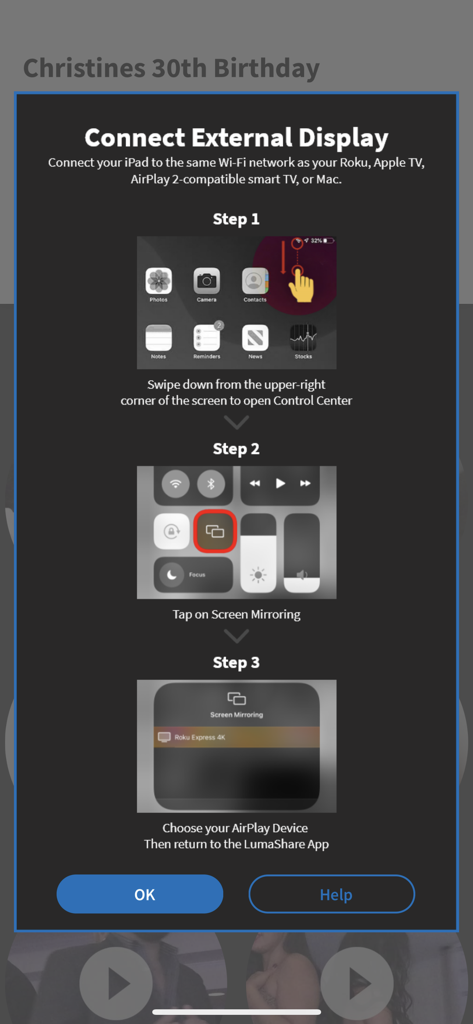
Step by step instructions for connecting the LumaShare app to an external display using AirPlay screen mirroring
Description
Download
More Like This
Apps with similar features and user experience

ChackTok - 360video&photobooth
LINKSIGN UK CO., LTD

Touchpix · Photo & Video Booth
Propfun

RevoSpin 360
MRKJ INC

LumaBooth Event Photo Booth
Lumasoft LLC

Mini Photobooth
Minivan Labs

Simple Booth HALO
SMPL Inc.

Simple Booth Classic
SMPL Inc.

BoothLab: Photo & Video Booth
Jorge Cozain

Wifibooth the PRO photo booth
Solodigitalis Inc.
This page is not an official page of the app or its developer, but an independent editorial publication created for informational and commentary purposes. Unless expressly stated otherwise, neither the app nor its developer is affiliated with, endorsed by, sponsored by, authorized by, or otherwise officially connected with MWM, Apple, Google Play, the app publisher, or the app's developer, and nothing on this page implies that the app was developed using MWM's services. Any trademarks, logos, screenshots, and other content remain the property of their respective owners.