
This page is not an official page of the app or its developer, but an independent editorial publication created for informational and commentary purposes. Unless expressly stated otherwise, neither the app nor its developer is affiliated with, endorsed by, sponsored by, authorized by, or otherwise officially connected with MWM, Apple, Google Play, the app publisher, or the app's developer, and nothing on this page implies that the app was developed using MWM's services. Any trademarks, logos, screenshots, and other content remain the property of their respective owners.


Macquarie Mobile Banking
This app transforms banking into a personalized financial command center.
Downloads
1M+User Rating
Total Ratings
981Publisher
Category
FinanceLocales
1Latest Version
8.19Size
301.4 MBFirst Released
Aug 31, 2015A comprehensive evaluation of essential functionalities tailored for financially astute Australian adults and business owners.
Macquarie Mobile Banking: Key Feature Analysis
Advanced Transaction Security with Authenticator
This tool features actionable push notifications for approving or denying online transactions and account activity, ensuring the highest level of security for financial operations.
Integrated Personal and Business Banking
It allows users to seamlessly switch between personal and business accounts within a single interface, offering comprehensive financial management for entrepreneurs.
Intuitive Budgeting and Spending Tracking
The app provides robust tools to set budgets instantly and visualize spending trends, empowering users to maintain financial discipline and understand their money habits.
Digital Receipt and Warranty Management
It allows users to easily upload photos of receipts and warranties directly to their transaction history for secure digital record-keeping and effortless expense tracking.
Seamless Everyday Banking
The app provides essential functionalities such as making payments, transferring money, and accessing statements, facilitating convenient and efficient daily financial operations.
Real-time Account Activity Alerts
This tool features customisable real-time notifications, keeping users informed of all account activities and enhancing security through immediate alerts.
Smart Spending Categorization
The app automatically categorizes transactions into groups like groceries, travel, and leisure, providing users with a clearer understanding of their spending patterns.
Advanced Transaction Search
It allows users to search transaction history using natural language queries, simplifying the process of finding specific expenditures and financial details.
International Travel Financial Support
The app offers a dedicated Travel Mode that displays local exchange rates, location, and quick links for card management when banking overseas, ensuring peace of mind during international trips.
Convenient Card Control
It allows users to activate Macquarie cards and set PINs directly within the app, providing convenient and immediate control over their banking cards.
Frequently Asked Questions
Everything you need to know about Macquarie Mobile Banking
What are the main features of the Macquarie Mobile Banking app?
The Macquarie Mobile Banking app provides payment and transfer capabilities, statement access, budget setting, transaction search, and card management. It also offers real-time notifications and advanced security measures.
Can I set budgets and track my spending with the Macquarie Mobile Banking app?
Yes, the Macquarie Mobile Banking app enables instant budget setting and provides a quick overview of spending progress. It also automatically categorizes transactions for better financial understanding.
How can I search my transactions in the Macquarie Mobile Banking app?
Users can search transactions in the Macquarie Mobile Banking app using natural language queries. For example, one can type "How much did I spend at Woolworths this year?" to retrieve specific spending details.
How does the Macquarie Mobile Banking app ensure transaction security?
The Macquarie Mobile Banking app uses actionable push notifications through the Macquarie Authenticator app to approve or deny online transactions and account changes. It also provides a rolling code option for offline verification.
Does the Macquarie Mobile Banking app offer features for international travel?
Yes, users can notify the bank of travel plans. When accessing accounts overseas, Travel Mode displays the current location, local exchange rate, and provides quick links to lock or report a card as stolen.
Can I upload receipts to my transaction history in the Macquarie Mobile Banking app?
Yes, the Macquarie Mobile Banking app allows users to photograph receipts or warranties with their phone and securely upload them directly to their transaction history for digital safekeeping.
Does the Macquarie Mobile Banking app support Apple Pay?
Yes, the Macquarie Mobile Banking app integrates with Apple Pay, enabling users to conduct cardless transactions. This feature is visually indicated within the app's interface.
Does the Macquarie Mobile Banking app support business banking?
Yes, the Macquarie Mobile Banking app allows business clients to add their business banking profile. This enables seamless switching between personal and business accounts, with integrated balance and transaction history tracking.
Can I check my account balance without logging in to the Macquarie Mobile Banking app?
Yes, the Macquarie Mobile Banking app offers a Quick View feature. This allows users to safely check their account balances at a glance without requiring a full login to access the information.
Can I customize the appearance of the Macquarie Mobile Banking app?
Yes, the Macquarie Mobile Banking app allows users to customize their experience, including choosing different wallpapers to suit their preferences, as shown in the app's settings.
The following screenshots and description are sourced directly from the app's official store listing and are the property of the app developer.
App Store
Screenshots
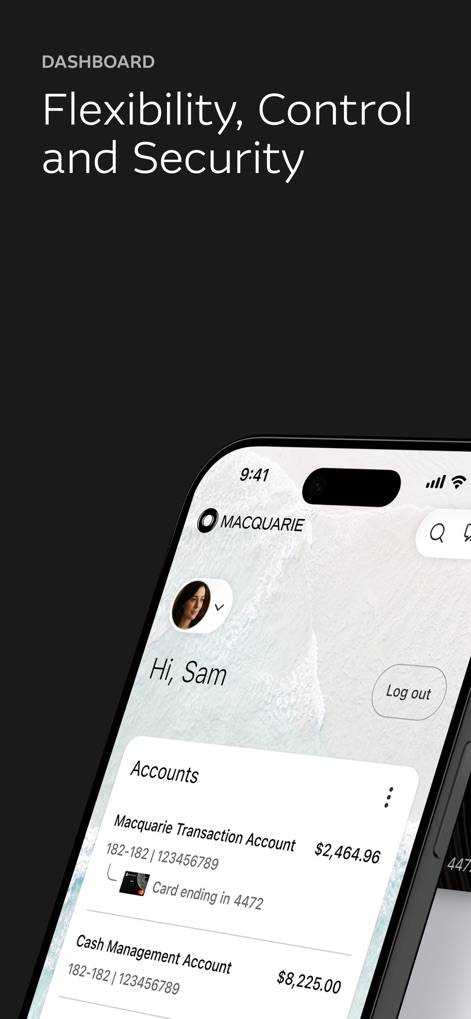
The app provides an immediate snapshot of finances, showcasing current account balances and linked card details for quick financial monitoring.
Account Overview
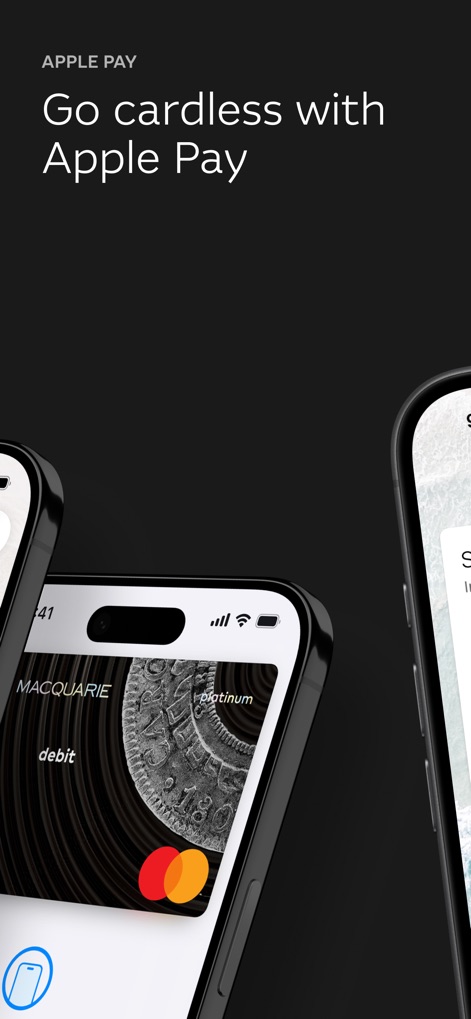
Users can effortlessly integrate their Macquarie cards with Apple Pay, enabling seamless cardless transactions and secure digital payments.
Digital Wallet Ready
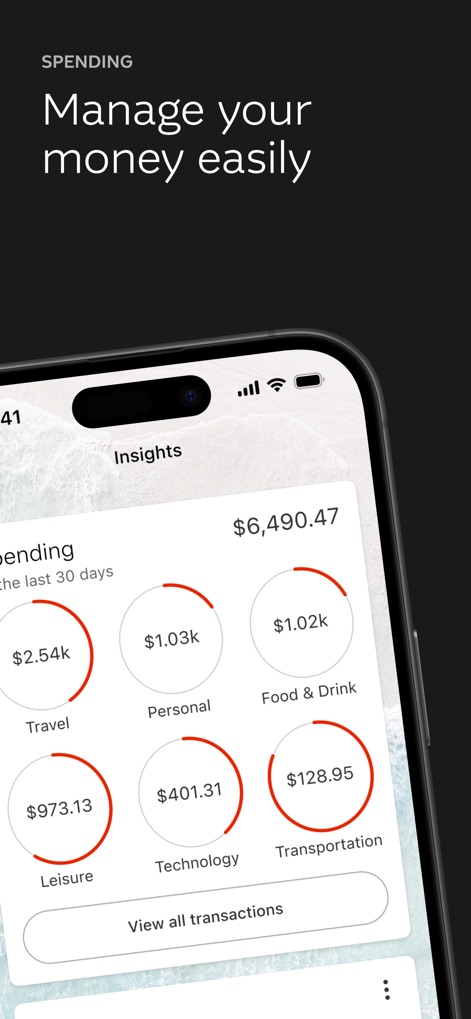
This tool delivers clear financial insights through categorized spending breakdowns and a comprehensive overview of monthly expenditure.
Spending Insights
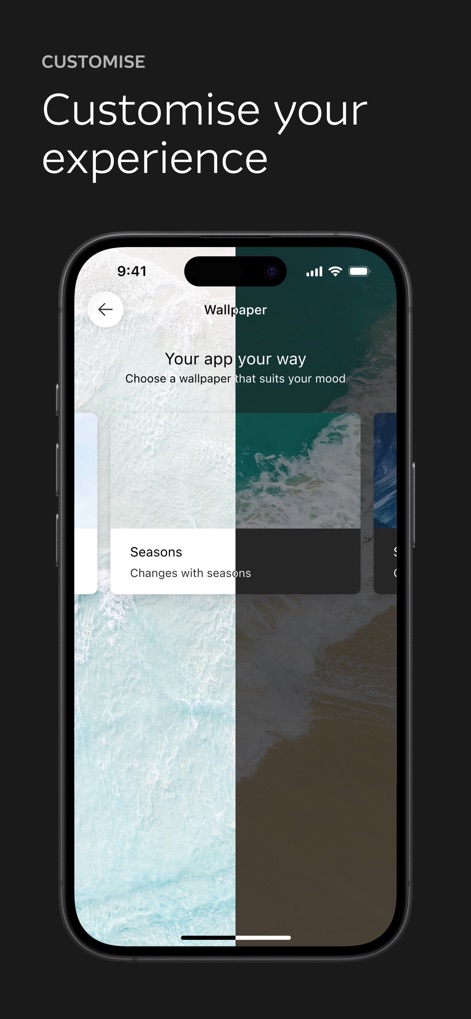
Users can tailor their app experience by selecting customizable wallpapers and choosing thematic options like 'Seasons' for a personalized interface.
Personalize Your App
Description
Download
More Like This
Apps with similar features and user experience

ZA Bank
ZA Bank Limited

ING Mobil
ING BANK A S

Davivienda
BANCO DAVIVIENDA SA

Starling - Mobile Banking
STARLING BANK LIMITED

M&T Mobile Banking
M&T Bank

àbank24 — Цінуємо стосунки
Accent-Bank, AT

上海农商银行
SHANGHAI RURAL COMMERCIAL BANK CO., LTD.

Up — Easy Money
Up Money Pty Ltd

Desjardins mobile services
Federation des caisses Desjardins du Quebec
This page is not an official page of the app or its developer, but an independent editorial publication created for informational and commentary purposes. Unless expressly stated otherwise, neither the app nor its developer is affiliated with, endorsed by, sponsored by, authorized by, or otherwise officially connected with MWM, Apple, Google Play, the app publisher, or the app's developer, and nothing on this page implies that the app was developed using MWM's services. Any trademarks, logos, screenshots, and other content remain the property of their respective owners.