
This page is not an official page of the app or its developer, but an independent editorial publication created for informational and commentary purposes. Unless expressly stated otherwise, neither the app nor its developer is affiliated with, endorsed by, sponsored by, authorized by, or otherwise officially connected with MWM, Apple, Google Play, the app publisher, or the app's developer, and nothing on this page implies that the app was developed using MWM's services. Any trademarks, logos, screenshots, and other content remain the property of their respective owners.


Finger Spinner Glow Art
Unleash hypnotic visuals. The app turns a simple flick into a vibrant, glowing spectacle.
Downloads
100k+User Rating
Total Ratings
3.1KPublisher
Category
Graphics & DesignLocales
10Latest Version
1.1.9Size
77.2 MBFirst Released
Jul 2, 2025An Analytical Overview of Core App Functionalities
Key Features of Finger Spinner Glow Art
Satisfying Fidget Spinner Mechanics
The app provides smooth motion and realistic physics for flicking and spinning glowing fidget spinners, offering quick fun and stress relief.
Mesmerizing Glow Visuals
This tool features vivid neon colors, flowing light trails, and visually satisfying spin effects that enhance the engaging experience.
Customizable Spinner Styles
The app provides options to adjust speed, colors, and glow style, enabling users to create their own unique and personalized fidget spinner experiences.
Intuitive Finger Drawing
It allows users to easily draw simple shapes or creative designs, transforming their finger into a controller for interactive glowing spinner artistry.
On-Demand Casual Entertainment
It offers endless entertainment, allowing users to play for short bursts or extended periods, ideal for quick breaks, relaxation, or satisfying fidget play.
Instant Sharing Capabilities
This tool enables users to save their favorite spins and instantly share their glowing artistic creations with friends.
Frequently Asked Questions
Everything you need to know about Finger Spinner Glow Art
What is Finger Spinner Glow Art?
Finger Spinner Glow Art is an app that transforms finger movements into mesmerizing glowing spinners. It offers a relaxing experience for stress relief and mindfulness through creative neon art drawing and spinning.
How does Finger Spinner Glow Art work?
Finger Spinner Glow Art allows users to draw glowing lines with their finger, which then transform into dynamic 3D spinners. Users can flick and spin their creations with realistic physics, fostering a creative and satisfying experience.
What are the main benefits of using Finger Spinner Glow Art?
The main benefits of Finger Spinner Glow Art include stress relief, relaxation, and improved focus. Users create soothing glowing spinners, engage in creative freedom, and enjoy a fun, satisfying, and mindful fidget play experience.
Can I customize my designs in Finger Spinner Glow Art?
Yes, users can customize their designs in Finger Spinner Glow Art. The app provides brilliant neon glow effects, allowing customization of vivid neon colors and glow intensity for stunning visual results.
Does Finger Spinner Glow Art feature interactive 3D spinners?
Yes, Finger Spinner Glow Art features interactive 3D spinners. Your finger drawings transform into dynamic 3D spinners with depth and motion. They can be flicked and spun with realistic physics, just like a real fidget spinner.
How can I save my artwork created with Finger Spinner Glow Art?
Yes, you can save your artwork created with Finger Spinner Glow Art. The app includes a "My Collection" feature, which allows users to save their favorite designs and build their own glowing art gallery.
What are the subscription options and prices for Finger Spinner Glow Art?
Finger Spinner Glow Art offers a Weekly Plan for $4.99/week and a Yearly Plan for $29.99/year. Payment is charged to your Apple ID account upon purchase confirmation.
How do I manage or cancel my Finger Spinner Glow Art subscription?
You can manage or cancel your Finger Spinner Glow Art subscription in your Apple ID account settings at any time after purchase. Auto-renewal automatically turns off if not manually disabled 24 hours before the period ends.
Where can I find the Privacy Policy for Finger Spinner Glow Art?
The Privacy Policy for Finger Spinner Glow Art is available at the provided link: https://sites.google.com/view/ardeo-studio/privacy-policy. This document details the app's data handling practices.
Does Finger Spinner Glow Art provide pre-designed patterns or templates?
Yes, Finger Spinner Glow Art provides pattern options for customization. Users can select various patterns to incorporate into their designs, enhancing creative freedom and design variety.
The following screenshots and description are sourced directly from the app's official store listing and are the property of the app developer.
App Store
Screenshots

Explore a diverse gallery of glowing patterns and the realistic 3D fidget spinner model that brings them to life.
Glow Pattern Choices
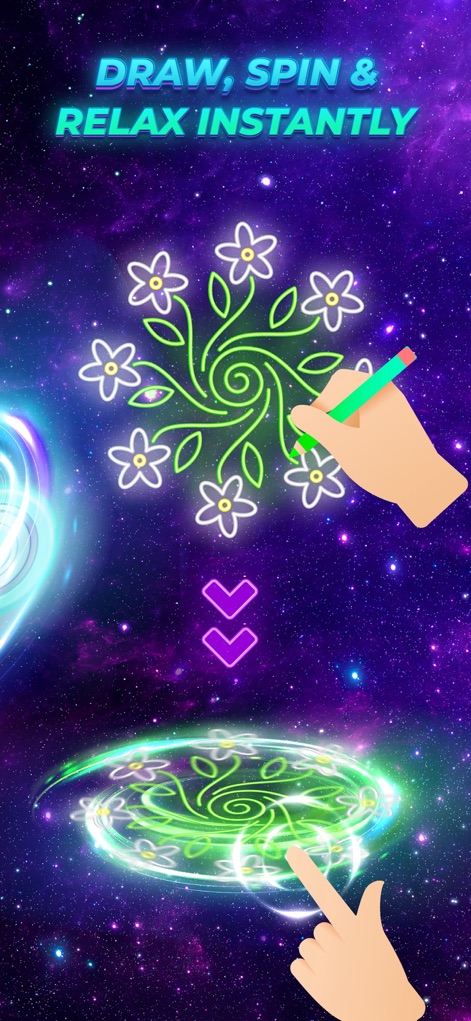
Witness the intuitive finger drawing interface and the dynamic, mesmerizing glow trails generated from each spin.
Interactive Drawing Fun
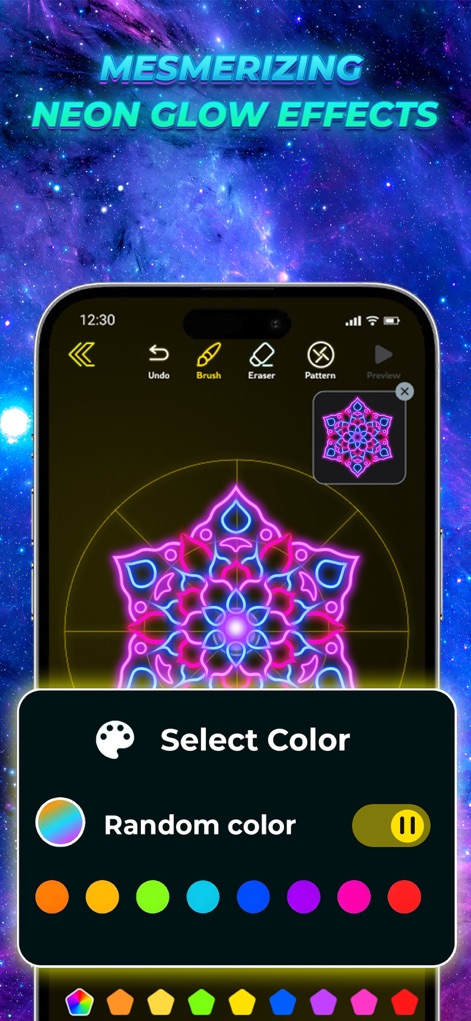
Discover the comprehensive color selection options and the intricate detail achievable within the glowing patterns.
Vibrant Color Customization
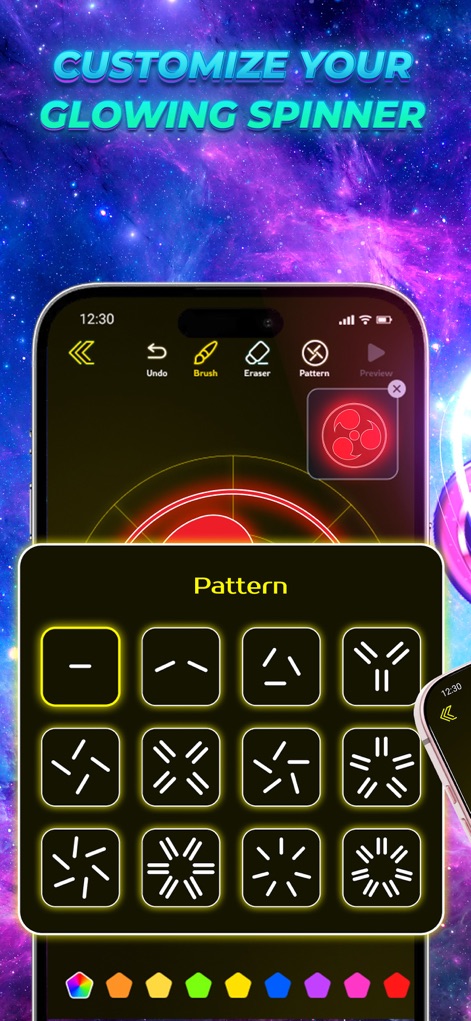
Delve into the diverse pattern options and explore how adjustable glow styles transform spinner creations.
Pattern Style Variety
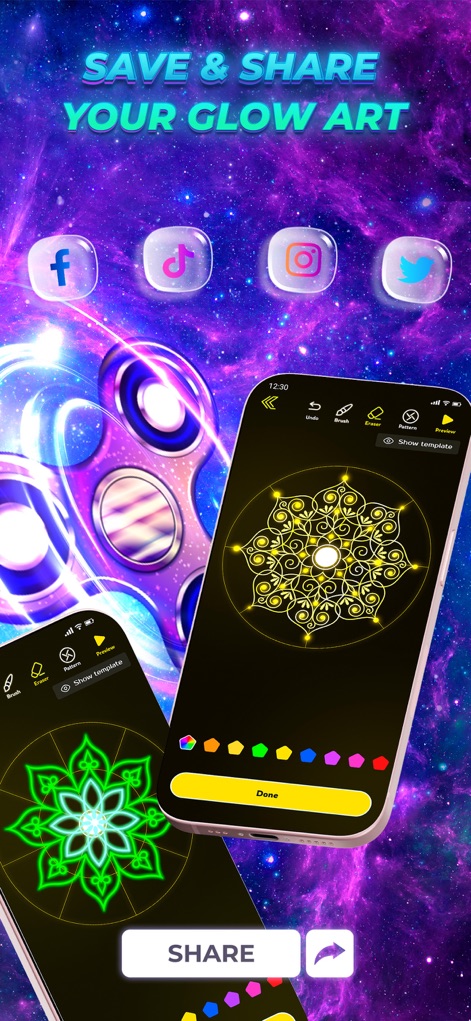
Observe the seamless integration with multiple social media sharing options and the instant saving feature for your glowing creations.
Share Your Art
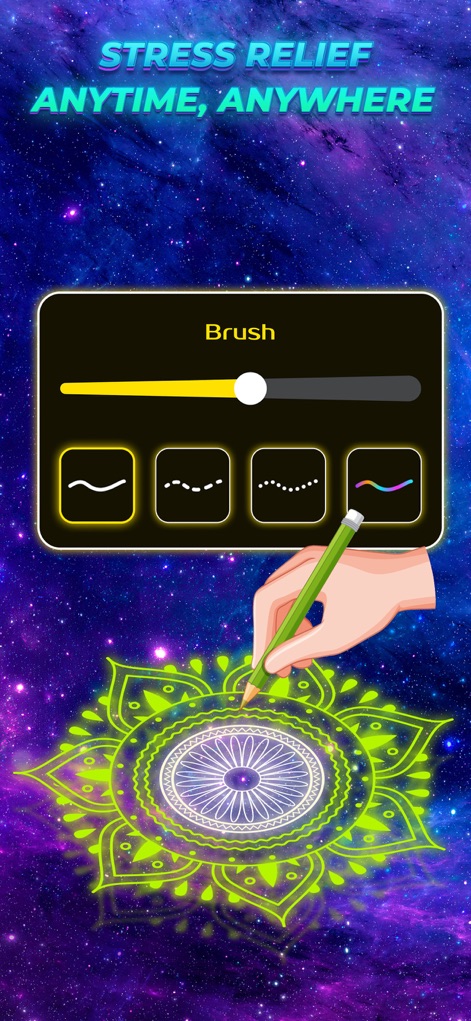
Examine the varied brush styles available for creative expression and the tranquil experience of stress-relieving mandala drawing.
Artistic Brush Strokes
Description
Download
More Like This
Apps with similar features and user experience
Fluid Simulation
Pavel Dobryakov
Amaziograph
AMAZIOGRAPH OOD
JigglyPaint: Draw/Shake/Share!
Kunliang Wu

Relaxing Tangle
Bhupesh Singh
Triple A - Touch Visualizer
SungLab Inc
Finger Spinner: Neon Glow Art
CEM SOFTWARE COMPANY LIMITED
Atomus
SungLab Inc
Mandala Maker: symmetry doodle
Damien Bell

iOrnament: draw mandala & art
Juergen Richter-Gebert
This page is not an official page of the app or its developer, but an independent editorial publication created for informational and commentary purposes. Unless expressly stated otherwise, neither the app nor its developer is affiliated with, endorsed by, sponsored by, authorized by, or otherwise officially connected with MWM, Apple, Google Play, the app publisher, or the app's developer, and nothing on this page implies that the app was developed using MWM's services. Any trademarks, logos, screenshots, and other content remain the property of their respective owners.