MarkGit

MarkGit

Download on App Store
Logo of MarkGit

MarkGit: The Professional Git Client and Code Editor for Your Mobile Workflow

Clone, commit, and push with ease on the go. Experience a touchscreen-optimized IDE with syntax highlighting, code execution for Python and JavaScript, and seamless integration with GitHub and GitLab.

Download on App Store

Publisher

淑敏 孙

Category

Developer Tools

Downloads

17K+

User Rating

1.0/5

Total Ratings

0

Locales

31

Desktop Power, Mobile Ease

Discover the interface used by 17K+ users.
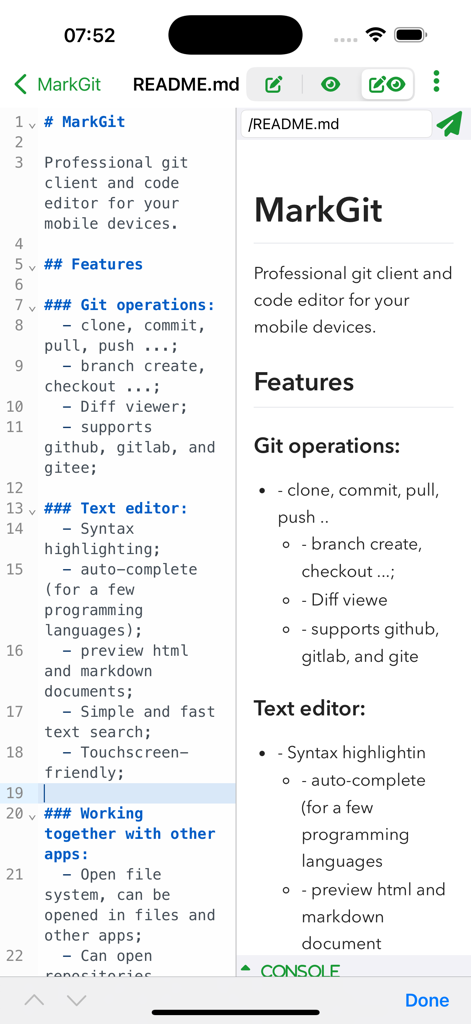
MarkGit app interface showing a split-screen with a markdown code editor and its live preview on a mobile device

MarkGit app interface showing a split-screen with a markdown code editor and its live preview on a mobile device

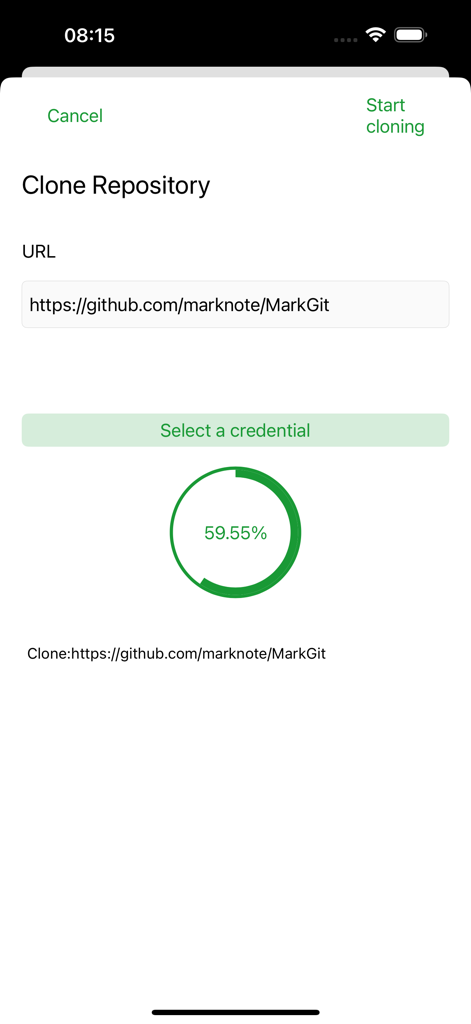
Screenshot of MarkGit app interface showing the progress of cloning a git repository from GitHub

Screenshot of MarkGit app interface showing the progress of cloning a git repository from GitHub

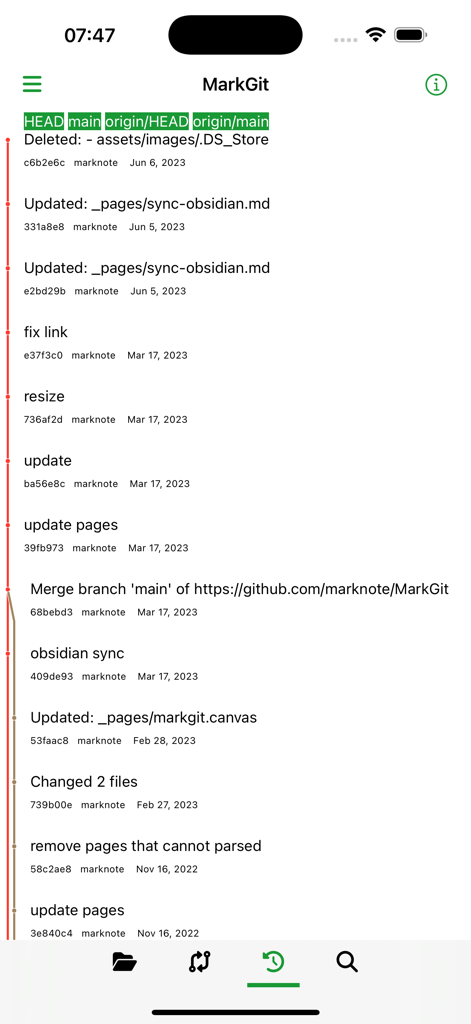
MarkGit app interface displaying git commit history and repository branch details

MarkGit app interface displaying git commit history and repository branch details

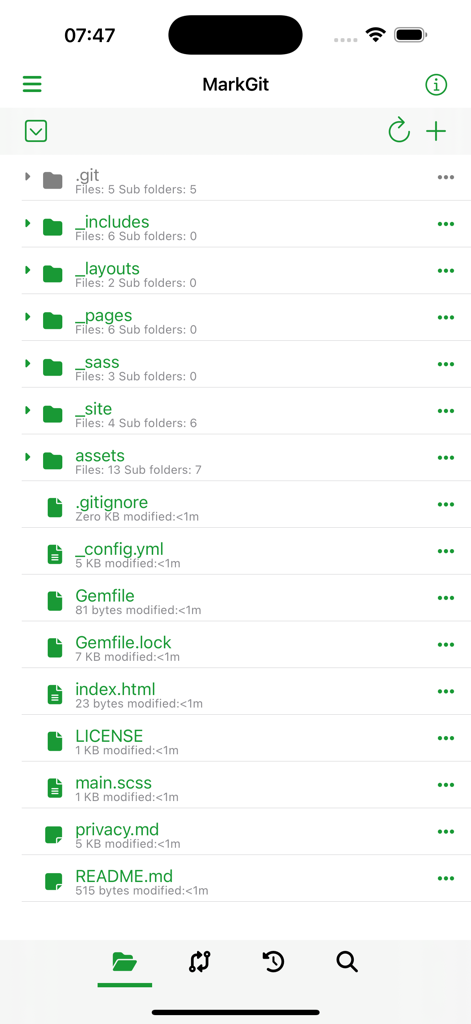
MarkGit app interface showing a file explorer for a git repository with various folders and technical files

MarkGit app interface showing a file explorer for a git repository with various folders and technical files

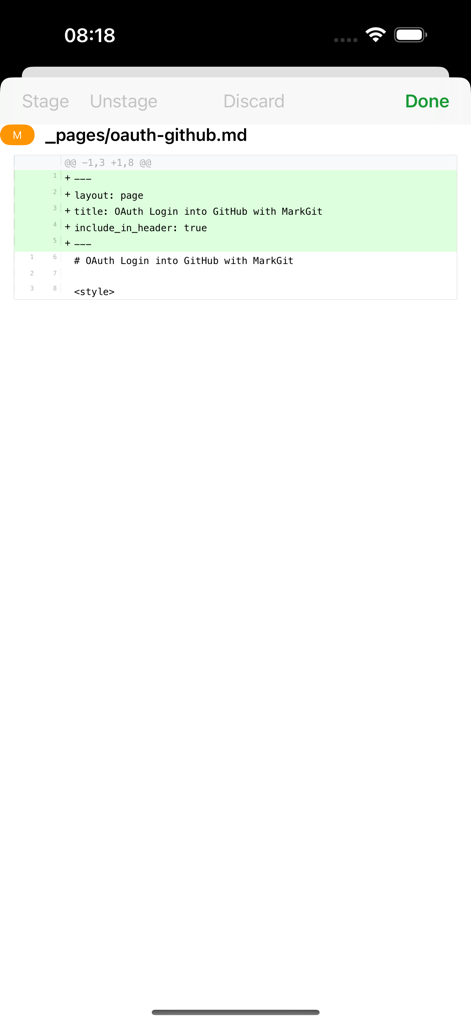
Mobile interface of MarkGit app showing a git diff for a markdown file.

Mobile interface of MarkGit app showing a git diff for a markdown file.

Code and Deploy Anywhere

The tools that make this app stand out, trusted by 17K+ users.

🚀

Full Git Lifecycle Management

Clone, commit, push, and manage submodules with ease. Securely connect to GitHub, GitLab, or self-hosted servers using SSH keys or OAuth.

Smart Editor with Live Execution

Write code with syntax highlighting and autocomplete for Python and JavaScript. Test your logic instantly by running code directly within the app.

📱

Touch-Optimized Professional UI

Navigate complex repositories with a workspace built for iPad and iPhone. Includes Markdown previews and seamless integration with the iOS Files app.

About the app

Everything you need to know about MarkGit.

Description

A touchscreen-friendly git client and code editor. Features - Git operations: - clone, commit, fetch, pull, merge, push, file history, add/remove remote ... - supports github, gitlab, gitee and your self-hosted git services; - various authentication: oAuth, token and SSH key; - sync submodules; - Text editor: - syntax highlighting; - auto-complete for Python, javascript/Typescript, HTML; - simple and fast text search; - touchscreen-friendly; - preview html and markdown documents; - Working together with other apps: - open file system, can be opened in files and other apps; - can open repositories created by other apps as well; - Able to run code directly in a few programming languages including Python, javascript/typescript;

Latest Version

3.92

Size

222.7 MB

First Released

Dec 22, 2021

Code, Commit, and Deploy on the Go

Experience the power of a desktop IDE in the palm of your hand. Join 17,000+ developers who have made MarkGit their mobile command center.

Download on App Store

App information, icons, screenshots, and descriptions displayed on this page are sourced from the Apple App Store and are the property of their respective developers. Download estimates and rankings are based on MWM's proprietary models and may not reflect actual figures. This page is provided for informational and analytical purposes only.

Believe this page infringes your intellectual property? File a dispute