Mathematics with PocketCAS Pro
Download on App Store

This page is not an official page of the app or its developer, but an independent editorial publication created for informational and commentary purposes. Unless expressly stated otherwise, neither the app nor its developer is affiliated with, endorsed by, sponsored by, authorized by, or otherwise officially connected with MWM, Apple, Google Play, the app publisher, or the app's developer, and nothing on this page implies that the app was developed using MWM's services. Any trademarks, logos, screenshots, and other content remain the property of their respective owners.

Logo of Mathematics with PocketCAS Pro
Download on App Store

Mathematics with PocketCAS Pro

Empowering students and engineers with advanced 3D plotting, C-style scripting, and professional calculus tools—all on your iPhone and iPad, completely offline.

Key Figures

Downloads

217K+

User Rating

4.7/5

Total Ratings

3K+

Publisher

Timing Software GmbH

Category

Education

Locales

3

Latest Version

2024.1.1

Size

33.7 MB

First Released

Apr 26, 2012
Features

Master Every Equation

PocketCAS Pro brings the power of a high-end graphing calculator to your Apple devices, offering professional-grade tools for students, teachers, and engineers.

Advanced CAS Engine

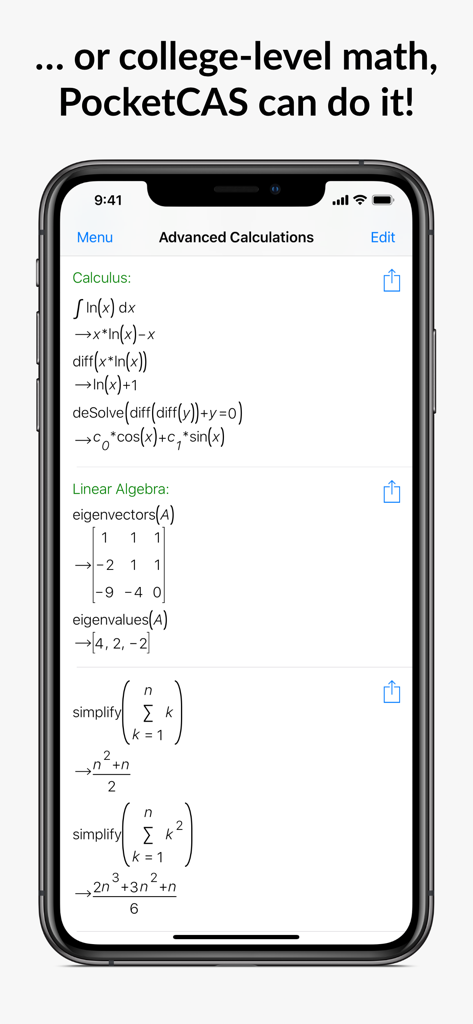
Solve complex integrals, derivatives, and linear systems with a professional Computer Algebra System that outperforms traditional handheld calculators.

Stunning 3D Visualization

Transform abstract equations into vivid 2D and 3D plots. Use time-based animations to visualize how your variables evolve in real-time.

The following screenshots and description are sourced directly from the app's official store listing and are the property of the app developer.

App Store

Screenshots
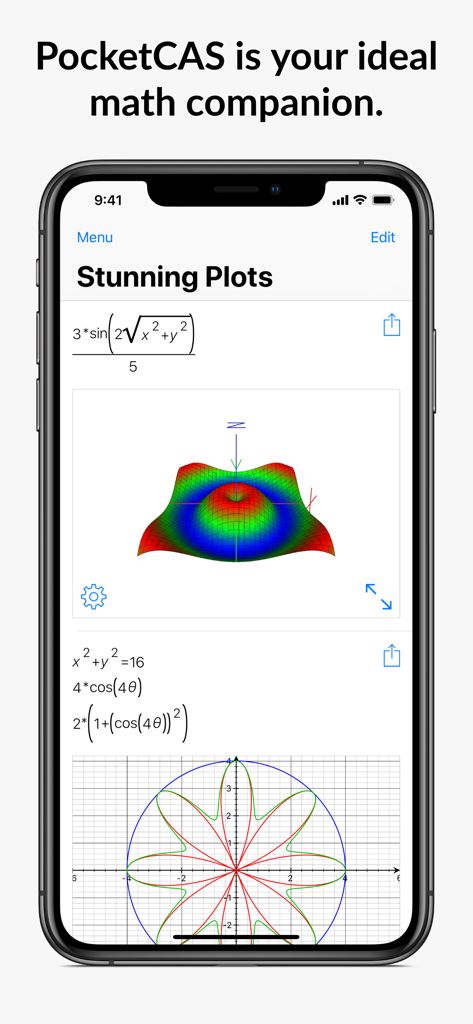
Mathematics with PocketCAS Pro - PocketCAS app interface on an iPhone showing a complex 3D surface plot and a 2D polar graph.
PocketCAS app interface on an iPhone showing a complex 3D surface plot and a 2D polar graph.

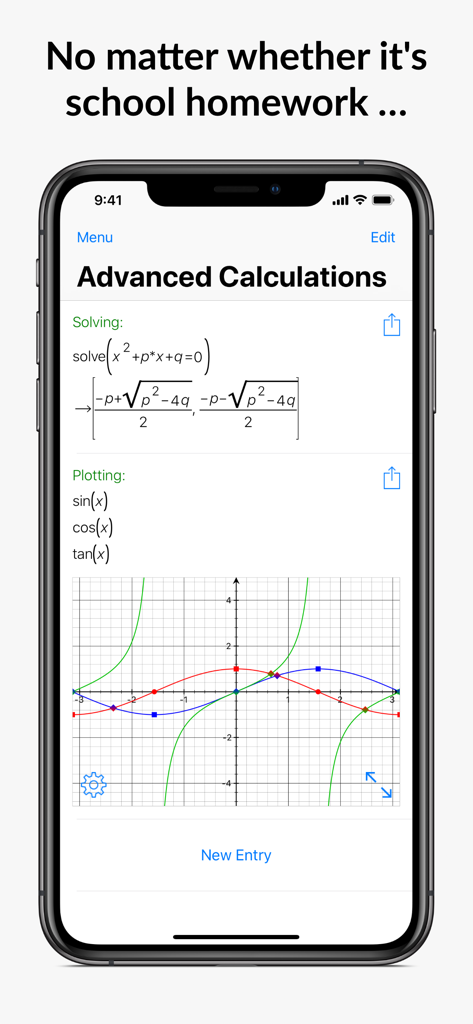
Mathematics with PocketCAS Pro - Mathematics app interface showing a quadratic equation solution and a trigonometric function graph on an iPhone
Mathematics app interface showing a quadratic equation solution and a trigonometric function graph on an iPhone

Mathematics with PocketCAS Pro - Advanced calculus and linear algebra calculations displayed on the PocketCAS Pro iPhone app
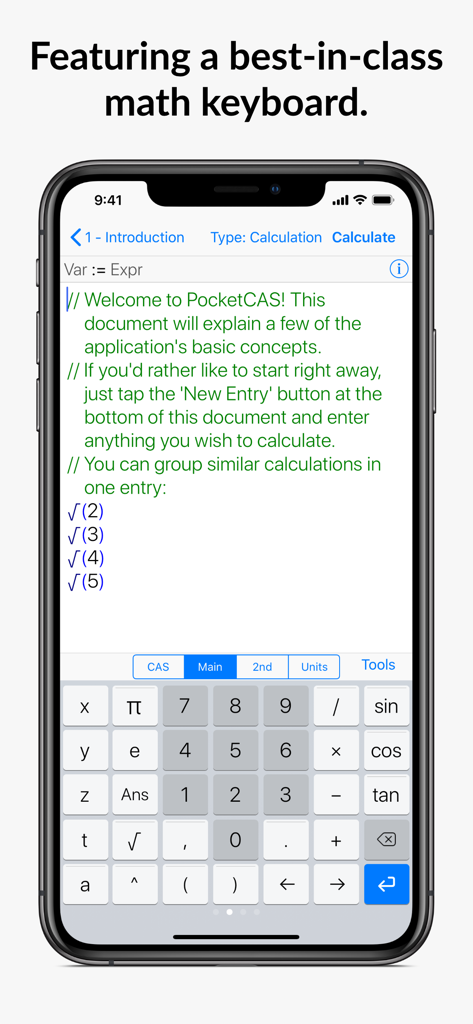
Advanced calculus and linear algebra calculations displayed on the PocketCAS Pro iPhone app

Mathematics with PocketCAS Pro - Mathematics with PocketCAS Pro app showing the advanced mathematical keyboard interface on an iPhone
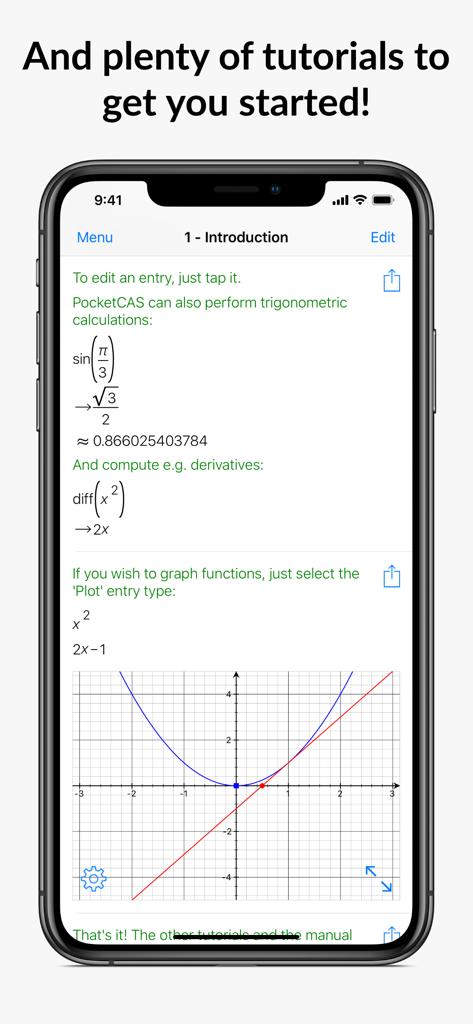
Mathematics with PocketCAS Pro app showing the advanced mathematical keyboard interface on an iPhone

Mathematics with PocketCAS Pro - PocketCAS Pro app interface displaying a math tutorial with derivatives and a 2D function graph
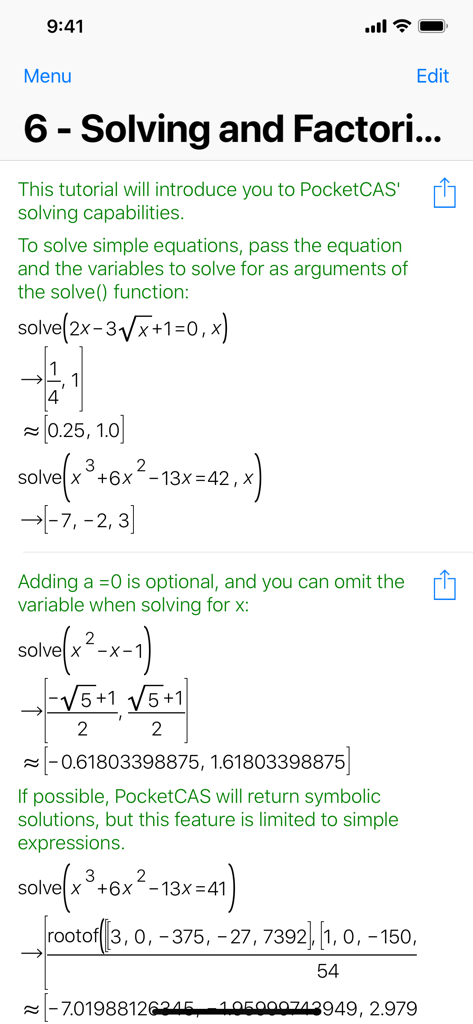
PocketCAS Pro app interface displaying a math tutorial with derivatives and a 2D function graph

Mathematics with PocketCAS Pro - PocketCAS Pro mobile app interface showing algebraic equation solving and factoring with symbolic results
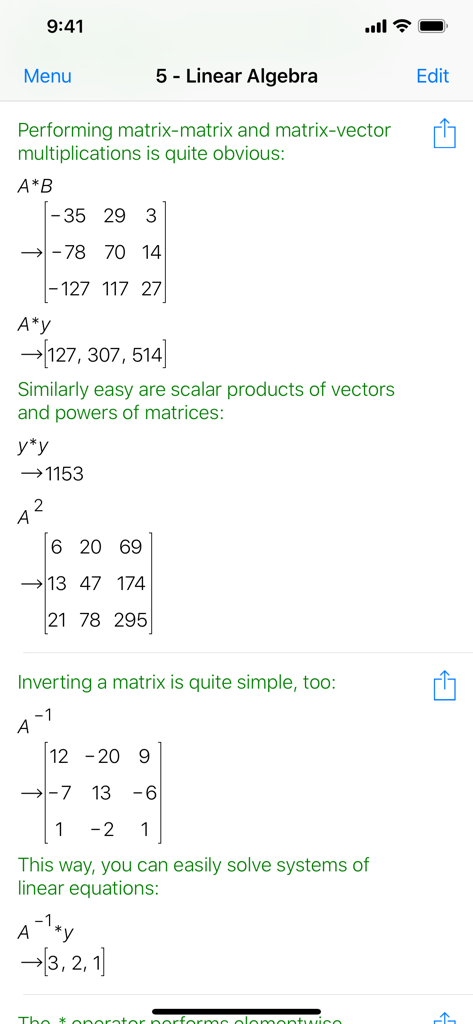
PocketCAS Pro mobile app interface showing algebraic equation solving and factoring with symbolic results

Mathematics with PocketCAS Pro - Linear algebra calculations with matrices and vectors in PocketCAS Pro
Linear algebra calculations with matrices and vectors in PocketCAS Pro

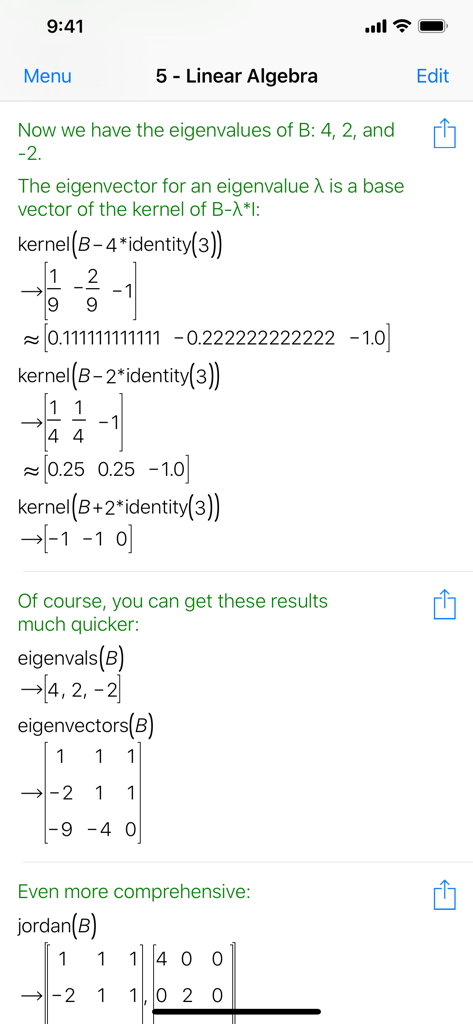
Mathematics with PocketCAS Pro - Linear algebra interface in PocketCAS Pro showing eigenvalue and matrix calculations
Linear algebra interface in PocketCAS Pro showing eigenvalue and matrix calculations

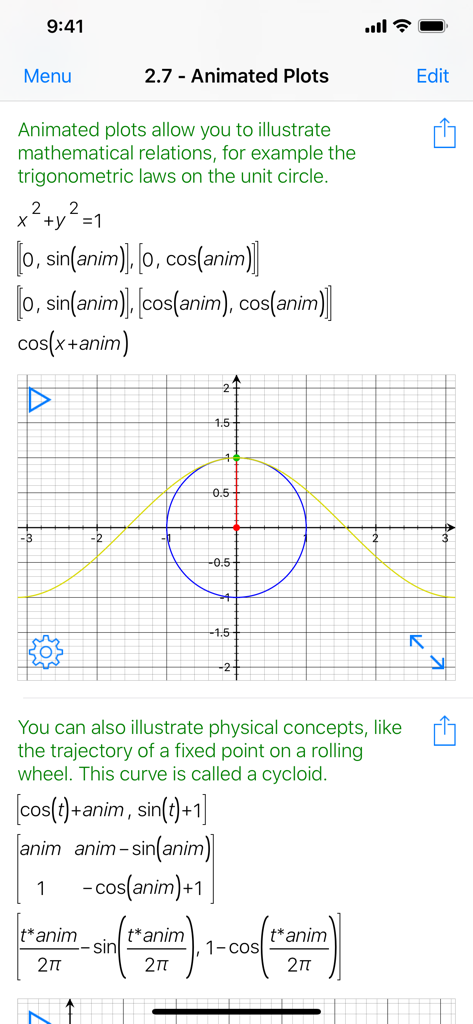
Mathematics with PocketCAS Pro - Interface of PocketCAS Pro showing animated mathematical plots and trigonometric formulas on a coordinate plane
Interface of PocketCAS Pro showing animated mathematical plots and trigonometric formulas on a coordinate plane

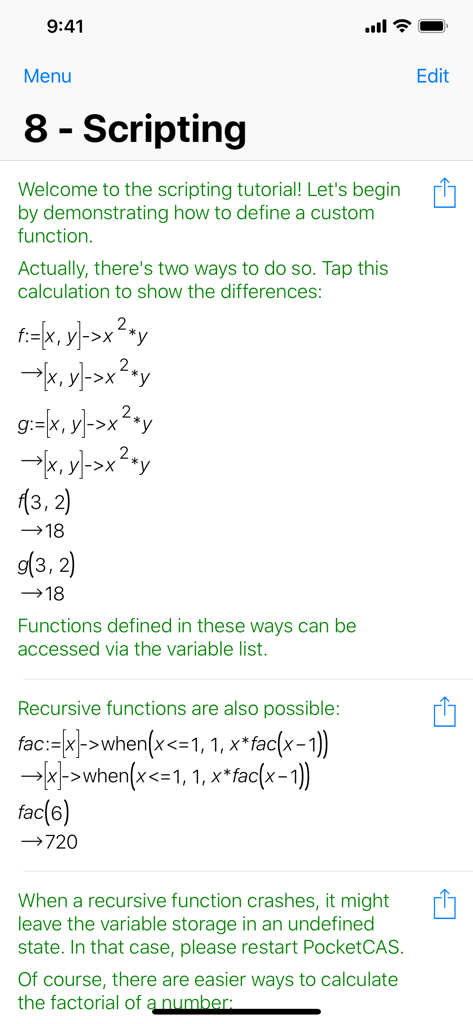
Mathematics with PocketCAS Pro - Mathematics with PocketCAS Pro app interface showing a scripting tutorial for defining custom and recursive functions.

Mathematics with PocketCAS Pro app interface showing a scripting tutorial for defining custom and recursive functions.

Description

PocketCAS is the most advanced mathematics application for iPhone and iPad. It can help you with any kind of math problem, from elementary school all the way up to calculus, algebra and statistics. It can replace your old graphing calculator, help you with your homework, and assist you in any kind of calculation for university or work. This app is an indispensable tool for every student, teacher and engineer. It makes college-level calculus and algebra easy and can help you in a wide range of cases. It provides features comparable with a TI-89 calculator and combines them with a modern, intuitive interface and incredible graphics capabilities. MATHEMATICAL CAPABILITIES - 2D Plots: Quickly create 2D cartesian, implicit, polar or parametric plots. - 3D Plots: PocketCAS draws stunning 3D plots! Supports x-y cartesian plots, parametric area plots and parametric line plots. - Animated plots: Use the variable 'anim' to animate any plot over time. - Calculus: Calculate limits, derivatives, integrals and taylor expansions. - Linear Algebra: Invert and multiply matrices or calculate determinants, eigenvalues and much more! - Algebra: Perform integer and polynomial factorization and division, use permutations, and more. - Solving: PocketCAS will solve almost any equation for you. It even supports systems of linear equations and ordinary differential equations! - Scripting: PocketCAS' C-style scripting language allows you to define custom functions, use conditional expressions, loops and also supports recursion. - Physical Units: Constants and units are provided out of the box. Simply enter physical formulas with the corresponding units and convert results to the units you prefer. ADDITIONAL FUNCTIONALITY - iCloud support: Sync documents between your Mac, iPhone and iPad! - Export: Print or export plots, entries or the whole document as PDF! - Document Import: Load functions and variables from existing documents to re-use your work in other calculations. - CSV Import: Load tabular data in CSV format and process it! - Mathematical keyboard: PocketCAS' mathematical keyboard is unmatched on the App Store. - Help: All functions are explained in the built-in reference. If you're stuck, there's plenty of tutorials as well as a manual (https://pocketcas.com/manual) to get you going. And you can always contact our support (https://pocketcas.com/support) for help! - Offline computation: PocketCAS doesn't need an internet connection to calculate results. USER REVIEWS "This program has an incredible amount of power for such a compact program. I teach high school math, and this program can work with all sorts of expressions, graphs, and help check my work. Definitely worth it!" "You will love this calculator. It's powerful to calculate everything, doesn't matter you're a high school student or college student. Specially for the people who like to solve problems with graphs!" "This app is so powerful and slick looking. It is totally amazing and what it can do." "One of three Apps I use when teaching A Level maths. Have recommended to numerous students. Excellent." "This is one of the best. The CAS capabilities are compatible to only two other apps, and this one is all offline and includes countless additional features. It's never steered me wrong and is the first thing I go to when I'm in a hurry to figure something out. If you're a student this is pretty much as good as it can get." "I am 8 years old and this App is awesome! It helps you learn calculus quickly. It's a work of art!"

Download

Download on App Store

This page is not an official page of the app or its developer, but an independent editorial publication created for informational and commentary purposes. Unless expressly stated otherwise, neither the app nor its developer is affiliated with, endorsed by, sponsored by, authorized by, or otherwise officially connected with MWM, Apple, Google Play, the app publisher, or the app's developer, and nothing on this page implies that the app was developed using MWM's services. Any trademarks, logos, screenshots, and other content remain the property of their respective owners.








