Mavis - Camera Classic

This page is not an official page of the app or its developer, but an independent editorial publication created for informational and commentary purposes. Unless expressly stated otherwise, neither the app nor its developer is affiliated with, endorsed by, sponsored by, authorized by, or otherwise officially connected with MWM, Apple, Google Play, the app publisher, or the app's developer, and nothing on this page implies that the app was developed using MWM's services. Any trademarks, logos, screenshots, and other content remain the property of their respective owners.

Logo of Mavis - Camera Classic

Mavis - Camera Classic

Take total manual sovereignty over your sensor with industry-standard monitoring tools including waveforms, vectorscopes, and false color. Capture cinema-grade footage with ProRes encoding, 100Mbit/s bitrates, and precision audio control designed for elite creators.

Key Figures

Downloads

1K+

User Rating

1.0/5

Total Ratings

0

Publisher

Mavis Broadcast Ltd

Category

Photo & Video

Locales

6

Latest Version

6.2.1

Size

26.7 MB

First Released

Apr 1, 2025
Features

Cinematography Without Compromise

Ditch the computational look. Mavis delivers the granular manual control and professional monitoring tools needed to turn your iPhone into a primary broadcast camera.

Complete Manual Sovereignty

Lock your shutter angle at 180°, fine-tune ISO, and master manual focus with professional peaking and expanded assist.

Precision Monitoring Suite

Never miss an exposure with real-time full-scale waveforms, vectorscopes, and false color overlays for perfect skin tones.

The following screenshots and description are sourced directly from the app's official store listing and are the property of the app developer.

App Store

Screenshots
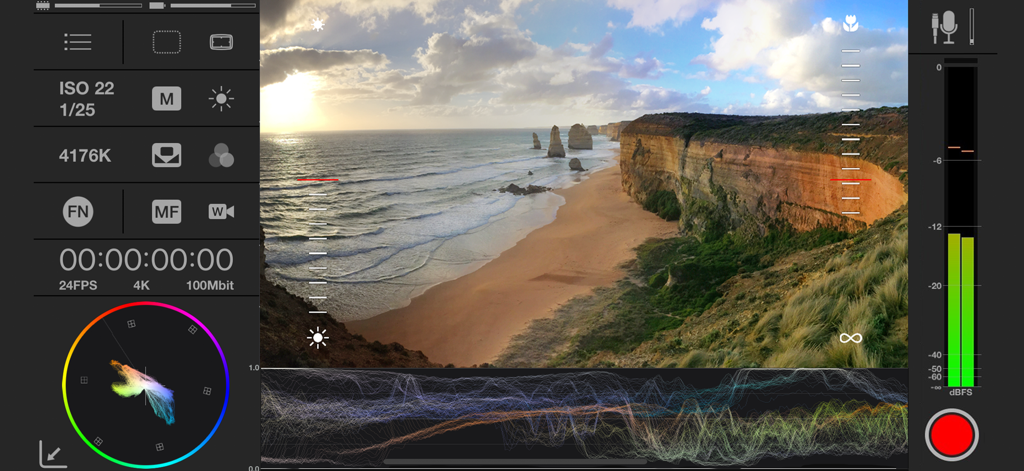
Mavis - Camera Classic - Mavis Camera Classic interface showing manual controls with waveform vectorscope and audio metering over a coastal landscape
Mavis Camera Classic interface showing manual controls with waveform vectorscope and audio metering over a coastal landscape

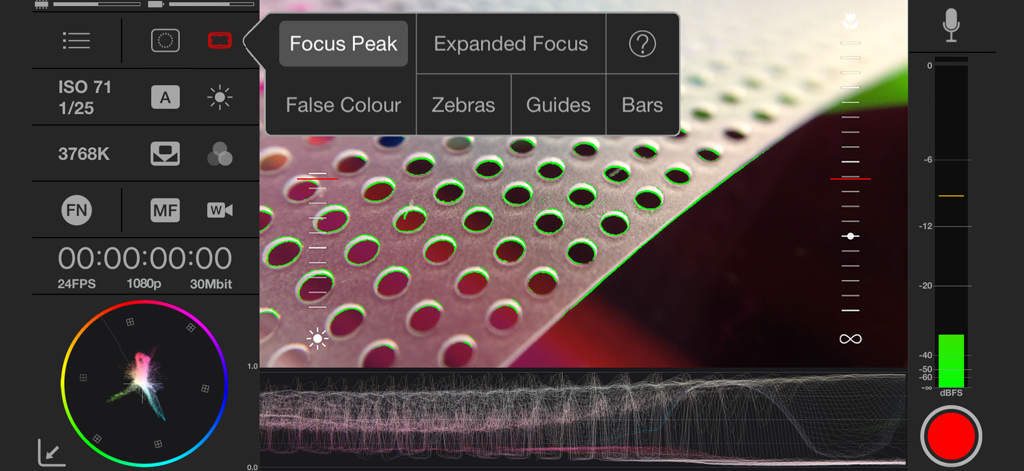
Mavis - Camera Classic - Professional manual camera interface of Mavis Camera Classic featuring focus peaking, waveform monitor, and vectorscope
Professional manual camera interface of Mavis Camera Classic featuring focus peaking, waveform monitor, and vectorscope

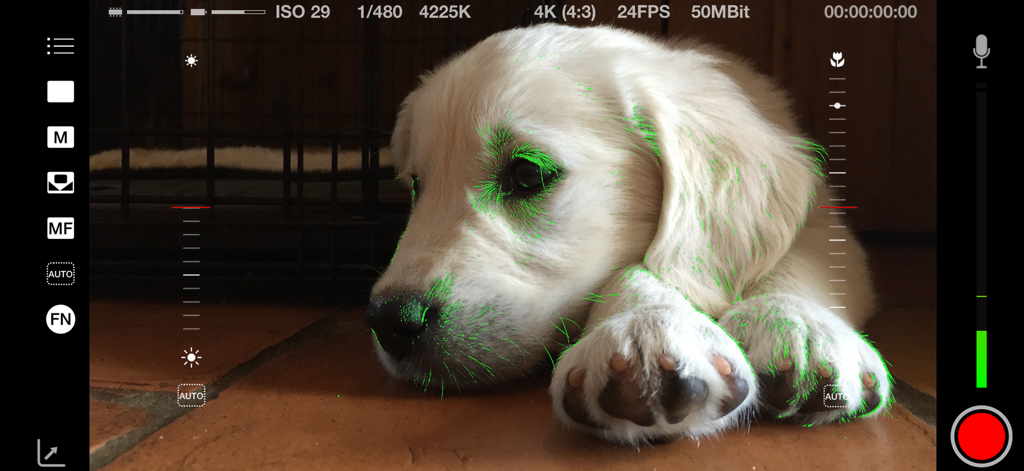
Mavis - Camera Classic - Mavis Camera Classic app interface showing green focus peaking and manual controls while filming a puppy.
Mavis Camera Classic app interface showing green focus peaking and manual controls while filming a puppy.

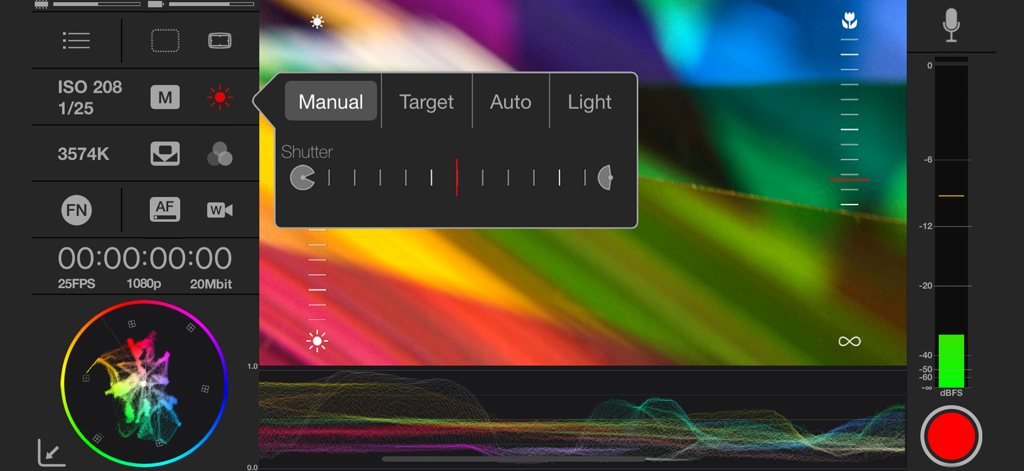
Mavis - Camera Classic - Manual shutter and color monitoring interface in Mavis Camera Classic app
Manual shutter and color monitoring interface in Mavis Camera Classic app

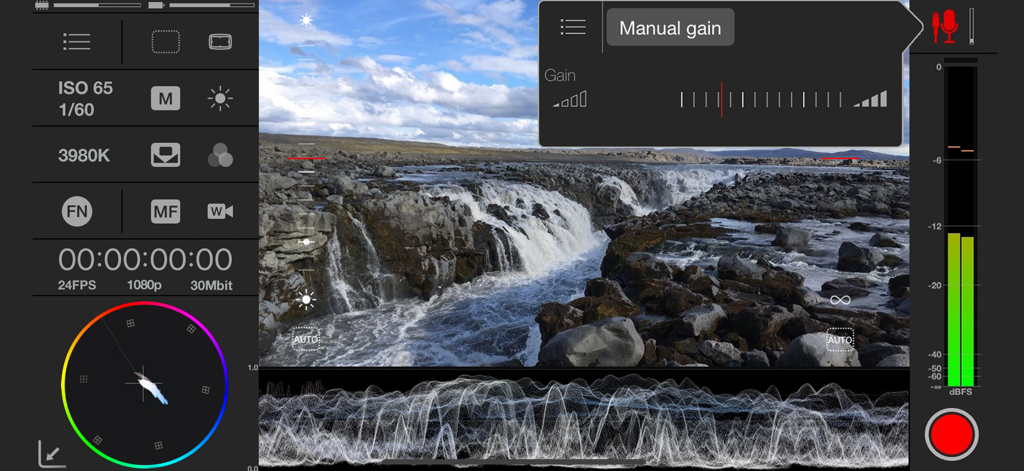
Mavis - Camera Classic - Manual video recording interface of Mavis Camera Classic with waveform and vectorscope monitoring

Manual video recording interface of Mavis Camera Classic with waveform and vectorscope monitoring
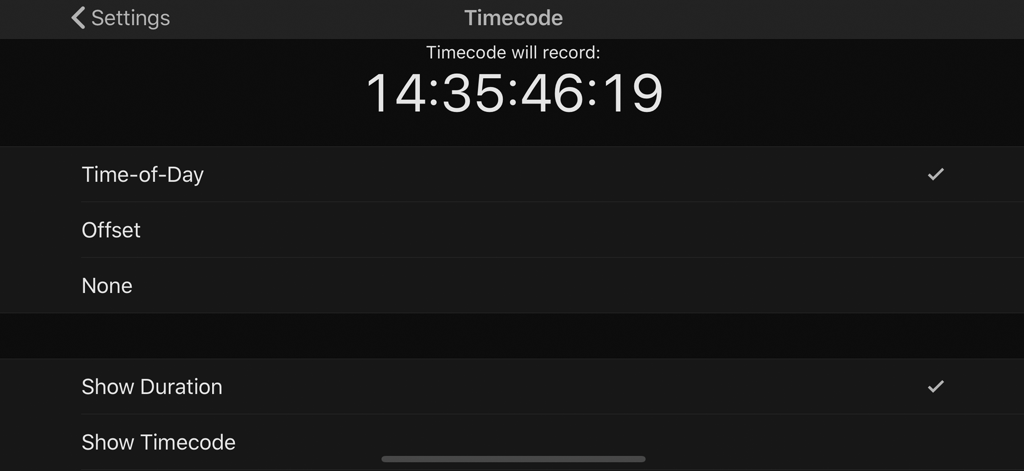
Mavis - Camera Classic - Interface of the Mavis Camera Classic app showing professional timecode settings including time-of-day and display options.

Interface of the Mavis Camera Classic app showing professional timecode settings including time-of-day and display options.

Description

Mavis Camera Classic is the original pro filmmaking and broadcast camera for the iPhone. It provides a classic landscape experience and includes filming tools such as focus peaking, waveform monitor, vectorscope, false color and zebras. It gives you audio controls, audio metering, custom resolutions, framerates and recordings formats. It also brings a natural interface to give you full flexible manual control while shooting. MAIN FEATURES: - Focus peaking and expanded focus for manual focus assist - Zebras and False Color exposure assist - Manual focus, exposure and color - HD, 2K and 4K recording - High bitrate, HEVC and ProRes encoding - Custom frame rates up to 240fps - Digital Zoom in 1080p - Dual camera support - Full screen mode - Custom audio inputs - Audio metering and manual audio gain control where available - Real-time audio passthrough for monitoring in headphones - Real-time full-scale vectorscope for color work - Real-time full-scale waveform monitor for exposure monitoring - Timecode - Support for UltraSync BLUE from Timecode Systems - Global Presets - Custom Function (FN) button - Multiple saving and sharing options - Apple Watch record start/stop remote - Support Docs SUPPORT FOR MULTIPLE RESOLUTIONS: - 4K (UHD) - 4K (4:3) - record at maximum camera resolution without audio - 2K (4:3) - HD CUSTOM FRAME RATES: - Presets available include 23.98fps, 24fps, 25fps, 29.97fps, 30fps, 50fps, 60fps - Select any frame rate from 3fps up to 240fps - Record up to 240fps in 1080p ADVANCED EXPOSURE CONTROLS - View shutter in angles and speed - Shutter lock (e.g. lock at 180°) - Separate target focus and exposure reticles FULL MANUAL CONTROLS FOR: - Focus - Exposure - ISO - Shutter - Color temperature SHOOTING ASSISTANTS: - Focus peaking and Expanded focus helps ensure your shots are always in focus - Waveform monitor helps you shoot with the optimum dynamic range - Vectorscope ensures your colors are consistent and your white balance is correct - Zebra overlay helps ensure your shots are never over exposed - False color support for Gradient and Ranges with full details about color representations - False color helps ensure your shots are never over/under exposed ENCODING BIT RATES: - 10Mbit/s (Make your storage last longer) - 20Mbit/s (Standard) - 30Mbit/s (High quality production) - 50Mbit/s (Great for post and color grading) - 100Mbit/s (Great for very high quality productions, color grades and visual effects) AUDIO CONTOL: - Custom external inputs - Select external audio input from Lightning connector or analog input - Stereo audio from Lightning connected inputs - Internal mic selection and polar pattern - Manual gain control where available - Audio pass-through/monitoring with headphones - VU metering VIEWFINDER SUPPORT: - Recording Tally - De-Squeeze support for Moondog Anamorphic Lens - Image flip support for DOF adaptors - Support for different aspect ratios in the viewfinder - Support for guide overlays in viewfinder THIRD PARTY SUPPORT - Support for Timecode Systems UltraSync BLUE Device restrictions apply.

Download

This page is not an official page of the app or its developer, but an independent editorial publication created for informational and commentary purposes. Unless expressly stated otherwise, neither the app nor its developer is affiliated with, endorsed by, sponsored by, authorized by, or otherwise officially connected with MWM, Apple, Google Play, the app publisher, or the app's developer, and nothing on this page implies that the app was developed using MWM's services. Any trademarks, logos, screenshots, and other content remain the property of their respective owners.