MB WAY

MB WAY

Download on App Store
Logo of MB WAY

MB WAY: Your Essential Digital Wallet for Everything Portugal

The No. 1 payment app to send money, shop online with MB NET, and manage your Portuguese finances securely from the USA or anywhere in the world.

Publisher

SIBS FORWARD PAYMENT SOLUTIONS, S.A.

Category

Finance

Downloads

3M+

User Rating

3.8/5

Total Ratings

9K+

Locales

2

Seamless Control, Anywhere

Discover the interface used by 3M+ users.
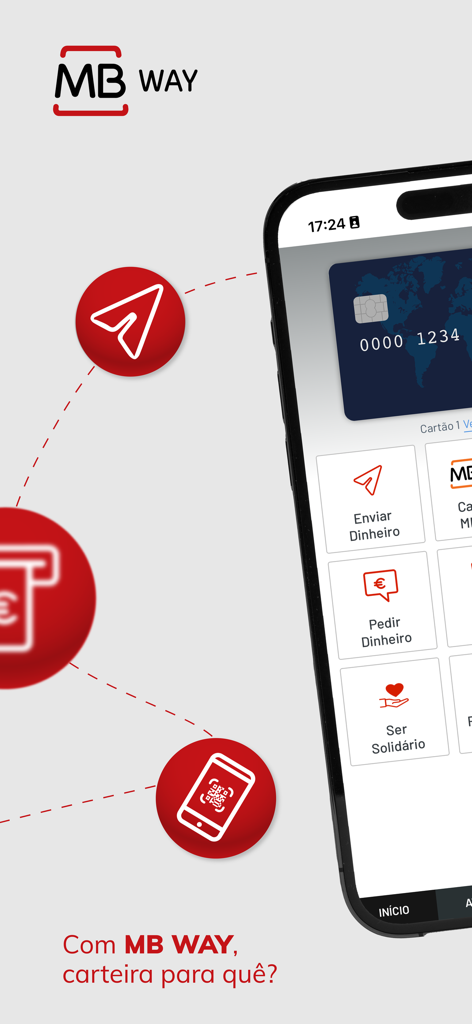
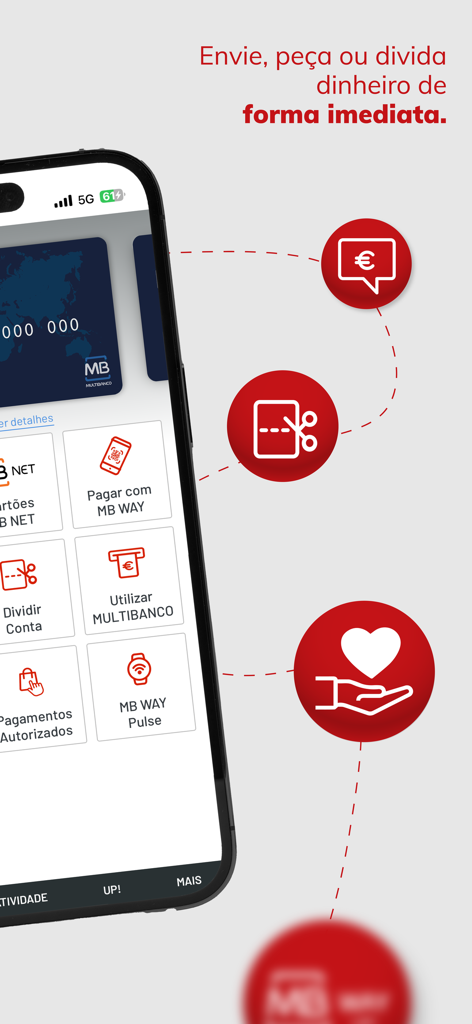
MB WAY mobile app interface showing financial service options like sending and requesting money

MB WAY mobile app interface showing financial service options like sending and requesting money

Smartphone screen displaying MB WAY app features for instant money transfers and payments

Smartphone screen displaying MB WAY app features for instant money transfers and payments

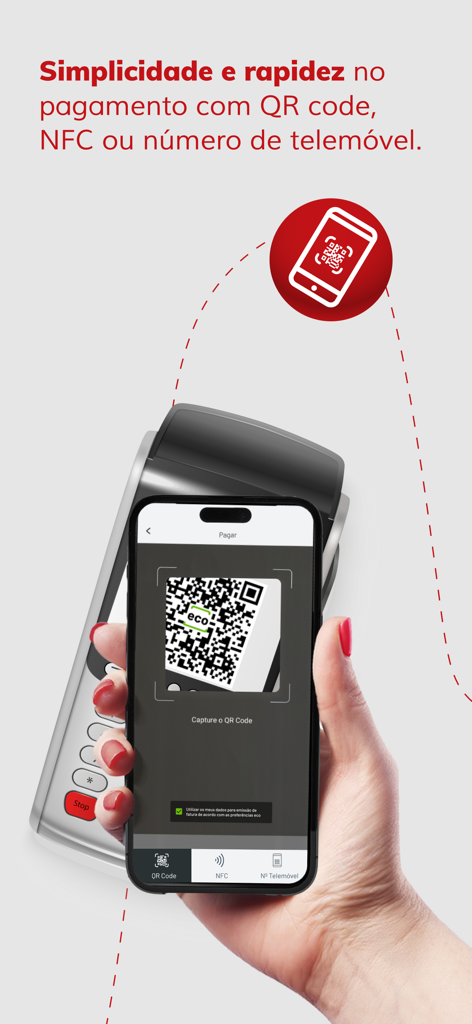
A hand holding a smartphone to scan a QR code for payment using the MB WAY app

A hand holding a smartphone to scan a QR code for payment using the MB WAY app

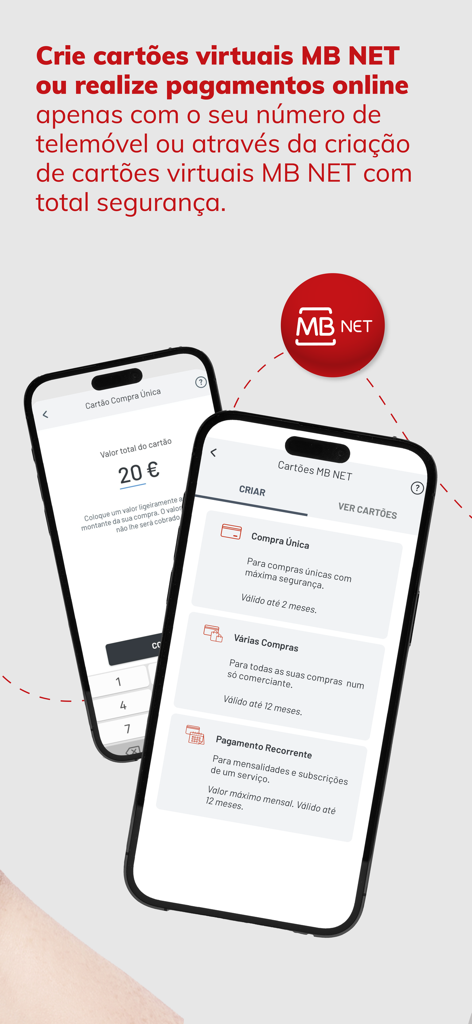
MB WAY app screens showing MB NET virtual card options for secure online shopping.

MB WAY app screens showing MB NET virtual card options for secure online shopping.

Smartphone screen displaying the MB WAY app dashboard with features like money transfers and virtual card management

Smartphone screen displaying the MB WAY app dashboard with features like money transfers and virtual card management

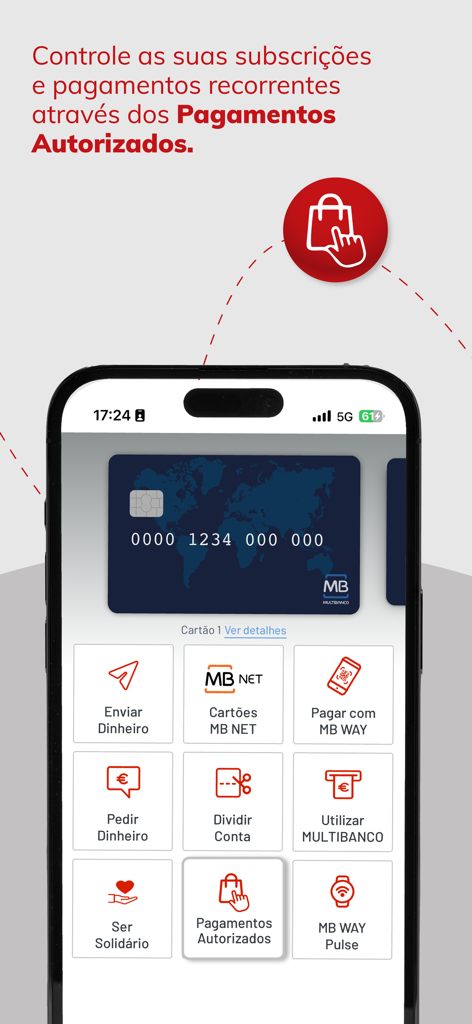
Interface of the MB WAY app showing a smartphone with the authorized payments menu and a virtual card

Interface of the MB WAY app showing a smartphone with the authorized payments menu and a virtual card

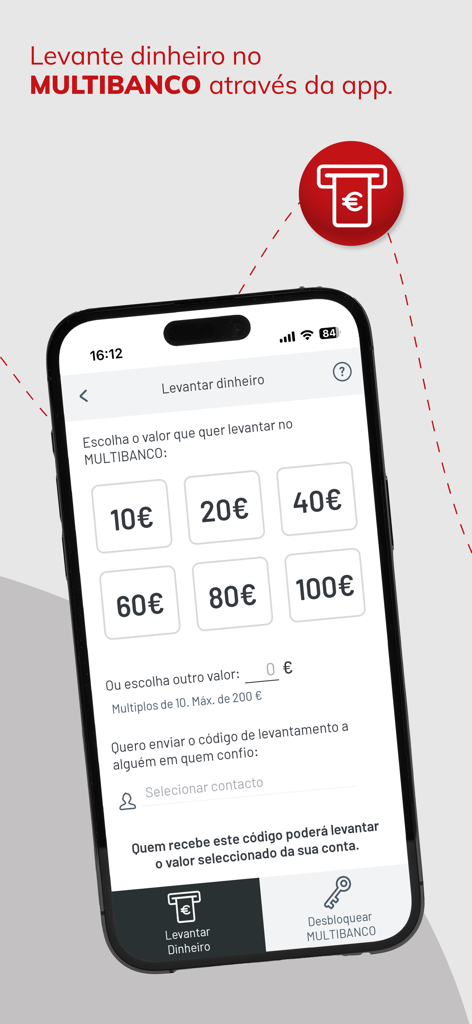
MB WAY app interface showing options to withdraw money from a Multibanco ATM without a physical card

MB WAY app interface showing options to withdraw money from a Multibanco ATM without a physical card

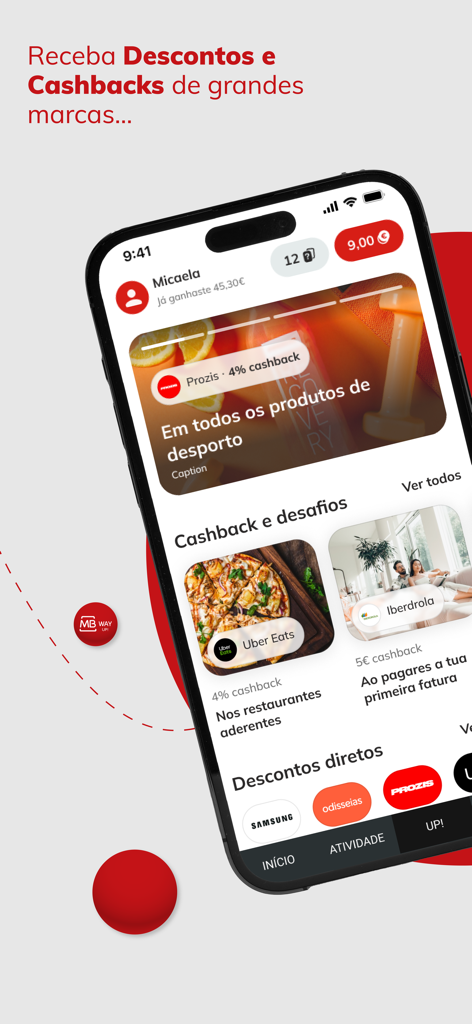
MB WAY app interface displaying various cashback offers and shopping discounts from partner brands

MB WAY app interface displaying various cashback offers and shopping discounts from partner brands

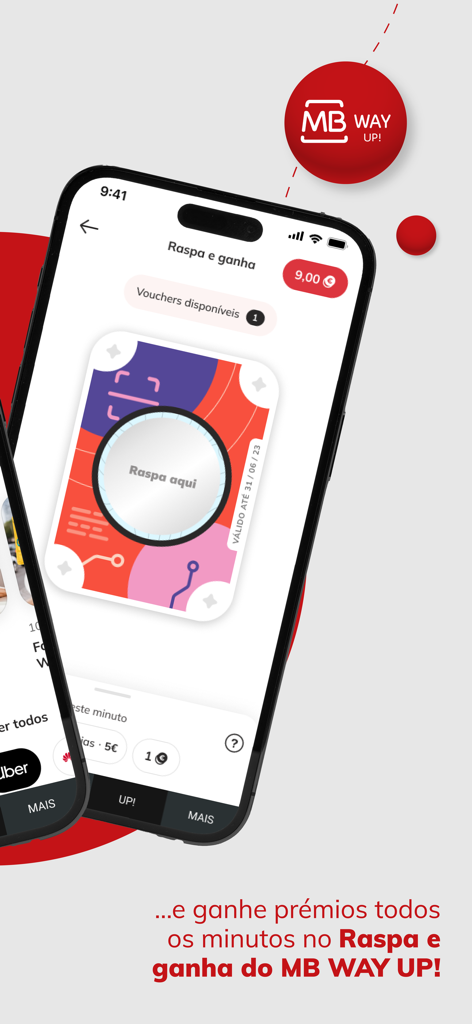
MB WAY app screenshot showing the Raspa e ganha digital scratch card feature for winning prizes

MB WAY app screenshot showing the Raspa e ganha digital scratch card feature for winning prizes

Stay Financially Connected to Portugal

The tools that make this app stand out, trusted by 3M+ users.

📲

Instant P2P Transfers

Skip the international wire fees. Send money to anyone in Portugal instantly using just their mobile number, perfect for supporting family or splitting bills from afar.

🛡️

Secure Global Shopping

Generate MB NET virtual cards to shop on Portuguese and EU websites with total peace of mind, keeping your primary banking details private and protected.

🏧

Cardless ATM Control

Generate codes for instant cash withdrawals at any MULTIBANCO ATM. It is the perfect solution for family back home or for your next trip to Portugal without needing a physical card.

Review Analysis

Insights from user reviews.

Sentiment Score

21%
Negative

Summary

The MB WAY mobile app receives overwhelmingly negative feedback, with a significant number of users reporting critical issues such as the app failing to open, getting stuck on loading screens, or stopping functionality entirely after recent updates. Many specific features, including camera-based payments (QR code scanning often defaults to the front camera, especially on iOS 26), contactless/NFC payments, and the delivery/input of activation codes, are also frequently cited as problematic. Users express frustration over the lack of English language support, making the app inaccessible for some, and dislike unsolicited marketing notifications. While a small subset of users praise the app's perceived ease of use, practicality, and speed, these positive aspects are largely overshadowed by widespread reports of bugs and instability.

Common Themes

App Stability(19)
Core Feature Functionality(14)
Update Related Issues(6)
Ease of Use & Convenience(5)
English Language Support(3)
Unwanted Notifications(2)
Customer Support(1)

About the app

Everything you need to know about MB WAY.

Description

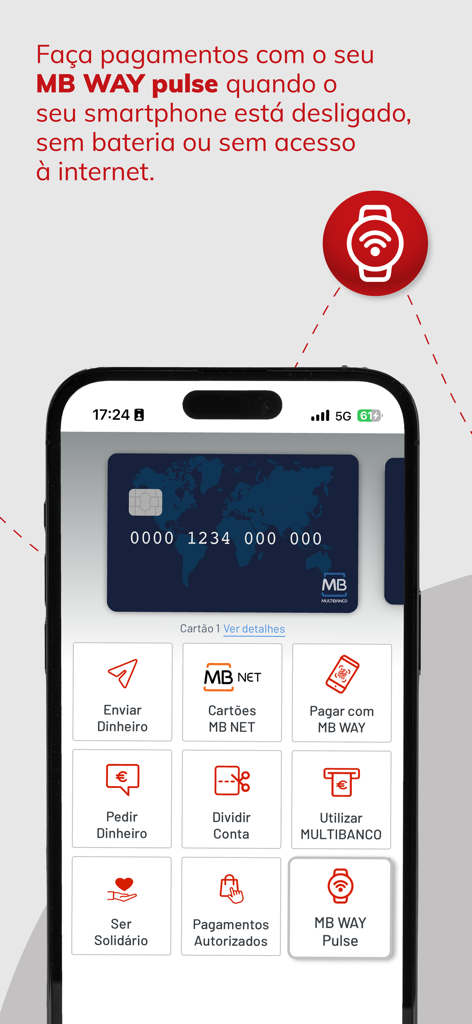
The MB WAY app is SIBS' digital solution that simplifies your payments by allowing you to do everything in one place! By connecting your mobile phone number to your bank card, you can send, request and receive money, split accounts, generate MB NET virtual cards, shop online and in physical shops with QR Code or NFC and even win prizes. You can track your subscriptions and recurring payments in your app. You can also withdraw cash and use MULTIBANCO just with MB WAY. With MB WAY pulse you can pay with MB WAY even when your smartphone is switched off, without battery or internet access. All of this always with SIBS security guarantee. The MB WAY app is the No.1 payment app in Portugal and already a reference, with more than 6,5 million users who use its advantages daily, making it the favorite payment app of the Portuguese. FUNCTIONALITIES How to pay with MB WAY? To pay in shop, when paying for your purchases in physical shops, simply select the "Pagar com MB WAY" button and choose the "QR Code" or "NFC" option. - QR Code - After the merchant enters the purchase amount in the terminal and confirms OK, a QR Code is generated. Simply scan this QR Code on the payment terminal. If the purchase is more than the amount without PIN, confirm with your MB WAY PIN, touch ID or face ID. - NFC - Touch your mobile phone to the payment terminal. If the purchase exceeds the amount without PIN, confirm in the MB WAY app and pull over again. To pay in online shops, select the MB WAY payment method and enter your mobile phone number. You will receive a notification to confirm the payment with your MB WAY PIN. How to buy with MB NET? When paying for your online purchases, access the MB WAY app and generate an MB NET card in the "Cartões MB NET" option. Then, on the merchant's website, select pay with card and enter the details of the MB NET card you generated. How to use MULTIBANCO? To use the "Utilizar MULTIBANCO” option with the MB WAY app, you must choose the amount you want to withdraw and enter your MB WAY PIN or touch ID. Then, with the generated code, go to a MULTIBANCO ATM, press the green key and choose the "Withdraw Money" option. You can also generate a code for someone else to go to MULTIBANCO to withdraw. You can also use this option “Utilizar MULTIBANCO” to carry out other operations available at MULTIBANCO. How to send money? Simply press the "Enviar Dinheiro" button, enter a contact and the amount you want to send and confirm the operation with your MB WAY PIN. The money will be immediately available in your contact's account. How to request money? To request money, simply select the "Pedir Dinheiro" button in the app, select the contact you want to request money from, indicate the amount, and confirm the operation. You can also request the amount through your personal QR Code. How to split an account? To split an account, simply select the "Dividir Conta" button. Then, select the contacts with whom you want to split the bill, indicate the amount of the bill, and confirm the operation. How to join authorized payments? To manage your subscriptions or recurring payments through "Pagamentos Autorizados", simply select this payment method on the participating partner, enter your mobile phone number, confirm on your MB WAY, enter your PIN for confirmation and you're done! How to activate MB WAY? 1. Link your bank card at an ATM (MULTIBANCO) 2. Download the app for free and activate it with your mobile number MB WAY is the only official digital payments app from SIBS, accepted by all major banks in Portugal. How to activate MB WAY pulse? Use MB WAY pulse to make contactless payments through another device: bracelet, key ring or clip for your watch, but with the cards you have associated with MB WAY. You can now make purchases with MB WAY pulse without having to have your smartphone with you.

Latest Version

2.29.1

Size

184.3 MB

First Released

Oct 27, 2014

Simplify Your Portuguese Finances from Anywhere

Join over 6.5 million users. Send money, manage your property, and shop securely in Portugal—all from your phone in the USA.

Download on App Store
FAQ

Frequently Asked Questions

Everything you need to know about MB WAY

What is MB WAY?

MB WAY is SIBS' digital solution for payments. It connects your mobile phone to your bank card, enabling money transfers, online and in-store shopping, virtual card generation, and cash withdrawals.

Is MB WAY secure for transactions?

Yes, MB WAY ensures SIBS security for all transactions. It is the official digital payments app from SIBS, accepted by all major banks in Portugal, providing a reliable and trusted service.

How do I activate the MB WAY app?

To activate MB WAY, first link your bank card at a MULTIBANCO ATM. Then, download the free app and activate it by associating your mobile number within the application.

How can I pay in physical stores using MB WAY's QR Code?

To pay via QR Code in physical shops with MB WAY, select "Pagar com MB WAY", choose "QR Code", and scan the terminal's QR Code. Confirm with your MB WAY PIN if the transaction exceeds the PIN-free amount.

How do I pay using MB WAY's NFC in physical stores?

To pay via NFC in physical shops with MB WAY, select "Pagar com MB WAY", choose "NFC", and tap your mobile phone on the payment terminal. Confirm in the MB WAY app if the purchase requires your PIN.

How does online payment work with MB WAY?

For online payments with MB WAY, select the MB WAY option, enter your mobile phone number, and confirm the transaction directly through a notification in your MB WAY app using your PIN.

Can I create virtual cards with MB WAY for online shopping?

Yes, you can generate MB NET virtual cards using the MB WAY app. Access the "Cartões MB NET" option, create a card, and use its details for secure online purchases.

How do I withdraw cash from a MULTIBANCO ATM with MB WAY?

To withdraw cash with MB WAY at MULTIBANCO, use the "Utilizar MULTIBANCO" option, choose the amount, enter your PIN, and use the generated code at an ATM by pressing the green key.

What is the process for sending money through MB WAY?

To send money with MB WAY, press "Enviar Dinheiro", select a contact, specify the amount, and confirm with your MB WAY PIN. The money immediately becomes available in the recipient's account.

How can I request money from another user with MB WAY?

To request money with MB WAY, select "Pedir Dinheiro", choose the contact, indicate the desired amount, and confirm the operation. You can also use your personal QR Code for requests.

How does MB WAY allow users to split accounts?

MB WAY allows users to split accounts by selecting "Dividir Conta". Choose the participants, enter the total bill amount, and confirm the operation within the app.

Can MB WAY manage subscriptions and recurring payments?

Yes, MB WAY manages subscriptions and recurring payments via "Pagamentos Autorizados". Select this method with a partner, provide your mobile number, and confirm the setup using your app PIN.

What is MB WAY pulse and its benefit?

MB WAY pulse facilitates contactless payments through external devices like wearables. It allows you to pay even when your smartphone is off, out of battery, or lacks internet access.

How many people use the MB WAY app?

The MB WAY app has over 6.5 million users. It is the leading payment app in Portugal, reflecting its widespread adoption and daily use by many individuals.

Is MB WAY the leading payment app in Portugal?

Yes, MB WAY is the No.1 payment app in Portugal. It is recognized as the favorite payment app by the Portuguese, with a significant user base exceeding 6.5 million.

App information, icons, screenshots, and descriptions displayed on this page are sourced from the Apple App Store and are the property of their respective developers. Download estimates and rankings are based on MWM's proprietary models and may not reflect actual figures. This page is provided for informational and analytical purposes only.

Believe this page infringes your intellectual property? File a dispute