Memo-Only Memopad

Memo-Only Memopad

Download on App Store
Logo of Memo-Only Memopad

Memo-Only Memopad: Organized Thinking Without the Subscription

The lightning-fast, minimalist notepad for deep organization. Capture ideas, color-code tasks, and structure folders your way—all with a one-time purchase and zero ads.

Download on App Store

Publisher

GIGABIT GAME LAB

Category

Productivity

Downloads

600

User Rating

4.1/5

Total Ratings

0

Locales

2

Minimalism in Action

Discover the interface used by 600 users.
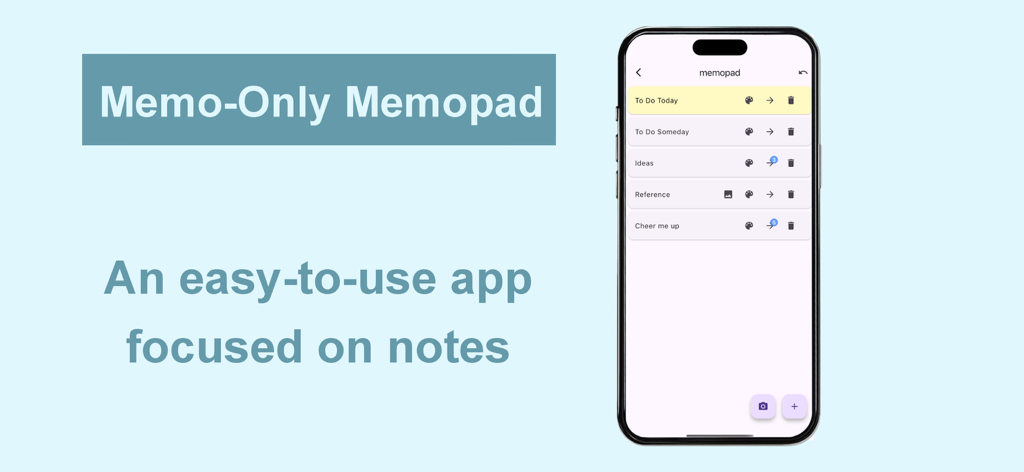
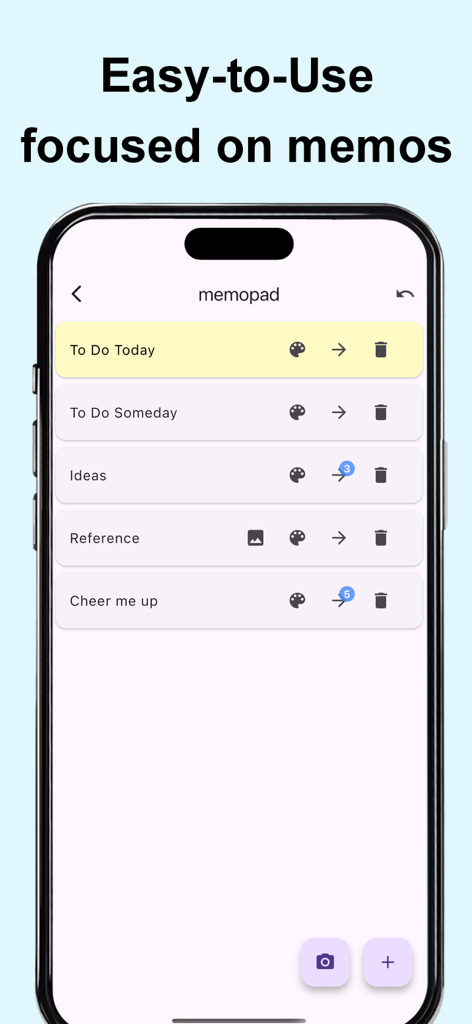
Memo-Only Memopad app interface showing a list of organized note categories on an iPhone

Memo-Only Memopad app interface showing a list of organized note categories on an iPhone

Minimalist user interface of the Memo-Only Memopad app showing a list of categorized and color-coded notes on a smartphone screen.

Minimalist user interface of the Memo-Only Memopad app showing a list of categorized and color-coded notes on a smartphone screen.

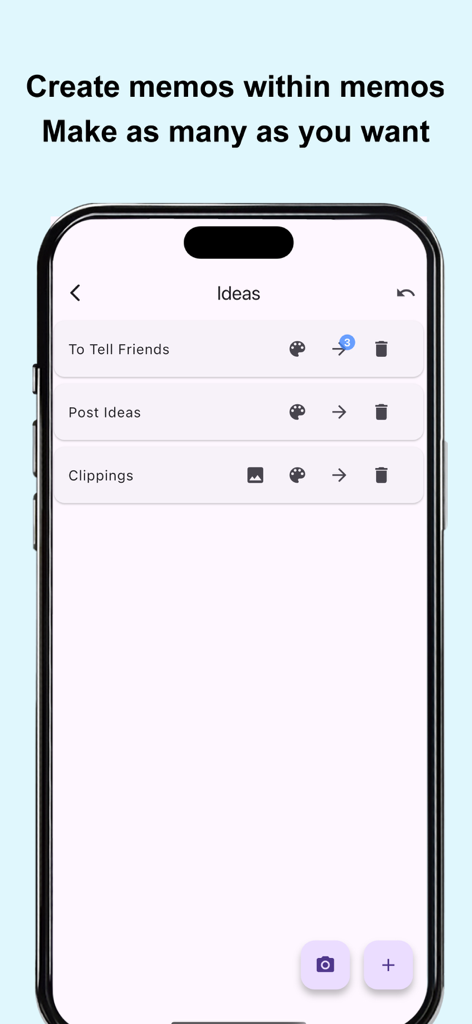
Screenshot of the Memo-Only Memopad app interface showing nested folder organization and hierarchical memo lists

Screenshot of the Memo-Only Memopad app interface showing nested folder organization and hierarchical memo lists

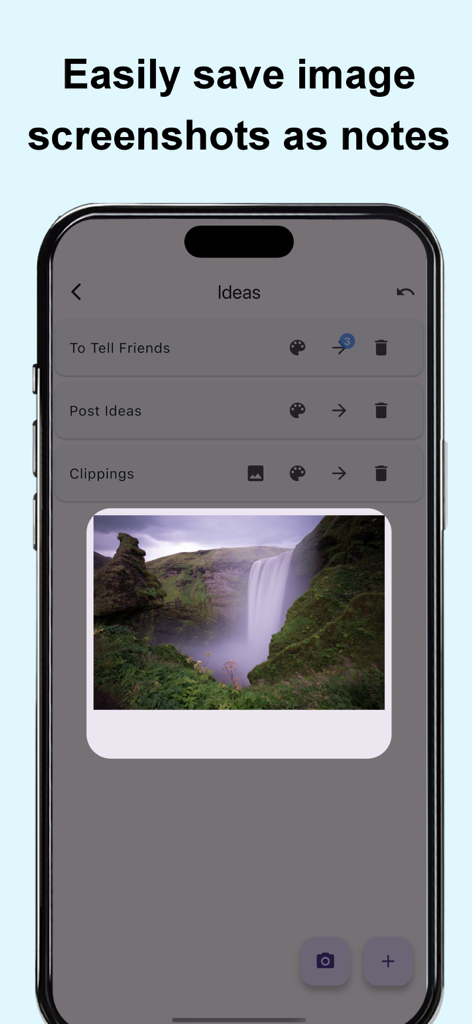
Smartphone screen showing the Memo-Only Memopad app with a waterfall image saved as a visual note

Smartphone screen showing the Memo-Only Memopad app with a waterfall image saved as a visual note

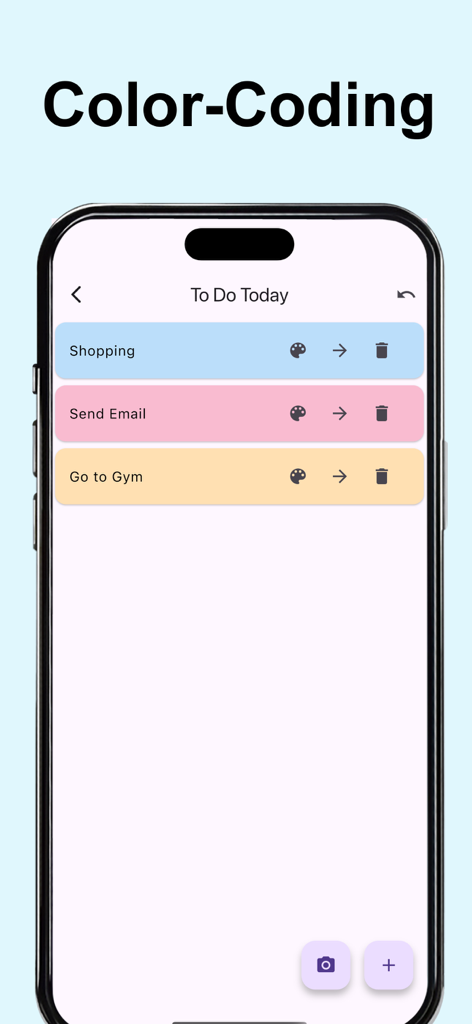
A mobile screen showing color coded notes and to-do lists in the Memo-Only Memopad app

A mobile screen showing color coded notes and to-do lists in the Memo-Only Memopad app

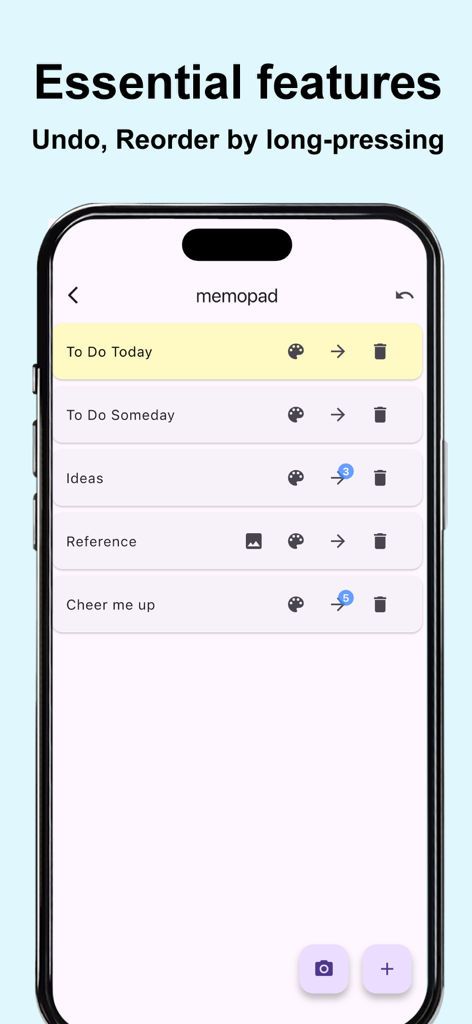
Minimalist interface of Memo-Only Memopad showing a list of memos with undo and reorder features

Minimalist interface of Memo-Only Memopad showing a list of memos with undo and reorder features

Productivity Without the Noise

The tools that make this app stand out, trusted by 600 users.

💸

Pay Once, Own Forever

Escape subscription fatigue with a single one-time purchase. No ads, no monthly hits to your credit card—just your notes.

📂

Master Your Hierarchy

Go beyond flat lists with folder-in-folder organization. Perfect for novelists, students, and project managers who crave structure.

Instant Offline Capture

Zero loading screens and 100% offline functionality. Capture thoughts instantly on the subway, in the air, or on the go.

About the app

Everything you need to know about Memo-Only Memopad.

Description

This simple note app for person who wanted an app focused solely on making note-taking as easy as possible. The key point is its instant clarity and simple usability at a glance, yet it still includes all the essential features you’d expect from a memo app. ■ Memo-Only Memo App Features -Folder-in-folder organization: create memos within child folders, with automatic display of the number of child memos -Undo function: return to your previous action with a single tap -Easily reorder memos by long-pressing and dragging -Create image memos (use the camera or select from your photo library) -Color-code your memos -Autosave -Works offline—even without an internet connection -Supports eye-friendly, popular dark mode (automatically applies if your device is set to dark mode) -Lightweight app for fast startup -One-time purchase: no subscriptions or ads ■ Recommended Uses -Quickly jot down your ideas as soon as they come to mind! Use text or camera photos. Categorize freely for easy searching! -Shopping list memos: color-code items as you buy them! -To-do lists: create today’s or this week’s to-dos, easily categorize by type! Mark completed tasks with colors! -Save screenshots of news you see while browsing on your phone! -List memorable quotes by person for quick reference and motivation! -Draft notes for essays or novels—easy to reorder and organize! -Brainstorm ideas like sticking sticky notes—perfect for planning sessions! -Create separate memo folders for each person you interact with—use as a topic notebook for friends or family! -Perfect as a flashcard app for students or professionals: write the question on the memo, the answer in a child memo, and color memos as you master them for a sense of achievement! -Daily ranking check: record as text or screenshot! ■ How to Use ▶ Creating Memos -Tap the + icon at the bottom right to create a text memo. -Tap the camera icon at the bottom right to take a photo or select one from your album to create an image memo. ▶ Operating Memos -Tap memo text to edit. -Use the icons on the right to “Change color,” “Move to child folder,” or “Delete.” -For image memos, an image icon will appear—tap it to view the saved image. -The number of child memos is shown as a number on the arrow to the child folder. ▶ Undo Action -Use the Undo button at the top right to return to your previous action—rest easy, even if you delete something by mistake!

Latest Version

1.0.6

Size

24.5 MB

First Released

Jun 10, 2025

Ready to Reclaim Your Focus?

Join thousands of organized minimalists who have said goodbye to subscription fatigue. Get instant, ad-free note-taking with a single one-time purchase. Your ideas, your folders, yours forever.

Download on App Store

App information, icons, screenshots, and descriptions displayed on this page are sourced from the Apple App Store and are the property of their respective developers. Download estimates and rankings are based on MWM's proprietary models and may not reflect actual figures. This page is provided for informational and analytical purposes only.

Believe this page infringes your intellectual property? File a dispute