
This page is not an official page of the app or its developer, but an independent editorial publication created for informational and commentary purposes. Unless expressly stated otherwise, neither the app nor its developer is affiliated with, endorsed by, sponsored by, authorized by, or otherwise officially connected with MWM, Apple, Google Play, the app publisher, or the app's developer, and nothing on this page implies that the app was developed using MWM's services. Any trademarks, logos, screenshots, and other content remain the property of their respective owners.


Metropolis: Remarkable Parking
Skip the kiosks and lost tickets. Just drive in and drive out with the most advanced, automated parking experience built for the modern professional.
Downloads
1M+User Rating
Total Ratings
44K+Publisher
Category
NavigationLocales
1Latest Version
3.0.3Size
51.2 MBFirst Released
Mar 29, 2021Parking Reimagined for the Modern Driver
Say goodbye to kiosks, tickets, and lost time. Experience the world's fastest parking technology designed to keep you moving without the friction.
Drive In, Drive Out
No more windows down or fumbling with kiosks. Our computer vision technology recognizes your plate instantly for a completely hands-free experience.
Total Price Transparency
View rates and price estimates before you arrive. Receive automated receipts after every visit to make expense tracking or personal budgeting effortless.
Frequently Asked Questions
Everything you need to know about Metropolis: Remarkable Parking
How do I use the Metropolis app for parking?
Yes, Metropolis simplifies parking by letting you drive in and drive out. Sign up with your license plate and payment method, then just drive into any Metropolis location to start your visit.
Does Metropolis display parking rates before I park?
Yes, Metropolis provides transparent pricing. You can view parking rates and price estimates directly in the app before you park. The estimated total cost is also visible during your parking session.
How does Metropolis automatically process parking payments?
You pay automatically with Metropolis by simply driving out of the parking location. The app processes the payment using your saved method and sends you a receipt after each completed visit.
Can I get discounts on parking with Metropolis?
Yes, Metropolis offers discounts. You can find free or discounted parking by scanning a QR code at participating retailers. The app immediately applies the discount to your parking price.
Can I extend my parking time remotely with Metropolis?
Yes, you can extend your parking stay remotely using the Metropolis app. Once your visit has begun, access the app to add more time to your current parking session.
Which cities currently support Metropolis parking services?
Metropolis operates in numerous US cities, including Nashville, Houston, Los Angeles, Detroit, Austin, Roanoke, Knoxville, Denver, and New York. The app lists all available locations.
Is the Metropolis app compatible with rental vehicles?
Yes, Metropolis supports rental cars. You add the rental vehicle to your account, specify an end date for its use, and the app automatically removes it from your profile afterward.
Does Metropolis provide receipts for parking sessions?
Yes, Metropolis provides a receipt after every parking visit. You can also access your complete parking history and all past receipts within the app at any time.
The following screenshots and description are sourced directly from the app's official store listing and are the property of the app developer.
App Store
Screenshots
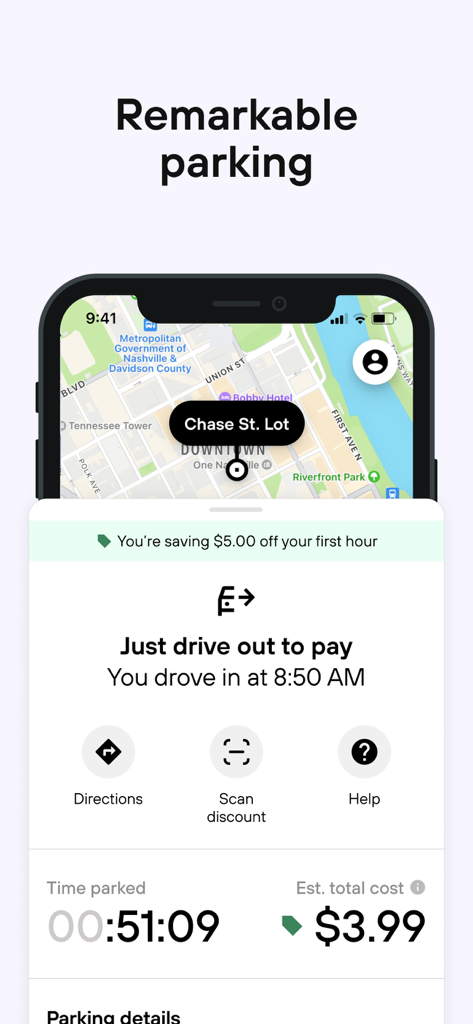
Mobile app interface for Metropolis showing an active parking session with the drive out to pay feature.
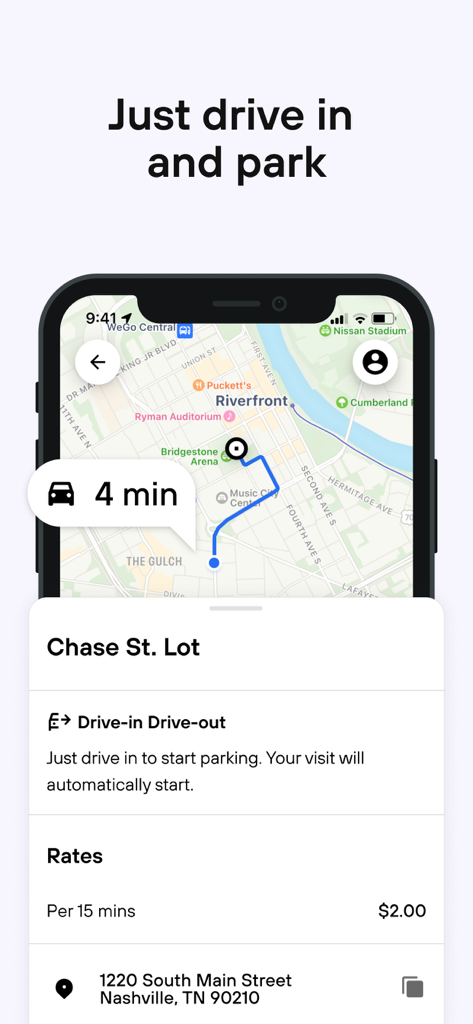
Metropolis app screen showing a map route to a parking lot and pricing details
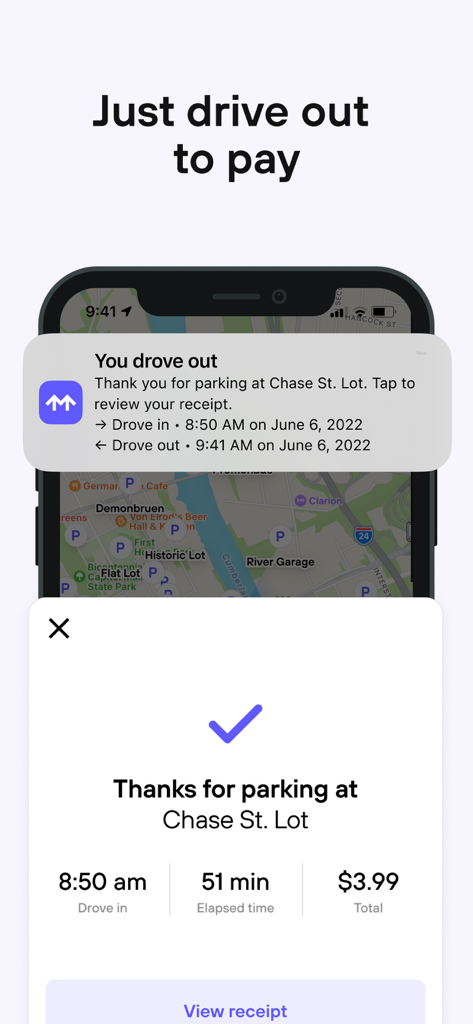
Metropolis app interface showing automated drive-out payment confirmation and parking visit summary
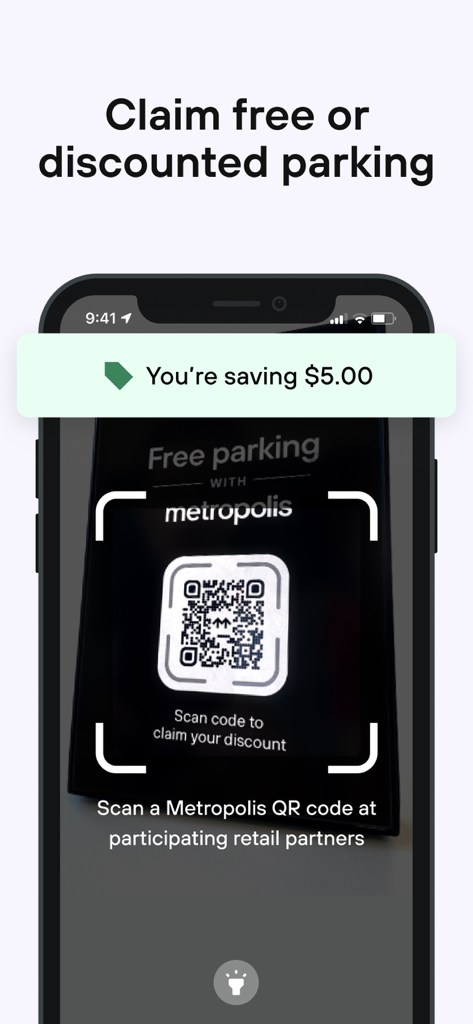
Metropolis app interface showing how to scan a QR code at a retail partner to claim a parking discount.
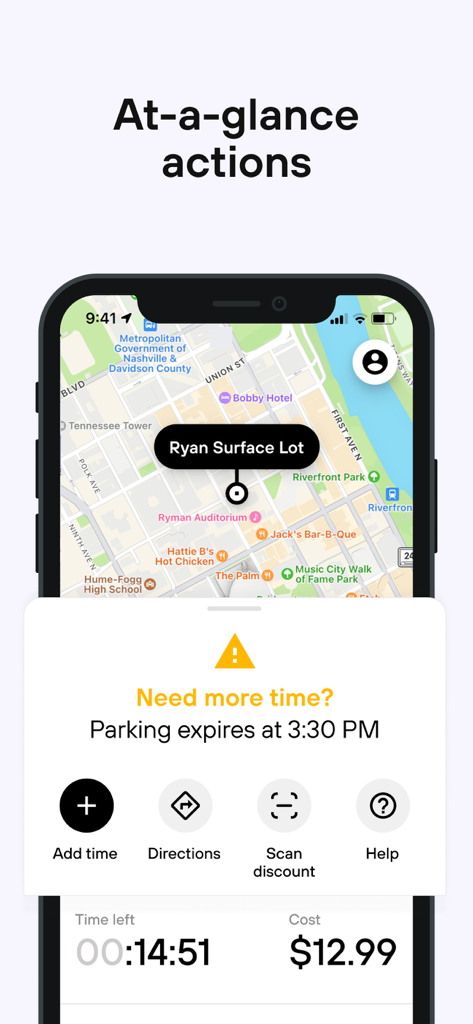
Metropolis app screen showing parking session details and time extension options
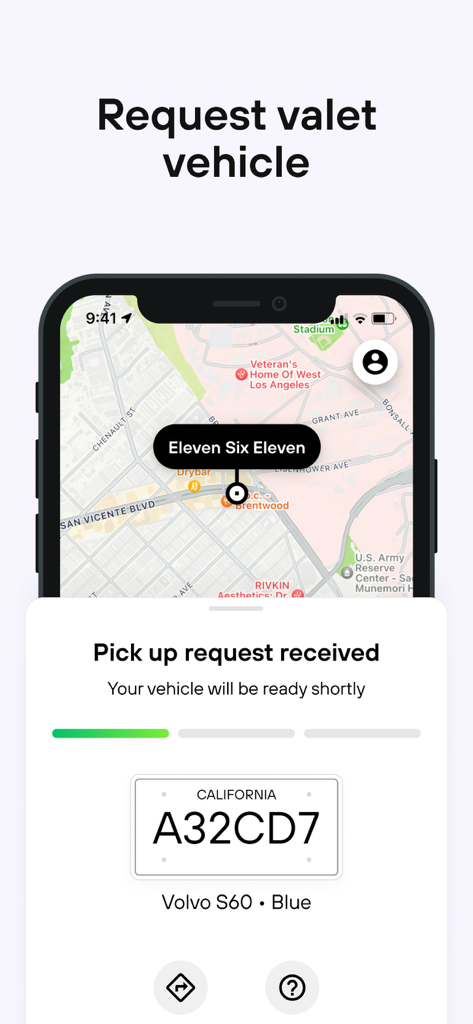
Metropolis mobile app screen showing a valet vehicle pickup request with a California license plate and map location
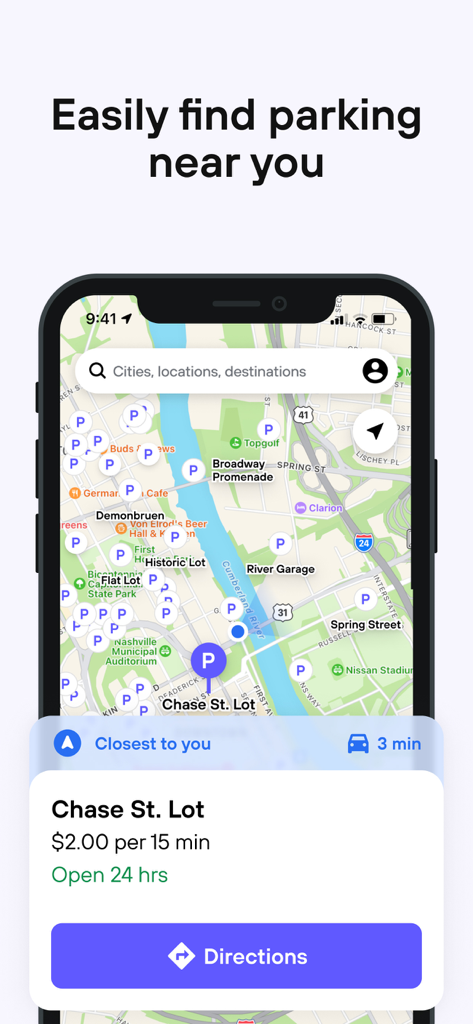
Metropolis app screen showing a map of nearby parking locations with rates and directions
Description
Download
More Like This
Apps with similar features and user experience

ParkMobile: Park. Pay. Go.
Parkmobile USA, Inc

EasyPark - Parking made easy
Easy Park AS

SpotHero: #1 Rated Parking App
SpotHero, Inc.

ParkWhiz - #1 Parking App
ParkWhiz, Inc.

RingGo: Mobile Car Parking App
RingGo Ltd

Mobicité
Agence de mobilite durable de Montreal

HandyParken München
SWM Services GmbH

Parking Kitty
City of Portland

ParkHouston
Parkmobile USA, Inc
This page is not an official page of the app or its developer, but an independent editorial publication created for informational and commentary purposes. Unless expressly stated otherwise, neither the app nor its developer is affiliated with, endorsed by, sponsored by, authorized by, or otherwise officially connected with MWM, Apple, Google Play, the app publisher, or the app's developer, and nothing on this page implies that the app was developed using MWM's services. Any trademarks, logos, screenshots, and other content remain the property of their respective owners.