
This page is not an official page of the app or its developer, but an independent editorial publication created for informational and commentary purposes. Unless expressly stated otherwise, neither the app nor its developer is affiliated with, endorsed by, sponsored by, authorized by, or otherwise officially connected with MWM, Apple, Google Play, the app publisher, or the app's developer, and nothing on this page implies that the app was developed using MWM's services. Any trademarks, logos, screenshots, and other content remain the property of their respective owners.


ParkHouston
Skip the meter and manage your session from your phone. Whether you are commuting downtown or heading to a game, reserve spots in advance and extend your time remotely to avoid tickets.
Downloads
585K+User Rating
Total Ratings
7K+Publisher
Category
NavigationLocales
2Latest Version
25.22.0Size
77.7 MBFirst Released
May 5, 2017Park Like a Pro in Houston and Beyond
Experience frictionless parking with remote payments, instant extensions, and nationwide reservations—designed for the modern urban driver.
Skip the Meter, Stay in Control
Pay for street or garage parking directly from your phone. Receive expiration alerts and extend your time remotely to avoid costly tickets.
Reserve Your Spot in Advance
Take the stress out of event days. Book your parking ahead of time for sports, concerts, or airport trips to guarantee your space.
Frequently Asked Questions
Everything you need to know about ParkHouston
What is the ParkHouston app used for?
The ParkHouston app, powered by ParkMobile, enables users to easily pay for on-street and off-street parking and reserve parking spots in advance directly from their mobile device.
How do I pay for parking using the ParkHouston app?
To pay for parking with the ParkHouston app, enter the zone number from posted signs, select your desired parking duration, confirm the information, and tap “Start Parking”.
Can I extend my parking session with the ParkHouston app?
Yes, you can extend your parking duration remotely from the ParkHouston app. It also provides alerts to notify you before your parking session expires.
Where can I use the ParkHouston app besides Houston?
The ParkHouston app can be used in over 500 other cities across the country, including Boston, San Francisco, Washington, D.C., Atlanta, Chicago, and Miami, and over 3000 locations nationwide.
How do I set up my account in the ParkHouston app?
To set up your ParkHouston app account, download the app, create an account with your email and password, enter your license plate number and state, then add your method of payment.
What payment methods does the ParkHouston app accept?
The ParkHouston app accepts multiple payment methods. Specific accepted methods include American Express, Visa, Discover, and PayPal.
Can I reserve parking spots in advance with the ParkHouston app?
Yes, the ParkHouston app allows you to reserve parking spots ahead of time. You search for the area, select the location, choose the date/time, and complete your reservation.
Does the ParkHouston app provide directions to my reserved parking spot?
Yes, the ParkHouston app provides turn-by-turn directions to the parking garage where you have reserved your spot.
How many vehicles can I store in my ParkHouston app account?
The ParkHouston app allows you to store up to five cars in your account for convenient parking management.
What if I need customer service for the ParkHouston app?
ParkMobile provides 24/7/365 customer service for the ParkHouston app. You can get in touch via web, email at helpdesk@ParkMobile.io, their online help center, video tutorials, Twitter, or Facebook.
The following screenshots and description are sourced directly from the app's official store listing and are the property of the app developer.
App Store
Screenshots
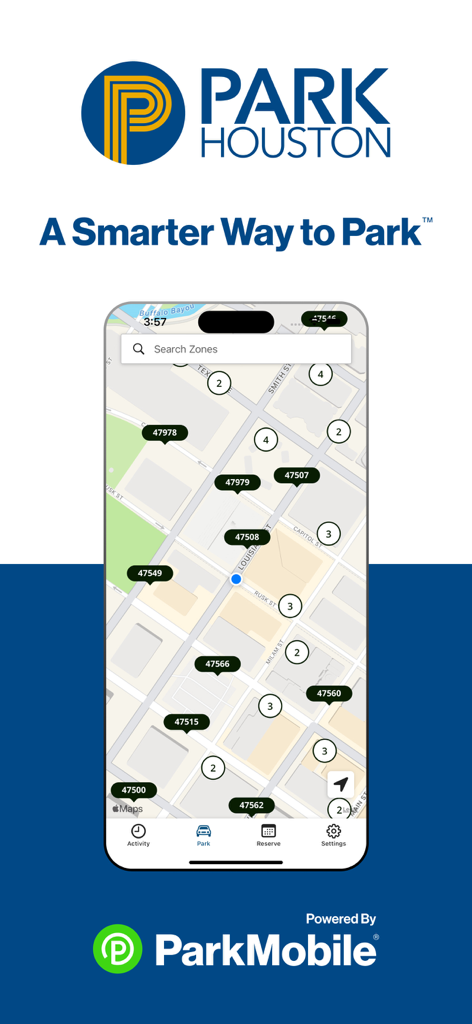
ParkHouston app interface showing a map of city parking zones and search feature
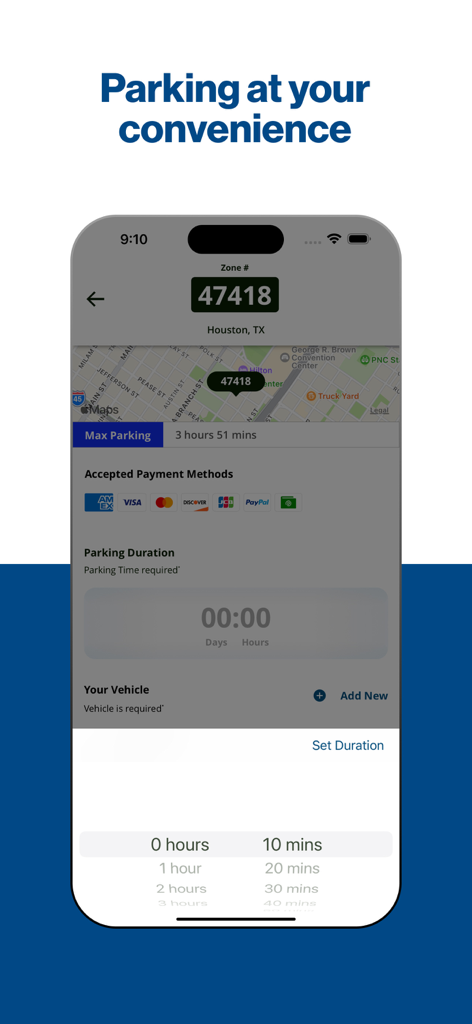
Smartphone screen of the ParkHouston app showing a map of Houston and a parking duration selector
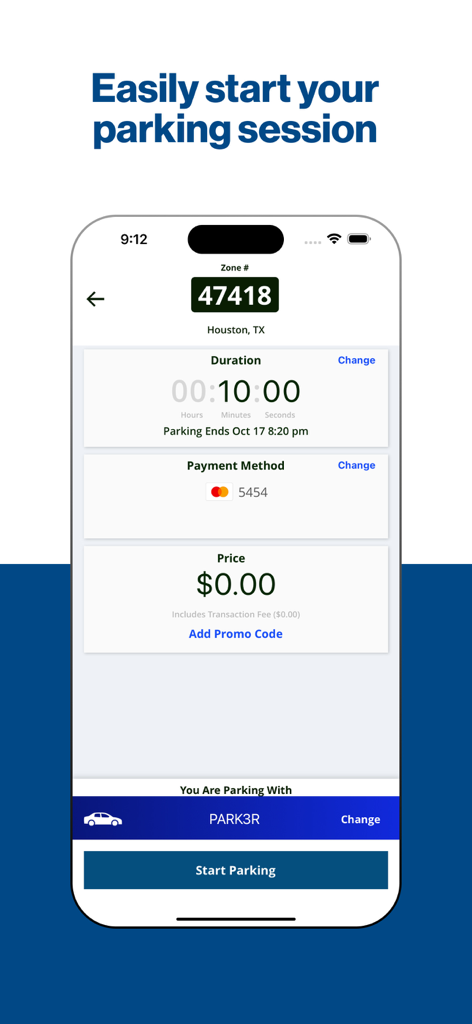
ParkHouston app interface for starting a parking session showing zone number duration and payment method
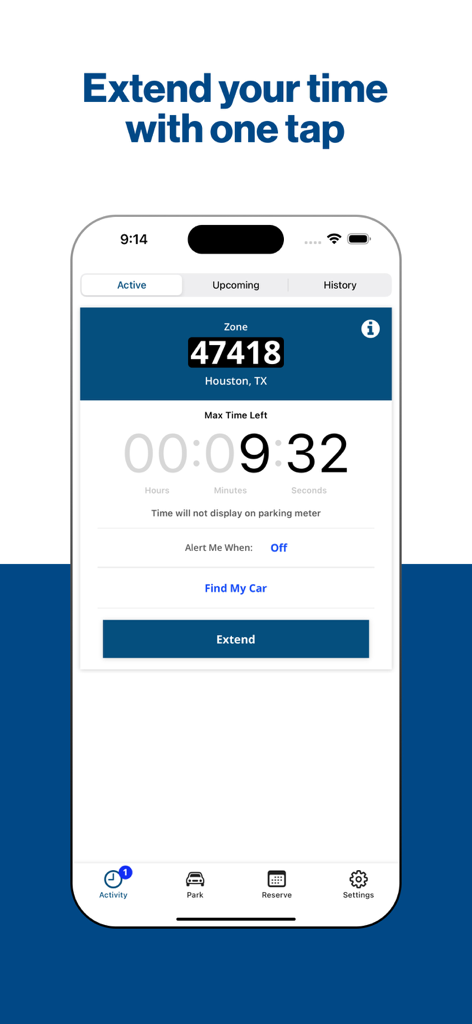
ParkHouston app screen showing a countdown timer for an active parking session and a button to extend the time.
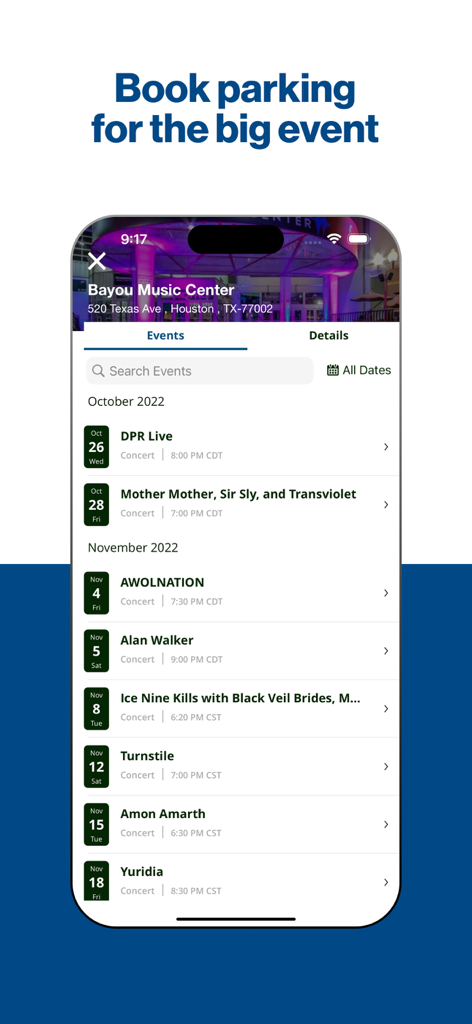
ParkHouston app interface displaying a list of upcoming events at Bayou Music Center for parking reservations
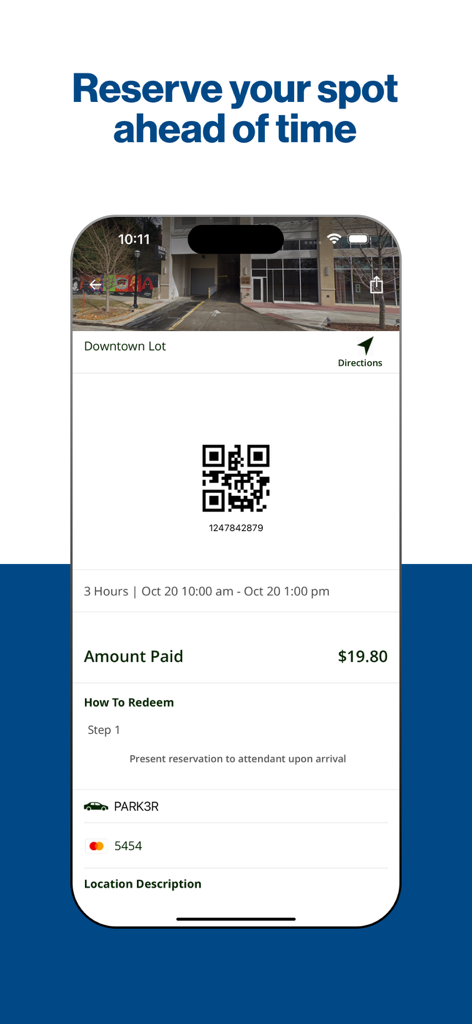
ParkHouston app screen showing a parking reservation confirmation with a QR code and payment details for a downtown lot
Description
Download
More Like This
Apps with similar features and user experience

ParkMobile: Park. Pay. Go.
Parkmobile USA, Inc

EasyPark - Parking made easy
Easy Park AS

SpotHero: #1 Rated Parking App
SpotHero, Inc.

ParkWhiz - #1 Parking App
ParkWhiz, Inc.

Metropolis: Remarkable Parking
Metropolis Technologies, Inc.

RingGo: Mobile Car Parking App
RingGo Ltd

Mobicité
Agence de mobilite durable de Montreal

HandyParken München
SWM Services GmbH

Parking Kitty
City of Portland
This page is not an official page of the app or its developer, but an independent editorial publication created for informational and commentary purposes. Unless expressly stated otherwise, neither the app nor its developer is affiliated with, endorsed by, sponsored by, authorized by, or otherwise officially connected with MWM, Apple, Google Play, the app publisher, or the app's developer, and nothing on this page implies that the app was developed using MWM's services. Any trademarks, logos, screenshots, and other content remain the property of their respective owners.