
This page is not an official page of the app or its developer, but an independent editorial publication created for informational and commentary purposes. Unless expressly stated otherwise, neither the app nor its developer is affiliated with, endorsed by, sponsored by, authorized by, or otherwise officially connected with MWM, Apple, Google Play, the app publisher, or the app's developer, and nothing on this page implies that the app was developed using MWM's services. Any trademarks, logos, screenshots, and other content remain the property of their respective owners.

Mic to Speaker - Virtual Mic
It grants users immediate broadcast power, transforming a mobile device into a potent audio tool.
Downloads
1M+User Rating
Total Ratings
6.1KPublisher
Category
MusicLocales
99Latest Version
2026.02.13Size
107.7 MBFirst Released
May 23, 2020Evaluating key functionalities and their impact for tech-savvy content creators and communicators.
Analysis of 'Mic to Speaker - Virtual Mic' Core Features
Live Microphone Functionality
The app provides instant transformation of a mobile device into a live microphone, connecting to any speaker for clear audio output, which is ideal for various live communication needs.
Cost-Effective Audio Solution
This tool eliminates the need for expensive, dedicated microphone hardware by leveraging existing mobile devices to provide a high-quality and versatile audio input solution.
Seamless Device Integration & Ease of Use
It features a straightforward setup with one-tap activation and reliable operation in the background or with a locked screen, supporting quick connections via Bluetooth, AirPlay, or physical cables.
Real-time Audio Enhancement & Effects
The app allows users to enhance their voice with real-time adjustments for echo, reverb, bass, and treble, providing professional-sounding audio for live streams, calls, and recordings.
Comprehensive Audio Configuration
This tool offers detailed control over audio settings, including volume levels, sound quality, microphone selection, and output formats (MP3, WAV, M4A), catering to advanced user preferences.
Automatic Session Recording & Management
It automatically saves every audio session, enabling users to listen back, edit, trim, and share recordings, or export them for further production and archival purposes.
Broad Speaker & Device Compatibility
The app ensures versatile connectivity with virtually any speaker system, including Bluetooth, AirPlay, wired connections, home stereos, and car audio systems, maximizing its utility.
Flexible Recording Storage & Sharing
It provides multiple options for saving and sharing recordings, including direct device storage and seamless integration with popular cloud services like iCloud Drive, Dropbox, and Google Drive.
Frequently Asked Questions
Everything you need to know about Mic to Speaker - Virtual Mic
How does the Mic to Speaker - Virtual Mic app function as a live microphone?
The Mic to Speaker app functions by connecting your device to a speaker via Bluetooth, AirPlay, or cable. Tapping the screen activates the microphone, and your voice plays through the speaker, even when the screen is locked.
Can the Mic to Speaker app connect to Bluetooth speakers?
Yes, the Mic to Speaker app connects to Bluetooth speakers and headphones. It also supports AirPlay devices, wired speakers, home stereo, and car audio systems for output.
Does Mic to Speaker - Virtual Mic automatically record audio sessions?
Yes, the Mic to Speaker app automatically saves every recording session. Users can listen back, edit, trim, share, and export these recordings after they are captured.
What sound effects are available in the Mic to Speaker app?
The Mic to Speaker app provides echo and reverb effects. Users can also adjust bass, treble, and voice volume (louder or softer) in real-time to enhance their sound.
Is my privacy protected when using Mic to Speaker - Virtual Mic?
Yes, the Mic to Speaker app protects user privacy. Your recordings stay on your phone or personal cloud storage, and the app does not collect or share your data.
Can I edit recordings within the Mic to Speaker app?
Yes, the Mic to Speaker app allows users to edit and trim recordings. You can also share them with friends, export to your computer, and convert or transcribe them.
What cloud storage options are supported for Mic to Speaker recordings?
The Mic to Speaker app supports saving recordings to iCloud Drive, Dropbox, and Google Drive. Users also have the option to keep all recordings directly on their phone.
Can Mic to Speaker - Virtual Mic operate when the screen is locked?
Yes, the Mic to Speaker app works even when your device screen is locked. It operates in the background, allowing continuous microphone use without an active display.
What specific devices does Mic to Speaker - Virtual Mic require to function?
Mic to Speaker - Virtual Mic requires an iPhone or iPad with a microphone, along with a speaker or headphones for audio output. These are the only components needed.
Can I adjust the recording quality in the Mic to Speaker app?
Yes, the Mic to Speaker app allows users to choose sound quality and select their audio format (MP3, WAV, M4A). It also offers control over volume levels and microphone selection.
The following screenshots and description are sourced directly from the app's official store listing and are the property of the app developer.
App Store
Screenshots
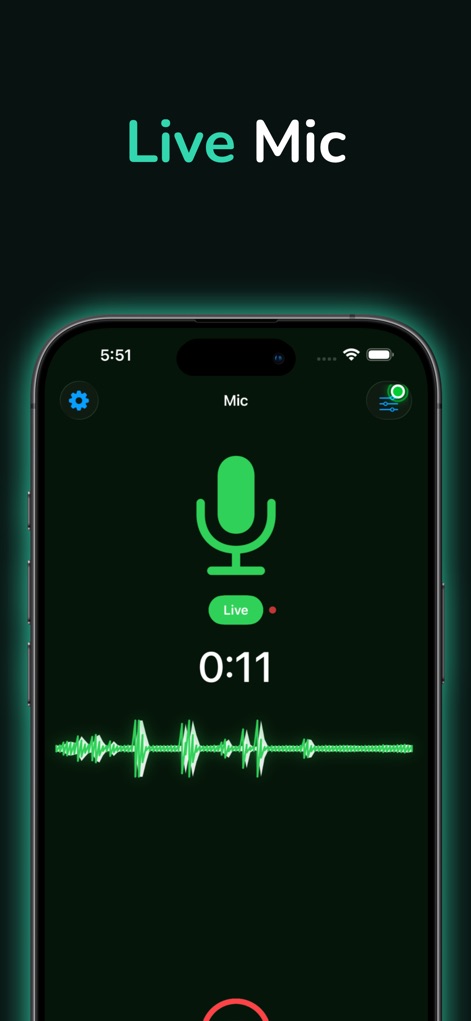
This tool's intuitive live microphone interface is displayed, featuring a dynamic real-time waveform and quick access to essential audio settings.
Live Mic Interface
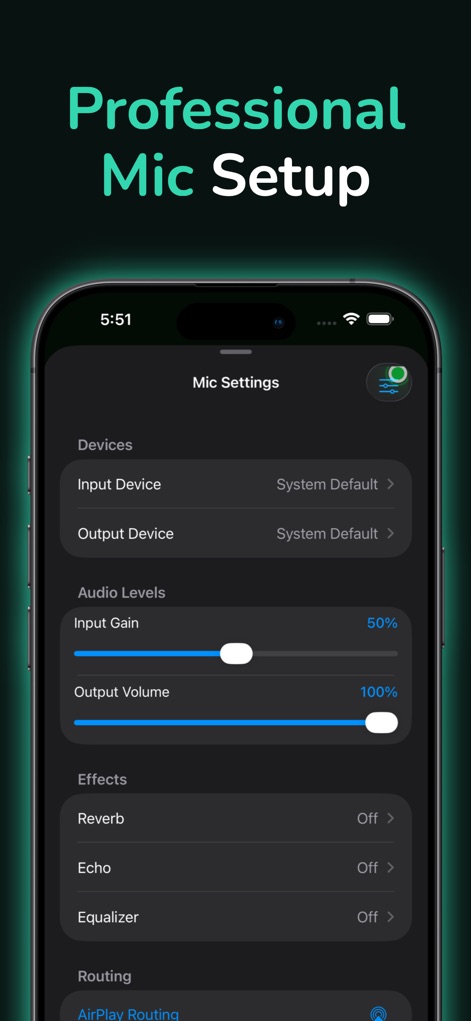
Users can fine-tune their audio experience through detailed mic settings, adjusting precise input gain levels and activating advanced effects like Reverb and Echo.
Mic Customization Hub
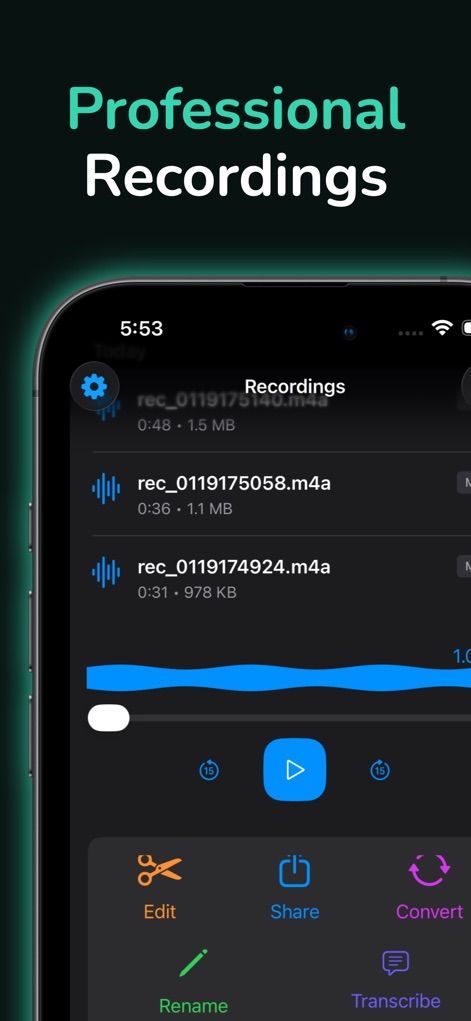
The app provides a comprehensive overview of saved recordings, allowing users to effortlessly manage individual audio files and access powerful editing and sharing options.
Recording Management
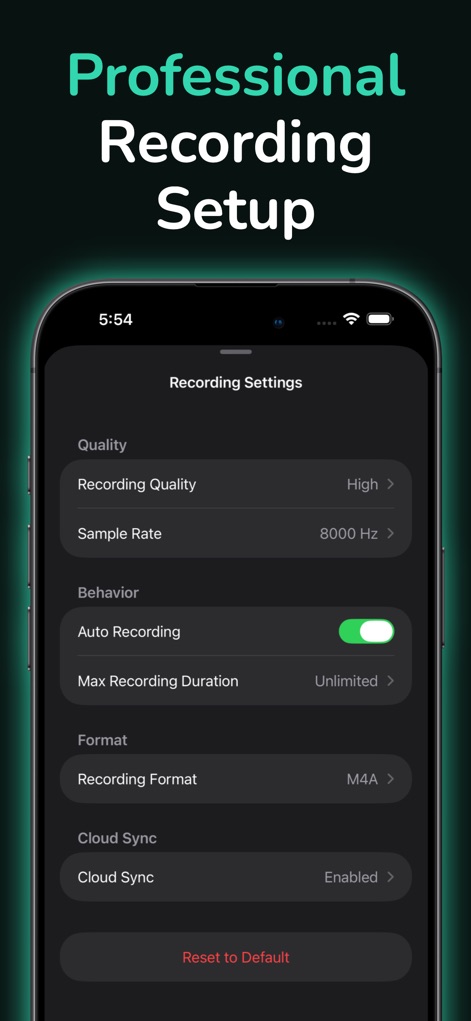
This screen empowers users with advanced control over recording parameters, including configurable recording quality and convenient automatic cloud synchronization options.
Advanced Recording Controls
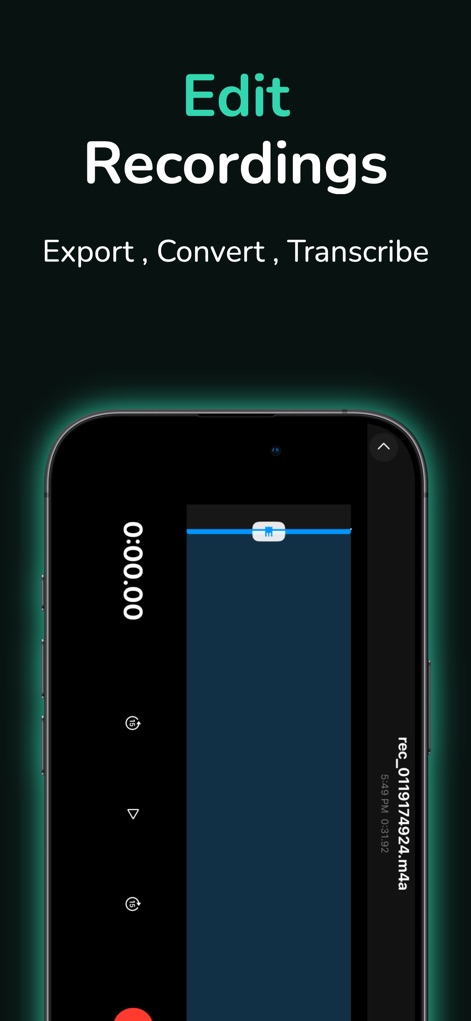
This tool features a dedicated audio editor, allowing for precise trimming of recorded audio segments and offering options for quick export and format conversion.
Precision Audio Editor
Description
Download
More Like This
Apps with similar features and user experience
This page is not an official page of the app or its developer, but an independent editorial publication created for informational and commentary purposes. Unless expressly stated otherwise, neither the app nor its developer is affiliated with, endorsed by, sponsored by, authorized by, or otherwise officially connected with MWM, Apple, Google Play, the app publisher, or the app's developer, and nothing on this page implies that the app was developed using MWM's services. Any trademarks, logos, screenshots, and other content remain the property of their respective owners.