
This page is not an official page of the app or its developer, but an independent editorial publication created for informational and commentary purposes. Unless expressly stated otherwise, neither the app nor its developer is affiliated with, endorsed by, sponsored by, authorized by, or otherwise officially connected with MWM, Apple, Google Play, the app publisher, or the app's developer, and nothing on this page implies that the app was developed using MWM's services. Any trademarks, logos, screenshots, and other content remain the property of their respective owners.


Microphone Live
Audio control: Users gain instant mastery over their sound environment.
Downloads
2.5M+User Rating
Total Ratings
5.5KPublisher
Category
MusicLocales
1Latest Version
3.9Size
51.7 MBFirst Released
Jan 18, 2016An Analytical Overview for Diverse Audio Needs
Key Features of Microphone Live
Live Microphone Access
The app provides low-latency audio monitoring through the device's built-in or external microphones, essential for real-time amplification and sound processing.
Live Broadcast Functionality
It allows users to transform their iOS device into a portable public address (PA) system, ideal for events, classrooms, and live performances.
Wireless Audio Streaming
This tool features the ability to stream live microphone audio wirelessly to Bluetooth headphones, earbuds, or speakers, enhancing flexibility for announcements and personal amplification.
Advanced Audio Controls
The app offers real-time audio processing capabilities including compression for smoother sound, pitch shifting, reverb for ambiance, and a Parametric EQ for precise frequency adjustments.
Real-time Decibel Meter
It includes a real-time dB meter to monitor input levels, assisting users with volume awareness and facilitating accurate sound checks.
Microphone Polar Pattern Selection
This tool enables the selection of various microphone polar patterns (e.g., cardioid, omnidirectional) to optimize sound pickup based on the user's environment.
Frequently Asked Questions
Everything you need to know about Microphone Live
What is Microphone Live?
Microphone Live transforms an iOS device into a real-time microphone with advanced features. It enhances hearing, facilitates speaking through Bluetooth speakers, and offers various audio effects.
Can Microphone Live stream audio wirelessly?
Yes, Microphone Live streams live microphone audio wirelessly to Bluetooth headphones, earbuds, or wireless speakers. It supports uses like live announcements and personal amplification.
What professional audio controls does Microphone Live offer?
Microphone Live offers professional audio controls including real-time compression, pitch shifting, reverb, and Parametric EQ. These features allow for precise sound adjustments.
Does Microphone Live include a decibel meter?
Yes, Microphone Live includes a real-time dB meter to monitor live input levels. This feature aids in volume awareness and accurate sound checks.
Can Microphone Live adjust microphone polar patterns?
Yes, Microphone Live allows selection from available microphone polar patterns like cardioid and omnidirectional. This feature optimizes sound pickup based on the environment.
Can Microphone Live function as a PA system?
Yes, Microphone Live functions as a live broadcast tool, transforming an iOS device into a personal PA system. It is ideal for events, classrooms, or performances.
How many users trust Microphone Live?
Yes, Microphone Live is trusted by 4.2 million users. It is recognized as the #1 Microphone & Broadcast App.
Does Microphone Live enhance hearing?
Yes, Microphone Live enhances hearing. It utilizes the device's microphone to allow users to focus on specific sounds they wish to hear.
Does Microphone Live offer premium features?
Yes, Microphone Live has premium features. Examples include advanced compressor controls and full parametric EQ adjustments, indicated by 'Premium' labels in the UI.
Where can I find the Terms of Use for Microphone Live?
The Terms of Use for Microphone Live are accessible via the provided legal link: https://www.apple.com/legal/internet-services/itunes/dev/stdeula/.
The following screenshots and description are sourced directly from the app's official store listing and are the property of the app developer.
App Store
Screenshots
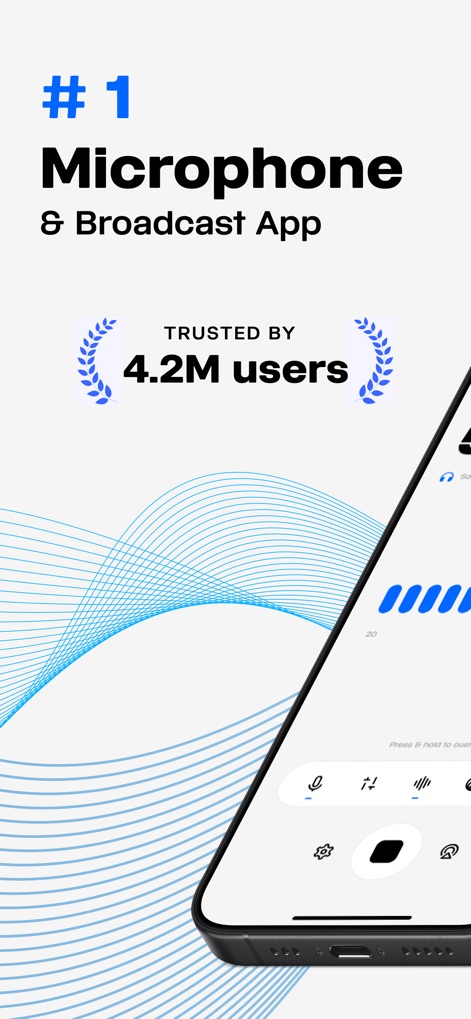
Explore the app's clean user interface and the intuitive navigation bar, trusted by over 4.2 million users for its performance.
App Interface Preview

Observe the real-time dB meter for precise sound level awareness and the clear indication of omnidirectional mic pattern.
Live Audio Monitoring

Discover seamless wireless audio output options, including AirPlay and Bluetooth device selection, for versatile broadcasting.
Wireless Broadcast Setup
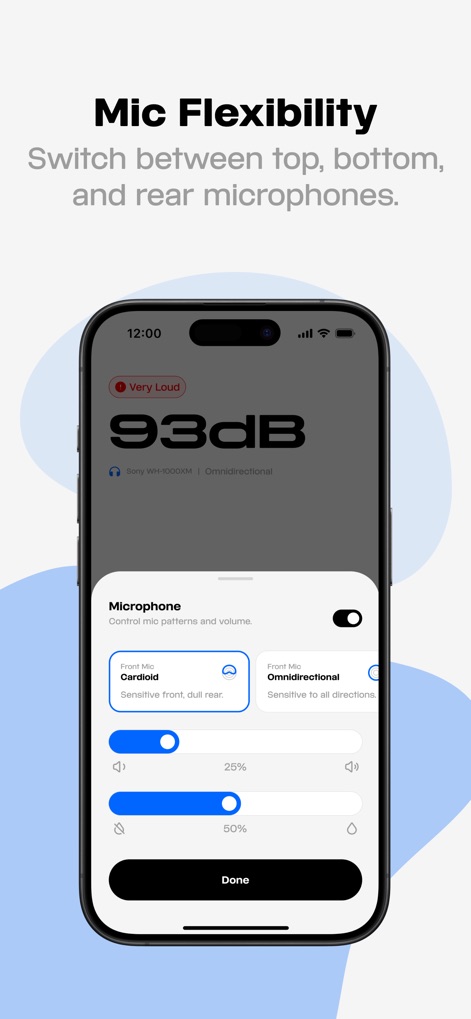
Fine-tune audio input with various microphone polar pattern selections and precise volume control sliders for optimal clarity.
Advanced Mic Controls

Utilize the powerful compressor feature, visualized with a gain reduction graph and adjustable threshold and headroom settings.
Dynamic Range Control

Access the advanced parametric EQ with a responsive graphical display and customizable frequency points for detailed audio shaping.
Precision Frequency Shaping
Description
Download
More Like This
Apps with similar features and user experience


This page is not an official page of the app or its developer, but an independent editorial publication created for informational and commentary purposes. Unless expressly stated otherwise, neither the app nor its developer is affiliated with, endorsed by, sponsored by, authorized by, or otherwise officially connected with MWM, Apple, Google Play, the app publisher, or the app's developer, and nothing on this page implies that the app was developed using MWM's services. Any trademarks, logos, screenshots, and other content remain the property of their respective owners.