Microsoft Lists

Microsoft Lists

Download on App Store
Logo of Microsoft Lists

Microsoft Lists: The smart way to track and manage your team's work.

Stop managing workflows through messy spreadsheets. Create, share, and track issues, assets, and routines on the go with simple, flexible lists that sync seamlessly across the Microsoft 365 ecosystem.

Publisher

Microsoft Corporation

Category

Productivity

Downloads

1M+

User Rating

3.5/5

Total Ratings

1000

Locales

28

Productivity at a Glance

Discover the interface used by 1M+ users.
Microsoft Lists mobile app home screen showing task tracking and project organization

Microsoft Lists mobile app home screen showing task tracking and project organization

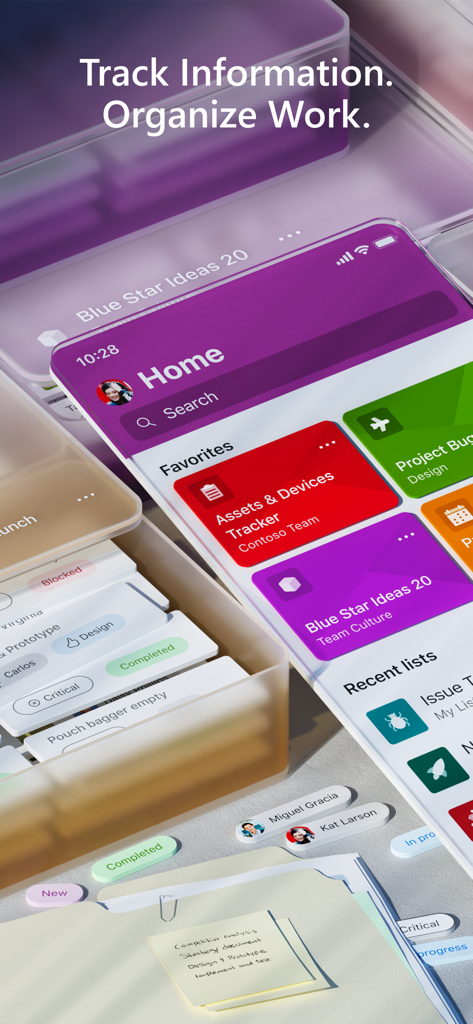
A stylized 3D view of the Microsoft Lists mobile interface showing project tracking cards for assets and vendors

A stylized 3D view of the Microsoft Lists mobile interface showing project tracking cards for assets and vendors

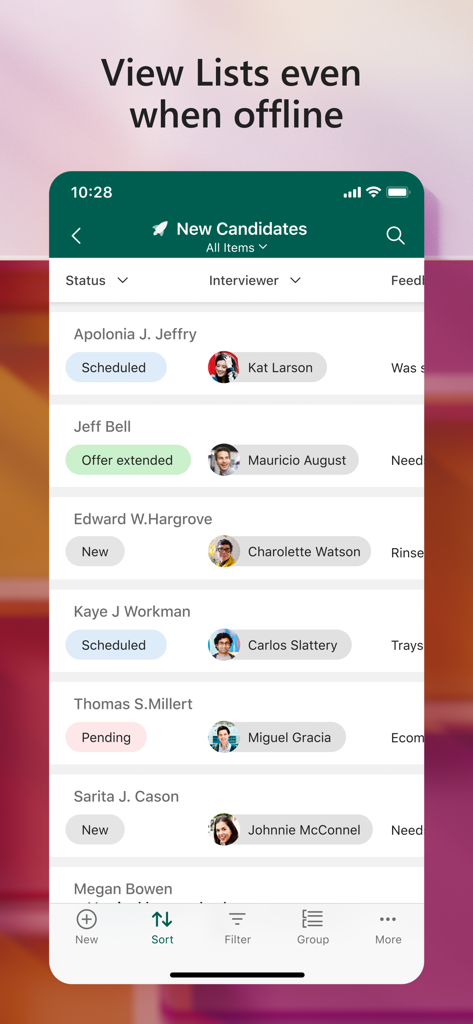
Microsoft Lists mobile interface displaying a recruitment tracker with candidate names and statuses under the heading View Lists even when offline

Microsoft Lists mobile interface displaying a recruitment tracker with candidate names and statuses under the heading View Lists even when offline

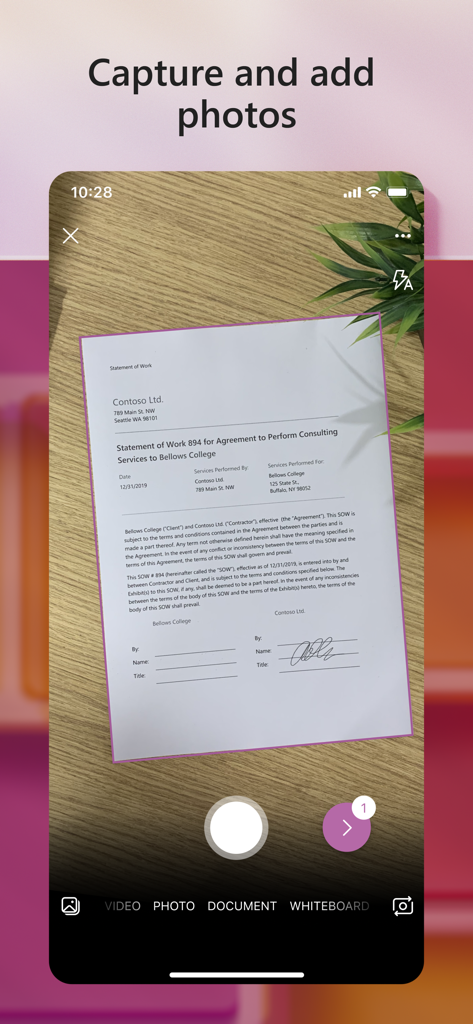
Microsoft Lists mobile app interface capturing a document using a smartphone camera

Microsoft Lists mobile app interface capturing a document using a smartphone camera

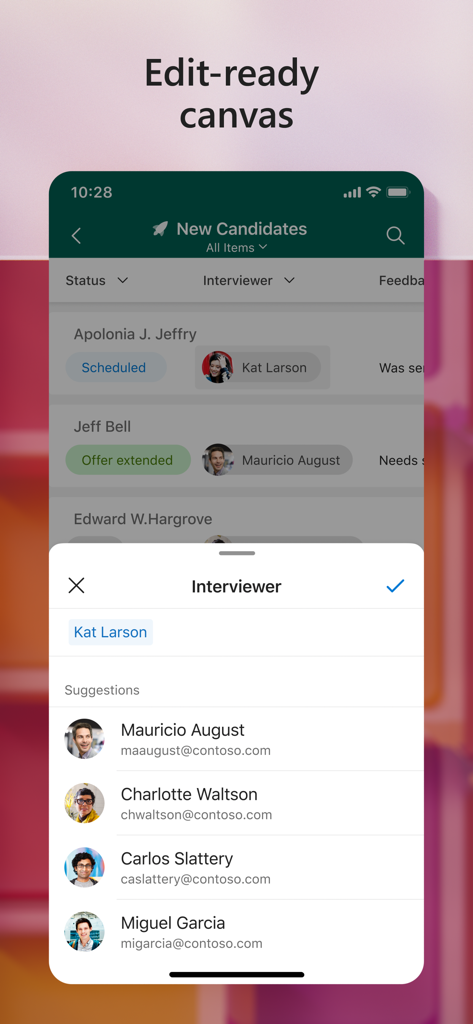
Microsoft Lists app interface displaying recruitment candidate tracking and interviewer assignment.

Microsoft Lists app interface displaying recruitment candidate tracking and interviewer assignment.

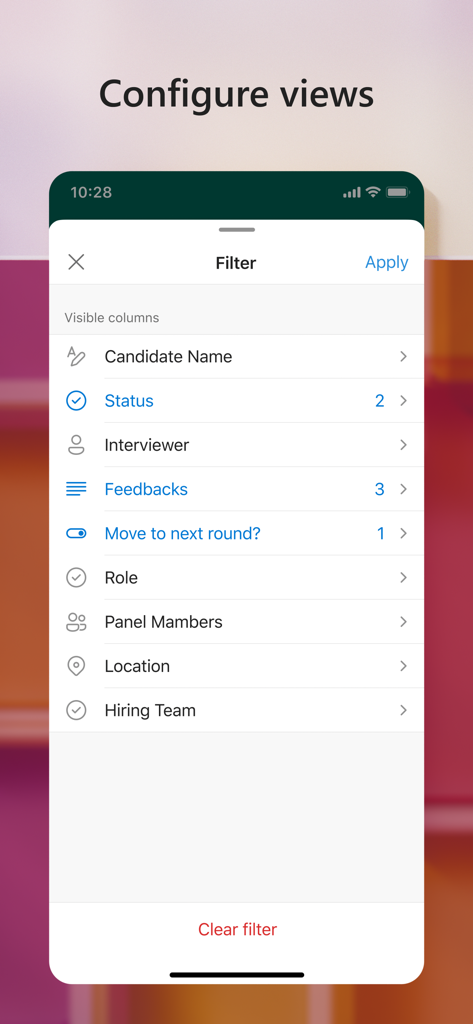
Mobile interface of Microsoft Lists showing filter options for column views

Mobile interface of Microsoft Lists showing filter options for column views

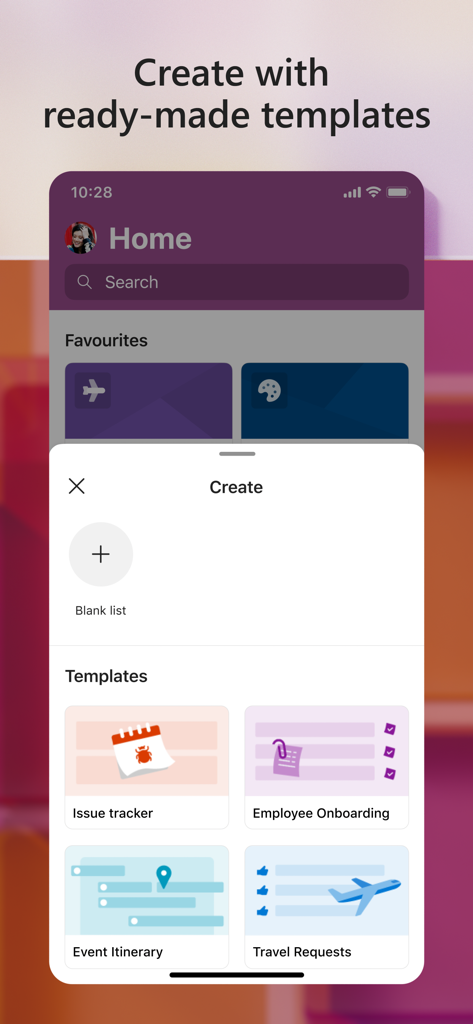
Microsoft Lists app interface showing ready-made templates for issue tracking and employee onboarding.

Microsoft Lists app interface showing ready-made templates for issue tracking and employee onboarding.

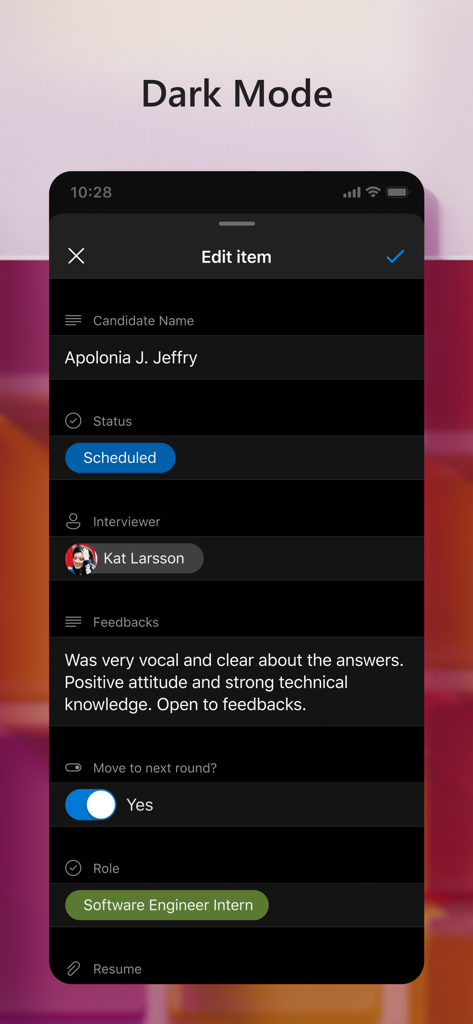
A screenshot of the Microsoft Lists mobile app in dark mode showing an edit screen for a candidate recruitment profile including status and feedback.

A screenshot of the Microsoft Lists mobile app in dark mode showing an edit screen for a candidate recruitment profile including status and feedback.

Maximize Your Operational Efficiency

The tools that make this app stand out, trusted by 1M+ users.

📋

Smart Quick-Start Templates

Deploy ready-made structures for inventory, issue tracking, and routines in seconds, eliminating the need to build tracking systems from scratch.

🛡️

Enterprise-Grade Security

Maintain total peace of mind with built-in compliance and Intune MDM support, ensuring sensitive corporate data remains protected and sanctioned.

🔄

Seamless Ecosystem Sync

Keep your entire team in the loop with instant updates that sync across Microsoft Teams and SharePoint, even when editing lists offline.

About the app

Everything you need to know about Microsoft Lists.

Description

Note: This app will be retired soon. For more details, please visit https://aka.ms/listsmobileapp. Microsoft Lists is a Microsoft 365 app that helps you track information and organize your work. Lists are simple, smart, and flexible, so you can stay on top of what matters most to your team. Track issues, assets, routines, contacts, inventory and more using customizable views to keep everyone in sync. Create, use, and share your information with anyone, anywhere while on the go with a personalized, mobile-first experience. - Track and manage lists wherever you’re working - See recent and favorite lists - View lists even when offline - Edit your lists and list items - Capture and add photos with QR code support - Create, share, and track lists with anyone - Start quickly with ready-made templates - Customize your views using sort, filter, and group by - Dark mode and landscape orientation support - Built-in enterprise-grade data security and compliance - Intune device management support with MDM and MAM policies"

Latest Version

2.30.0

Size

331.4 MB

First Released

Jan 19, 2021

Ready to Organize Your Workday?

Track issues, manage assets, and keep your team in sync with the flexible, secure power of Microsoft Lists—available now for iPhone and iPad.

Download on App Store

App information, icons, screenshots, and descriptions displayed on this page are sourced from the Apple App Store and are the property of their respective developers. Download estimates and rankings are based on MWM's proprietary models and may not reflect actual figures. This page is provided for informational and analytical purposes only.

Believe this page infringes your intellectual property? File a dispute