Mixfader dj app
Mixfader dj app
Download on App Store

This page is not an official page of the app or its developer, but an independent editorial publication created for informational and commentary purposes. Unless expressly stated otherwise, neither the app nor its developer is affiliated with, endorsed by, sponsored by, authorized by, or otherwise officially connected with MWM, Apple, Google Play, the app publisher, or the app's developer, and nothing on this page implies that the app was developed using MWM's services. Any trademarks, logos, screenshots, and other content remain the property of their respective owners.

Logo of Mixfader dj app
Download on App Store

Mixfader dj app

Experience ultra-low latency and authentic vinyl feel on your mobile device. Connect your Mixfader hardware to scratch, mix, and perform with the precision of a physical setup.

Key Figures

Downloads

225K+

User Rating

4.3/5

Total Ratings

100

Publisher

MWM

Category

Music

Locales

2

Latest Version

1.10.00

Size

170.5 MB

First Released

Apr 4, 2016
Features

Professional Turntablism, Portable Power

Unleash your creativity with the first app dedicated to scratching. Engineered specifically for Mixfader hardware to provide a seamless, ultra-low latency experience for pro DJs and enthusiasts alike.

Pro-Grade Latency & Feel

Experience the tactile response of physical turntables with revolutionary ultra-low latency technology that responds instantly to your moves.

Total Technical Control

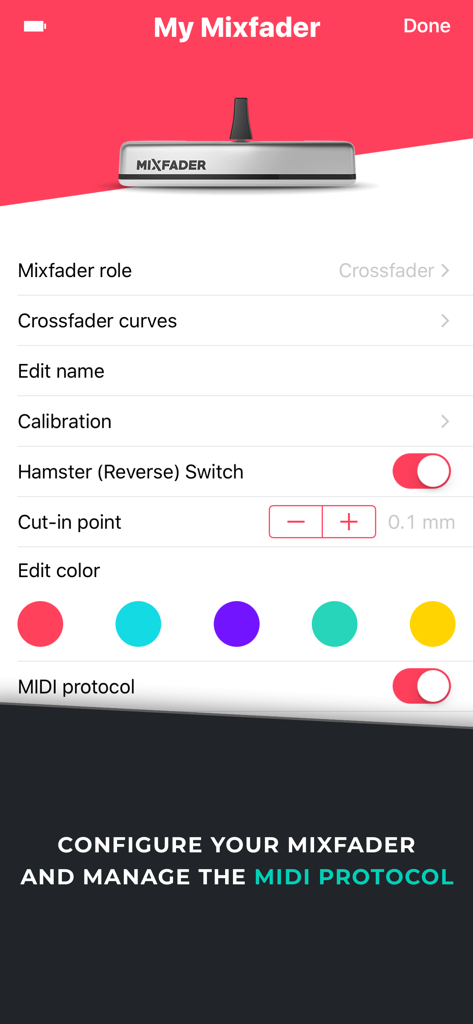
Fine-tune your performance with adjustable crossfader curves, cut-in points, and MIDI compatibility to fit your unique scratching style.

The following screenshots and description are sourced directly from the app's official store listing and are the property of the app developer.

App Store

Screenshots
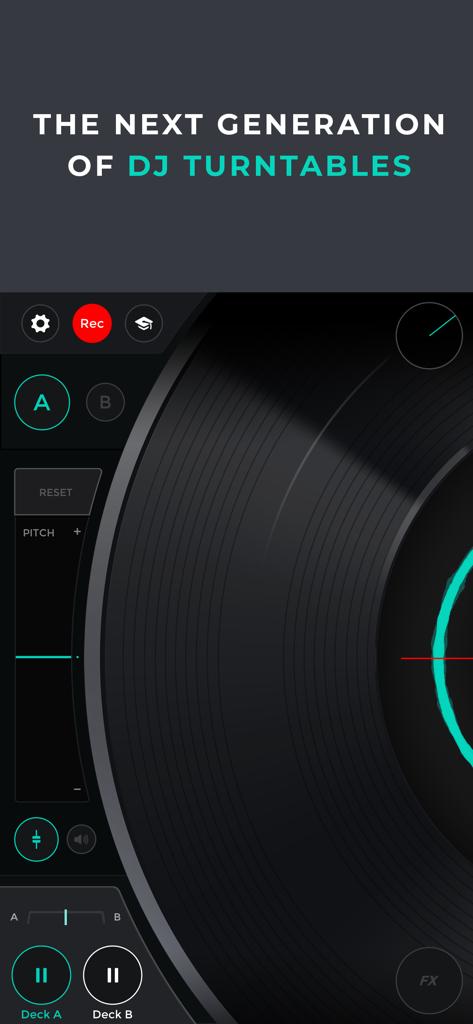
Mixfader dj app - A close up of the virtual DJ turntable interface on the Mixfader app showing pitch controls and deck options
A close up of the virtual DJ turntable interface on the Mixfader app showing pitch controls and deck options

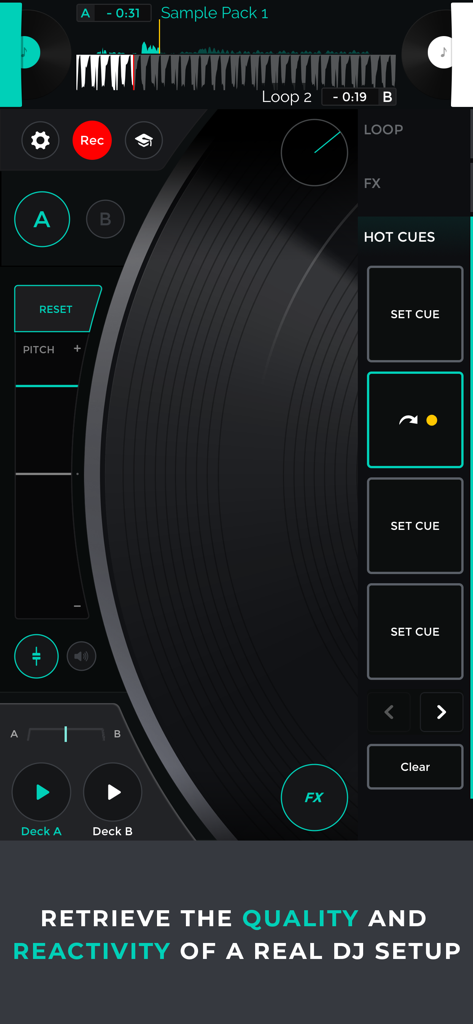
Mixfader dj app - Mixfader dj app interface featuring a virtual vinyl record and professional scratching controls
Mixfader dj app interface featuring a virtual vinyl record and professional scratching controls

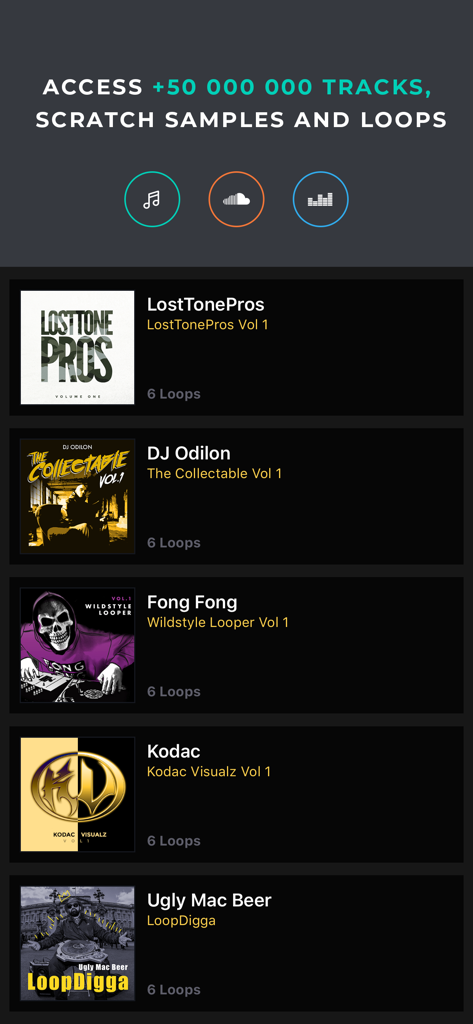
Mixfader dj app - Mixfader DJ app interface showing a list of scratch samples and loops from professional DJs.
Mixfader DJ app interface showing a list of scratch samples and loops from professional DJs.

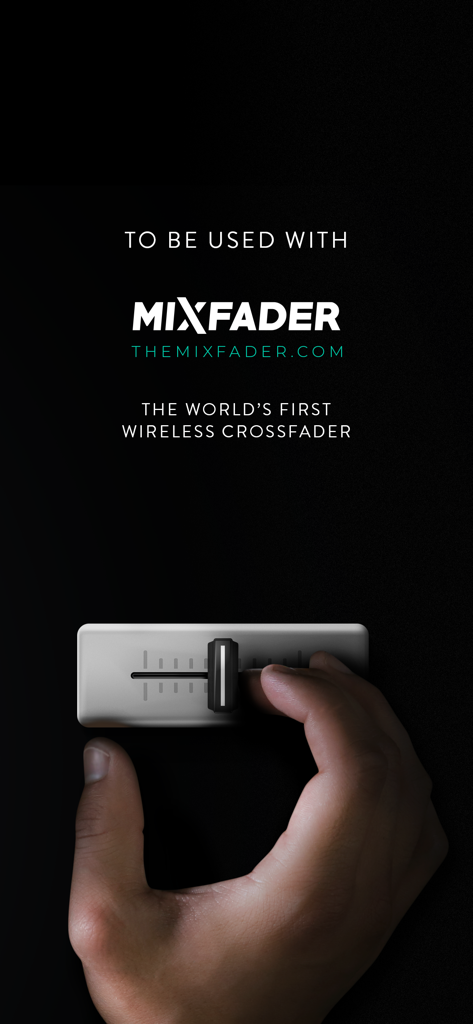
Mixfader dj app - A hand operating the Mixfader wireless crossfader device for portable scratching
A hand operating the Mixfader wireless crossfader device for portable scratching

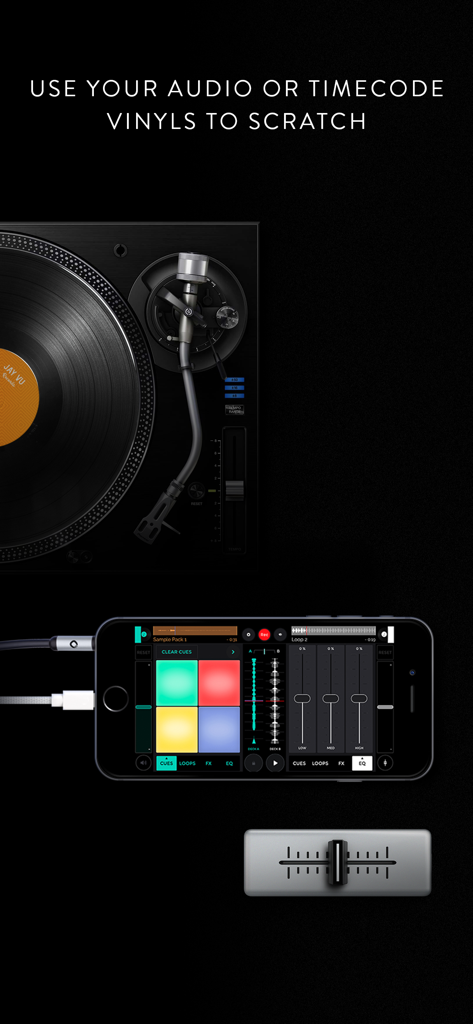
Mixfader dj app - Mixfader DJ app interface on a smartphone connected to a physical turntable and portable crossfader
Mixfader DJ app interface on a smartphone connected to a physical turntable and portable crossfader

Mixfader dj app - Mixfader dj app settings screen for hardware configuration and MIDI management

Mixfader dj app settings screen for hardware configuration and MIDI management

Description

Mixfader dj and Mixfader provide you with the complete functionality of physical turntables to produce high quality scratching on the go. Want to feel the vinyl on your hands? No worries, you can use Mixfader and Mixfader dj with physical turntables such as the PT01 Scratch. There is no limit to your skills. **The Mixfader Companion app has been removed from the store. Mixfader dj is now the one and only dedicated app of Mixfader. All features of the Companion app have been implemented on Mixfader dj** ** Requires a Mixfader ** A NEW TAKE ON PORTABLE SCRATCHING - Mixfader dj perfectly emulates the real vinyl behavior and its sound rendering for the best scratching experience - Thanks to a revolutionnary ultra low latency Bluetooth technology, Mixfader dj instantly responds to your Mixfader moves - Choose your setup: smartphone, tablet or both. Timecode or standard audio vinyls. Midi software. There is no limit to what you can accomplish. ACCESS THE MUSIC YOU NEED - Loops Packs store: access special scratch Loops created by pro scratchers such as LostTonePros, Ugly Mac Beer, Fong Fong or Weezmatic! (in-app purchases) - FREE loops and smaples provided on the app - iTunes local tracks and iTunes folders access - Soundcloud integration - Deezer integration - Possibility to create your own playlists - Easily sort your tracks by BPM - Possibility to convert your recorded routine to .mp3 and share it to your community FEATURE HIGHLIGHTS - 8 cue points available on each deck - 5 audio effects: Phaser, Flanger, Echo, Reverb, and Filter - automated audio effects sync on the BPM (loops and seek) - real time audio analysis - crossfader curves adjustment: scratch cut, slow cut, dipped... - instant doubles feature: simply long press the library icon on the deck of your choice to activate it - Mixfader's cut-in point adjustment - Vinyl's inertia adjustment - Hamster switch - Automatic detection of your tracks' BPM - Assign your Mixfader to any role (Crossfader, Volume or Pitch fader, audio effect...) - HD recording feature for you to easily save your work SPECIALLY DESIGNED SINGLE VINYL INTERFACE - one big scratching vinyl with a marker displayed to provide a large control surface - easily switch from deck A to deck B - central spectrum: follows the vinyl's movemoents and offers a real-time graphic representation of the sound - all the essential tools a click-away: pitch know, volume fader, hot cues, audio FX - physical turntables dedicated interface that allows direct access to colored cue points pads on each deck PORTABLE SCRATCHING COMPATIBILITY - Mixfader and Mixfader dj can be connected to portable scratching turntables - Use your Timecode or Standard audio vinyls to scratch with Mixfader and Mixfader dj - scratch on portable turntables such as: vestax handy trax and Numark pt01 - compatible timecode vinyls so far: Serato CV02 A-side and B-side ; Serato Control CD ; Traktor MK1 A-side and B-side ; MixVibes 7"" and MixVibes V2 - supports audio devices with multiple audio inputs: possibility of connecting two physical turntables to your device MIDI SOFTWARE COMPATIBILITY - choose your MIDI mode and assign the control change number of your choice - compatible software so far: GarageBand ; Serato ; Virtual DJ ; Ableton Live 9 ; Traktor MIXFADER SETTINGS - update your Mixfader directly from the app - possibility to assign a color to your Mixfader - calibrate or re-calibrate your Mixfader ABOUT MIXFADER DJ - http://www.themixfader.com/ - Facebook: https://www.facebook.com/Mixfader/ - YouTube: https://www.youtube.com/channel/UCLvnag-xcKaKioO1uWQefrg - customer support: support@themixfader.com Mixfader dj is optimized for iPhone 5 onwards, Retina displays, iOS 9 onwards

Download

Download on App Store

This page is not an official page of the app or its developer, but an independent editorial publication created for informational and commentary purposes. Unless expressly stated otherwise, neither the app nor its developer is affiliated with, endorsed by, sponsored by, authorized by, or otherwise officially connected with MWM, Apple, Google Play, the app publisher, or the app's developer, and nothing on this page implies that the app was developed using MWM's services. Any trademarks, logos, screenshots, and other content remain the property of their respective owners.