
This page is not an official page of the app or its developer, but an independent editorial publication created for informational and commentary purposes. Unless expressly stated otherwise, neither the app nor its developer is affiliated with, endorsed by, sponsored by, authorized by, or otherwise officially connected with MWM, Apple, Google Play, the app publisher, or the app's developer, and nothing on this page implies that the app was developed using MWM's services. Any trademarks, logos, screenshots, and other content remain the property of their respective owners.


Mobile Inventory: Scan & Track
Ditch expensive hardware and complex systems. Manage unlimited items, scan barcodes, and track multiple locations offline with the ultimate mobile-first tool for entrepreneurs. 80% of features are completely free.
Downloads
2K+User Rating
Total Ratings
0Publisher
Category
BusinessLocales
14Latest Version
1.19.0Size
66.4 MBFirst Released
Apr 8, 2025Professional Inventory Control at Your Fingertips
The all-in-one mobile toolkit designed for agile entrepreneurs to track stock, scan barcodes, and scale faster without the enterprise price tag.
Turn Your iPhone into a Scanner
Ditch expensive hardware. Use your device's camera to scan barcodes and QR codes instantly, even in low-light warehouses or remote job sites.
Fully Tailored to Your Niche
From vintage e-commerce to field repairs, use custom fields and tags to track exactly what matters—be it photos, SKUs, or expiration dates.
Frequently Asked Questions
Everything you need to know about Mobile Inventory: Scan & Track
Can Mobile Inventory be used without an internet connection?
Yes, Mobile Inventory works offline, allowing users to manage stock, perform counts, and scan barcodes without an internet connection.
Is the Mobile Inventory app free to use?
Mobile Inventory offers over 80% of its features for free. Paid features, such as real-time team sync and cloud backups, are available via monthly or yearly subscription with a 1-month free trial.
Does Mobile Inventory support team collaboration for inventory management?
Yes, Mobile Inventory supports real-time team sync as a paid feature, enabling multiple users to share inventory and instantly sync all changes. User roles and permissions are also available.
Can I scan barcodes with the Mobile Inventory app?
Yes, Mobile Inventory includes a barcode/QR code scanner that utilizes your device's camera to quickly scan items for efficient stock management.
Does Mobile Inventory provide low stock or expiration alerts?
Yes, Mobile Inventory offers low stock and expiration alerts as paid features. Users receive push notifications when quantities fall below critical levels or before products expire.
How does Mobile Inventory handle data backups?
Mobile Inventory provides free automatic daily local backups to your device. Cloud backups are available as a paid feature for automatic daily backups saved to the cloud.
Can I add custom information to products in the Mobile Inventory app?
Yes, Mobile Inventory allows users to create custom tags and fields for products. These include text, number, date, barcode, yes/no, image, and dropdown types to capture additional details.
Does Mobile Inventory support inventory tracking across multiple locations?
Yes, Mobile Inventory supports multi-location tracking. Users can manage stock, products, and transactions across unlimited locations or warehouses effectively.
Can I export my inventory data from Mobile Inventory?
Yes, Mobile Inventory allows users to export their data to Excel or CSV files. This data export functionality is available as a paid feature.
What languages does the Mobile Inventory app support?
Mobile Inventory supports multiple languages including English, Arabic, Dutch, French, German, Hebrew, Hindi, Italian, Japanese, Portuguese, Romanian, Russian, Spanish, and Turkish.
The following screenshots and description are sourced directly from the app's official store listing and are the property of the app developer.
App Store
Screenshots

Man using a smartphone to scan products on a shelf for inventory tracking
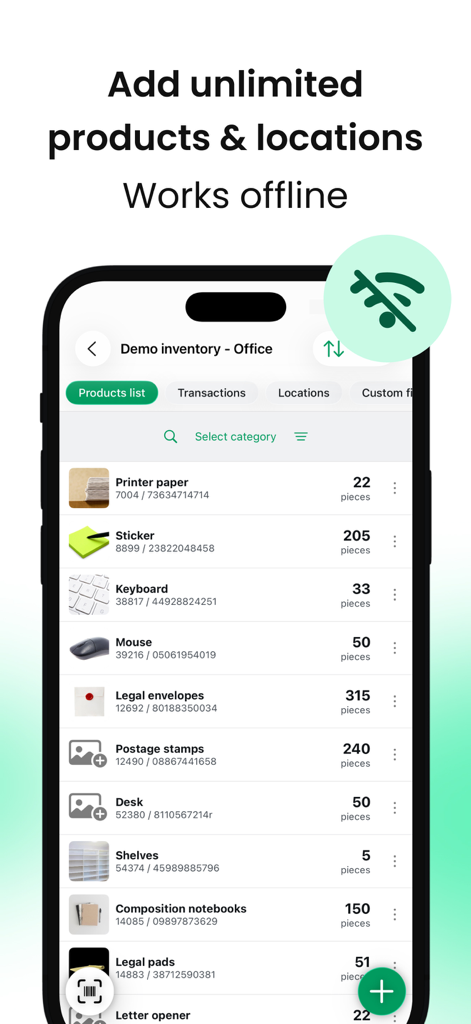
A mobile app screen displaying an inventory list of office items with a badge highlighting its offline functionality.
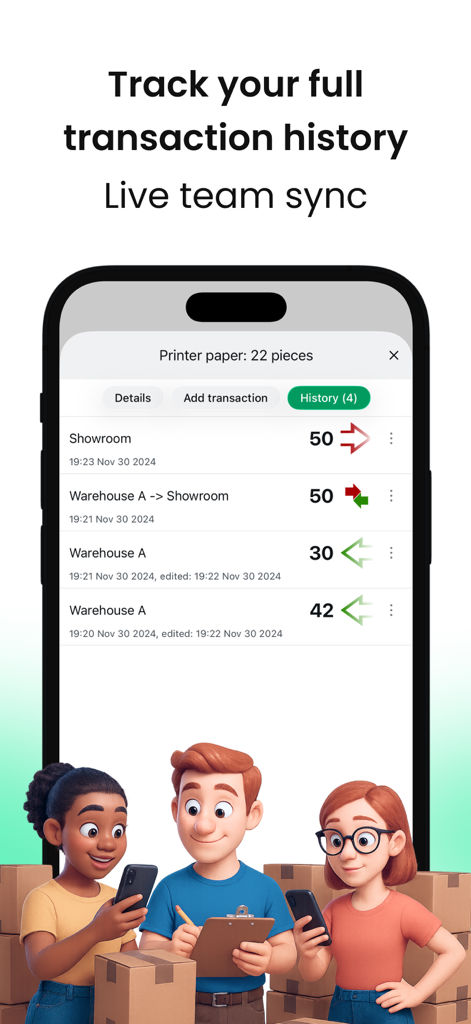
Transaction history and live team sync interface of the Mobile Inventory app
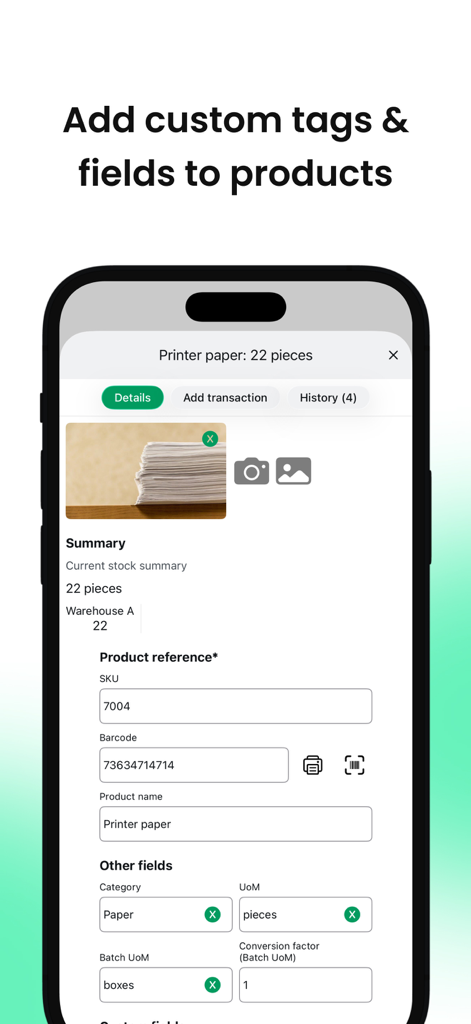
A mobile interface for managing inventory showing options to add custom tags and fields to products like printer paper.
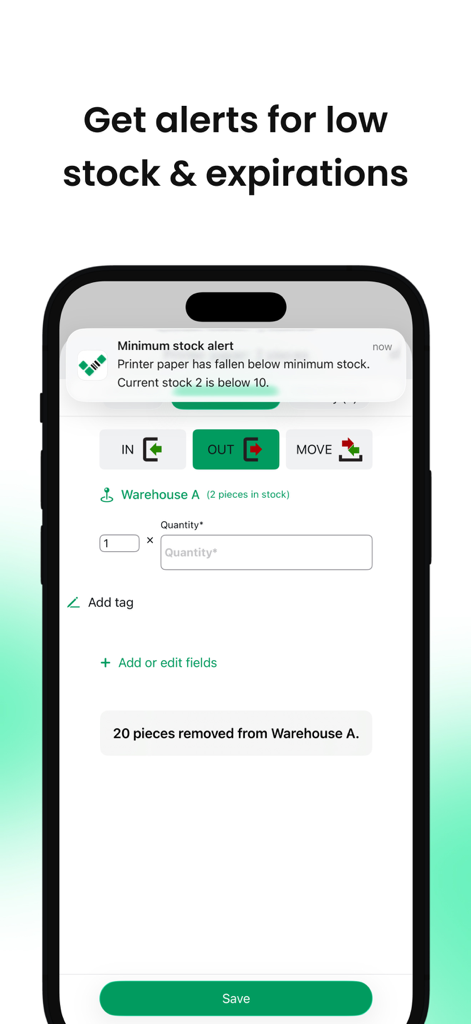
Mobile inventory app displaying a low stock notification on an iPhone screen.
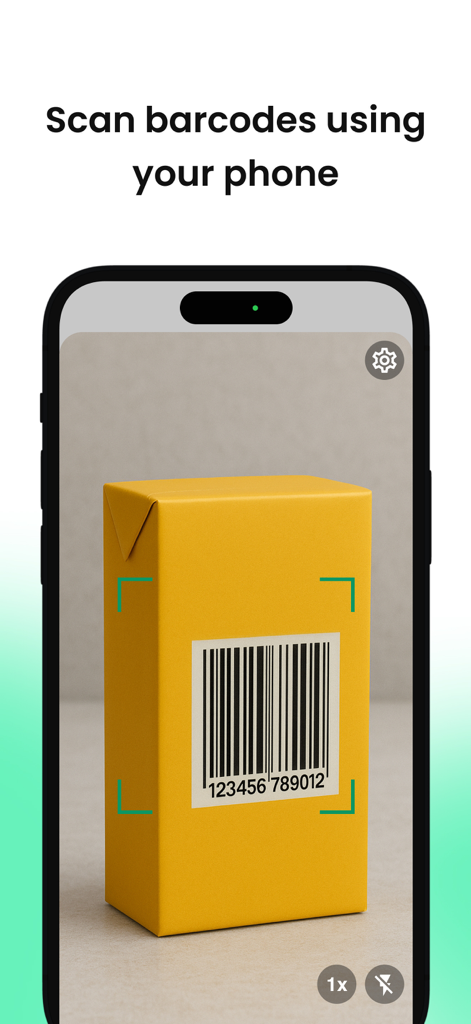
Smartphone screen showing the barcode scanning feature on a yellow package
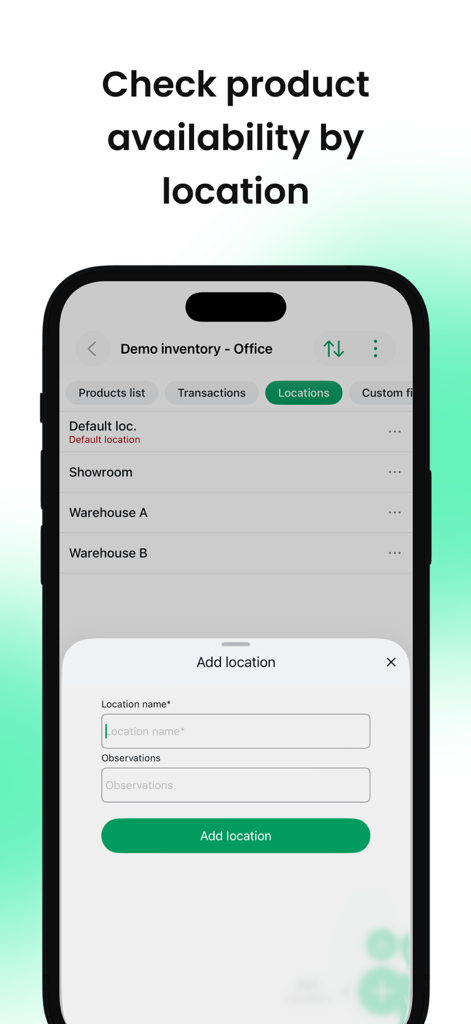
Mobile Inventory app interface showing multi-location management and an add location form.
Description
Download
More Like This
Apps with similar features and user experience

Sortly: Inventory Simplified
Sortly Inc.

Zoho Inventory Management App
Zoho Corporation

Barcode Scanner & Reader
Ryan Jackson

FееtFiηdеr Inventory app
Zimo Chen

Inventory for Business
Starkode Limited Company

Telesto: Inventory Management
RedTracker LLC

Stock Control Inventory
Pascal Meziat

云电脑专业版-设备管理
Shanghai Dalong Information Technology Co., Ltd.

口腔耗材智管
Jawiyar Hazur
This page is not an official page of the app or its developer, but an independent editorial publication created for informational and commentary purposes. Unless expressly stated otherwise, neither the app nor its developer is affiliated with, endorsed by, sponsored by, authorized by, or otherwise officially connected with MWM, Apple, Google Play, the app publisher, or the app's developer, and nothing on this page implies that the app was developed using MWM's services. Any trademarks, logos, screenshots, and other content remain the property of their respective owners.