Mobile SSH Terminal

Mobile SSH Terminal

Download on App Store
Logo of Mobile SSH Terminal

Mobile SSH Terminal: Secure, Professional SSH Access for iPhone & iPad

Empowering SysAdmins and DevOps engineers with military-grade encryption and local Keychain security. Connect to remote Linux servers, manage RSA keys, and execute commands on the go with a powerful, iOS-optimized terminal emulator.

Download on App Store

Publisher

Binaryscript Private Limited

Category

Developer Tools

Downloads

300

User Rating

1.0/5

Total Ratings

0

Locales

1

The Command Center in Your Pocket

Discover the interface used by 300 users.
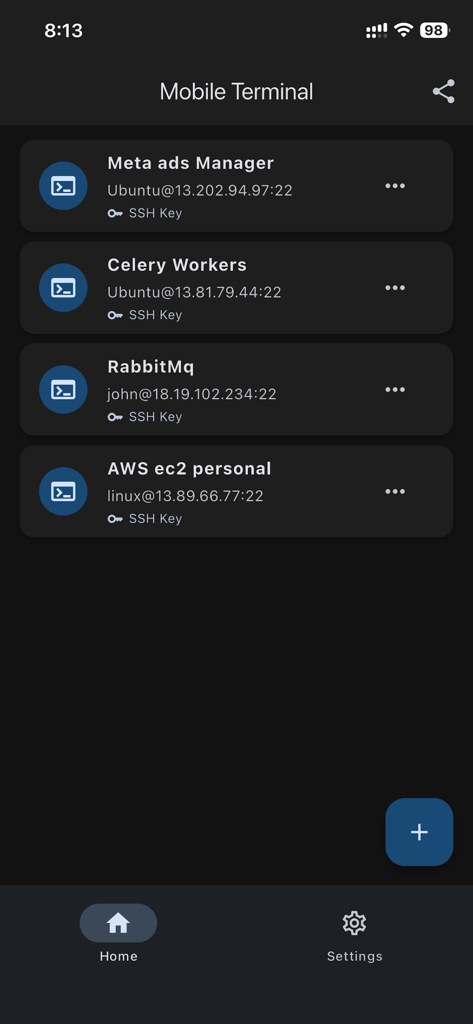
List of saved SSH server connections on a dark mobile interface

List of saved SSH server connections on a dark mobile interface

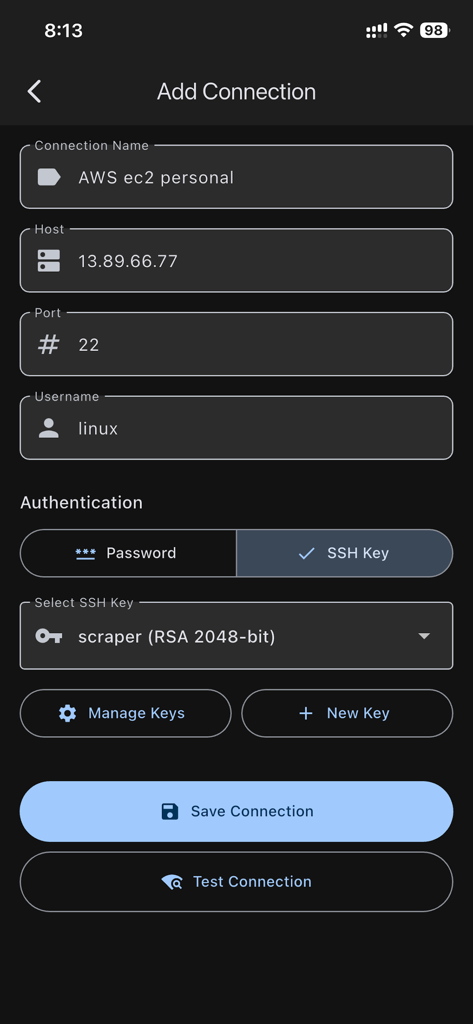
Screen for adding a new SSH connection showing host details, username, and RSA key authentication options

Screen for adding a new SSH connection showing host details, username, and RSA key authentication options

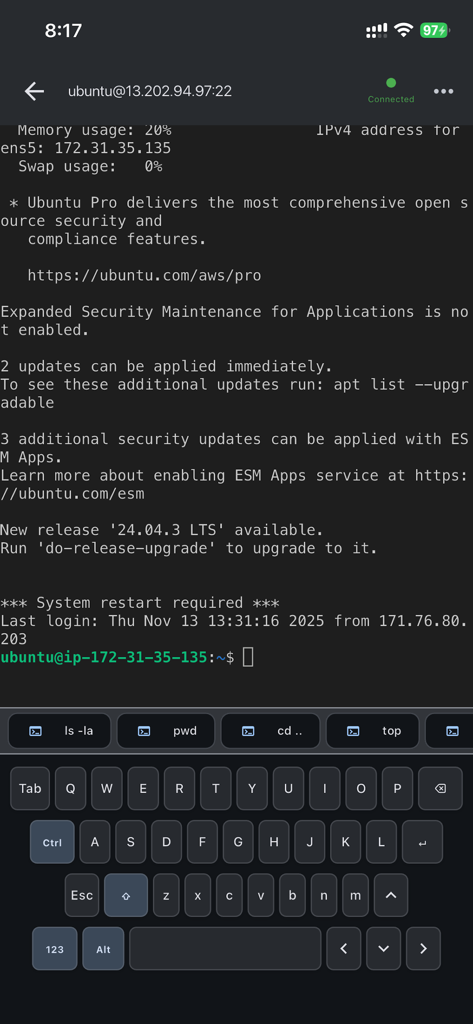
Active SSH terminal session on iPhone showing remote server command line and custom keyboard shortcuts

Active SSH terminal session on iPhone showing remote server command line and custom keyboard shortcuts

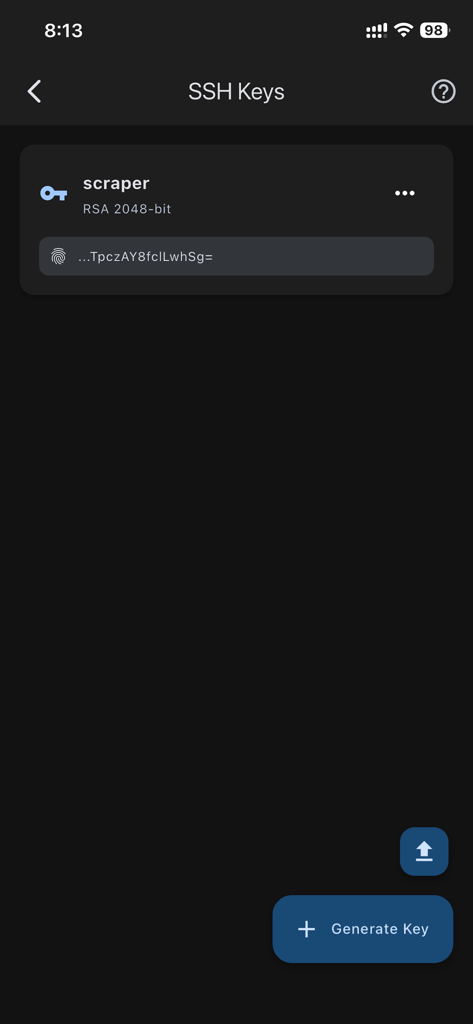
Interface of the Mobile SSH Terminal app showing a managed RSA SSH key and a button to generate new keys.

Interface of the Mobile SSH Terminal app showing a managed RSA SSH key and a button to generate new keys.

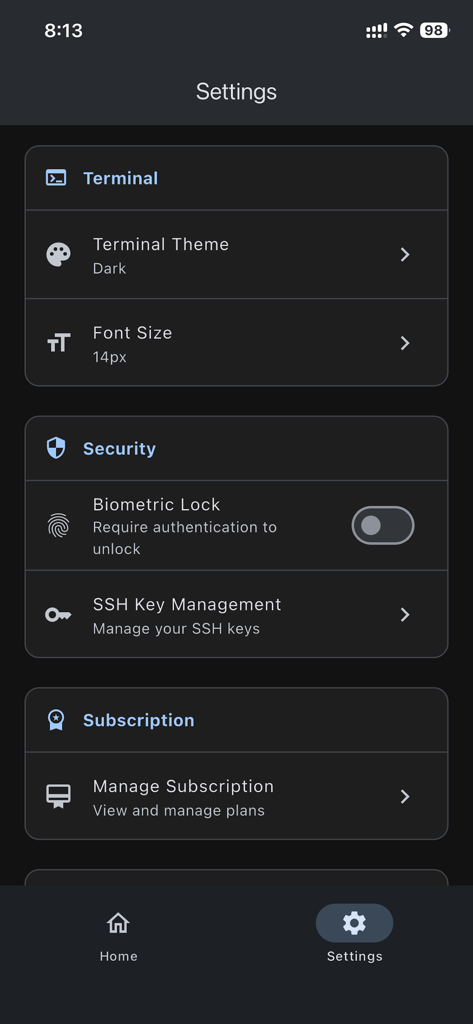
Settings menu of Mobile SSH Terminal app showing terminal customization and security features

Settings menu of Mobile SSH Terminal app showing terminal customization and security features

Professional Infrastructure Management

The tools that make this app stand out, trusted by 300 users.

🛡️

Fortified Security

Protect your infrastructure with military-grade encryption and local iOS Keychain storage. Your sensitive SSH credentials never leave your device.

⚡

Optimized Terminal Workflow

Execute commands seamlessly with full ANSI escape support and saved command history. Built for rapid incident response and remote troubleshooting.

🔑

Native Key Generation

Generate and manage RSA 2048-bit and 4096-bit keys directly on your device. Easily export public keys to setup new servers in seconds.

About the app

Everything you need to know about Mobile SSH Terminal.

Description

Mobile Terminal is a professional SSH client for iPhone and iPad that lets you securely connect to remote Linux and Unix servers directly from your iOS device. Whether you're a system administrator, developer, or DevOps engineer, Mobile Terminal provides a powerful and secure way to manage your servers on the go. SECURITY FIRST • Military-grade encryption for all SSH connections • Private keys and passwords stored in secure iOS Keychain • Your SSH credentials NEVER leave your device • Support for both password and SSH key authentication • Generate secure RSA keys (2048-bit and 4096-bit) directly in the app • All connections use industry-standard SSH protocol • Sign in with Apple or Google for secure app authentication POWERFUL FEATURES • Full-featured terminal emulator with ANSI escape code support • Save and manage multiple SSH connection profiles • Quick connect to your favorite servers • Command history for efficient workflow • Session logging and command tracking • Real-time terminal interaction with scrollback support • Dark mode support for comfortable viewing in any light SSH KEY MANAGEMENT • Generate SSH key pairs directly on your device • View key fingerprints and public keys • Securely store private keys in iOS Keychain • Export public keys for easy server setup • Support for RSA 2048-bit and 4096-bit keys • Import existing SSH keys iOS-OPTIMIZED • Clean, intuitive interface designed for iPhone and iPad • Native iOS experience with familiar gestures • Efficient battery usage • Works offline after initial setup • Fast connection switching between multiple servers • Supports both portrait and landscape orientations • Optimized for all iPhone and iPad screen sizes PERFECT FOR • System Administrators managing remote servers • Developers accessing development environments • DevOps engineers monitoring production systems • IT professionals providing remote support • Students learning Linux and server administration • Anyone needing secure remote server access on iOS PREMIUM FEATURES Upgrade to Premium for enhanced functionality: • Additional advanced features • Priority support • Support ongoing development • Remove limitations PRIVACY & SECURITY • Sign in with Apple or Google for secure authentication • All SSH credentials stored locally on your device in iOS Keychain • No SSH passwords or keys transmitted to our servers • Your privacy is our priority • GDPR and CCPA compliant • No third-party tracking REQUIREMENTS • iOS 15.0 or later • Compatible with iPhone and iPad • Internet connection for initial login and SSH connections • SSH access to target servers (port 22 or custom) SUPPORT & FEEDBACK Need help? Have suggestions? We're here to help! Email: info@binaryscript.com We typically respond within 24 hours Mobile Terminal is developed by BinaryScript, committed to providing secure and reliable tools for system administrators and developers worldwide. Download Mobile Terminal today and take control of your servers from anywhere, right from your iPhone or iPad! Terms of Use: https://binaryscript.com/ssh-terminal/terms/

Latest Version

1.02

Size

50.4 MB

First Released

Nov 30, 2025

Take Command of Your Infrastructure from Anywhere

Join the elite sysadmins and DevOps engineers who trust Mobile Terminal for secure, military-grade SSH access. Download now and turn your iPhone or iPad into a professional workstation.

Download on App Store

App information, icons, screenshots, and descriptions displayed on this page are sourced from the Apple App Store and are the property of their respective developers. Download estimates and rankings are based on MWM's proprietary models and may not reflect actual figures. This page is provided for informational and analytical purposes only.

Believe this page infringes your intellectual property? File a dispute