Modelar - 3D LiDAR scanner

Modelar - 3D LiDAR scanner


Download on App Store
Logo of Modelar - 3D LiDAR scanner

Modelar - 3D LiDAR scanner: Professional 3D captures in seconds

Transform your iPhone or iPad Pro into a high-precision spatial mapping tool. Capture, measure, and export high-resolution models and point clouds directly to your professional CAD or 3D printing workflow.

Publisher

Persistent Ventures Inc.

Category

Photo & Video

Downloads

22K+

User Rating

4.7/5

Total Ratings

0

Locales

1

Precision in Every Frame

Discover the interface used by 22K+ users.
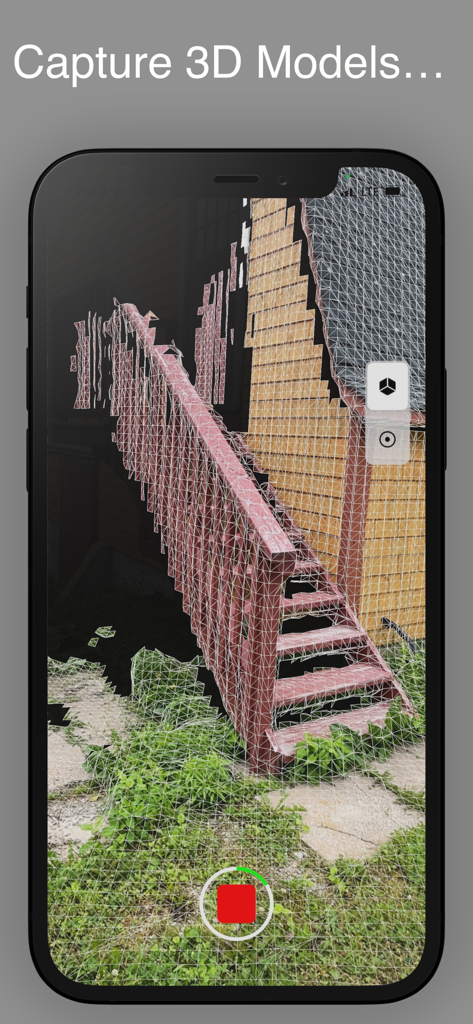
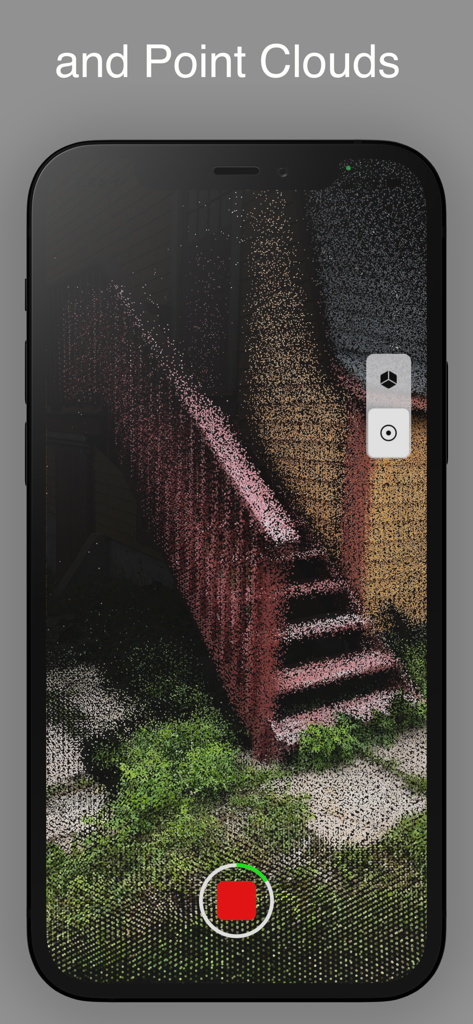
Real-time 3D LiDAR scan of an outdoor wooden staircase with a wireframe mesh overlay.

Real-time 3D LiDAR scan of an outdoor wooden staircase with a wireframe mesh overlay.

Point cloud visualization of an outdoor staircase captured with the Modelar 3D LiDAR scanner app

Point cloud visualization of an outdoor staircase captured with the Modelar 3D LiDAR scanner app

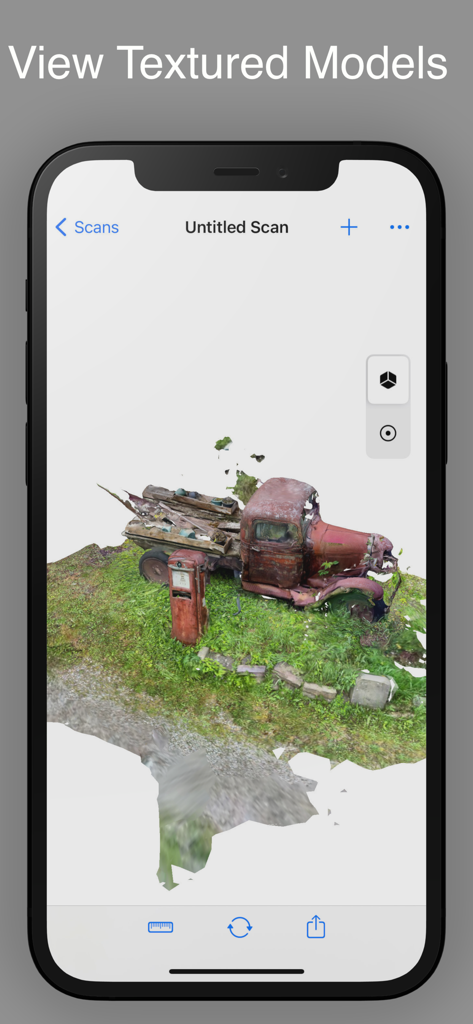
A detailed 3D textured model of an old red truck scanned with the Modelar LiDAR app

A detailed 3D textured model of an old red truck scanned with the Modelar LiDAR app

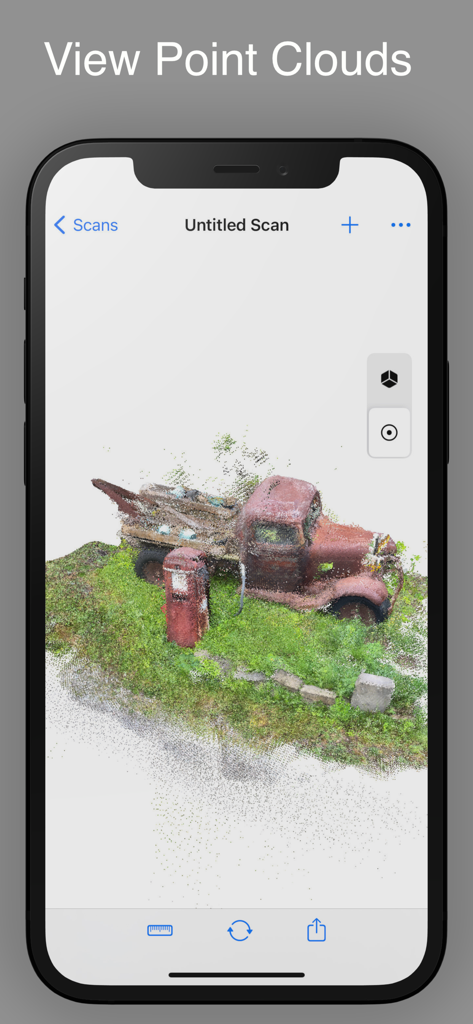
3D point cloud scan of a vintage truck captured with the Modelar LiDAR app

3D point cloud scan of a vintage truck captured with the Modelar LiDAR app

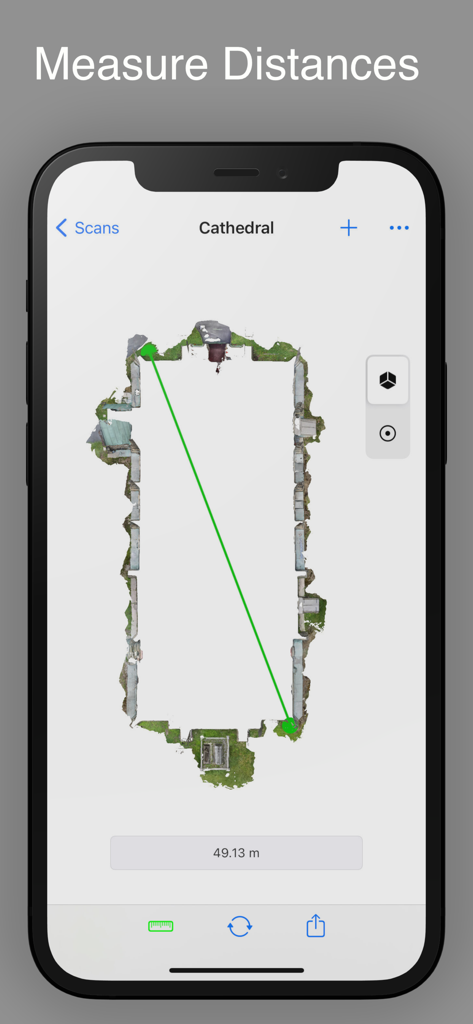
Interface of the Modelar app showing a 3D LiDAR scan of a cathedral with a distance measurement of 49.13 meters

Interface of the Modelar app showing a 3D LiDAR scan of a cathedral with a distance measurement of 49.13 meters

Advanced 3D Capture for Professionals

The tools that make this app stand out, trusted by 22K+ users.

๐Ÿ“

Millimetric Precision

Capture millions of points instantly with real-time AR visualization, ensuring total accuracy and zero missed corners for every scan.

๐Ÿ“ฅ

Seamless CAD Integration

Export your models in OBJ, STL, USDZ, or E57 formats to fit directly into your existing professional workflow in AutoCAD, Blender, or Rhino.

๐Ÿ—๏ธ

Instant Site Surveys

Replace bulky equipment with a pocket-sized scanner. Generate high-resolution textured 3D models and take measurements in seconds.

About the app

Everything you need to know about Modelar - 3D LiDAR scanner.

Description

NOTE: Modelar currently requires an iPhone Pro with LiDAR or iPad Pro with LiDAR. Modelar uses LiDAR to quickly scan the world in real-time, making it easy to capture 3D models and point clouds with millions of points. Augmented reality visualization makes it clear exactly what's been scanned, and what hasn't. Once scanning is complete, your 3D models and clouds are immediately available to view. From there, you can create high-resolution textured models in seconds, share your scans, or make measurements. Model exports: OBJ, STL, USDZ, PLY, Sketchfab Cloud exports: E57, PLY, CSV, Sketchfab Website: https://modelar.ai Terms of Use: https://modelar.ai/terms Privacy Policy: https://modelar.ai/privacy Third Party Use: https://modelar.ai/thirdparty

Latest Version

2.2.3

Size

30.8 MB

First Released

Jul 3, 2021

Capture Perfection in Every Scan

Transform your iPhone or iPad Pro into a professional-grade LiDAR scanner and export industry-standard 3D models in seconds.

Download on App Store

App information, icons, screenshots, and descriptions displayed on this page are sourced from the Apple App Store and are the property of their respective developers. Download estimates and rankings are based on MWM's proprietary models and may not reflect actual figures. This page is provided for informational and analytical purposes only.

Believe this page infringes your intellectual property? File a dispute