Money: Budget Expense Tracker
Download on App Store

This page is not an official page of the app or its developer, but an independent editorial publication created for informational and commentary purposes. Unless expressly stated otherwise, neither the app nor its developer is affiliated with, endorsed by, sponsored by, authorized by, or otherwise officially connected with MWM, Apple, Google Play, the app publisher, or the app's developer, and nothing on this page implies that the app was developed using MWM's services. Any trademarks, logos, screenshots, and other content remain the property of their respective owners.

Logo of Money: Budget Expense Tracker
Download on App Store

Money: Budget Expense Tracker

Take back control with manual tracking designed for your lifestyle. Manage home and business accounts separately, set bill reminders, and plan for big life goals—all with total privacy and no bank links required.

Key Figures

Downloads

9K+

User Rating

1.0/5

Total Ratings

0

Publisher

Asrar Amin

Category

Finance

Locales

1

Latest Version

2.0.0

Size

31.6 MB

First Released

Sep 21, 2023
Features

Smart Tools for Financial Freedom

Designed for the modern spender, our app helps you track every dollar, separate your side hustle, and save for what matters most—all without ever linking your bank account.

Separate Personal & Business

Perfect for freelancers and gig workers. Create multiple accounts to manage your professional expenses and household budget in one place without the clutter.

Budget for Life's Big Goals

Plan for specific milestones like weddings, vacations, or home renovations. Set a custom duration and track your spending progress for any project.

The following screenshots and description are sourced directly from the app's official store listing and are the property of the app developer.

App Store

Screenshots
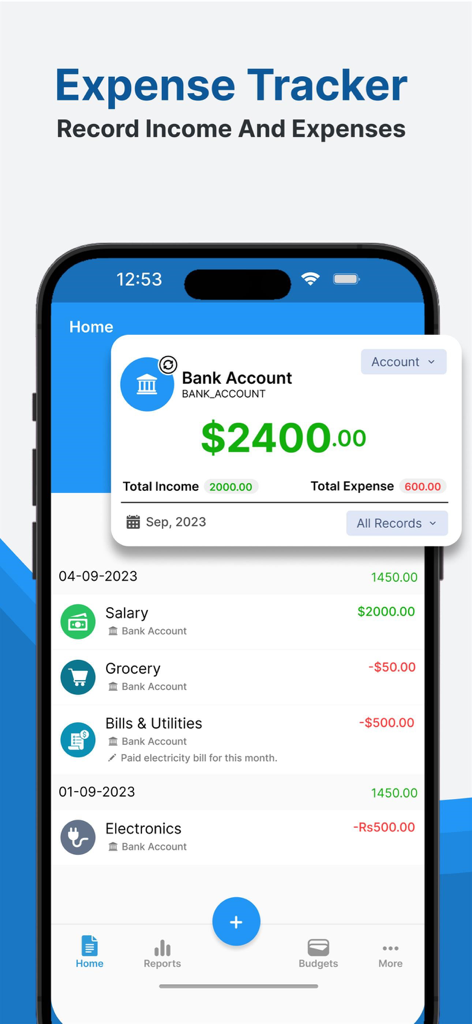
Money: Budget Expense Tracker - User interface of the Money Budget Expense Tracker app showing a bank account balance and a list of income and expense transactions.
User interface of the Money Budget Expense Tracker app showing a bank account balance and a list of income and expense transactions.

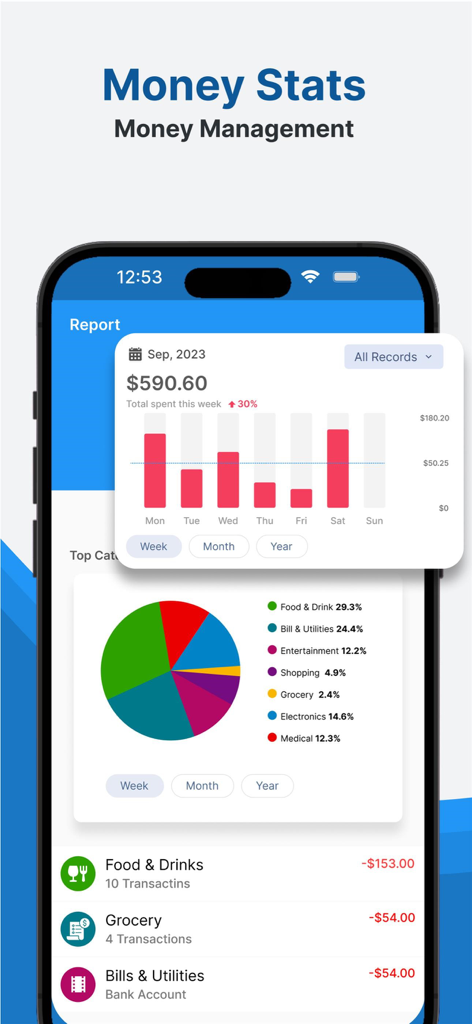
Money: Budget Expense Tracker - Money app dashboard showing weekly spending bar charts, a category breakdown pie chart, and a transaction list.
Money app dashboard showing weekly spending bar charts, a category breakdown pie chart, and a transaction list.

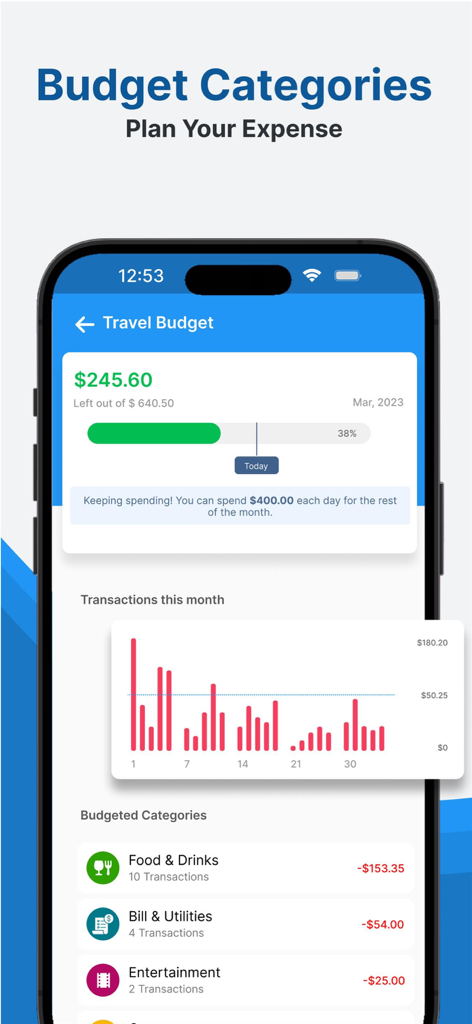
Money: Budget Expense Tracker - Interface of an expense tracker app showing a travel budget with categorized spending and transaction charts.
Interface of an expense tracker app showing a travel budget with categorized spending and transaction charts.

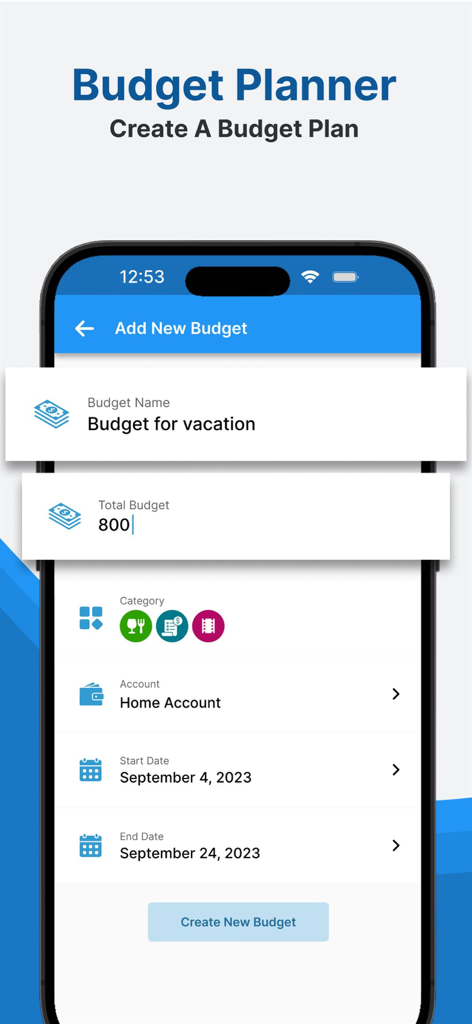
Money: Budget Expense Tracker - Budget planner screen in the Money app showing settings for a vacation budget including name, amount, and dates.
Budget planner screen in the Money app showing settings for a vacation budget including name, amount, and dates.

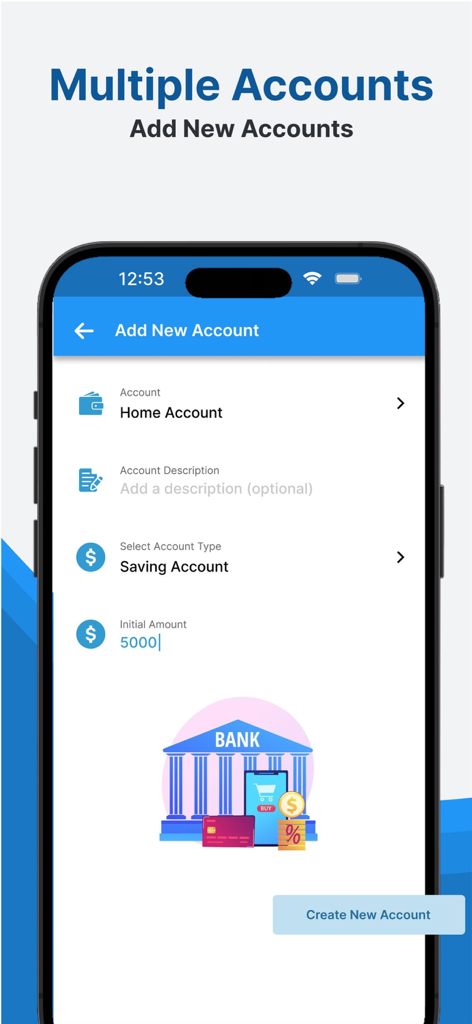
Money: Budget Expense Tracker - Interface of the Money Budget Expense Tracker app showing the Add New Account screen with options for Home Account and Saving Account

Interface of the Money Budget Expense Tracker app showing the Add New Account screen with options for Home Account and Saving Account

Description

Are you in search of a reliable expense tracker & monthly budget planner app? If yes then you have chosen the right Budget Tracker App. Say goodbye to old notebooks and spreadsheets and embrace a smarter, more efficient way to manage your finance Record. The truth is that when you monitor your expenses, you'll have the capability to adhere to a budget, ultimately leading to SAVING MONEY. The Budget Tracker App empowers you to establish Multiple Accounts for monitoring both cash and account budgets. Utilize our income and payment tracker to configure budgets for bi-weekly, weekly, or monthly intervals. Discover your monthly expenditures on categories like shopping, household utilities, food, groceries, and more, all while tracking your month-to-month savings. Employ our bills organizer and financial tracker for astute Budget management and to maintain a firm grip on your financial well-being. Why Choose Budget Planner App? Manage your money better by using a helpful budget planner and money tracker. Let you make a budget for each month, see where you spend your money, and learn more about how you use it. Our app helps you handle your money more effectively and save for investments or special projects. Budget Planner App offers essential features for free. With just a tap, you can easily use key features like adding your income, tracking expenses, and creating custom budget categories. Create Multiple Accounts: In the Budget Tracker App, you can create multiple accounts. For example, if you want to track the budget record for your home and office separately, you can create two different accounts—one for your home and a second for your office budget tracking. All the records of those accounts will remain separate, and you can manage them easily. Bill Reminder: There is a Bill Reminder option in the Budget Planner App that helps you set up a reminder about any bill that you have to pay. You can add reminders for any day, date, and month, and you can repeat this reminder. Get daily reminders to pay your bills on time every time by using this Budget Planner App. Plan a Budget for a Duration: In the Budget Planner App, you can choose a duration and create a budget plan for that duration. You can also track the Planned Budget Expenses. The Budget Planner Feature shows the expenses in date-wise order. For example, you can plan a budget for weddings, etc. Different Categories: The Expense Tracker app has multiple categories for adding income or expenses. You can modify these categories and change category icons as you wish. The Stats Page in the app also displays different categories of data like income and expenses in beautiful graph representations. Lock the App to Secure Record: We have added a feature to apply a lock on the app so your entries remain safe. No one can open the app without the PIN. You can change and reset the PIN. The Lock screen in the Budget Planner App has a unique feature: every time the numbers on the Lock panel swipe, it will increase the security of your password. Caution: There is no currently backup option within the app. We are currently working on that feature.

Download

Download on App Store

This page is not an official page of the app or its developer, but an independent editorial publication created for informational and commentary purposes. Unless expressly stated otherwise, neither the app nor its developer is affiliated with, endorsed by, sponsored by, authorized by, or otherwise officially connected with MWM, Apple, Google Play, the app publisher, or the app's developer, and nothing on this page implies that the app was developed using MWM's services. Any trademarks, logos, screenshots, and other content remain the property of their respective owners.








