
This page is not an official page of the app or its developer, but an independent editorial publication created for informational and commentary purposes. Unless expressly stated otherwise, neither the app nor its developer is affiliated with, endorsed by, sponsored by, authorized by, or otherwise officially connected with MWM, Apple, Google Play, the app publisher, or the app's developer, and nothing on this page implies that the app was developed using MWM's services. Any trademarks, logos, screenshots, and other content remain the property of their respective owners.


Money Pro: Personal Finance AR
Take total control with granular expense tracking, seamless family sync, and insightful AR reports. The power of a professional account manager, perfectly integrated into your Apple ecosystem.
Downloads
582K+User Rating
Total Ratings
38K+Publisher
Category
FinanceLocales
26Latest Version
2.11.22Size
302.2 MBFirst Released
Oct 22, 2014Take Total Command of Your Finances
Professional-grade tools designed for meticulously managing personal, family, and business wealth across all your devices.
Precision Tracking & Split Transactions
Categorize every dollar with professional detail. Split complex bills and track recurring expenses with custom alerts.
Collaborative Family Budgeting
Sync across iPhone, Mac, and Apple Watch to manage household finances together while keeping your data private and secure.
Frequently Asked Questions
Everything you need to know about Money Pro: Personal Finance AR
What is Money Pro: Personal Finance AR?
Money Pro is an all-in-one personal finance app. It features an expense tracker, budget planner, and account manager to help users control their finances. It works for both personal and family expense tracking.
Does Money Pro offer an expense tracker?
Yes, Money Pro offers an expense tracker. Users can log quick income/expense entries, split transactions into multiple categories, track recurring expenses, and attach receipt photos for organization.
Can I create a budget with the Money Pro app?
Yes, Money Pro includes a budget planner. It offers flexible categories, custom budget periodicity, and visual indicators to monitor spending against planned budgets.
Does Money Pro support multiple bank accounts and credit cards?
Yes, Money Pro allows easy management of an unlimited number of accounts, including bank accounts and credit cards. It also provides a balance change history for all managed accounts.
How does Money Pro help with bill payments?
Money Pro helps schedule bills and expenses using a calendar. It sends notifications and alerts for bills due, helping users pay them on time.
Is Money Pro available on multiple platforms for family expense tracking?
Yes, Money Pro supports cross-platform syncing and expense tracking with family members. This feature requires a PLUS or GOLD subscription. It is available on iOS, Android, Mac, and Windows.
What are the subscription options for Money Pro?
Money Pro offers PLUS and GOLD subscriptions. A 1-month PLUS subscription costs $4.99, and a 1-month GOLD subscription costs $9.99. These unlock advanced features.
Does Money Pro include reporting and analytics features?
Yes, Money Pro provides insightful analytics with eight different reports. Users can customize filters and select dates to view their financial data.
Can I use Augmented Reality (AR) reports in Money Pro?
Yes, Money Pro offers Augmented Reality (AR) reports. Users can build three-dimensional charts directly on a table with AR reports, which requires a GOLD subscription.
How can I import bank statements into Money Pro?
Money Pro supports importing bank statements. Users can import files in OFX and CSV formats directly into the app. Online banking features are available with a GOLD subscription.
Does Money Pro offer financial goal setting?
Yes, Money Pro allows users to set financial goals. It supports goals like saving money, paying off debt, reducing expenses, and increasing income, with progress visualized via trend charts.
Is iCloud sync available for Money Pro?
Yes, iCloud sync is available for Money Pro. It supports syncing data across iPhone, iPad, and Mac devices without requiring a subscription.
Can Money Pro automatically update exchange rates for multiple currencies?
Yes, Money Pro supports multiple currencies and includes automatic updates of exchange rates. This feature helps manage finances accurately across different currencies.
The following screenshots and description are sourced directly from the app's official store listing and are the property of the app developer.
App Store
Screenshots
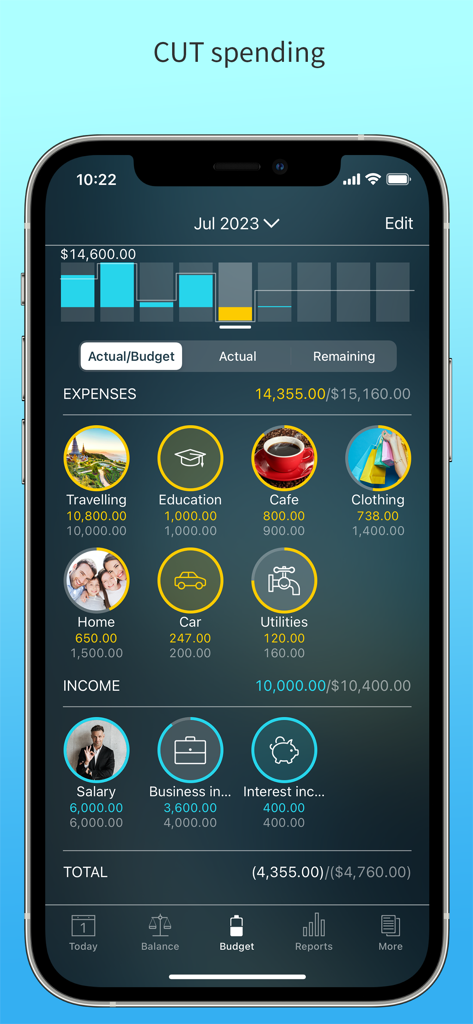
Money Pro app interface on iPhone showing monthly budget categories and expense tracking
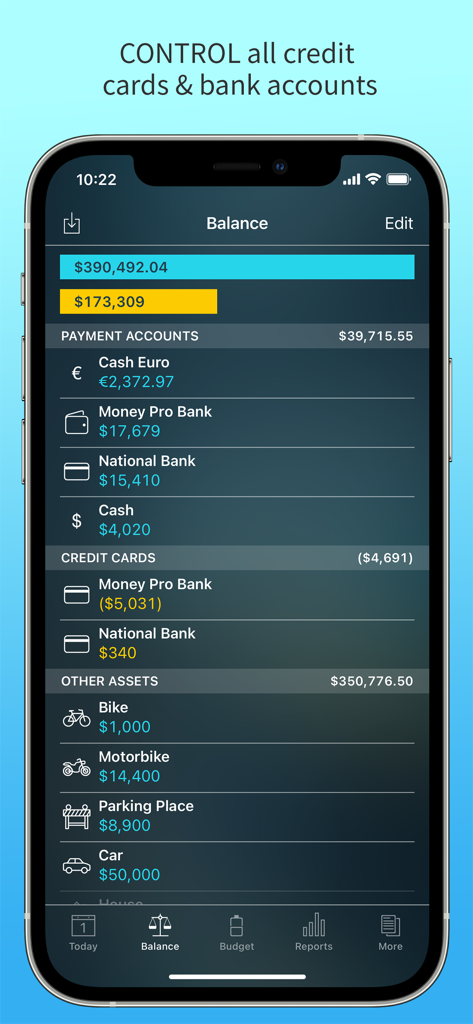
Money Pro app screen showing balance for bank accounts and credit cards
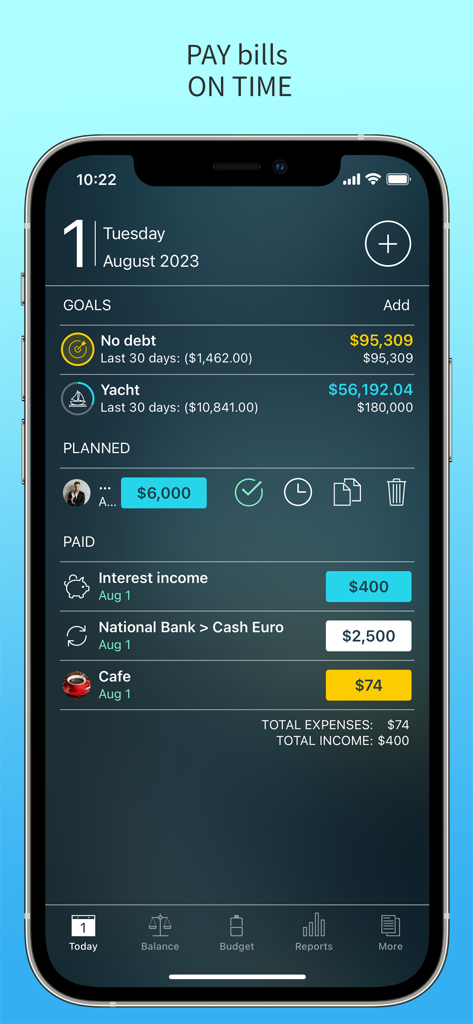
Money Pro mobile app dashboard displaying savings goals and expense tracking
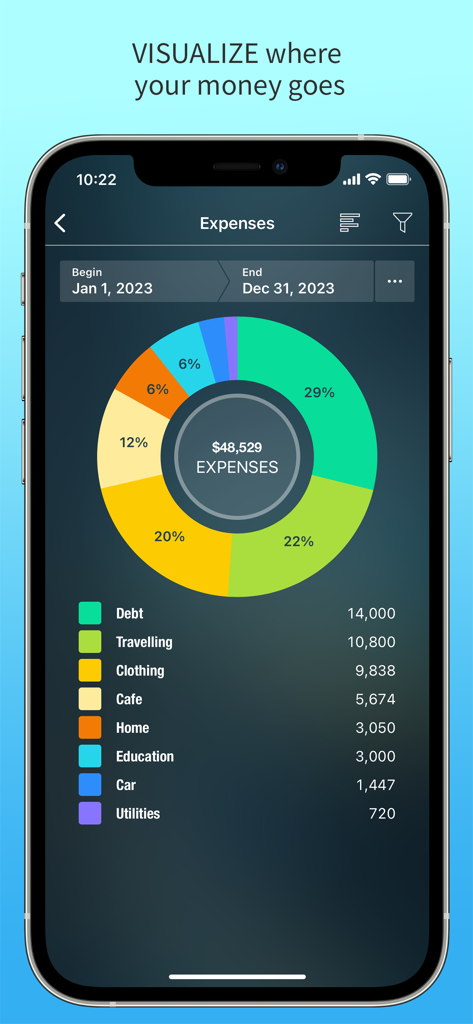
Annual expense breakdown donut chart in the Money Pro personal finance app
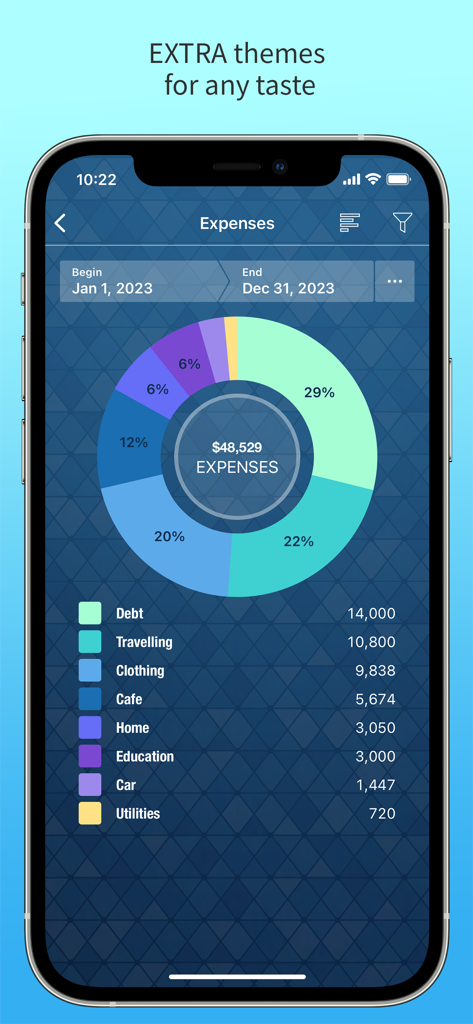
Money Pro app screenshot showing a detailed donut chart of annual expenses by category
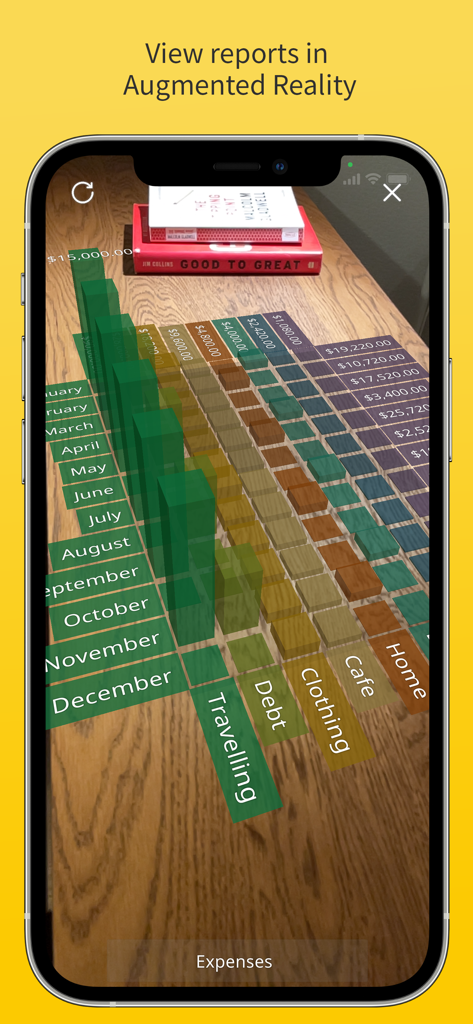
A 3D bar chart showing monthly expenses in Augmented Reality on a tabletop
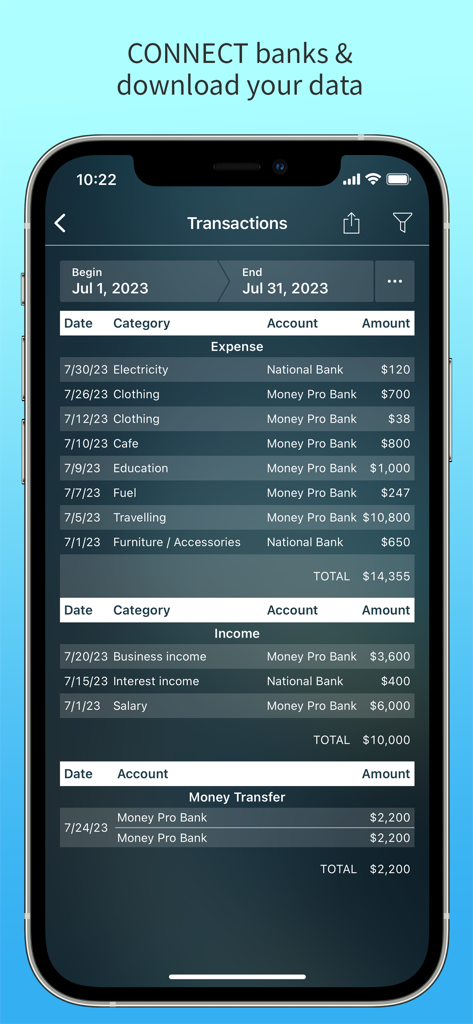
Money Pro app transaction screen showing a list of categorized expenses and income for the month
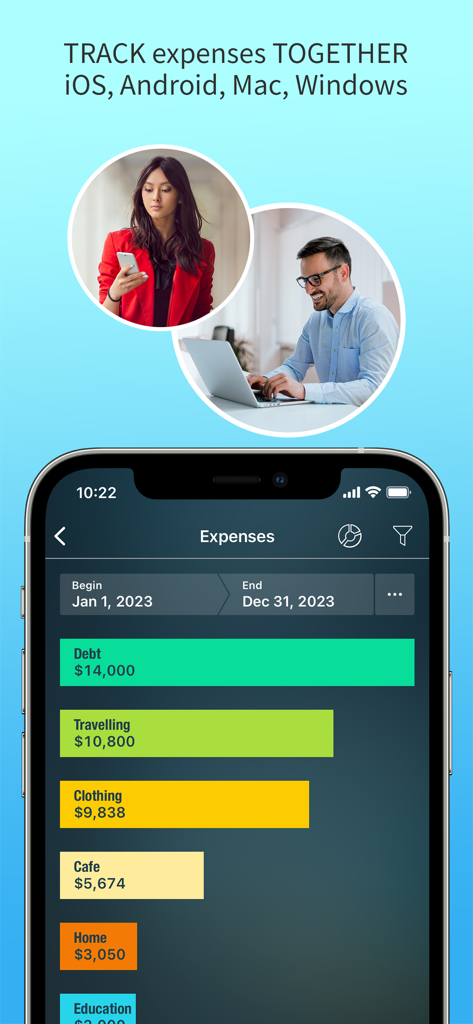
Money Pro app showing cross platform expense tracking and visual budget reports
Description
Download
More Like This
Apps with similar features and user experience

鲨鱼记账本-城市理财圈子必备工具软件
Beijing Shark Pioneer Network Technology Co.,Ltd

咔皮记账 -自动记账 AI记账 预算 多账本 资产管理 存钱
Shanghai Yuhuan Technology Co., Ltd.

Money manager, expense tracker
Orange dog d.o.o.

Money Manager Expense & Budget
Realbyte Inc.

Budget Planner App - Fleur
Akash Jain

iCost记账-快速简洁好用的记账理财助手&记账软件
Guangzhou Quji Technology Co., Ltd.

YNAB
You Need A Budget LLC

Copilot: Track & Budget Money
Copilot Money, Inc.

小青账记账-存钱记账本理财购物清单
YouQian
This page is not an official page of the app or its developer, but an independent editorial publication created for informational and commentary purposes. Unless expressly stated otherwise, neither the app nor its developer is affiliated with, endorsed by, sponsored by, authorized by, or otherwise officially connected with MWM, Apple, Google Play, the app publisher, or the app's developer, and nothing on this page implies that the app was developed using MWM's services. Any trademarks, logos, screenshots, and other content remain the property of their respective owners.