Morse Chat: Chat in Morse Code
Download on App Store

This page is not an official page of the app or its developer, but an independent editorial publication created for informational and commentary purposes. Unless expressly stated otherwise, neither the app nor its developer is affiliated with, endorsed by, sponsored by, authorized by, or otherwise officially connected with MWM, Apple, Google Play, the app publisher, or the app's developer, and nothing on this page implies that the app was developed using MWM's services. Any trademarks, logos, screenshots, and other content remain the property of their respective owners.


Logo of Morse Chat: Chat in Morse Code
Download on App Store

Morse Chat: Chat in Morse Code

Join a global community of amateur radio enthusiasts and digital retro hobbyists. From WPM-specific rooms to an ad-free private inner circle, connect with a tribe that values the skill and heritage of Morse code.

Key Figures

Downloads

28K+

User Rating

4.7/5

Total Ratings

900

Publisher

Xiang Dong

Category

Social Networking

Locales

1

Latest Version

3.4.5

Size

42.5 MB

First Released

Sep 21, 2021
Features

Master the Art of Morse

Join a global community of enthusiasts to practice, chat, and refine your skills in a distraction-free environment designed for the modern telegrapher.

Level Up Your Speed

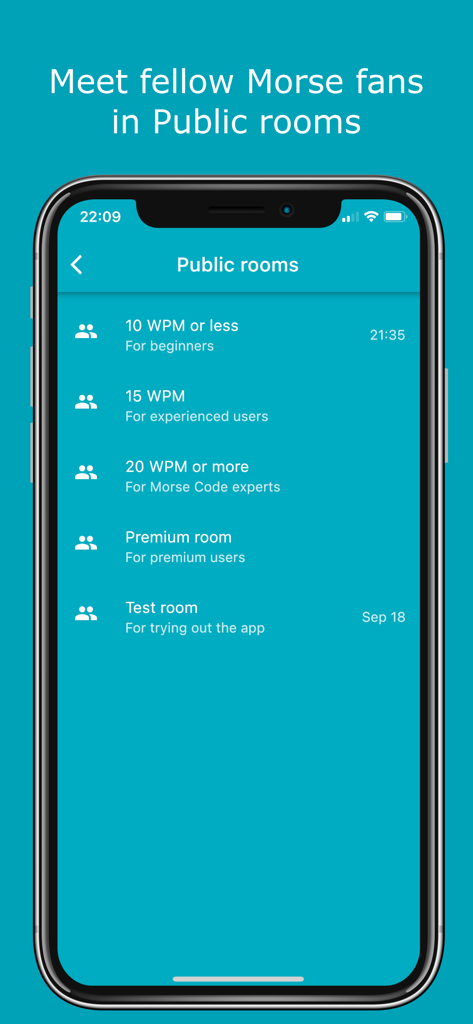
Join public rooms categorized by WPM to practice at your own pace, from 10 WPM beginners to 20+ WPM experts.

Learn While You Chat

Bridge the gap with live auto-translation and a dedicated playground to sharpen your sending skills in real-time conversations.

The following screenshots and description are sourced directly from the app's official store listing and are the property of the app developer.

App Store

Screenshots
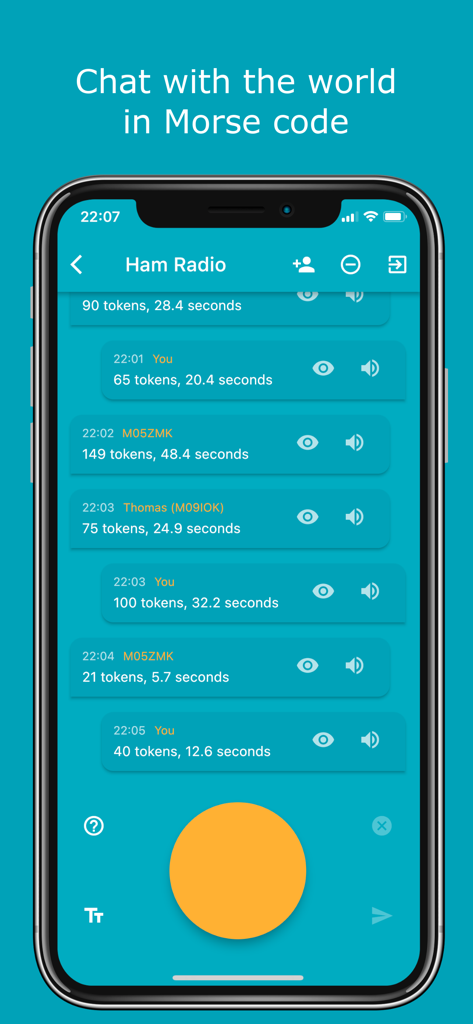
Morse Chat: Chat in Morse Code - A mobile screen showing the Morse Chat app interface within a Ham Radio public room featuring a large yellow tapping button for inputting Morse code.
A mobile screen showing the Morse Chat app interface within a Ham Radio public room featuring a large yellow tapping button for inputting Morse code.

Morse Chat: Chat in Morse Code - Morse Chat app interface showing public chat rooms categorized by Morse code speed levels for beginners and experts
Morse Chat app interface showing public chat rooms categorized by Morse code speed levels for beginners and experts

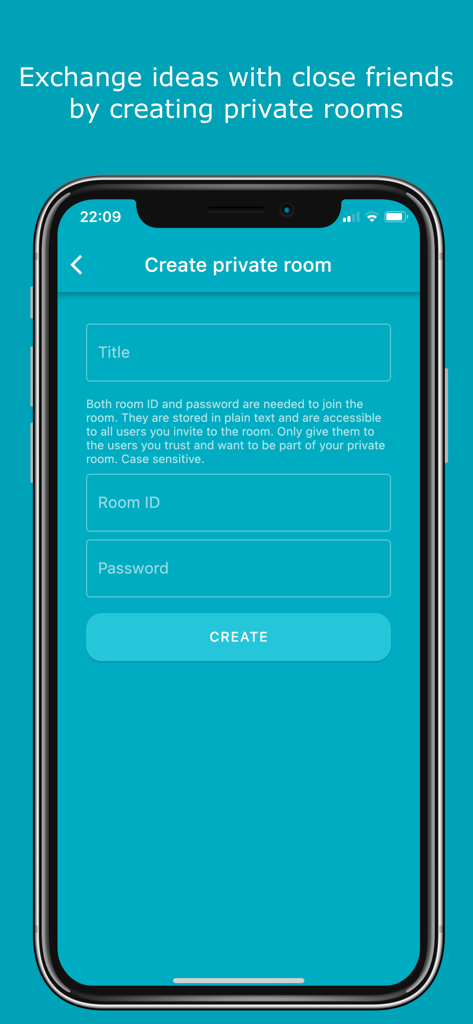
Morse Chat: Chat in Morse Code - Interface for creating a secure private chat room in the Morse Chat app
Interface for creating a secure private chat room in the Morse Chat app

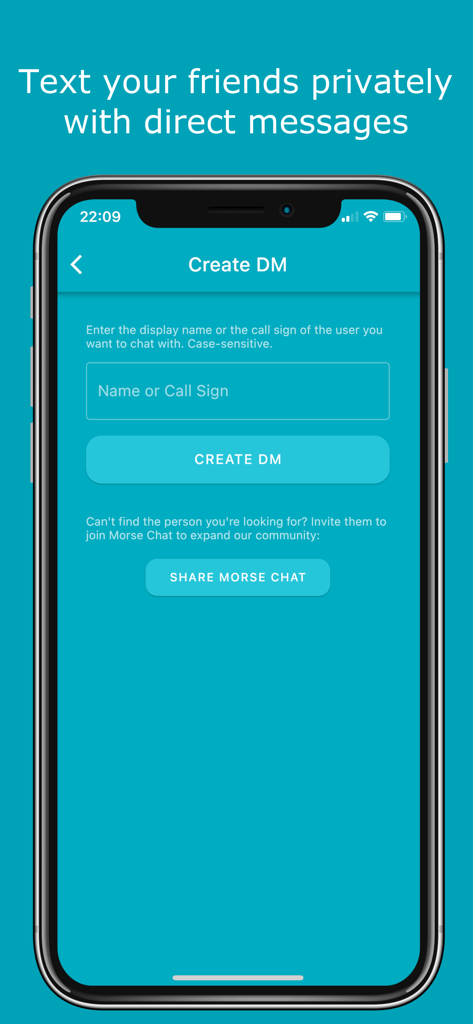
Morse Chat: Chat in Morse Code - Create Direct Message screen in Morse Chat app showing name or call sign entry
Create Direct Message screen in Morse Chat app showing name or call sign entry

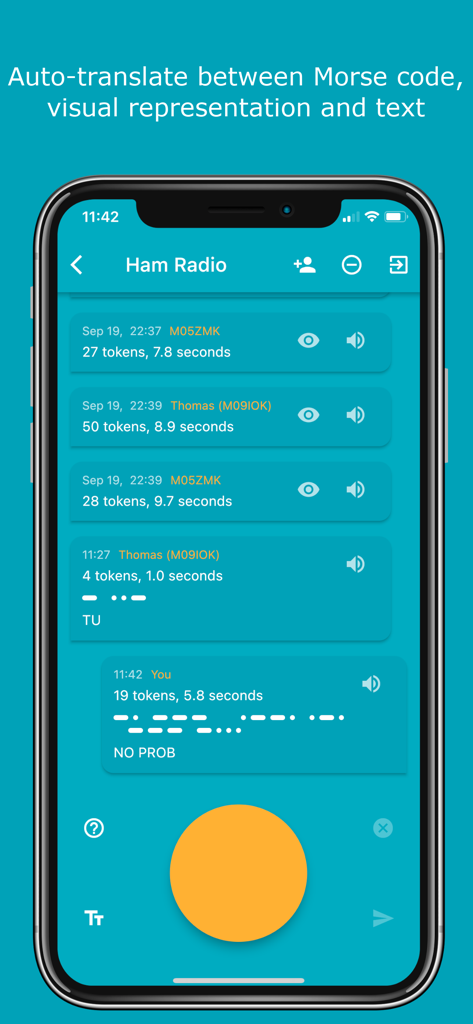
Morse Chat: Chat in Morse Code - Screenshot of Morse Chat app showing automated translation between Morse code dots and text in a Ham Radio chat room.
Screenshot of Morse Chat app showing automated translation between Morse code dots and text in a Ham Radio chat room.

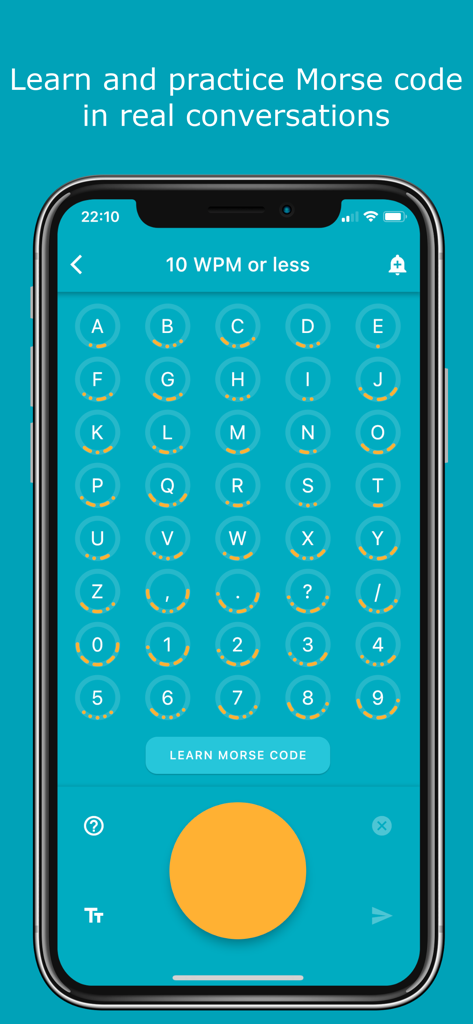
Morse Chat: Chat in Morse Code - Morse Chat app interface showing a grid of letters and symbols with their corresponding Morse code dots and dashes
Morse Chat app interface showing a grid of letters and symbols with their corresponding Morse code dots and dashes

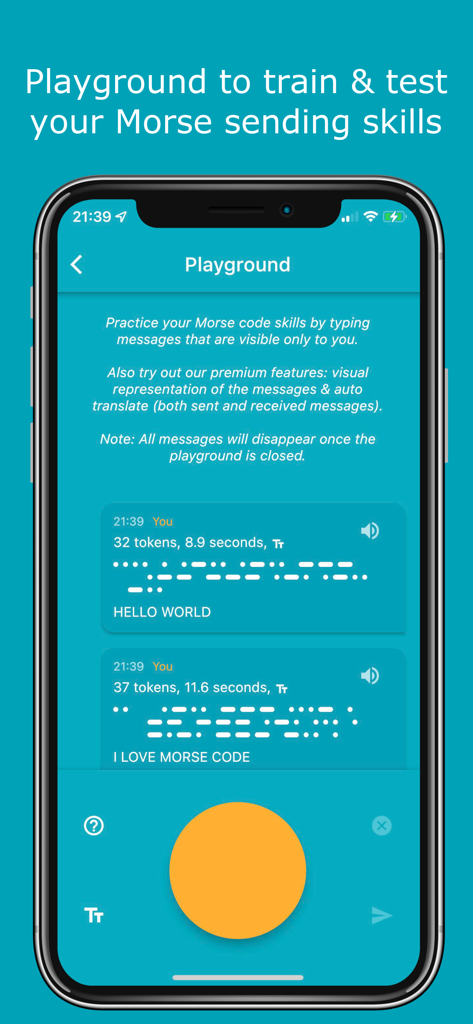
Morse Chat: Chat in Morse Code - Morse Chat app playground screen showing practice messages and a large orange button for tapping Morse code.
Morse Chat app playground screen showing practice messages and a large orange button for tapping Morse code.

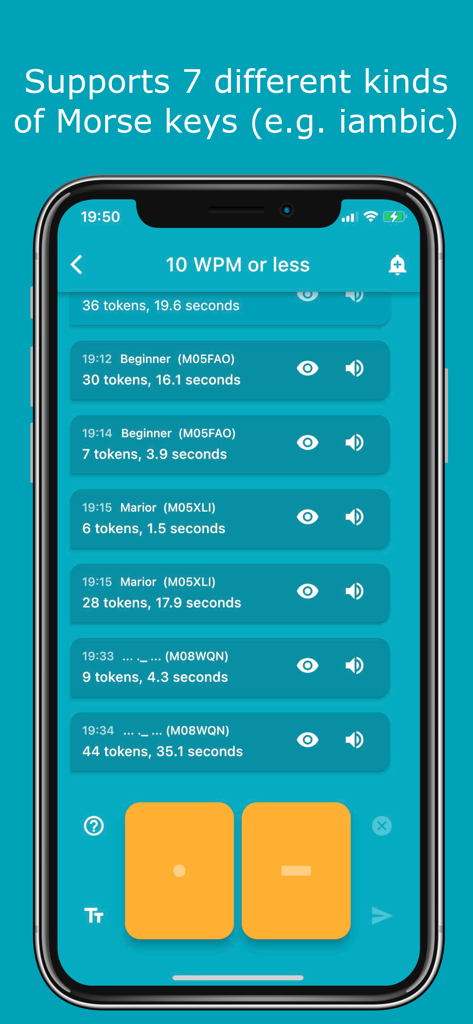
Morse Chat: Chat in Morse Code - Morse Chat app interface showing a 10 WPM chat room with dot and dash input buttons
Morse Chat app interface showing a 10 WPM chat room with dot and dash input buttons

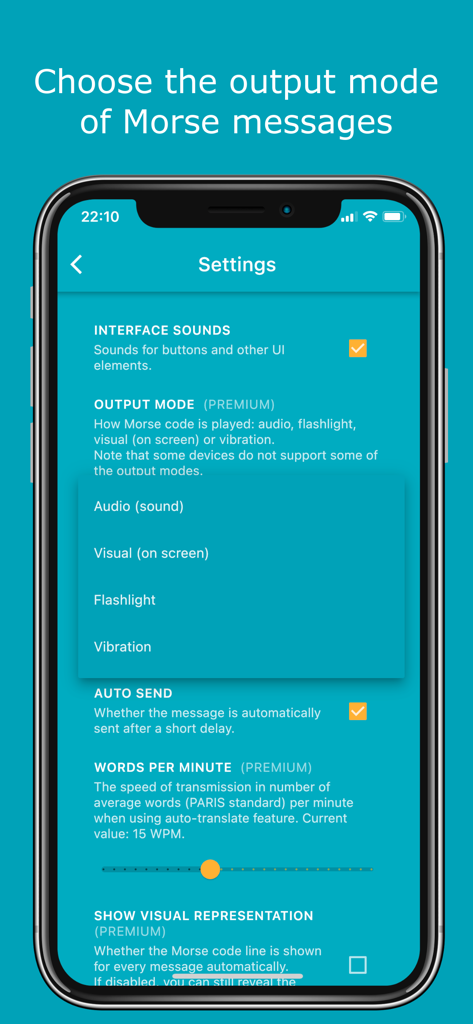
Morse Chat: Chat in Morse Code - Morse Chat settings screen displaying output mode options for audio flashlight and vibration
Morse Chat settings screen displaying output mode options for audio flashlight and vibration

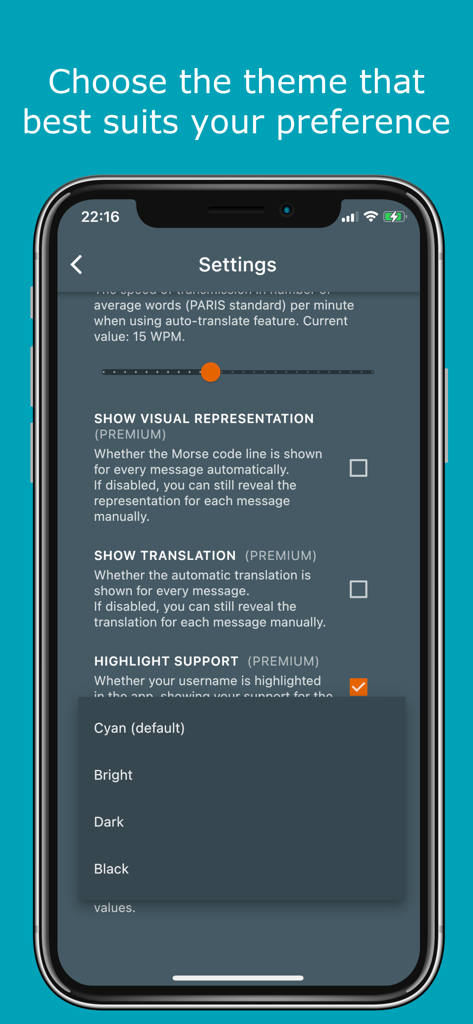
Morse Chat: Chat in Morse Code - Morse Chat app settings showing a menu for choosing themes like dark or black

Morse Chat app settings showing a menu for choosing themes like dark or black

Description

Features: - Communicate with fellow Morse enthusiasts from far and near simply by tapping dots and dashes. - Meet new friends in a number of public rooms (10 WPM or less, 15 WPM, 20 WPM or more, Test room and so on). - Share and exchange ideas with your Inner Circle by creating private rooms. - In private rooms, the owner can modify room details (room ID & name) and remove members. - Text your friends privately with direct messages. - 7 types of Morse keys to choose from (e.g. iambic). - NEW! “Playground” to test and train your Morse code sending skills. - Support for external keyboard. - Easily subscribe and unsubscribe to notifications by clicking the bell icon at the upper right corner. - Learn and practice Morse code in real conversations (click on the question mark icon in any chat screen to see Morse representations and the most common Morse abbreviations). - Auto-translate between Morse code, Morse representation and text while receiving or sending messages. You decide what to show and in which order in Settings. - Option to show live translation while typing the Morse code. - Try the app out as a guest or sign in with your Apple ID, Google account or Facebook account. - Completely adjust the app according to your preferences: 1. Choose the frequency and output mode of the Morse messages (audio, blinking light, flashlight, vibration or audio + blinking light). 2. Adjust the transmission speed when using auto-translate. 3. Change the theme (Cyan, Bright, Dark, Black). 4. Enable/disable auto-send, auto-translation and more. - Absolutely no ads. - Easily block annoying users. - Blog posts and the info screen provide detailed instructions on how to use the app. Morse Code Morse code is a communication system that uses a series of short signals (also known as dots or dits) and long signals (also known as dashes or dahs) to transmit characters. The initial version of it was developed by Samuel F. B. Morse as a method to transmit natural language through the telegraph in the mid-19th century. Morse Chat Morse Chat is an app that allows users to communicate with others using Morse code. Once you sign in, you’ll see 3 big buttons which correspond to 3 main ways of chatting. - Public Rooms. A number of rooms (10 WPM or less, 15 WPM, 20 WPM or more, Test room and so on) has been created to allow chatting with fellow Morse code enthusiasts. These rooms are open to everyone. Contact us if you have an idea for a new public room. - Private Rooms. These can be created by premium users, and joined by any user (premium or not) who gets the room ID and password (case sensitive) or is invited by an existing room member. - Direct Messages (DMs). These are private messages between two participants. Simply create a DM by searching the other user’s display name or call sign. Download Morse Chat now and say “Hello” to the world in Morse code! Privacy Policy: https://www.dong.digital/morsechat/privacy/ Terms of Use: https://www.dong.digital/morsechat/tos/

Download

Download on App Store

This page is not an official page of the app or its developer, but an independent editorial publication created for informational and commentary purposes. Unless expressly stated otherwise, neither the app nor its developer is affiliated with, endorsed by, sponsored by, authorized by, or otherwise officially connected with MWM, Apple, Google Play, the app publisher, or the app's developer, and nothing on this page implies that the app was developed using MWM's services. Any trademarks, logos, screenshots, and other content remain the property of their respective owners.








