MP3 Converter : music editor

MP3 Converter : music editor

Download on App Store
Logo of MP3 Converter : music editor

MP3 Converter : music editor - Your All-in-One Studio for Audio Creation

Extract audio from any video, remove vocals with AI, and craft professional-grade soundtracks, podcasts, or ringtones in seconds.

Publisher

斐峥 刘

Category

Music

Downloads

544K+

User Rating

4.5/5

Total Ratings

1000

Locales

9

Your Mobile Sound Studio

Discover the interface used by 544K+ users.
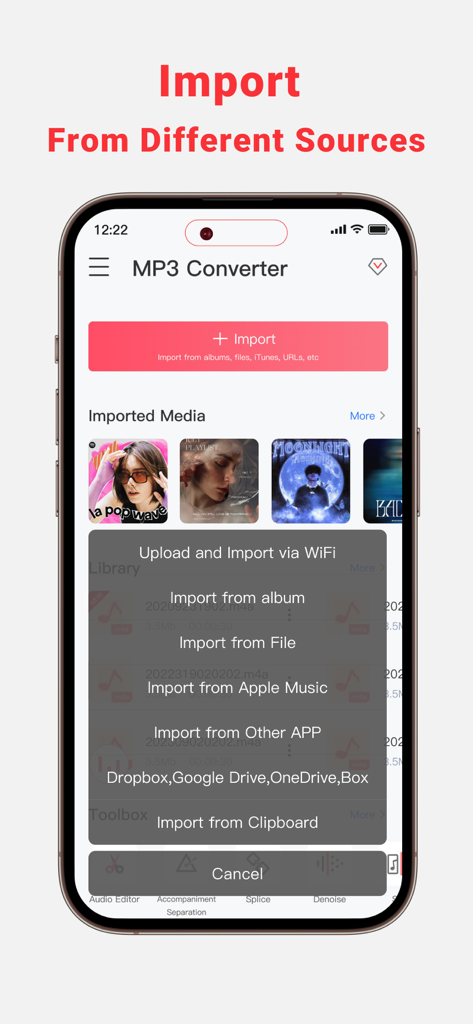
MP3 Converter app interface displaying options to import music from various sources on a mobile device

MP3 Converter app interface displaying options to import music from various sources on a mobile device

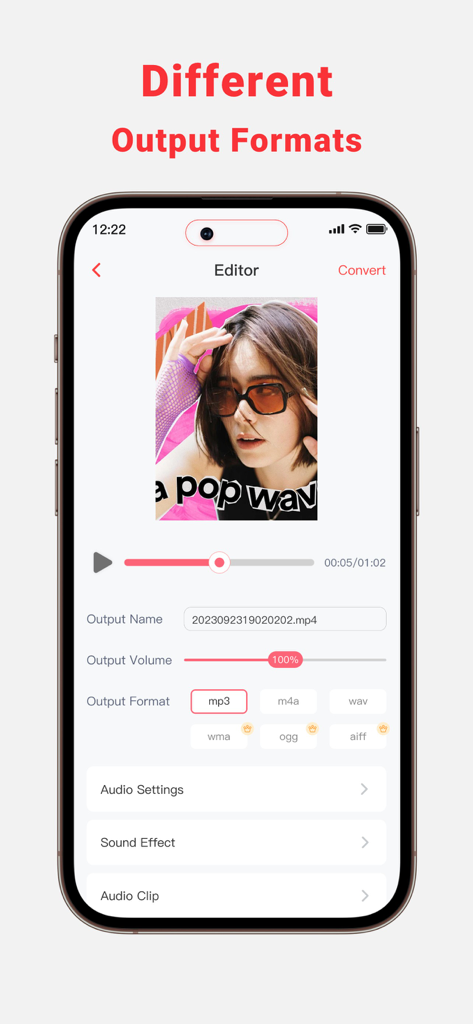
Mobile app interface displaying different audio output formats like MP3, WAV and M4A for sound editing.

Mobile app interface displaying different audio output formats like MP3, WAV and M4A for sound editing.

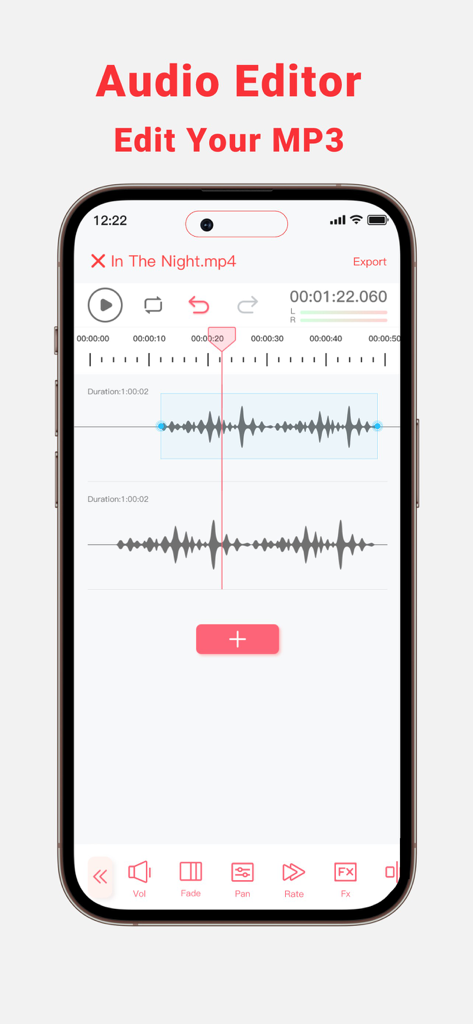
Mobile audio editor interface showing dual track waveforms with editing tools for volume fade and pan

Mobile audio editor interface showing dual track waveforms with editing tools for volume fade and pan

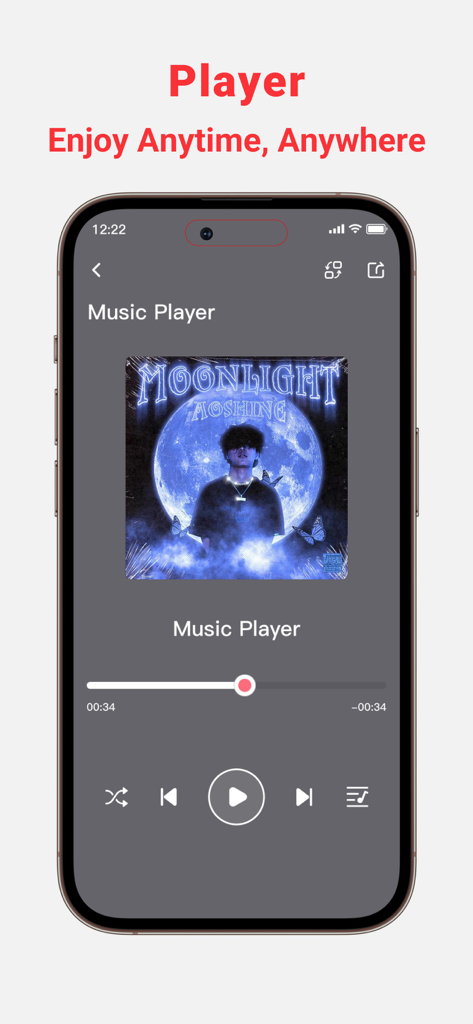
A smartphone displaying the music player interface of the MP3 Converter app with playback controls and album art.

A smartphone displaying the music player interface of the MP3 Converter app with playback controls and album art.

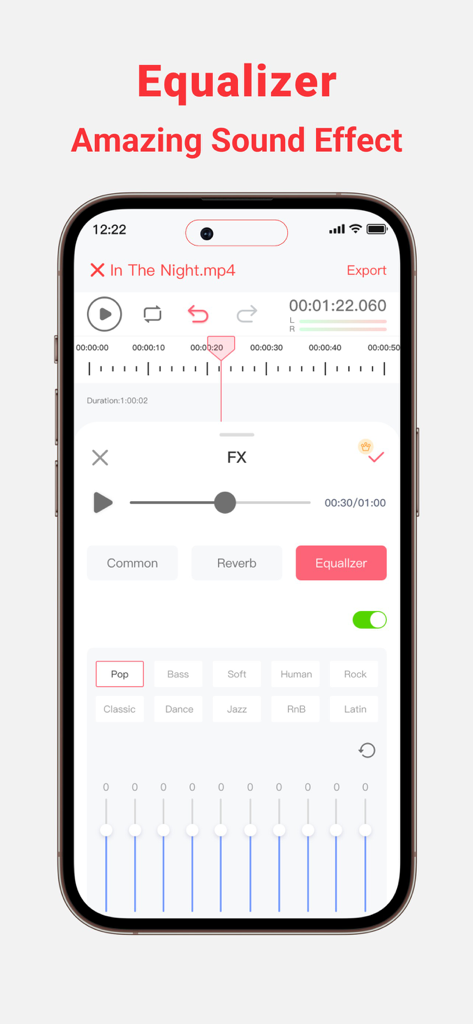
Interface of the MP3 Converter app showing the audio equalizer with frequency sliders and music genre presets.

Interface of the MP3 Converter app showing the audio equalizer with frequency sliders and music genre presets.

Master Your Audio in Seconds

The tools that make this app stand out, trusted by 544K+ users.

🎥

Instant Video to Audio

Rip trending sounds from any video file or online link to create your next viral hit on TikTok or Reels.

🎤

AI Vocal & Instrumental Splitter

Effortlessly isolate vocals or create high-quality backing tracks for karaoke, rehearsals, and remixes.

🎚️

Pro-Level Mobile Editor

Trim, mix, denoise, and enhance your tracks with the precision of desktop software like Audacity.

About the app

Everything you need to know about MP3 Converter : music editor.

Description

MP3 Converter can Extract Audio from your Local and Online Video Files. Download and Convert Online Videos to MP3. Trim or mix converted MP3 to your phone or set them as personalized ringtones! Key Features: - Multi-Format Support, extract MP3, AAC, WAV, and more audio formats from various video formats such as 3GP,FLV,MP4,MOV,MXF,MKV,AVI,MPG,MPEG, and others. - Audio Editor (Splicing,Cutting,Shifting,Balance,Fade, etc.) - Vocal Remover, remove vocals from audio track and create accompaniment version for Karaoke. - Multiple audio clippers and splicers,Mix and Reverb - Intelligent denoising function - Quickly set ringtones - Audio Toolbox( Noise reduction, vocal enhancement, vocal/accompaniment separation...) - Multiple methods to import the audio: Wi-Fi Transfer,Video extract, Apple music, file and clipboard - Share extracted audio files via other apps MP3 Converter is perfect for: • Lovers of music production and audio editing • Podcast Maker, Talk Show producer and ASMR anchor • Youtube and TikTok video secondary creation • Musicians and Professional Music Producers • Music students and teachers • Especially for users who are familiar with Audacity or Audition Feature Highlights: • Professional music editor: supporting music clips, mergers, mixing and other advanced features, easy to play ringtones and music! • Add audio effects: choose from the variety of audio effects like, normalizer, EQ, tempo and more • Simple music stitching: song editing and splicing as a whole,connect the favorite songs! • Unique music mixing: free to cut the two songs, mixed together to play, feel different music effects! • Audio toolbox. Currently supported features include enhanced vocals, vocal removal, noise cancellation, automatic gain, accompaniment removal, bass boost, karaoke, etc. No more frustration about not finding the music you love! MP3 Converter offers you the simplest and most efficient solution. Download MP3 Converter and make your music life more vibrant! If you encounter any issues or have any suggestions while using the app, please feel free to contact us. We are more than happy to assist you. Thank you for choosing MP3 Converter! Terms of Service: https://www.freeprivacypolicy.com/live/348ab84f-9274-4a9d-b61b-1770fcc97fcf Privacy Policy: https://www.freeprivacypolicy.com/live/02eb5520-0c08-44e0-9802-20a8b257fdb8 Subscription Info: - The user can cancel his/her subscription at any time by going into iTunes and App Store Apple ID Settings. - All prices include applicable local sales taxes. - Payment will be charged to your iTunes Account after confirmation of purchase. - Subscription automatically renews at least 24-hours before the end of the current period. - The user's account will be charged for renewal within 24-hours before the end of the current period.

Latest Version

1.4.6

Size

145.8 MB

First Released

Oct 19, 2023

Ready to Master Your Audio?

Join 500,000+ creators turning videos into studio-quality tracks. Download the ultimate all-in-one audio toolbox for iPhone and iPad today.

Download on App Store
FAQ

Frequently Asked Questions

Everything you need to know about MP3 Converter : music editor

What is MP3 Converter : music editor?

MP3 Converter : music editor extracts audio from local and online video files, converts videos to MP3, and provides advanced audio editing tools. Users can trim, mix, apply effects, and set converted audio as ringtones.

What audio formats can MP3 Converter extract?

MP3 Converter extracts audio in MP3, AAC, WAV, and other formats. It supports various video input formats including 3GP, FLV, MP4, MOV, MXF, MKV, AVI, MPG, and MPEG.

Can MP3 Converter remove vocals from a song?

Yes, MP3 Converter includes a Vocal Remover feature. This function separates vocals from an audio track, allowing users to create an accompaniment version suitable for karaoke or other uses.

How can I import audio files into MP3 Converter?

MP3 Converter supports multiple import methods including Wi-Fi Transfer, video extraction, Apple Music, importing from files, and using the clipboard. It also supports imports from other apps like Dropbox, Google Drive, OneDrive, and Box.

Does MP3 Converter offer an equalizer for audio effects?

Yes, MP3 Converter features an Equalizer to apply various sound effects. Users can choose from presets like Pop, Bass, Soft, Human, Rock, RnB, and Latin to enhance their audio.

Can I set custom ringtones using MP3 Converter?

Yes, MP3 Converter allows users to quickly set converted or edited MP3s as personalized ringtones on their phone. This feature is integrated into its core functionality.

How do I cancel my subscription to MP3 Converter : music editor?

Users can cancel their subscription to MP3 Converter : music editor at any time. This process is managed through iTunes and App Store Apple ID Settings on their device.

Does MP3 Converter provide noise reduction features?

Yes, MP3 Converter includes intelligent denoising functionality and a noise reduction feature within its Audio Toolbox. These tools help improve audio clarity by reducing unwanted background noise.

What kind of audio editing features are available in MP3 Converter?

MP3 Converter offers comprehensive audio editing features including splicing, cutting, shifting, balance, fade, mixing, and reverb. It also supports music clips, mergers, and advanced sound effects like normalizer and tempo.

App information, icons, screenshots, and descriptions displayed on this page are sourced from the Apple App Store and are the property of their respective developers. Download estimates and rankings are based on MWM's proprietary models and may not reflect actual figures. This page is provided for informational and analytical purposes only.

Believe this page infringes your intellectual property? File a dispute