
This page is not an official page of the app or its developer, but an independent editorial publication created for informational and commentary purposes. Unless expressly stated otherwise, neither the app nor its developer is affiliated with, endorsed by, sponsored by, authorized by, or otherwise officially connected with MWM, Apple, Google Play, the app publisher, or the app's developer, and nothing on this page implies that the app was developed using MWM's services. Any trademarks, logos, screenshots, and other content remain the property of their respective owners.


Audio Fusion
Harness AI to separate vocals, remix tracks, and create viral sounds in seconds. No learning curve—just pure creativity for your next TikTok, Reel, or mashup.
Downloads
715K+User Rating
Total Ratings
11K+Publisher
Category
MusicLocales
2Latest Version
3.9.5Size
270.2 MBFirst Released
Jan 29, 2022Professional Audio Editing, Simplified
Transform your iPhone into a powerful mobile studio. From viral AI vocal removal to seamless mashups, create studio-quality audio in seconds without the steep learning curve.
AI Vocal & Music Splitter
Instantly isolate vocals or remove background music with one tap—perfect for high-quality karaoke tracks and viral TikTok remixes.
Precision Unlimited Cutting
Trim, merge, and slice audio files with zero limitations. Craft the perfect ringtone or transition for your social media videos instantly.
Frequently Asked Questions
Everything you need to know about Audio Fusion
What is Audio Fusion?
Audio Fusion is a powerful and easy-to-use audio editor designed for users without prior learning. It offers features such as cutting audio resources, vocal/accompaniment separation, and a variety of rich sound effects.
What are the main features of Audio Fusion?
Audio Fusion's main features include easy-to-use audio editing, unlimited audio cutting, vocal and accompaniment separation, rich sound effects, multi-track editing, and music project management.
Can Audio Fusion separate vocals from music?
Yes, Audio Fusion can separate vocals and accompaniment. The application provides a dedicated function for "人声伴奏分离" (Vocal accompaniment separation) to isolate vocal and instrumental tracks.
Does Audio Fusion offer sound effects?
Yes, Audio Fusion offers rich sound effects. Users can apply various audio effects, such as reverb, with different styles like room, large room, and auditorium.
Is Audio Fusion suitable for beginners?
Yes, Audio Fusion is designed to be easy to use for users without any prior learning. Its interface and functionalities are straightforward, enabling intuitive audio editing.
Does Audio Fusion support multi-track audio editing?
Yes, Audio Fusion supports multi-track audio editing. The application allows users to edit multiple audio tracks simultaneously on a visual timeline without limitations.
Where can I find the Terms of Use for Audio Fusion?
The Terms of Use for Audio Fusion are available at the following URL: https://www.apple.com/legal/internet-services/itunes/dev/stdeula/. This link is provided in the app's description.
Can I manage my audio projects in Audio Fusion?
Yes, Audio Fusion includes music project management features. Users can view and manage their saved projects, import draft files, and access a local material library within the application.
Does Audio Fusion have a VIP feature?
Yes, Audio Fusion features a VIP status. Screenshot #5 shows a "VIP" icon in the top right corner of the application interface, indicating premium access or features.
The following screenshots and description are sourced directly from the app's official store listing and are the property of the app developer.
App Store
Screenshots
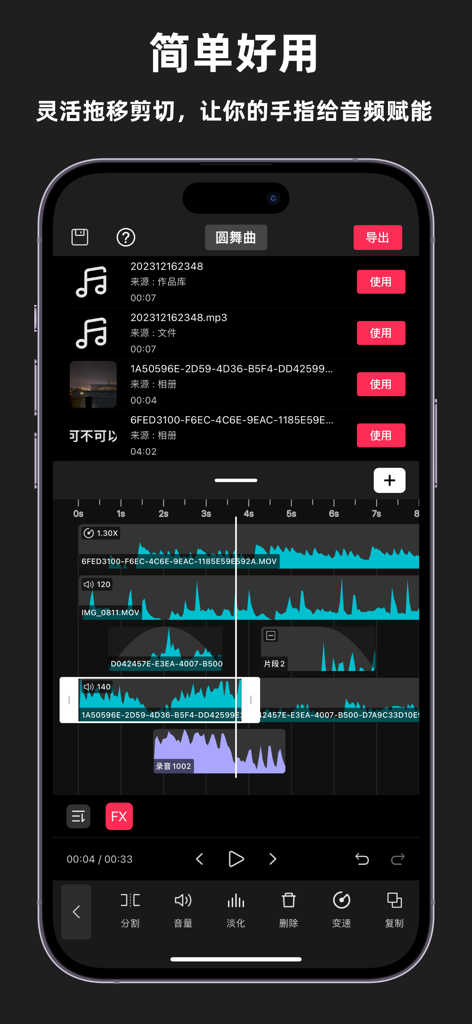
Audio Fusion mobile app interface featuring multitrack audio waveform editing and processing tools.
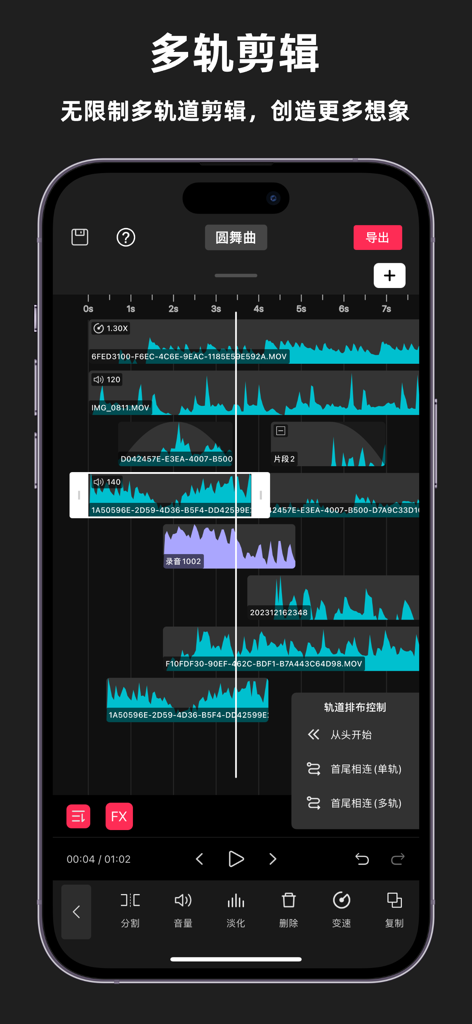
iPhone screenshot of the Audio Fusion app showing a multitrack audio editing interface with several overlapping waveform tracks.
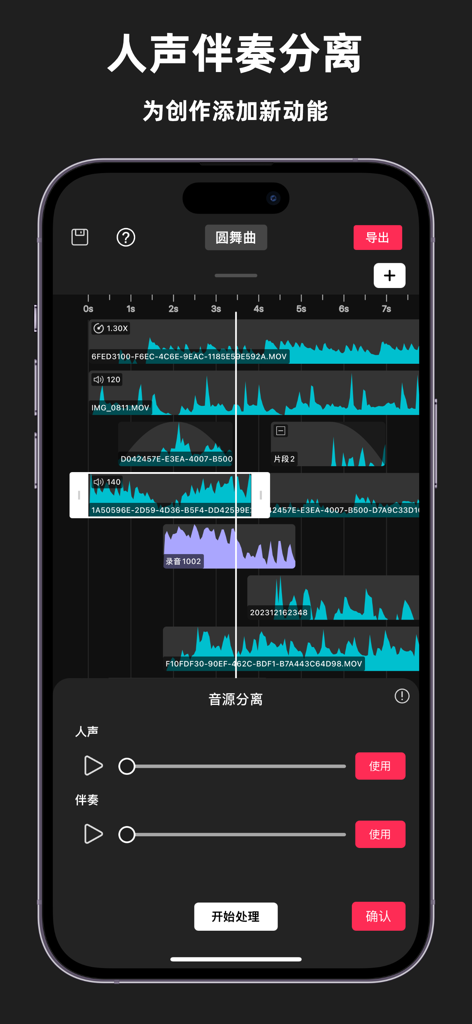
Interface of the Audio Fusion mobile app showing multitrack audio editing and AI-powered vocal and accompaniment separation tools.
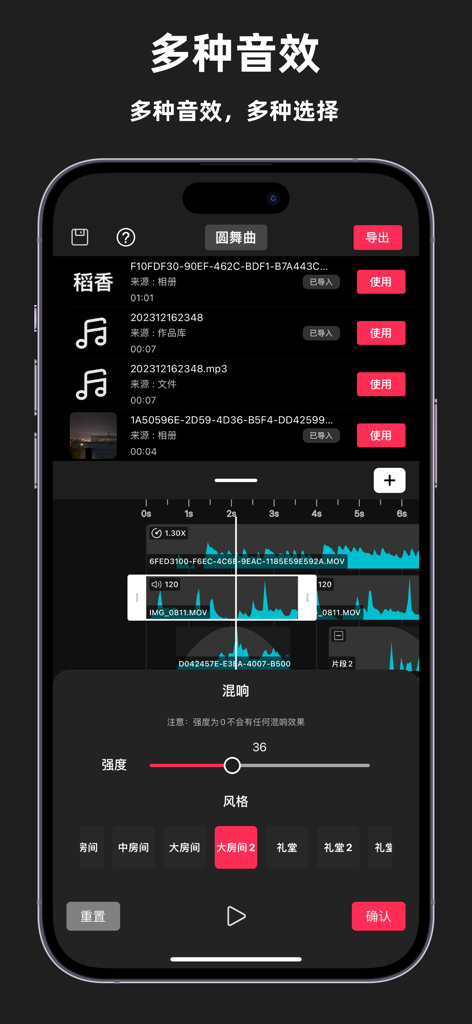
Audio Fusion mobile app interface for editing music and adding reverb effects
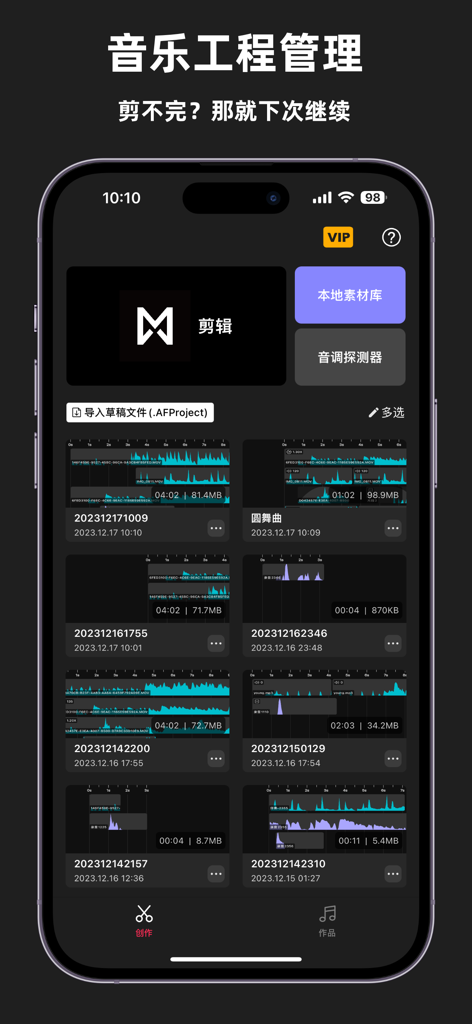
Audio Fusion app displaying a list of saved music projects with waveforms
Description
Download
More Like This
Apps with similar features and user experience

Music Speed Changer ▶▶▶
Single Minded Productions, LLC

Vocal Remover - Musiclab
CHENGDU Yiwo Tech Development Co., Ltd

Audio Jam: AI for musicians
Kiraku Tech Co., Ltd.

Anytune Pro+: Studio Tools
Anytune Inc.

Moises: The Musician's App
Moises Systems Inc

Strum - Play Guitar
W185 Holdings LLC

Chordify: Songs, Chords, Tuner
Chordify BV

Chord ai - Play any song!
Nomad AI OU

Stem Splitter Voice Isolation
MUSIC AI STUDIO LTD
This page is not an official page of the app or its developer, but an independent editorial publication created for informational and commentary purposes. Unless expressly stated otherwise, neither the app nor its developer is affiliated with, endorsed by, sponsored by, authorized by, or otherwise officially connected with MWM, Apple, Google Play, the app publisher, or the app's developer, and nothing on this page implies that the app was developed using MWM's services. Any trademarks, logos, screenshots, and other content remain the property of their respective owners.