
This page is not an official page of the app or its developer, but an independent editorial publication created for informational and commentary purposes. Unless expressly stated otherwise, neither the app nor its developer is affiliated with, endorsed by, sponsored by, authorized by, or otherwise officially connected with MWM, Apple, Google Play, the app publisher, or the app's developer, and nothing on this page implies that the app was developed using MWM's services. Any trademarks, logos, screenshots, and other content remain the property of their respective owners.


Strum - Play Guitar
No more bad tabs. It puts every song you know into your hands, instantly playable.
Downloads
500k+User Rating
Total Ratings
20.6KPublisher
Category
MusicLocales
1Latest Version
1.4.9Size
115.0 MBFirst Released
Aug 6, 2025An evaluation of core functionalities and their impact on music learning and practice.
Key Features Analysis of Strum - Play Guitar
AI-Powered Chord Accuracy
The app employs advanced AI to analyze audio and accurately identify chord progressions, addressing the common issue of unreliable online tabs.
YouTube Chord Detection
It allows users to paste any YouTube music link to instantly generate chord progressions for a vast library of online songs.
Interactive Practice Tools
This tool features a dedicated practice mode, enabling users to loop specific sections and adjust playback speed for effective learning and mastery.
Personal Audio File Analysis
The app provides support for uploading personal audio files (MP3, WAV, M4A) to detect chords, catering to custom music libraries or original compositions.
Frequently Asked Questions
Everything you need to know about Strum - Play Guitar
What is the Strum app and what does it do?
Strum is an app that transforms any song into playable chord progressions. It uses advanced AI to analyze audio and provide accurate, professionally formatted chord charts for learning and playing music.
Can I use my own songs with the Strum app?
Yes, Strum supports importing music from various sources. Users can paste YouTube links, upload their own audio files (MP3, WAV, M4A), or choose songs from the app's top charts library.
Does Strum include a practice mode for learning songs?
The Strum app offers a Practice Mode where users can loop specific sections of a song and adjust the playback speed. This feature assists in learning difficult parts of a song at a comfortable pace.
Is the Strum app free to use or does it require a subscription?
Yes, Strum requires a paid subscription to "Strum Unlimited" to access all features. The app description states that additional information about this subscription is available on the in-app paywall.
How many songs are available in the Strum app's library?
Strum provides access to a large song library, allowing users to choose from over 1 million songs. This includes trending songs and popular hits across various genres for chord detection.
Does the Strum app show chord diagrams while playing a song?
Yes, the Strum app displays chord diagrams directly above the lyrics in real time as the song plays. This visual aid helps users understand how to play each chord.
Who is the Strum app designed for?
Strum is perfect for beginner musicians learning new songs, experienced players needing quick chord references, music teachers creating lesson materials, and songwriters analyzing chord progressions.
Where can I find the Terms of Service for the Strum app?
You can find the Terms of Service for the Strum app at the following URL: https://strum-app.github.io/strum/terms. This link is provided directly in the app's store description.
The following screenshots and description are sourced directly from the app's official store listing and are the property of the app developer.
App Store
Screenshots
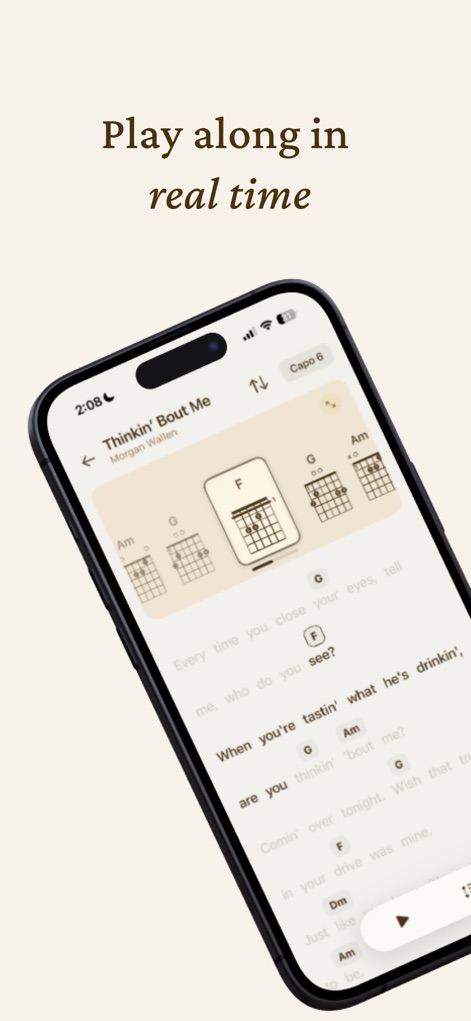
This view highlights the app's capability to display real-time chord progressions aligned with lyrics and provides interactive chord diagrams for immediate reference.
Interactive Chord Playback
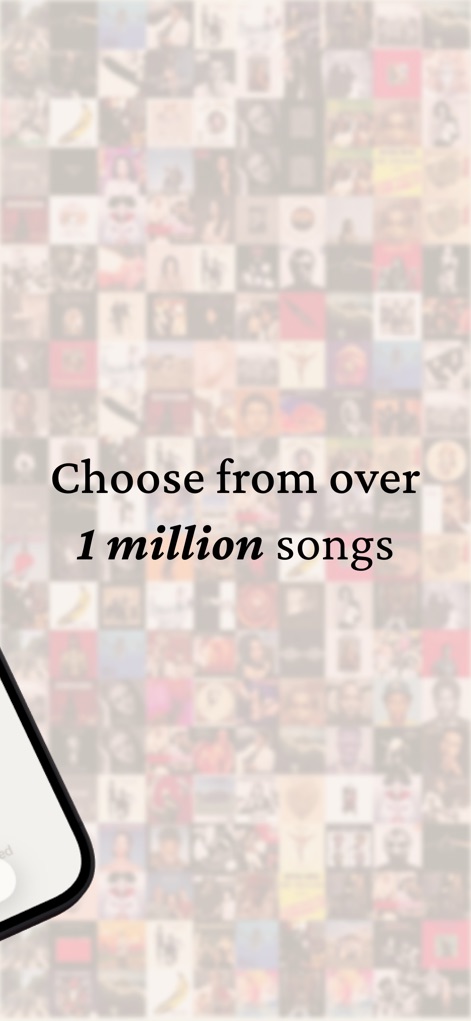
The blurred mosaic of album covers visually represents access to a vast music library, enabling users to explore a diverse range of songs for chord detection.
Expansive Song Library

The user interface showcases intuitive navigation with a prominent search bar and organized sections for playlists, making discovery and continued practice effortless.
Streamlined Music Discovery
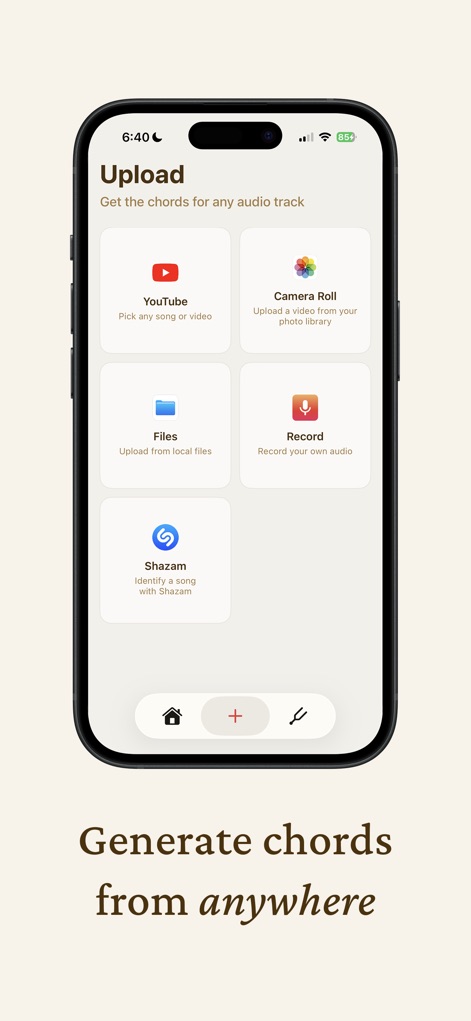
This screen illustrates the versatile chord generation options, including direct YouTube integration and the ability to identify songs via Shazam or local files.
Flexible Chord Generation
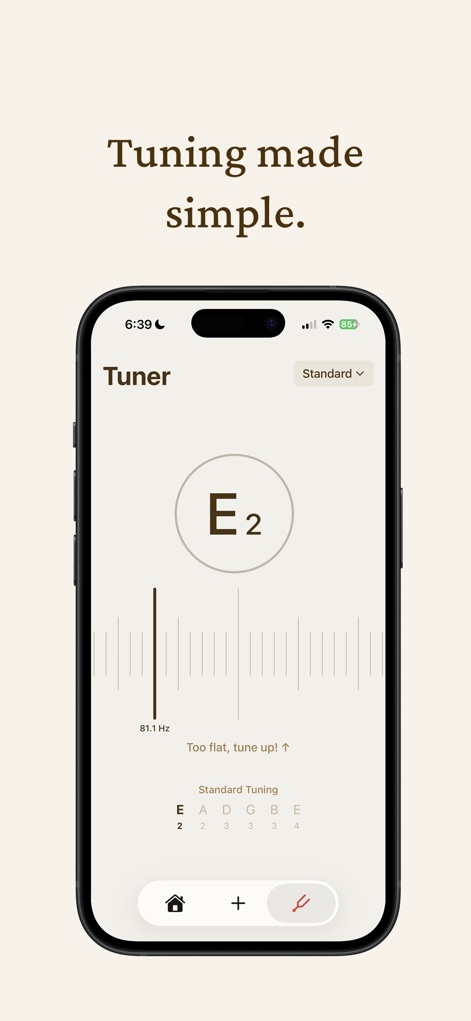
The dedicated tuner provides a precise visual indicator and displays the detected note and frequency, simplifying the instrument tuning process for users.
Accurate Built-in Tuner
Description
Download
More Like This
Apps with similar features and user experience

Music Speed Changer ▶▶▶
Single Minded Productions, LLC

Vocal Remover - Musiclab
CHENGDU Yiwo Tech Development Co., Ltd

Audio Fusion
景睿 文

Audio Jam: AI for musicians
Kiraku Tech Co., Ltd.

Anytune Pro+: Studio Tools
Anytune Inc.

Moises: The Musician's App
Moises Systems Inc

Chordify: Songs, Chords, Tuner
Chordify BV

Chord ai - Play any song!
Nomad AI OU

Audio Jam - AI for musicians
Mega e Limited
This page is not an official page of the app or its developer, but an independent editorial publication created for informational and commentary purposes. Unless expressly stated otherwise, neither the app nor its developer is affiliated with, endorsed by, sponsored by, authorized by, or otherwise officially connected with MWM, Apple, Google Play, the app publisher, or the app's developer, and nothing on this page implies that the app was developed using MWM's services. Any trademarks, logos, screenshots, and other content remain the property of their respective owners.