
This page is not an official page of the app or its developer, but an independent editorial publication created for informational and commentary purposes. Unless expressly stated otherwise, neither the app nor its developer is affiliated with, endorsed by, sponsored by, authorized by, or otherwise officially connected with MWM, Apple, Google Play, the app publisher, or the app's developer, and nothing on this page implies that the app was developed using MWM's services. Any trademarks, logos, screenshots, and other content remain the property of their respective owners.

Audio Jam: AI for musicians
Isolate instrument tracks with surgical precision, adjust tempo without losing pitch, and sync your digital scores. Use AI to deconstruct your favorite songs and cut your practice time in half.
Downloads
299K+User Rating
Total Ratings
6K+Publisher
Category
MusicLocales
6Latest Version
2.12.0Size
135.4 MBFirst Released
Dec 21, 2021Master Every Note with AI-Powered Precision
Stop guessing and start playing. Audio Jam provides the ultimate toolkit for musicians to deconstruct songs and accelerate their learning process.
AI Instrument Separation
Instantly isolate or remove vocals, drums, bass, and guitars from any song to hear every detail of the performance with X-ray clarity.
Smart AB Looping & Speed Control
Slow down fast passages without changing the pitch. Loop difficult sections to build muscle memory until you have mastered the track.
Frequently Asked Questions
Everything you need to know about Audio Jam: AI for musicians
What is AudioJam?
AudioJam is a powerful AI-powered music learning tool designed for professional musicians. It helps users practice efficiently by offering features like instrument track extraction, tempo/pitch adjustment, and AB loop playback.
Can AudioJam separate instrument tracks from a song?
Yes, AudioJam's AudioAI feature separates vocal, drum, bass, keyboard, guitar, and other instrument tracks from any song. Users also adjust the volume of individual separated tracks.
Does AudioJam detect chords in music?
Yes, AudioJam features Chord Detection. It detects chords from any music and supports recognition for over 700 different chords, assisting musicians in learning and transcribing.
Does AudioJam support AB loop playback?
Yes, AudioJam supports AB Loop Playback. Users set specific start and end points within an audio track to continuously loop that section for practice.
Can users adjust the speed and tone in AudioJam?
Yes, AudioJam allows users to adjust both the tone (pitch) and speed (tempo) of the audio. This feature helps musicians practice songs at a pace and pitch suitable for their needs.
Does AudioJam have a smart metronome?
Yes, AudioJam features a Smart Metronome that analyzes the beat within the music. It also offers a countdown entry to help musicians start practicing effectively with the song's tempo.
What audio and video formats does AudioJam support?
AudioJam supports several audio formats including mp3, m4a, aac, aiff, and wav. It also supports video formats such as mp4 and mov for importing media.
What benefits does an AudioJam Pro membership offer?
AudioJam Pro membership increases AudioAI usage to 100 times/month, extends audio/video length to twenty minutes, provides unlimited projects, allows project exporting, removes ads, and offers cross-platform benefits.
How much does a monthly AudioJam Pro subscription cost?
A monthly AudioJam Pro subscription starts at USD $6.99. Other plans, including semi-annual, are also available, with the semi-annual plan starting at USD $39.99.
How do I cancel my AudioJam Pro subscription?
Users cancel their AudioJam Pro subscription through the subscription settings in their personal iTunes account. Cancellation must occur at least 24 hours before the existing plan expires to prevent automatic renewal.
The following screenshots and description are sourced directly from the app's official store listing and are the property of the app developer.
App Store
Screenshots
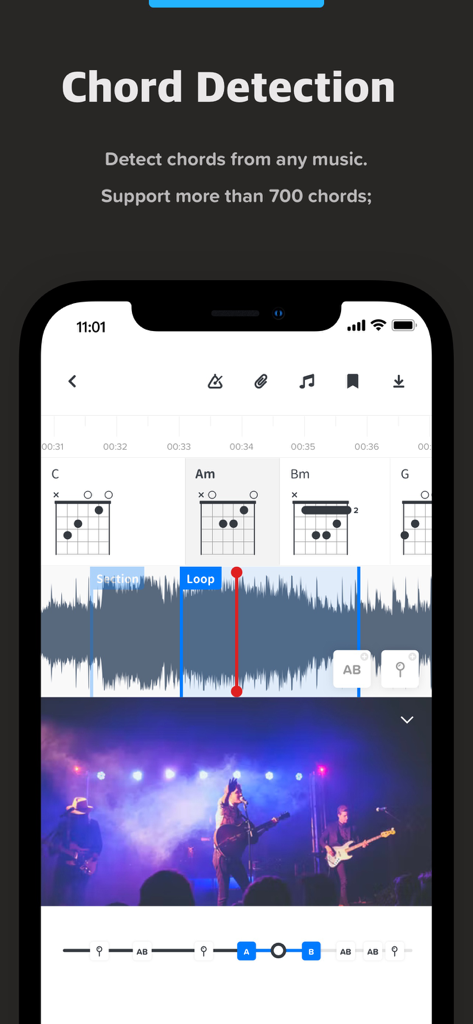
Audio Jam app interface displaying AI chord detection and guitar chord diagrams
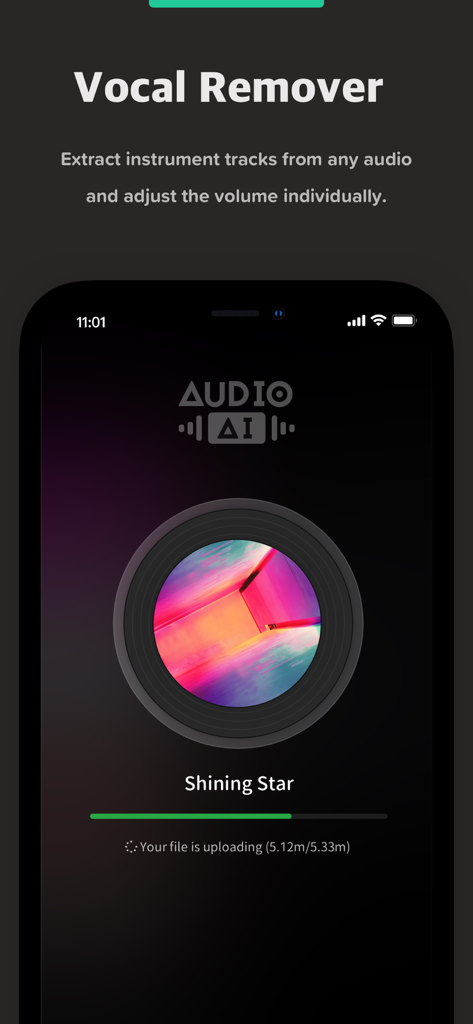
Audio Jam app screen showing the AI vocal remover feature extracting instrument tracks from a song
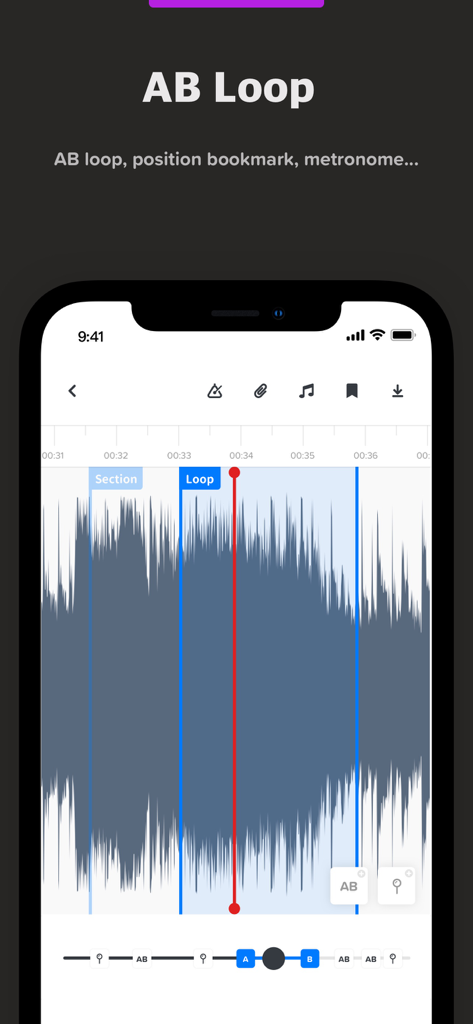
Audio Jam app interface showing the AB loop feature with an audio waveform and markers for music practice.
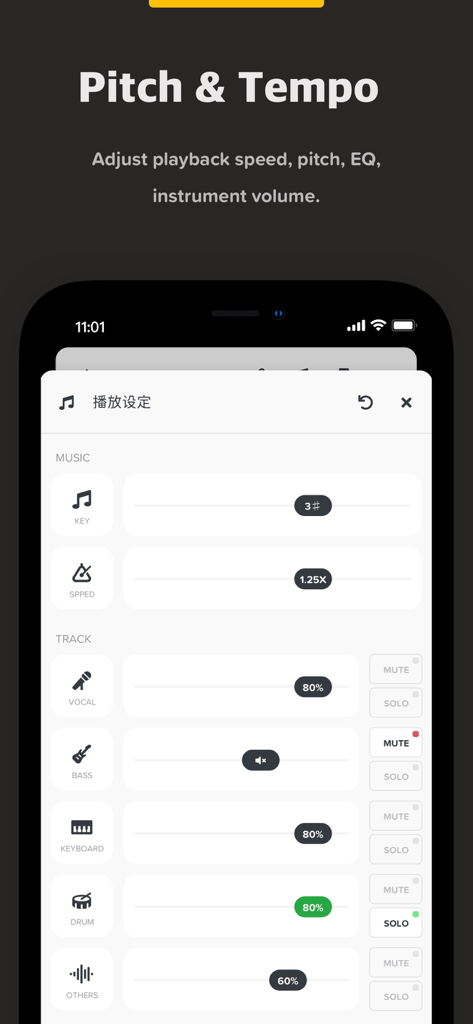
Audio Jam app interface for adjusting music pitch tempo and individual instrument track volumes
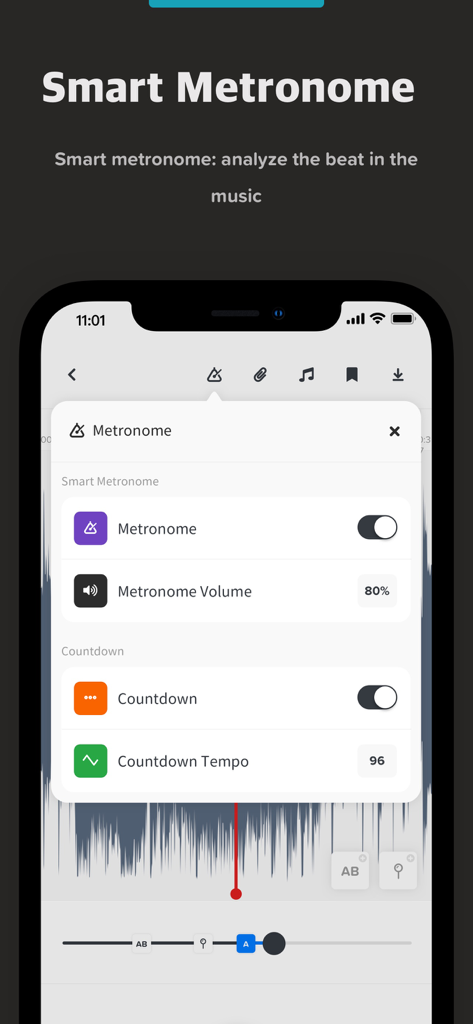
Interface of Audio Jam app showing smart metronome settings including volume and countdown tempo
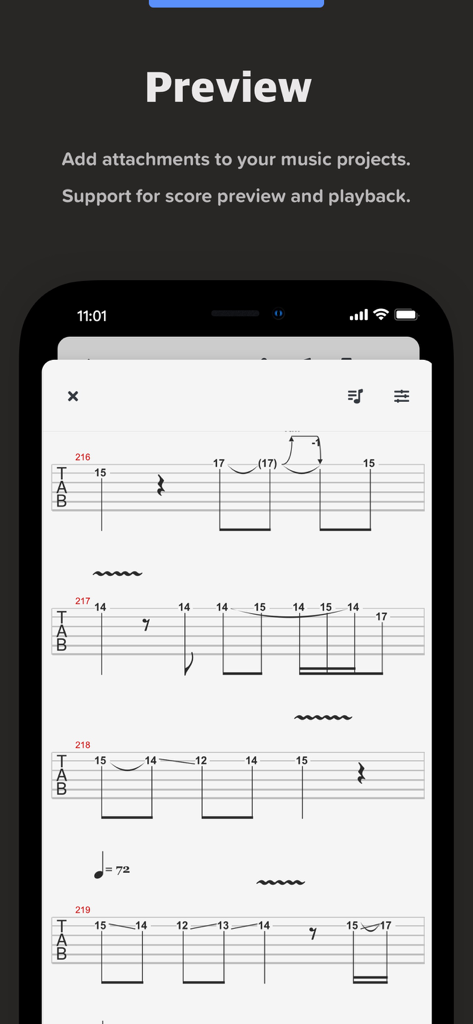
Mobile screen showing a guitar tablature score preview within the Audio Jam app
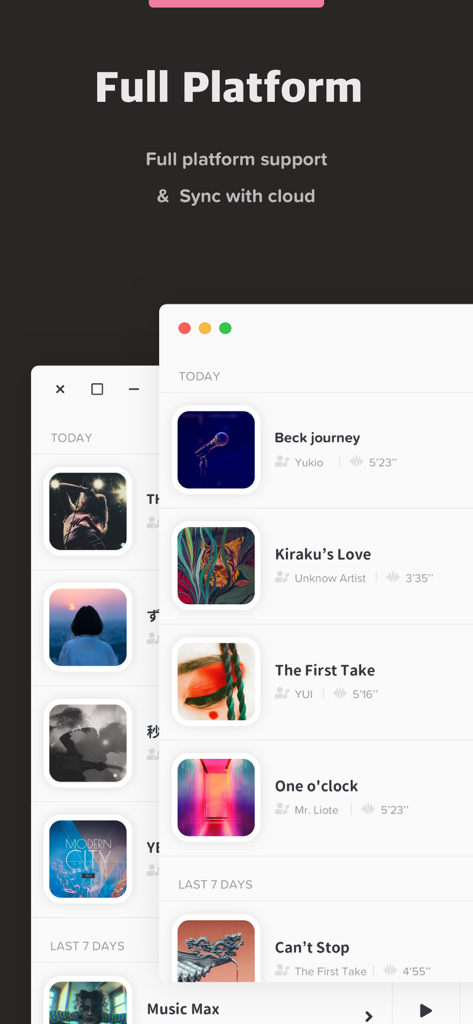
Audio Jam music app interface highlighting full platform support and cloud synchronization feature
Silhouette of a musician on stage with icons representing vocals, drums, keyboards, and guitar stems.
Description
Download
More Like This
Apps with similar features and user experience

Music Speed Changer ▶▶▶
Single Minded Productions, LLC

Vocal Remover - Musiclab
CHENGDU Yiwo Tech Development Co., Ltd

Audio Fusion
景睿 文

Anytune Pro+: Studio Tools
Anytune Inc.

Moises: The Musician's App
Moises Systems Inc

Strum - Play Guitar
W185 Holdings LLC

Chordify: Songs, Chords, Tuner
Chordify BV

Chord ai - Play any song!
Nomad AI OU

Audio Jam - AI for musicians
Mega e Limited
This page is not an official page of the app or its developer, but an independent editorial publication created for informational and commentary purposes. Unless expressly stated otherwise, neither the app nor its developer is affiliated with, endorsed by, sponsored by, authorized by, or otherwise officially connected with MWM, Apple, Google Play, the app publisher, or the app's developer, and nothing on this page implies that the app was developed using MWM's services. Any trademarks, logos, screenshots, and other content remain the property of their respective owners.