
This page is not an official page of the app or its developer, but an independent editorial publication created for informational and commentary purposes. Unless expressly stated otherwise, neither the app nor its developer is affiliated with, endorsed by, sponsored by, authorized by, or otherwise officially connected with MWM, Apple, Google Play, the app publisher, or the app's developer, and nothing on this page implies that the app was developed using MWM's services. Any trademarks, logos, screenshots, and other content remain the property of their respective owners.

MPLS Parking
Skip the meter and stay warm. Pay securely, get expiry alerts, and receive essential snow emergency updates right on your phone.
Downloads
720K+User Rating
Total Ratings
41K+Publisher
Category
NavigationLocales
25Latest Version
10.6Size
123.4 MBFirst Released
Aug 20, 2015Park Smarter in the Twin Cities
Stop battling the meters and the cold. Our all-in-one parking solution is designed for the mobile professional and urban explorer who values efficiency, security, and peace of mind.
Remote Payment & Extension
Skip the freezing temperatures and the parking meter. Pay for your spot in seconds and extend your session from your phone, whether you're in a meeting or at a restaurant.
Snow Emergency Alerts
Avoid the stress of the tow lot. Receive real-time notifications about Minneapolis snow emergencies so you always know exactly when and where to move your vehicle.
Frequently Asked Questions
Everything you need to know about MPLS Parking
How do I pay for parking using the MPLS Parking app?
The MPLS Parking app allows mobile payments. You select your location, choose parking duration using a dial, and confirm payment within the app.
Can I extend my parking time with the MPLS Parking app?
Yes, the MPLS Parking app allows you to extend parking time without visiting a meter. However, time extension rules may vary by location.
Is registration required for the MPLS Parking app?
Yes, registration is required for the MPLS Parking app, but it is free. You create an account directly through the app.
What are the key features of the MPLS Parking app?
Key features of the MPLS Parking app include mobile payments, 'Find my car,' Face ID, event parking, and snow emergency alerts. It also offers notifications and time extension.
Is payment secure with the MPLS Parking app?
Yes, payment with the MPLS Parking app is ultra secure. Your data is protected, and the process is certified via 3rd party audit against Payment Card Industry Data Security Standards.
Does the MPLS Parking app offer a 'Find my car' feature?
Yes, the MPLS Parking app includes a 'Find my car' feature to help users locate their parked vehicles. This is listed among its key functionalities.
Can I use Face ID with the MPLS Parking app?
Yes, the MPLS Parking app supports Face ID as one of its key features for convenient and secure access.
Does MPLS Parking app send parking notifications?
Yes, the MPLS Parking app sends notifications. It alerts you before your parking time runs out and provides updates about your parking sessions.
Where can I use the MPLS Parking app to pay for parking?
You can use the MPLS Parking app to pay for parking in any location where parking is available in Minneapolis, once you have created an account.
How much does it cost to park using the MPLS Parking app?
The MPLS Parking app displays the parking price directly within the app before confirmation. For example, 1 hour and 45 minutes costs $3.00, as shown in the app interface.
The following screenshots and description are sourced directly from the app's official store listing and are the property of the app developer.
App Store
Screenshots
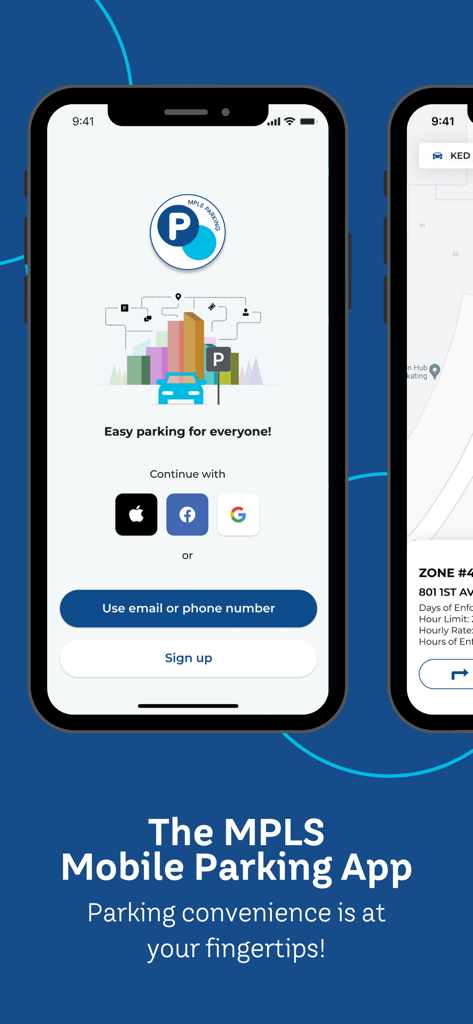
Welcome screen of the MPLS Parking mobile app with sign up and login options
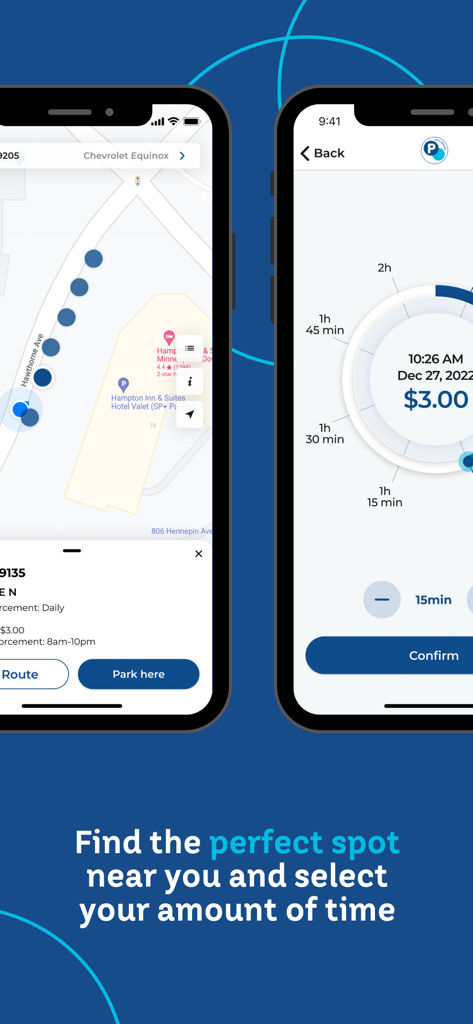
MPLS Parking app screens showing map location search and time selection dial.
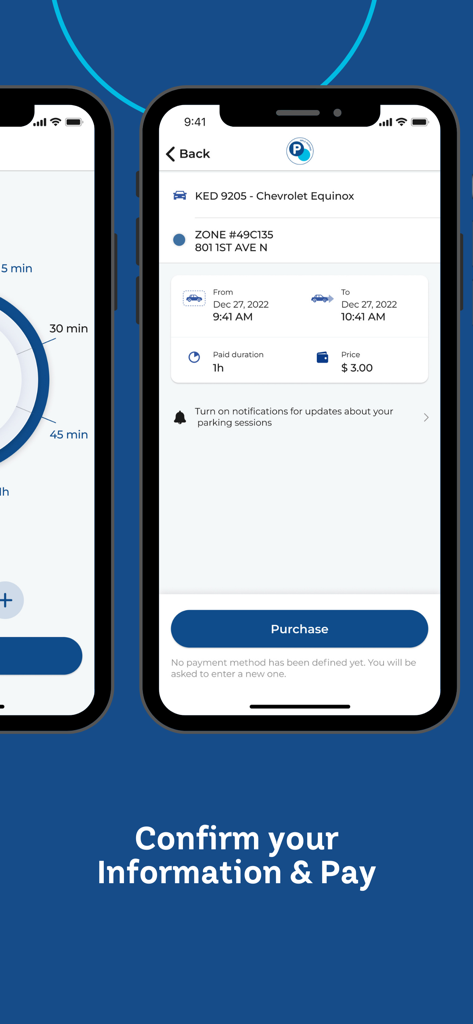
Mobile app screen showing a parking purchase summary with vehicle details and price in Minneapolis
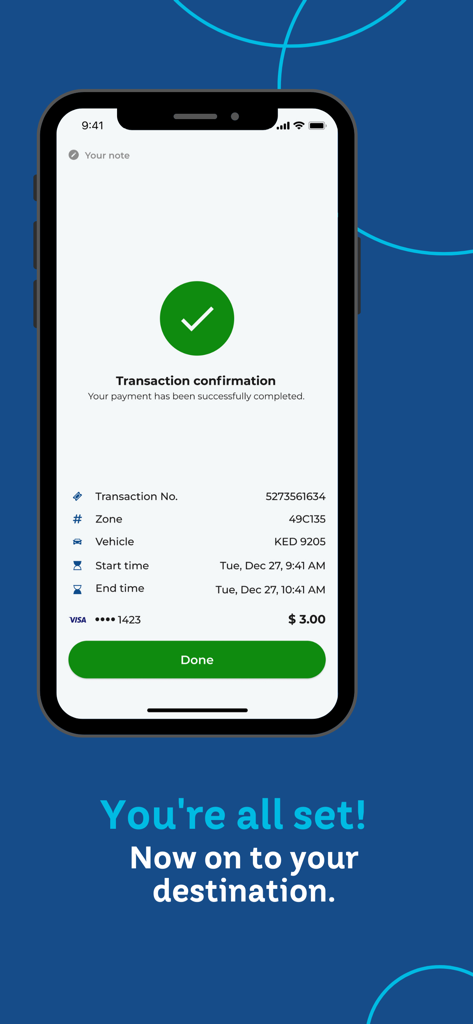
Successful transaction confirmation screen on the MPLS Parking app
Description
Download
More Like This
Apps with similar features and user experience

ParkMobile: Park. Pay. Go.
Parkmobile USA, Inc

EasyPark - Parking made easy
Easy Park AS

SpotHero: #1 Rated Parking App
SpotHero, Inc.

ParkWhiz - #1 Parking App
ParkWhiz, Inc.
RingGo: Mobile Car Parking App
RingGo Ltd

Metropolis: Remarkable Parking
Metropolis Technologies, Inc.

Mobicité
Agence de mobilite durable de Montreal

Parking Kitty
City of Portland

HandyParken München
SWM Services GmbH
This page is not an official page of the app or its developer, but an independent editorial publication created for informational and commentary purposes. Unless expressly stated otherwise, neither the app nor its developer is affiliated with, endorsed by, sponsored by, authorized by, or otherwise officially connected with MWM, Apple, Google Play, the app publisher, or the app's developer, and nothing on this page implies that the app was developed using MWM's services. Any trademarks, logos, screenshots, and other content remain the property of their respective owners.