
This page is not an official page of the app or its developer, but an independent editorial publication created for informational and commentary purposes. Unless expressly stated otherwise, neither the app nor its developer is affiliated with, endorsed by, sponsored by, authorized by, or otherwise officially connected with MWM, Apple, Google Play, the app publisher, or the app's developer, and nothing on this page implies that the app was developed using MWM's services. Any trademarks, logos, screenshots, and other content remain the property of their respective owners.


Munbyn Print
Create professional shipping labels, custom stickers, and organized home tags in seconds. No ink, no hassle—just simple Bluetooth printing directly from your phone.
Downloads
311K+User Rating
Total Ratings
1K+Publisher
Category
Graphics & DesignLocales
8Latest Version
2.7.4Size
118.1 MBFirst Released
Jun 30, 2022Everything You Need to Print and Grow
From shipping orders to organizing your home, design and print professional labels in seconds—no ink or toner required.
Ship Faster & Save Money
Print industry-standard 4x6 labels with inkless thermal technology. Use one-click batch printing to fulfill Etsy, Poshmark, or Shopify orders in record time.
Professional Branding Made Easy
Access hundreds of free templates and materials. Add your logo, QR codes, and custom icons to create stunning 'Thank You' stickers that elevate your brand aesthetic.
Frequently Asked Questions
Everything you need to know about Munbyn Print
How does Munbyn Print connect to a printer?
Munbyn Print connects to your label printer using Bluetooth or a Bluetooth network connection via your mobile phone. This allows quick setup for printing needs across various scenarios.
Does Munbyn Print require ink or toner for printing labels?
No, Munbyn Print does not require ink or toner. The app utilizes thermal paper heating technology for inkless printing, supporting various label types including common 4x6 shipping labels, making it cost-effective.
What types of labels can Munbyn Print support?
Munbyn Print supports almost all types of labels, including common 4x6 shipping labels. The app accommodates various print sizes like 102x152mm, 76x127mm, and other dimensions for different label papers.
Does Munbyn Print offer pre-designed label templates?
Yes, Munbyn Print provides a rich template library with hundreds of free label templates and materials. Users can invoke and customize these templates for personalized labels. Screenshot #3 indicates over 2000 available templates.
What editing features are available in the Munbyn Print app?
Munbyn Print features a Smart Editor supporting text, tables, illustrations, icons, images, and dates. It also includes voice recognition, QR code generation, batch serial numbers, and barcode generation for professional labels.
Can I print different file formats using Munbyn Print?
Yes, Munbyn Print supports multi-format file printing. You can import PDF, TXT, PNG, and JPG electronic file formats directly. The app also provides page cropping and processing functions for optimal printing results.
Does Munbyn Print provide technical support to users?
Yes, Munbyn Print offers professional technical support. Users can provide online feedback, exchange usage experiences, and obtain comprehensive services from an expert team readily available to assist.
What languages does the Munbyn Print app support?
Munbyn Print supports multiple languages, including English, Chinese, Spanish, French, Japanese, German, and Italian. Users can easily select their preferred language within the app's settings menu.
Does Munbyn Print offer cloud storage for templates?
Yes, Munbyn Print includes a cloud storage function. Label templates are saved in the cloud, allowing seamless use across different devices and ensuring data security. Users can access designs anytime, anywhere.
Can Munbyn Print handle batch printing?
Yes, Munbyn Print supports batch printing. After importing files, users can perform one-click batch printing, which significantly improves work efficiency and saves time for large-volume printing tasks.
Does Munbyn Print have text recognition capabilities?
Yes, Munbyn Print has efficient text recognition capabilities. It features built-in OCR technology for quick content recognition and import, allowing users to easily edit and print recognized text directly within the app.
The following screenshots and description are sourced directly from the app's official store listing and are the property of the app developer.
App Store
Screenshots
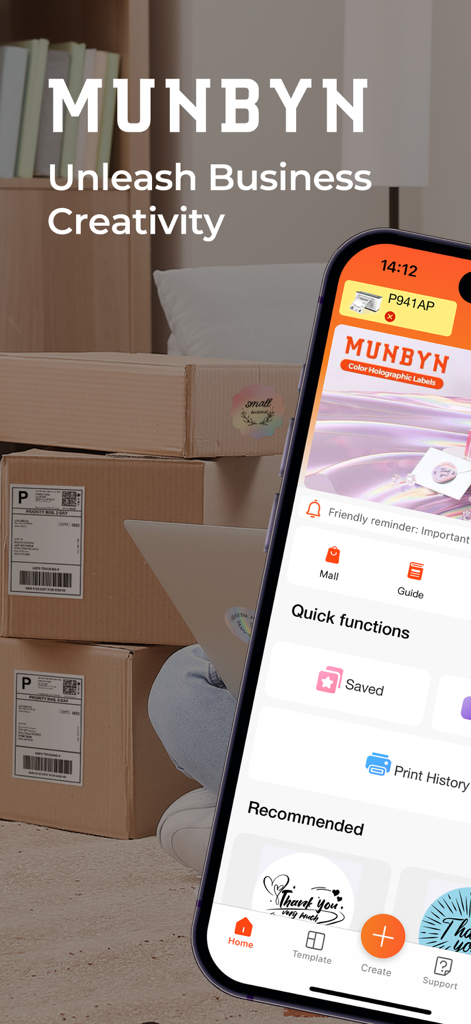
Smartphone showing the Munbyn Print app home screen next to labeled shipping packages
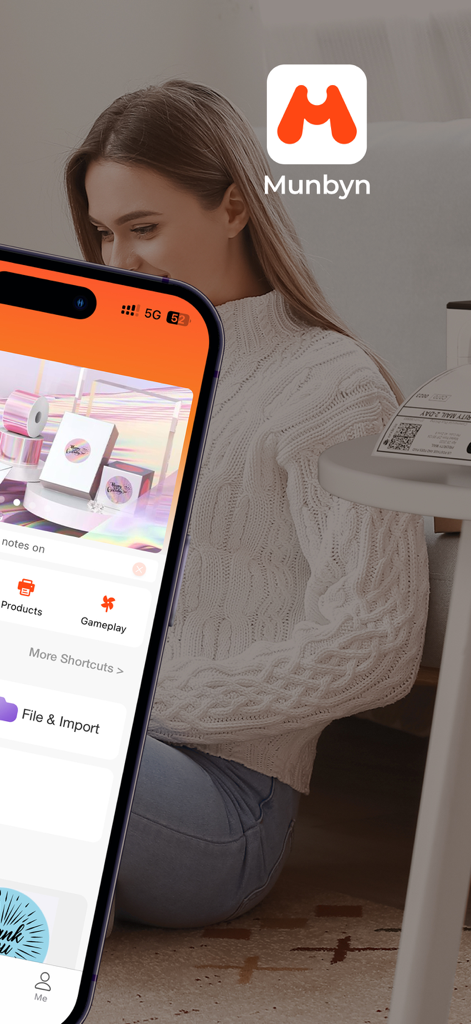
Munbyn Print mobile app home screen on a smartphone for thermal label printing
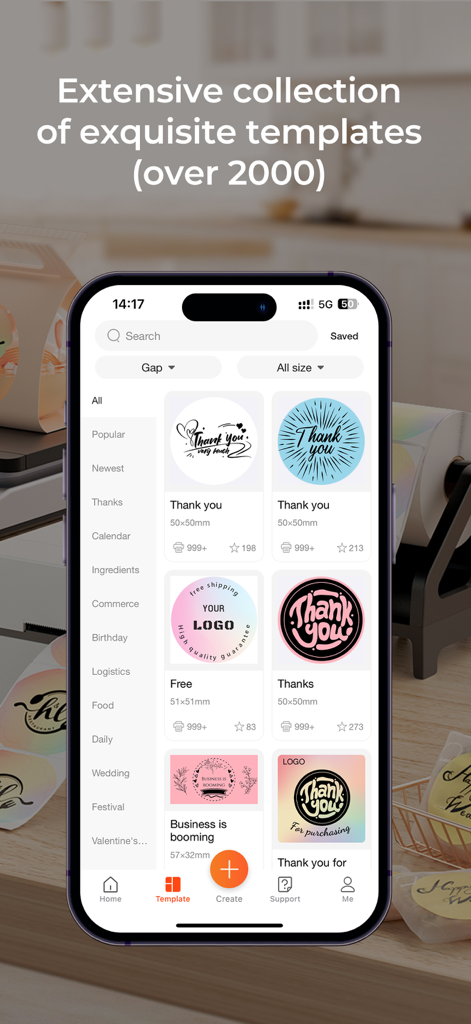
Screenshot of the Munbyn Print app showing a library of customizable thank you and branding label templates for small business owners.
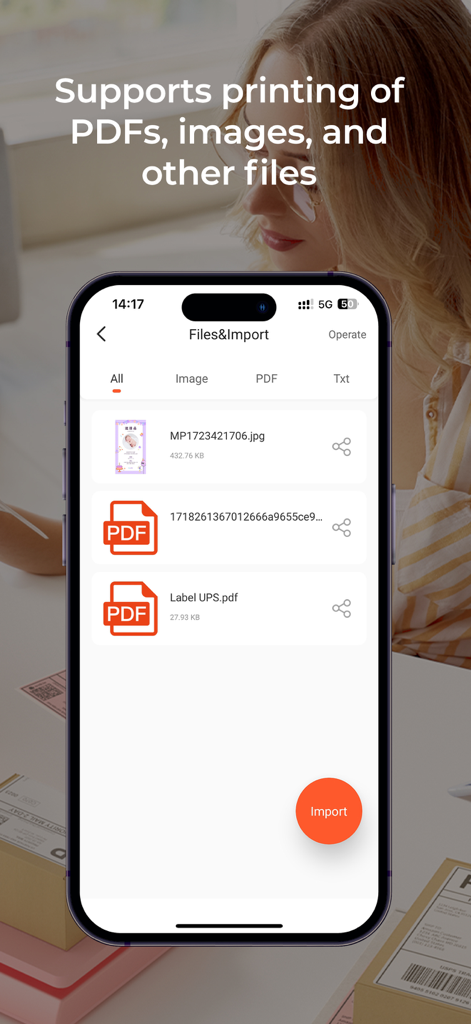
Smartphone screen displaying the file import interface of Munbyn Print app for PDF and image printing
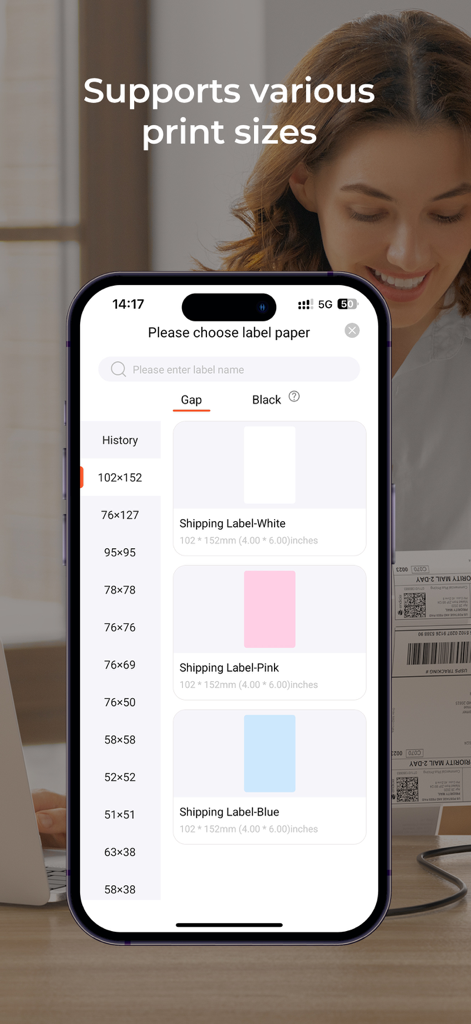
A mobile interface screen showing a variety of shipping label paper sizes and colors available in the Munbyn Print app
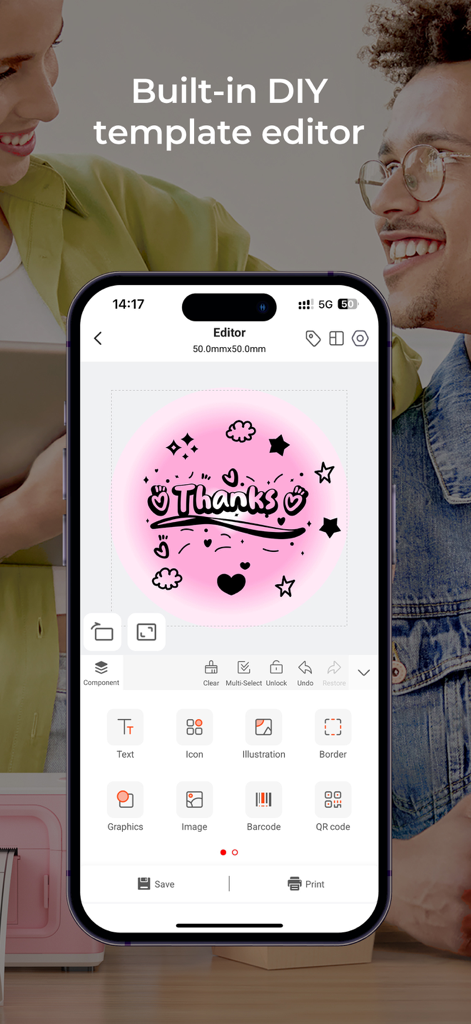
Munbyn Print mobile app showing the built-in DIY template editor for creating custom labels.
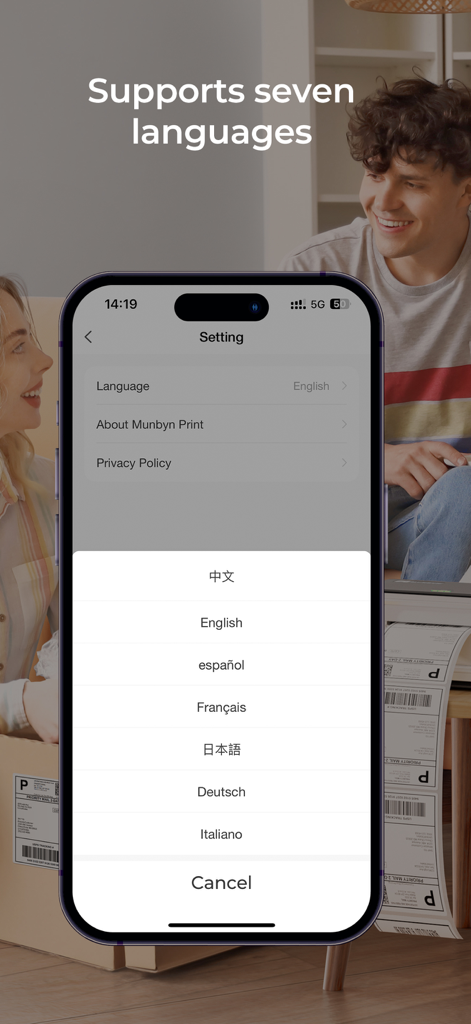
Munbyn Print app interface showing language selection settings for seven different languages
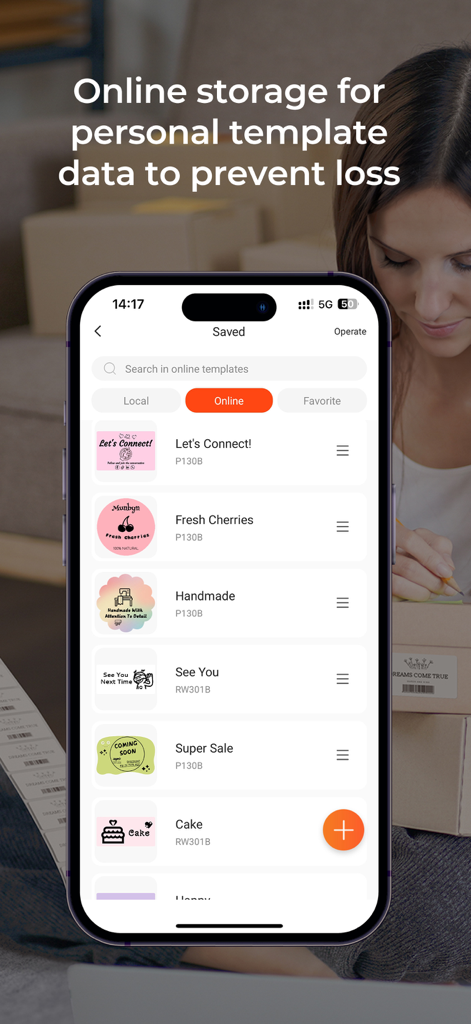
Munbyn Print mobile app screen showing a list of saved custom label templates with cloud storage for small businesses.
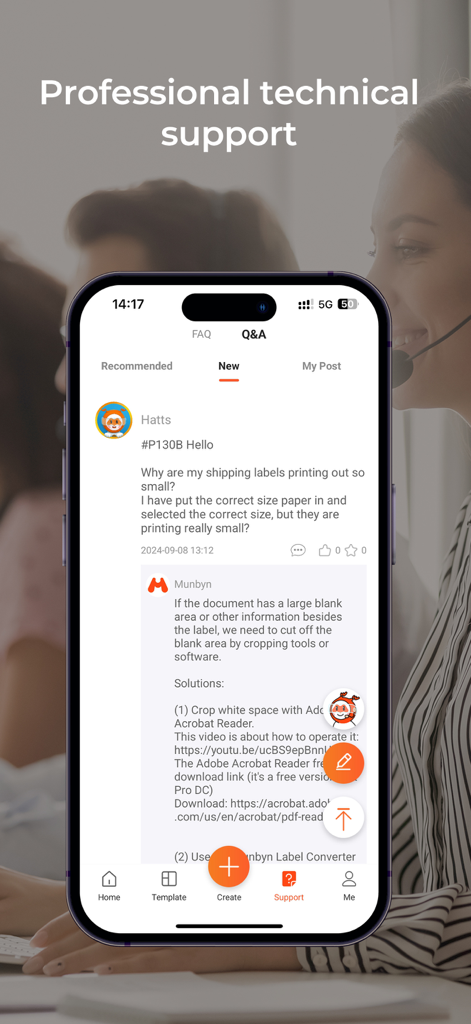
Munbyn Print app interface showing the professional technical support Q and A section with a detailed troubleshooting response for shipping labels
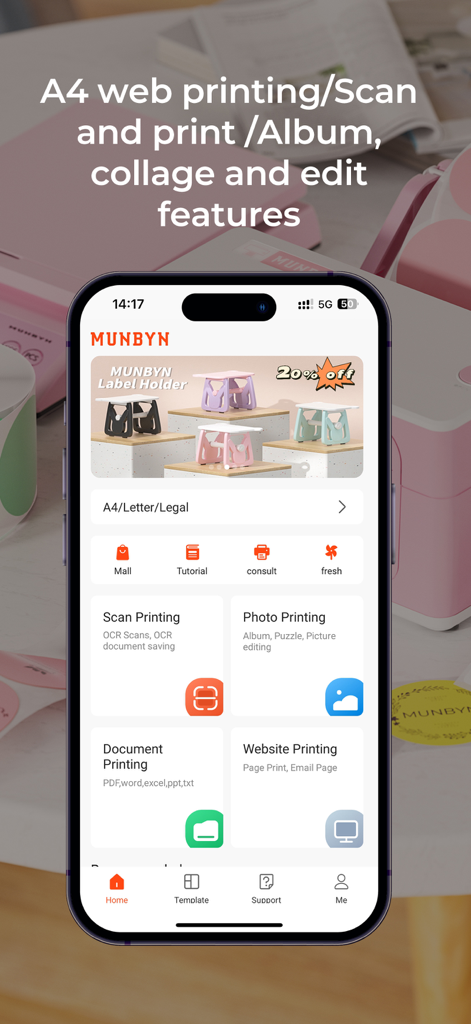
Munbyn Print mobile app dashboard showing scan photo and document printing features
Description
Download
More Like This
Apps with similar features and user experience
NIIMBOT
WUHAN JINGCHEN INTELLIGENT IDENTIFICATION TECHNOLOGY CO., LTD
Nelko
E-z Ink Technology Co., Ltd

Print Master
PHOMEMO PTE. LTD.
Labelnize
E-z Ink Technology Co., Ltd
NIIM
WUHAN JINGCHEN INTELLIGENT IDENTIFICATION TECHNOLOGY CO., LTD
Polaroid Hi·Print
Polaroid International B.V.

Jadens Printer
JADENS COMPANY LIMITED
FlashLabel Pro
Xiamen Print Future Technology Co.Ltd.

WePrint App
Shanghai ThanMore Network Technology Co., Ltd.
This page is not an official page of the app or its developer, but an independent editorial publication created for informational and commentary purposes. Unless expressly stated otherwise, neither the app nor its developer is affiliated with, endorsed by, sponsored by, authorized by, or otherwise officially connected with MWM, Apple, Google Play, the app publisher, or the app's developer, and nothing on this page implies that the app was developed using MWM's services. Any trademarks, logos, screenshots, and other content remain the property of their respective owners.