
This page is not an official page of the app or its developer, but an independent editorial publication created for informational and commentary purposes. Unless expressly stated otherwise, neither the app nor its developer is affiliated with, endorsed by, sponsored by, authorized by, or otherwise officially connected with MWM, Apple, Google Play, the app publisher, or the app's developer, and nothing on this page implies that the app was developed using MWM's services. Any trademarks, logos, screenshots, and other content remain the property of their respective owners.


Music Player: Play Music
Escape the subscription trap. Play FLAC, MP3, and more with a pro-grade equalizer, custom themes, and complete control over your local library—anytime, anywhere.
Downloads
328K+User Rating
Total Ratings
3K+Publisher
Category
MusicLocales
17Latest Version
1.1.9Size
53.8 MBFirst Released
Jul 3, 2021Your Music, Exactly How You Want It
Break free from streaming limits. X Music Player puts the power of high-fidelity, offline audio back in your hands with professional tools and total library control.
Total Offline Freedom
No data? No problem. Play MP3, FLAC, and WAV files directly from your device storage or browser without ever needing a Wi-Fi connection.
Studio-Grade Sound Control
Elevate your listening with a powerful built-in equalizer featuring bass boost and reverb effects designed for audiophiles who demand precision.
Frequently Asked Questions
Everything you need to know about Music Player: Play Music
What is "Music Player: Play Music"?
Music Player: Play Music is an offline music player for iOS devices. It offers beautiful equalization, compatibility for all audio formats, and a stylish user interface for an enhanced musical experience.
What audio file formats does "Music Player: Play Music" support?
Music Player: Play Music supports a wide range of audio formats including MP3, MIDI, WAV, FLAC, AAC, and APE. It functions as an elevated offline song and audio player.
Can users customize the appearance of the "Music Player: Play Music" app?
Yes, users can customize the appearance of Music Player: Play Music. The app features a sleek and straightforward user interface, allowing selection of a color scheme or player theme.
Does "Music Player: Play Music" include an equalizer for sound adjustment?
Yes, Music Player: Play Music includes an equalizer. It features bass boost, reverb effects, and more, allowing users to customize their audio experience.
Can I listen to music offline with "Music Player: Play Music"?
Yes, Music Player: Play Music allows users to listen to music offline. It is designed as an elevated offline music player, primarily for playing local music files from your device.
What are the subscription options for "Music Player: Play Music Pro"?
Music Player: Play Music Pro offers weekly, monthly, or annual subscription plans. A one-time payment option may also be available. Payments are charged to the iTunes Account.
How can I manage my subscription for "Music Player: Play Music Pro"?
Users can manage their Music Player: Play Music Pro subscription and turn off auto-renewal through their Account Settings after purchase. Auto-renewal must be turned off 24 hours prior to the current period's end.
Does "Music Player: Play Music" support creating custom playlists?
Yes, Music Player: Play Music supports creating custom playlists. Users can customize their playlist with favorite songs and easily manage them within the app.
Can I control music playback from the lock screen with "Music Player: Play Music"?
Yes, Music Player: Play Music allows users to adjust and control music from the lock screen. Playback controls are also available in the notification bar.
Can "Music Player: Play Music" set songs as ringtones?
Yes, Music Player: Play Music allows users to set tracks as ringtones. This feature is available within the offline music player functionality.
The following screenshots and description are sourced directly from the app's official store listing and are the property of the app developer.
App Store
Screenshots
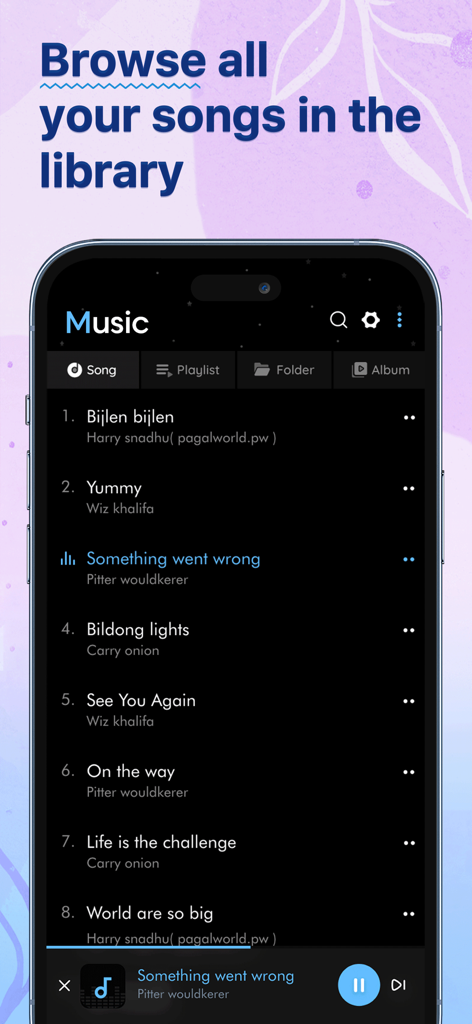
A mobile app interface showing a list of songs in a music library
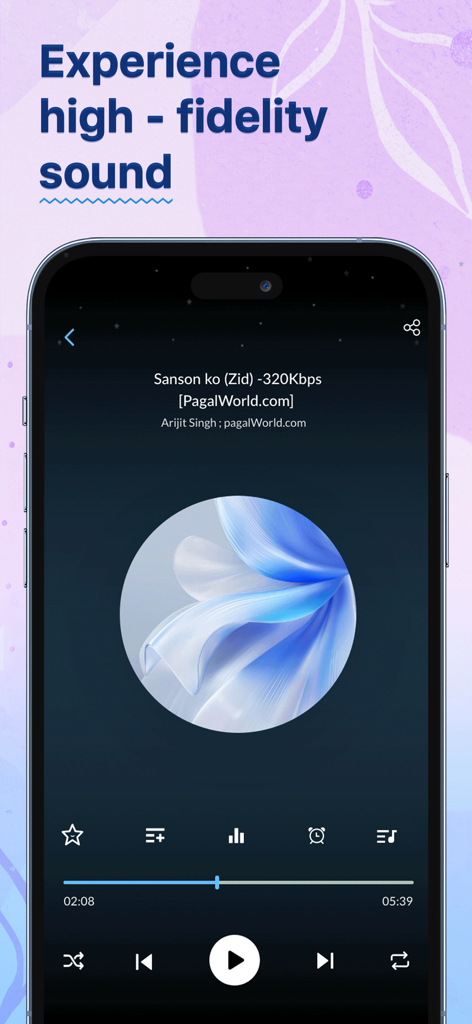
Smartphone screen showing the high fidelity music playback interface of an offline audio player app
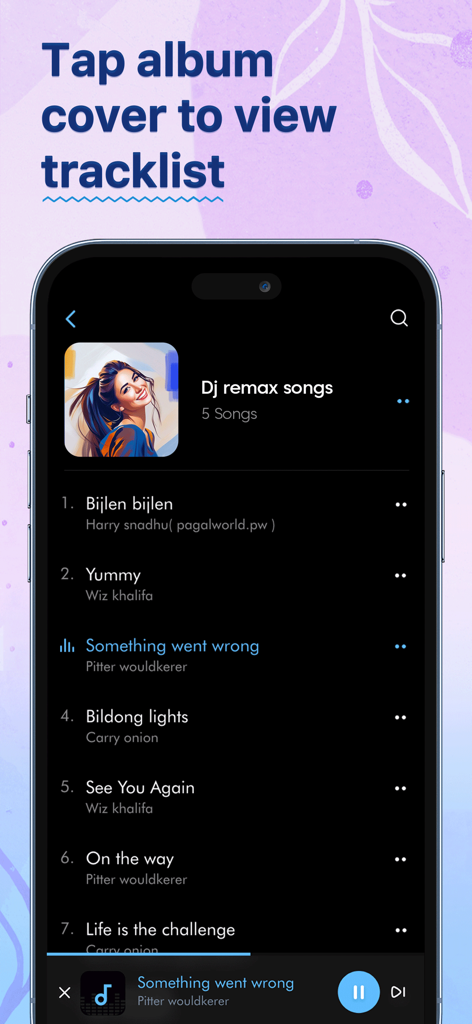
Music player app interface showing a tracklist with album art and playback controls in dark mode.
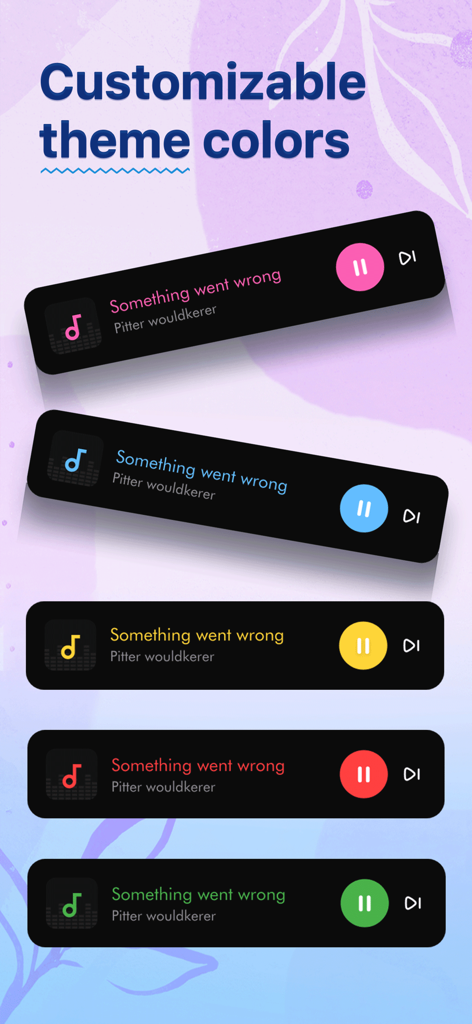
Five different color theme options for the music player interface
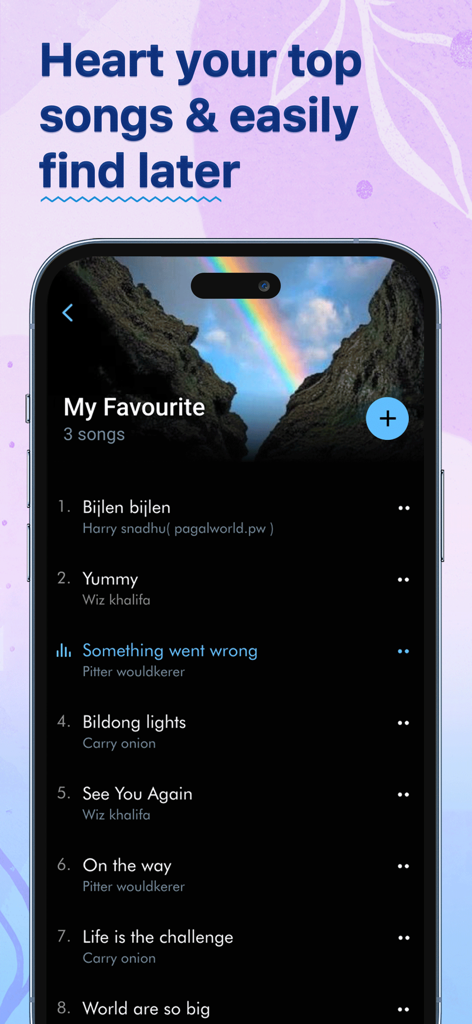
Smartphone screen displaying the favorites playlist in the Music Player app with a list of songs and artists.
Description
Download
More Like This
Apps with similar features and user experience

iPlayer - Offline Music Player
Chengdu Shark Fin Network Technology Co., Ltd.
Offline Music Player
Md Zakir Hossain

Melodista Music Offline Player
Oleksandr Pylaiev

Offline Music Player - Muzika
MobSoft Technology Srl

Pure Tuber : Videos, Music
Patrick Fronvier

RaMusi: Offline Music Player
EASECLICKMOBI HK LIMITED

Cloud Music Offline Player mp3
Astakhov Constantine

Offline Music & MP3 Player
Changsha Shenguangyuan Technology Co., Ltd.

Music X - Music Offline Player
Luzhou Haochuang Network Technology Co., Ltd.
This page is not an official page of the app or its developer, but an independent editorial publication created for informational and commentary purposes. Unless expressly stated otherwise, neither the app nor its developer is affiliated with, endorsed by, sponsored by, authorized by, or otherwise officially connected with MWM, Apple, Google Play, the app publisher, or the app's developer, and nothing on this page implies that the app was developed using MWM's services. Any trademarks, logos, screenshots, and other content remain the property of their respective owners.