My Cloud OS 5

My Cloud OS 5

Download on App Store
Logo of My Cloud OS 5

My Cloud OS 5: Your Private Cloud, Your Rules, and Zero Monthly Fees

Tired of monthly storage bills? Securely back up, access, and stream your high-res photos and 4K videos from your own private home server—anywhere in the world, with total privacy.

Download on App Store

Publisher

Western Digital Technologies, Inc.

Category

Productivity

Downloads

0

User Rating

4.7/5

Total Ratings

0

Locales

21

Your Cloud, Your Rules

Discover the interface used by 0 users.
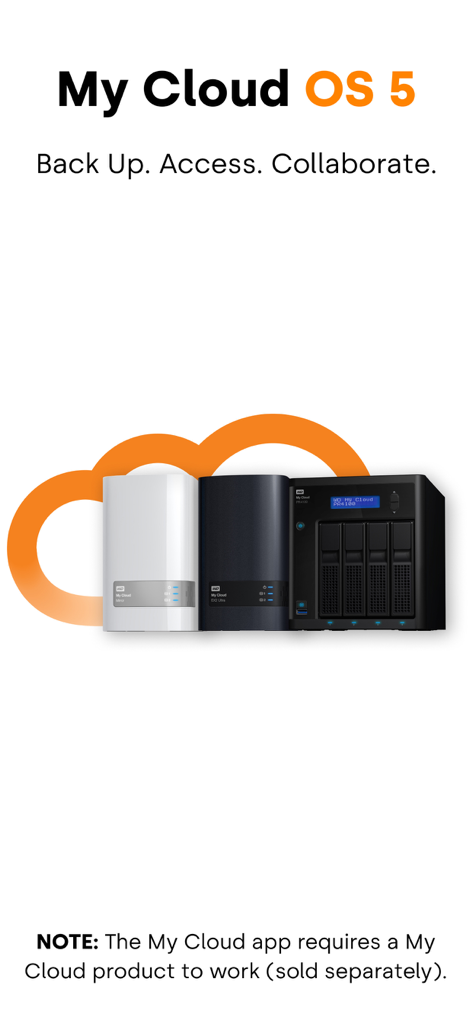
My Cloud OS 5 app splash screen showing Western Digital NAS storage units

My Cloud OS 5 app splash screen showing Western Digital NAS storage units

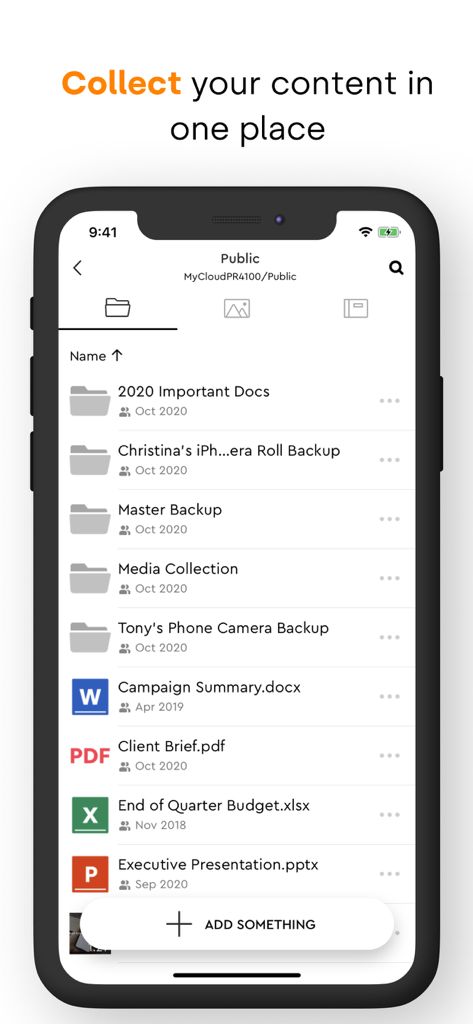
The My Cloud OS 5 mobile app interface showing a list of organized folders and documents stored on a private NAS.

The My Cloud OS 5 mobile app interface showing a list of organized folders and documents stored on a private NAS.

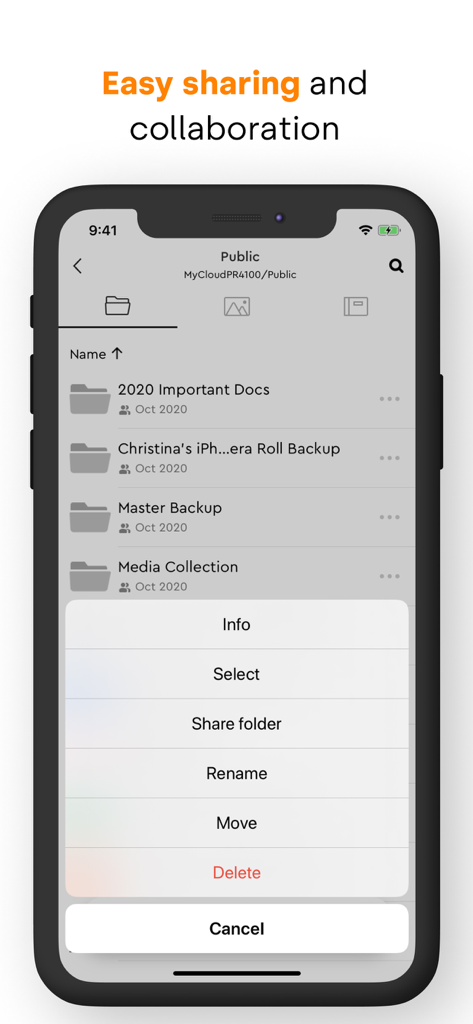
My Cloud OS 5 mobile app screen showing folder options for sharing and collaboration

My Cloud OS 5 mobile app screen showing folder options for sharing and collaboration

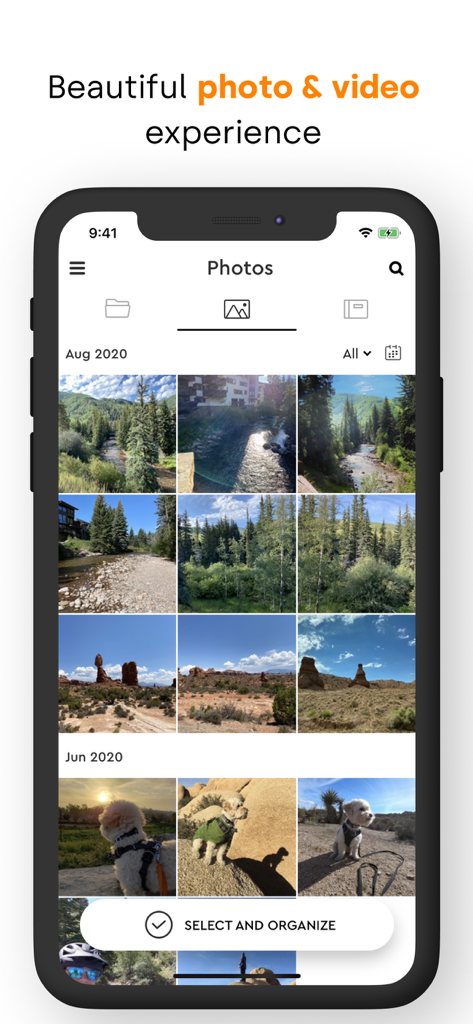
Smartphone screen showing the My Cloud OS 5 app photo gallery interface with nature and pet photos

Smartphone screen showing the My Cloud OS 5 app photo gallery interface with nature and pet photos

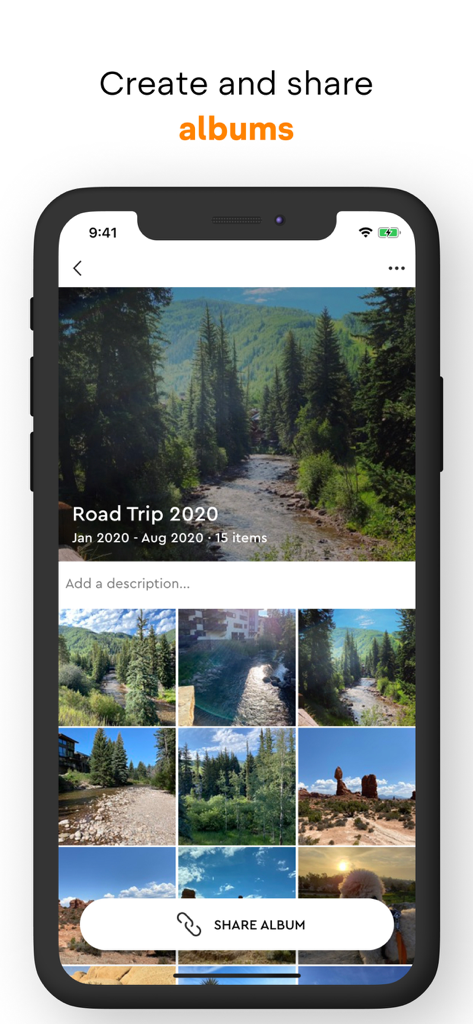
The My Cloud OS 5 mobile app interface displaying a photo album titled Road Trip 2020 with a share album button.

The My Cloud OS 5 mobile app interface displaying a photo album titled Road Trip 2020 with a share album button.

Total Control of Your Private Cloud

The tools that make this app stand out, trusted by 0 users.

🔒

Private Storage, Zero Monthly Fees

Escape 'Big Tech' subscriptions and data scanning. Keep your photos and sensitive files on your own physical hardware while enjoying the convenience of cloud access.

📸

Pro-Grade Media Previewing

Designed for creatives and enthusiasts. Preview RAW and HEIC photos or share high-resolution 4K videos without the heavy compression found in standard cloud services.

🎬

Seamless Remote Streaming

Access your entire movie and music library on the go. With Plex and Twonky integration, your home cinema collection is always available on your mobile device.

About the app

Everything you need to know about My Cloud OS 5.

Description

Introducing My Cloud OS 5 Welcome to our fresh new My Cloud NAS software ecosystem featuring our latest security updates for enhanced data privacy, improved stability and reliability, a modern mobile and web app experience, and improved photo/video viewing and sharing capabilities. My Cloud OS 5 helps you easily back up and organize high volumes of content from multiple computers, smartphones, and tablets on your My Cloud NAS, on your own private network, and without costly subscriptions. Use the mobile or web app to remotely access and share files, photos and videos you save on your My Cloud NAS from anywhere with an Internet connection. COLLECT YOUR CONTENT IN ONE PLACE Set up automatic backups to save content from your multiple devices on your private My Cloud NAS. And with your files, photos, and videos organized in one place on your own network, you can easily streamline access to manage your projects and optimize workflows. ACCESS REMOTELY The My Cloud OS 5 mobile app makes your content available to your smartphone or tablet with an Internet connection, whether you’re at home or away. Stop lugging around external drives when you travel and simply access your important files with your smartphone or tablet. EASY SHARING AND COLLABORATION Easily share content with friends, family, and colleagues, or invite them to access your My Cloud NAS for seamless collaboration. My Cloud OS 5 makes it easy to share high-res photos and videos, a single file, or an entire folder using your smartphone or tablet. OPTIMIZED MULTI-MEDIA EXPERIENCE My Cloud OS 5 delivers a beautiful photo and video viewing experience, so you get the most out of your multi-media library. • Better Photo Viewing and Sharing: Preview RAW and HEIC photos before sending. Create albums to collect and organize photos for projects, special events, or just memories you want to share. Then, you can invite others to view or even add in their own photos. • Sharper Video Sharing: Share high-quality video with friends, family or clients without compromising on resolution. • Smooth Streaming: Download the Twonky Server or Plex Media Server to smoothly stream movies and music playlists stored on your My Cloud NAS to your TV, home entertainment system or mobile device. Key App Features: - Easily back up and organize high volumes of content from multiple smartphones and tablets on your private My Cloud NAS - Remotely access all the content saved on your private My Cloud NAS without costly subscriptions - Share high-res photos and videos, a single file, or an entire folder using your smartphone or tablet - Create an Album so you can easily share photos and videos with colleagues, clients, or family - Smoothly stream movies and music playlists stored on your My Cloud NAS to your mobile device For more information on Western Digital’s Vulnerability Disclosure Policy please visit: https://www.westerndigital.com/support/product-security/vulnerability-disclosure-policy

Latest Version

4.28.1

Size

94.8 MB

First Released

Sep 30, 2020

Your Data. Your Cloud. Zero Monthly Fees.

Ditch the subscriptions and keep your 4K videos and RAW photos on your own private network. Download the app to sync, stream, and share directly from your My Cloud NAS today.

Download on App Store

App information, icons, screenshots, and descriptions displayed on this page are sourced from the Apple App Store and are the property of their respective developers. Download estimates and rankings are based on MWM's proprietary models and may not reflect actual figures. This page is provided for informational and analytical purposes only.

Believe this page infringes your intellectual property? File a dispute